

Overview
The Marketplace Management module in the Accelerate zone enables vendors to foster collaborative partner-to-partner discovery and joint go-to-market motions. By providing a centralized catalog where resellers, ISVs, and service providers can publish complementary solutions, services, and integrations, the platform facilitates strategic alliances and ecosystem co-selling opportunities.
From the administrative interface, vendors oversee the complete lifecycle of marketplace items—from initial submission review and status moderation (Draft, Pending Review, Approved, Published) to tracking engagement metrics such as customer ratings and order volume. Administrators can filter catalog entries, export listings data, and configure joint offerings that expand market reach across partner networks.
Key Features
- Co-sell Listing Management
- Solution & Service Categorization
- Listing Approval Workflow
- Order & Rating Tracking
- Marketplace Bundle Administration
- Accelerate Zone Monitoring
Navigating the Accelerate Zone
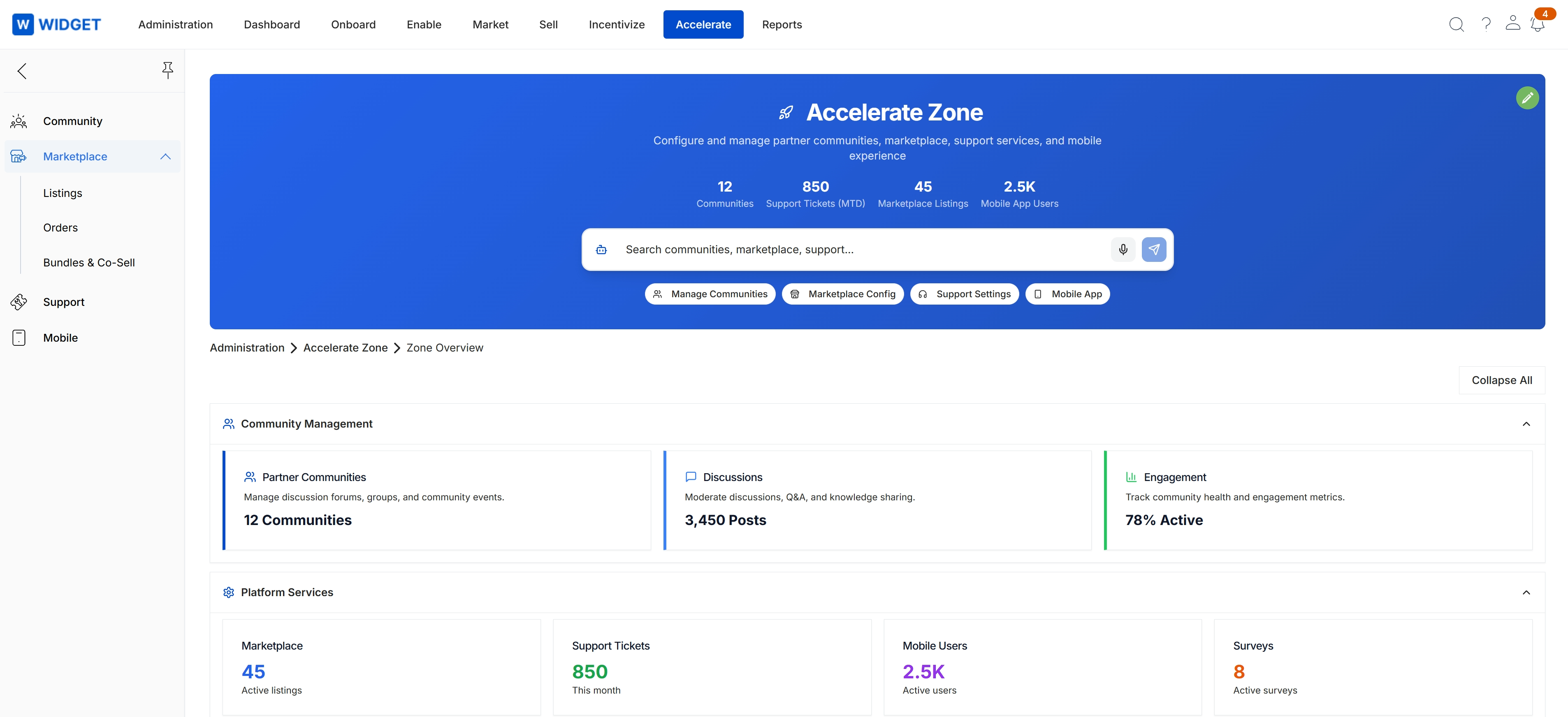
In the left navigation menu, click Marketplace → Listings.
Managing Marketplace Listings
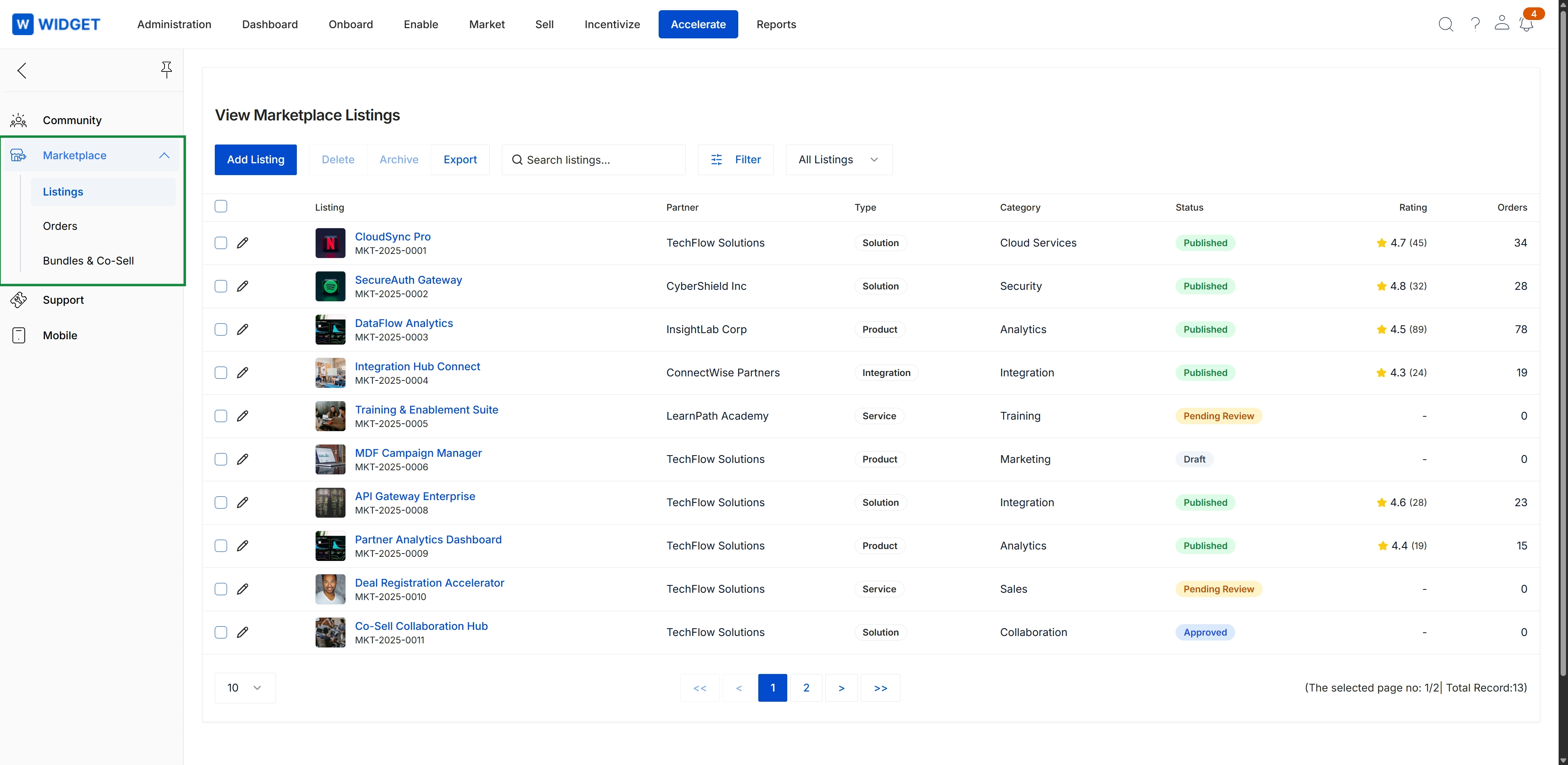
The View Marketplace Listings screen serves as the centralized catalog for managing partner-submitted solutions, integrations, products, and services within the Accelerate module. It displays all partner offerings alongside their publication status, offering type, category classifications, and marketplace traction metrics such as ratings and order volumes. Program administrators utilize this register to govern listing lifecycles, review pending partner submissions, and maintain quality standards across the ecosystem's co-sell discovery directory.
Frequently asked questions
- What is the primary purpose of Marketplace Management?
It acts as the administrative center for configuring and overseeing partner-to-partner co-sell listings, solution offerings, and ecosystem services within the Accelerate zone.
- What listing lifecycle stages can administrators manage?
Administrators oversee listing moderation across stages including Draft, Pending Review, Approved, and Published status.
- How do administrators access partner listings in the platform?
In the left navigation menu, navigate to Marketplace and select Listings to open the administrative catalog view.
- What performance metrics are tracked on marketplace listings?
The administrative interface tracks ecosystem traction metrics, including customer ratings and total order volumes for each listing.