

Overview
The Co-sell Marketplace within the Accelerate module facilitates partner-to-partner discovery, strategic alliances, and joint go-to-market opportunities. Partner organizations submit marketplace listings highlighting their unique offerings, target categories, and integration readiness, allowing other ecosystem participants to discover complementary capabilities and initiate joint deal engagements.
The View Marketplace Listings interface functions as the administrative control center for these catalog entries. Program managers use this screen to audit listing quality across statuses such as Published, Approved, Pending Review, and Draft, analyze aggregate partner ratings and order volume, and utilize search, filter, and bulk operations to keep the catalog curated and actionable.
Key Features
- Marketplace Listing Management
- Listing Lifecycle Tracking
- Attribute Search & Filtering
- Bulk Record Maintenance
- Listing Data Export
- Partner Performance Metrics
Navigating and Exporting the Directory
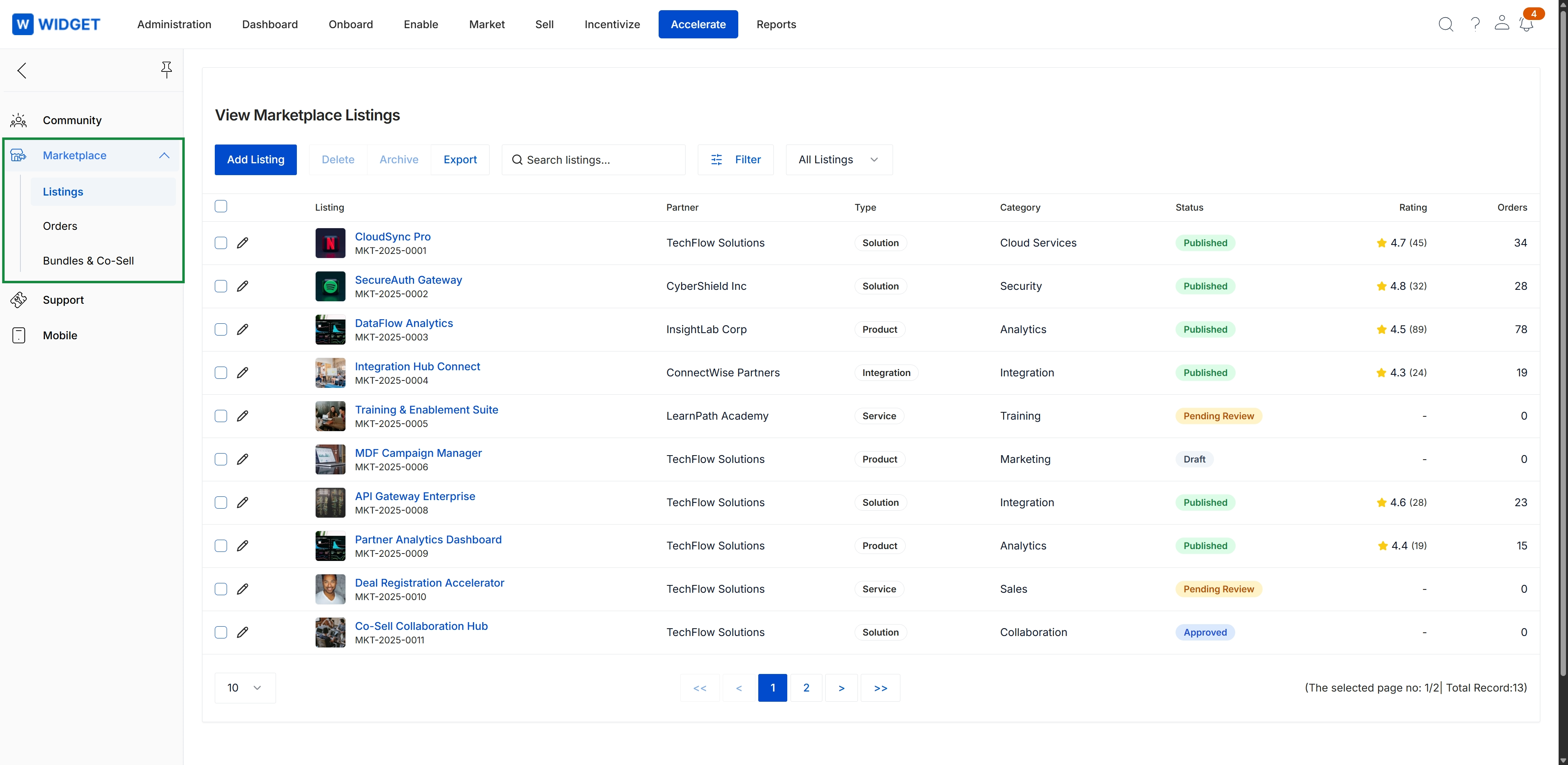
Click Accelerate → Marketplace → Listings.
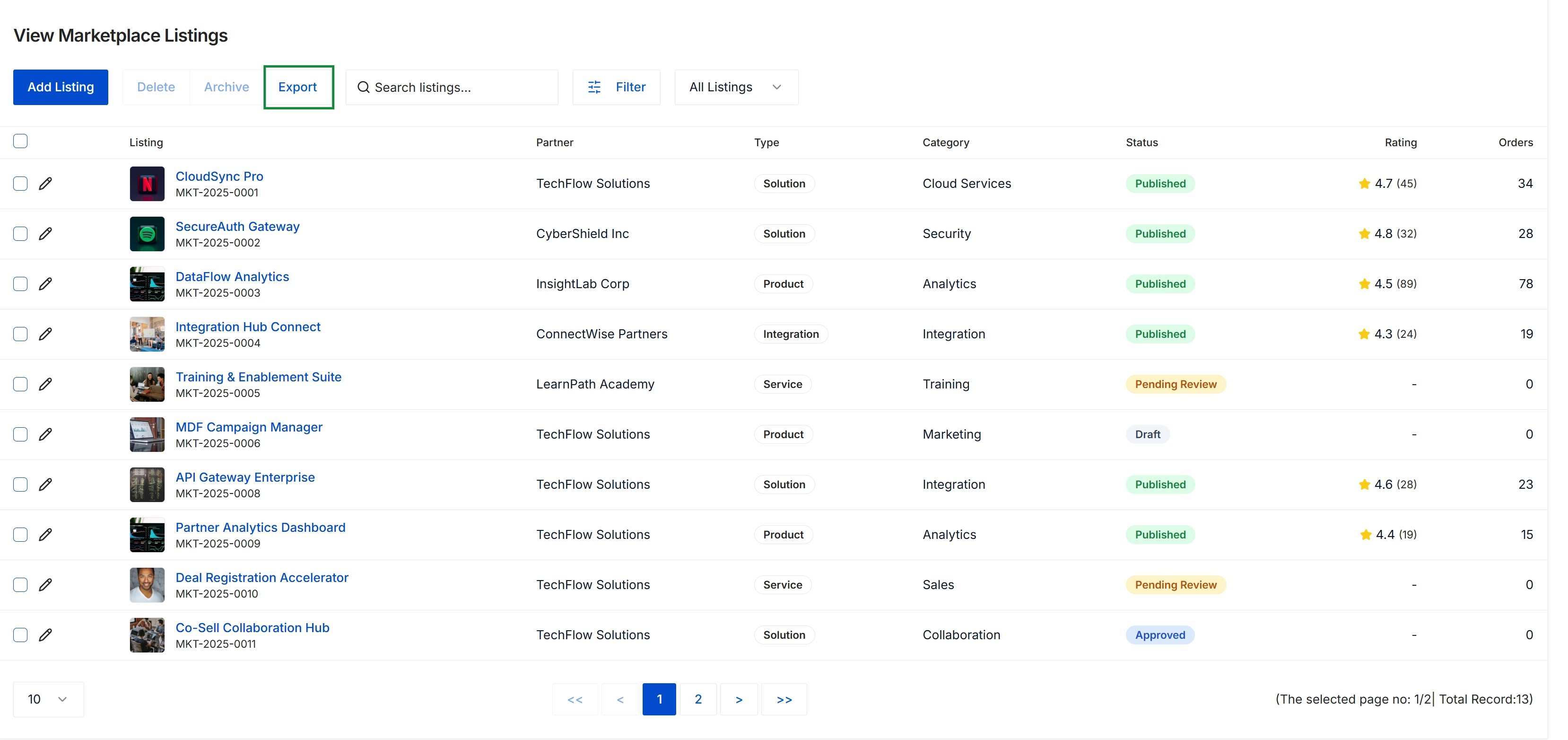
This screen serves as the centralized directory for managing partner offerings within the co-sell marketplace ecosystem. It provides administrators with visibility into partner-submitted solutions, integrations, and services, tracking each listing's publication status through the vendor review lifecycle alongside customer ratings and transaction volumes. This oversight ensures quality control and alignment across joint go-to-market solutions before they are surfaced to the broader partner network for co-selling discovery.
Searching and Filtering Listings
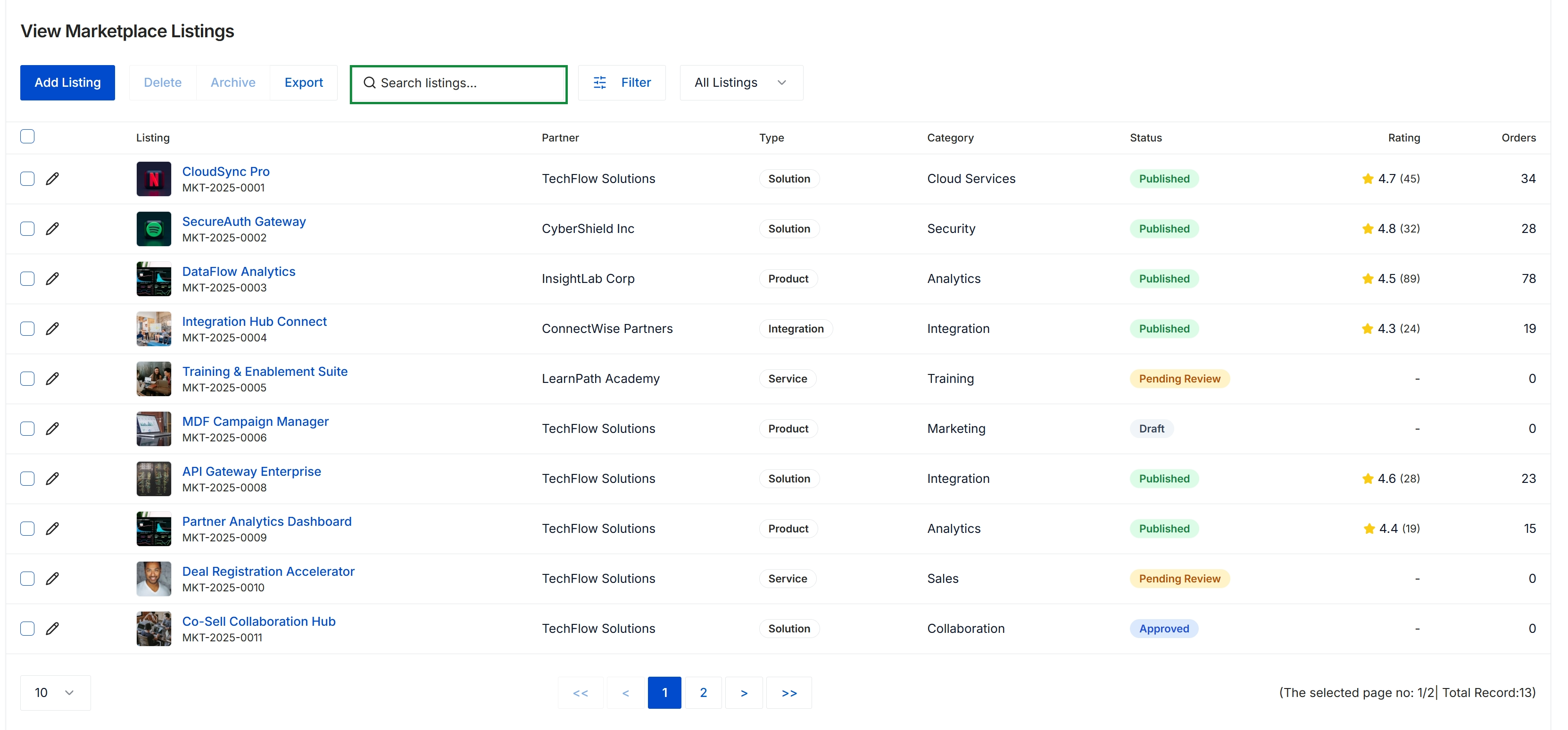
This screen provides an administrative catalog of all co-sell marketplace listings submitted across the partner ecosystem. It presents critical listing metadata, including the offering title and identifier, associated partner organization, solution type, category, lifecycle status, user ratings, and total order volume. Administrators use this central directory to monitor marketplace inventory, review partner submissions transitioning from pending review to approved or published states, and oversee joint go-to-market offerings.
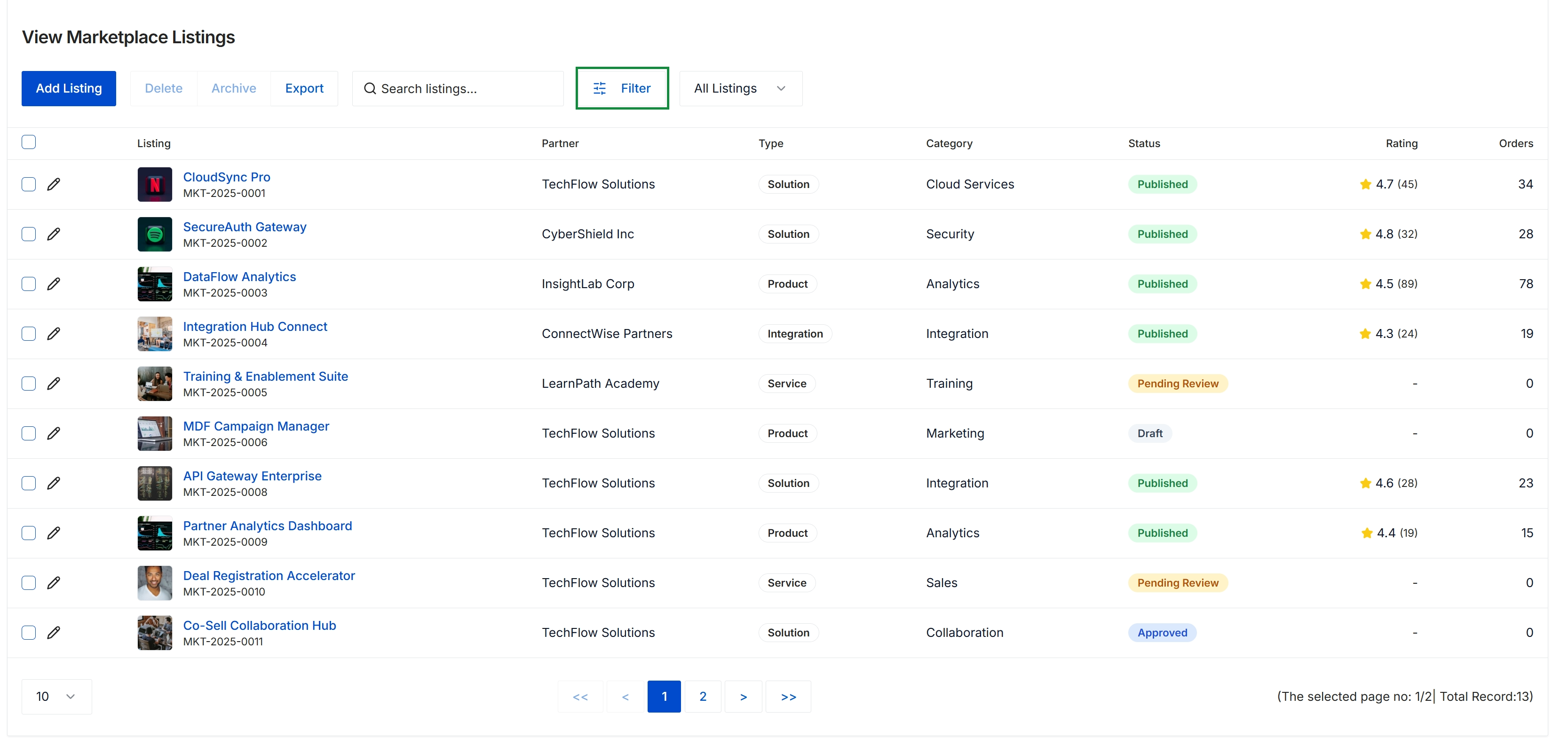
This view provides a centralized directory of partner offerings published or submitted across the co-sell marketplace. It summarizes each listing by partner, solution type, category, lifecycle status, user ratings, and overall order volume. Program administrators use this screen to monitor partner go-to-market solutions, evaluate submission statuses, and oversee listing activity across the ecosystem.
Executing Bulk Listing Actions
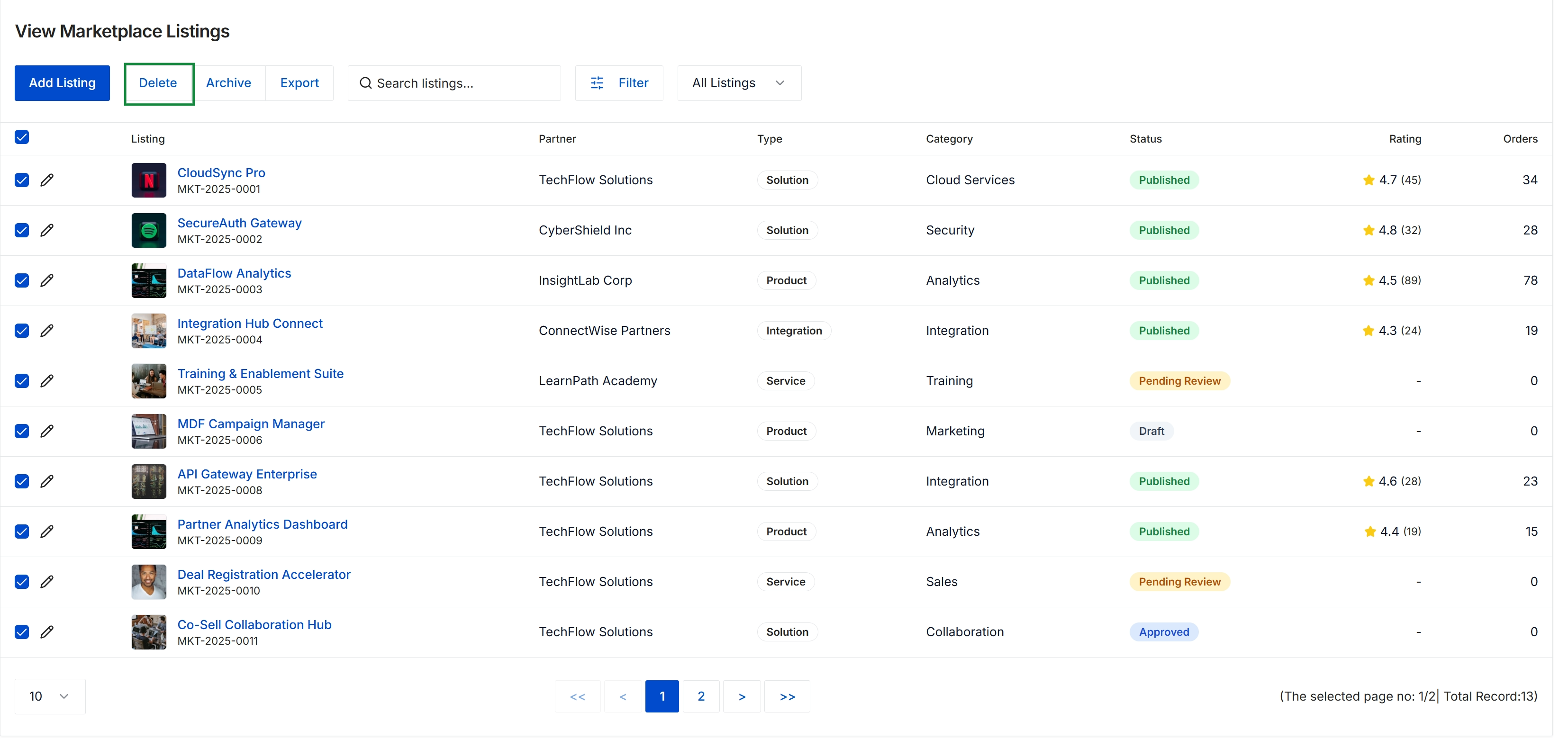
This screen displays the marketplace listings directory with multiple records selected for bulk administrative operations. In the co-sell marketplace workflow, administrators use this interface to govern partner-submitted solutions, integrations, and services across various approval and publication states. The view provides visibility into partner ownership, offering categorization, user ratings, and overall order adoption across the ecosystem.
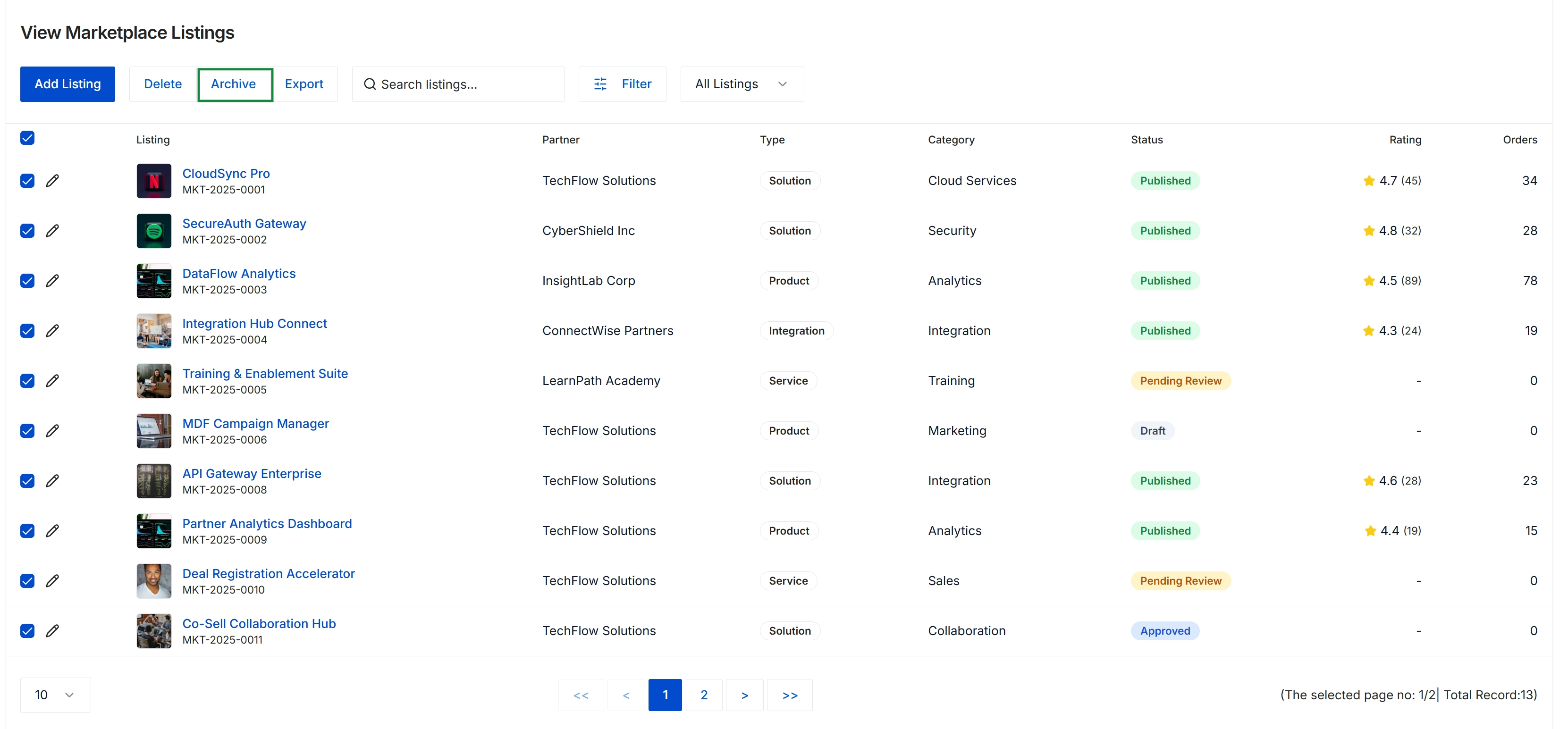
This screen displays the administrative listing directory for the co-sell marketplace within the Accelerate module. It provides a centralized summary of all partner and vendor offerings, detailing each listing's associated partner, classification type, functional category, lifecycle status, ratings, and order volume. Program administrators utilize this view to oversee marketplace health, review submissions across approval stages, and manage bulk actions such as archiving or exporting catalog data.
Frequently asked questions
- What is the purpose of the View Marketplace Listings console?
It serves as a centralized administrative repository to manage partner co-sell listings, evaluate offering quality, monitor order engagement, and execute catalog maintenance.
- How do administrators access the marketplace listings directory?
Navigate to Accelerate, select Marketplace, and choose Listings from the expanded menu.
- Which listing lifecycle statuses are tracked in this view?
Administrators can audit and track listings across Draft, Pending Review, Approved, and Published statuses.
- What metadata is displayed for each marketplace listing?
The directory details offering titles, identifiers, partner organizations, solution types, functional categories, review statuses, aggregate ratings, and total order volumes.
- What bulk actions can be performed on marketplace records?
Administrators can select multiple listings to export data, delete records, or archive catalog entries in bulk.