

Overview
The Partner Profile Management feature within the Onboard module is crucial for maintaining an accurate and up-to-date database of all enrolled partners and their individual contacts. As partners are recruited, onboarded, and engage with the platform, their profiles and contact information evolve. Administrators use this section to oversee these details, ensuring that communication, program assignments, and access permissions are correctly managed. This foundational data supports all subsequent partner activities across the platform, from deal registration to incentive payouts.
Effective management of partner profiles and contacts is vital for the health of the partner program. It enables administrators to quickly locate specific partners or contacts, update their information, and perform necessary administrative tasks such as assigning partner managers or managing access. This capability ensures that the vendor can effectively support its partners, track their engagement, and facilitate smooth operations throughout the partner lifecycle.
Key Features
- Partner Account Management
- Partner Contact Management
- Search & Filter Partners
- Export Partner Data
- Bulk Actions
- Create Custom Views
Accessing Partner Management
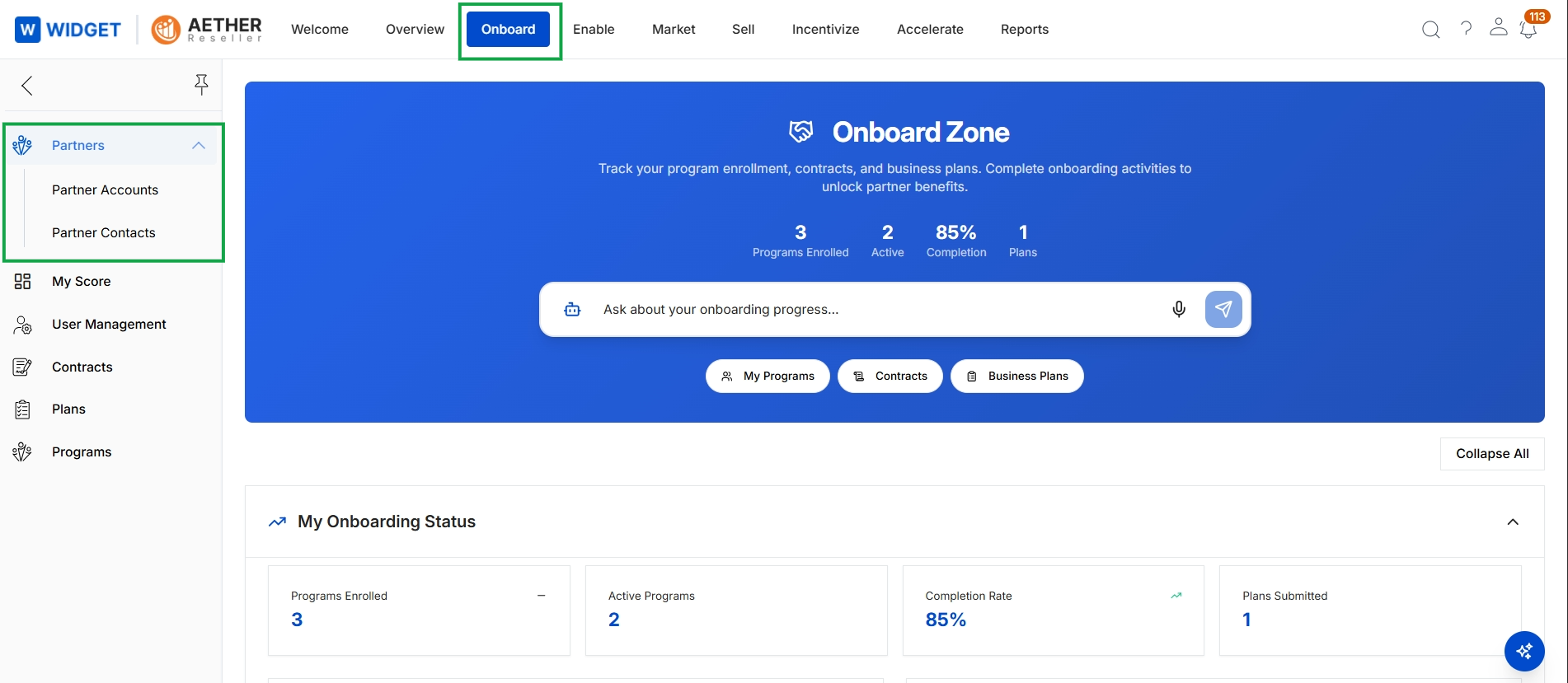
Click Onboard → Partners → Partner Accounts.
Viewing Partner Accounts
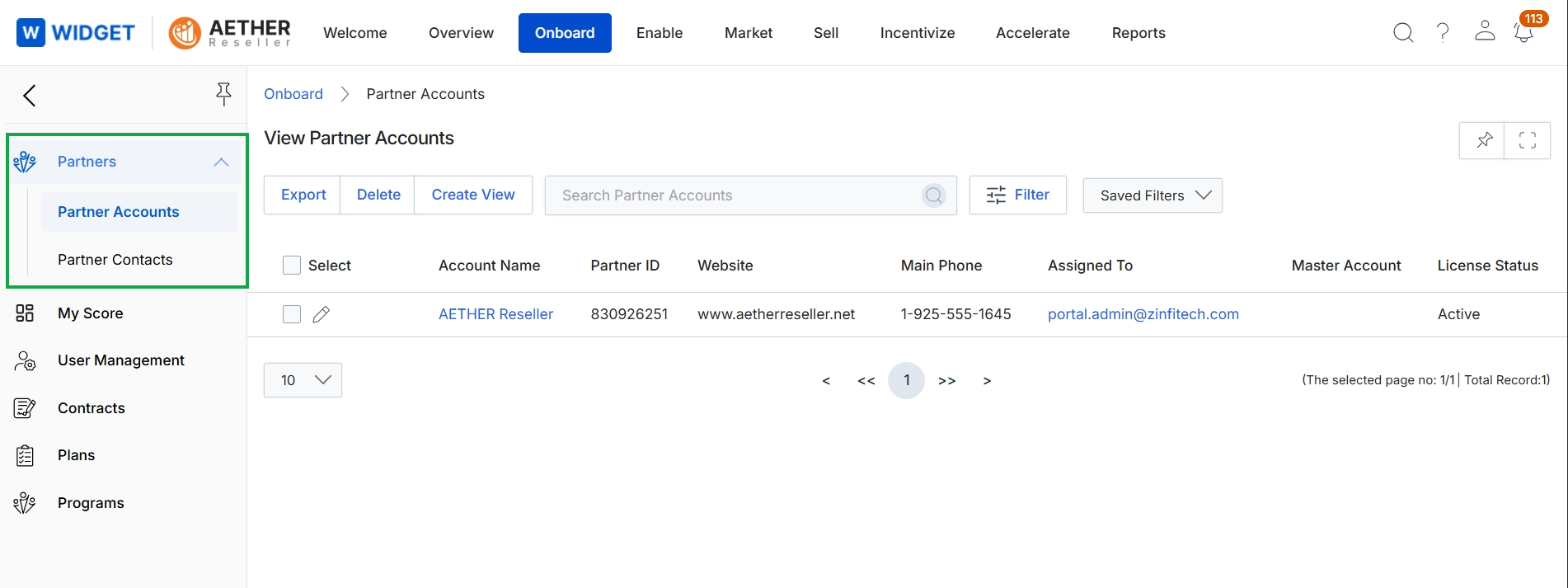
This screen displays a list of all partner accounts managed within the Onboard module, providing administrators with a centralized view of their partner ecosystem. It functions as a list page where administrators can review key details for each partner account, such as their name, unique identifier, website, and assigned manager. This view is essential for managing the partner lifecycle, allowing for quick identification and access to individual partner records for further action or review.
Viewing Partner Contacts
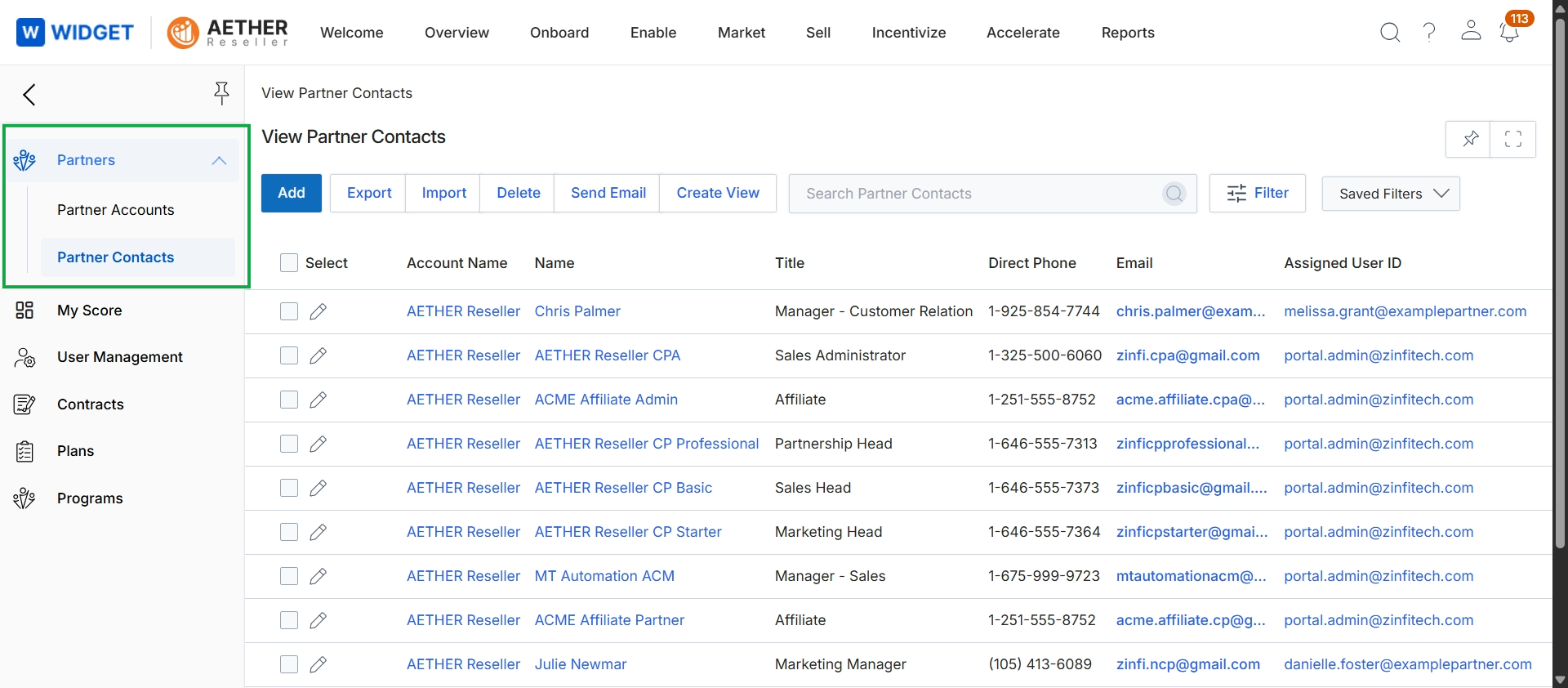
This screen displays a comprehensive list of all individual partner contacts associated with various partner accounts within the platform. It serves as a central repository for administrators to view and manage contact information, including their associated partner company, name, title, and communication details. This view supports the partner profile management workflow by providing tools for adding new contacts, exporting data, and performing bulk actions like sending emails, which is crucial for effective communication and relationship management with the partner ecosystem.
Frequently asked questions
- What is the purpose of the Partner Profile Management feature?
It provides a centralized repository for administrators to manage all partner accounts and their associated contacts. This ensures an accurate and up-to-date database of enrolled partners and their individual contact information.
- Who uses this feature?
UPM administrators use this feature to oversee partner details. This helps ensure communication, program assignments, and access permissions are correctly managed for all partners.
- What key functions does this feature support?
It supports partner account management, partner contact management, search and filter capabilities, data export, and bulk actions. These functions are crucial for managing the partner lifecycle effectively.
- How do administrators access partner management?
Administrators can access the feature by navigating to Onboard → Partners → Partner Accounts within the module.
- What details are visible in the Partner Accounts list view?
The list view displays key details for each partner account, such as their name, unique identifier, website, and assigned manager. This provides a centralized view of the partner ecosystem.
- What information is available in the Partner Contacts list view?
This view shows a comprehensive list of individual partner contacts, including their associated partner company, name, title, and communication details. It supports adding new contacts, exporting data, and performing bulk actions like sending emails.