

Overview
The Partner Accounts section is a core component of the Onboard module, serving as the central hub for managing all partner relationships. After partners are recruited and their applications approved, their detailed profiles are maintained here, providing a 360-degree view of each partner's engagement and attributes. This module is critical for channel managers and program administrators who need to monitor partner performance, ensure compliance, and access essential information for strategic decision-making across all stages of the partner lifecycle.
Administrators can quickly search for partners, apply filters to segment their view, and then drill down into individual partner profiles. These profiles consolidate all relevant data, from basic company details and assigned partner types/tiers to contact information, license statuses, and even sub-offered solutions. This comprehensive view enables efficient partner management, facilitating tasks such as assigning partner managers, reviewing historical activity, and preparing for business reviews.
Viewing the Partner Accounts List
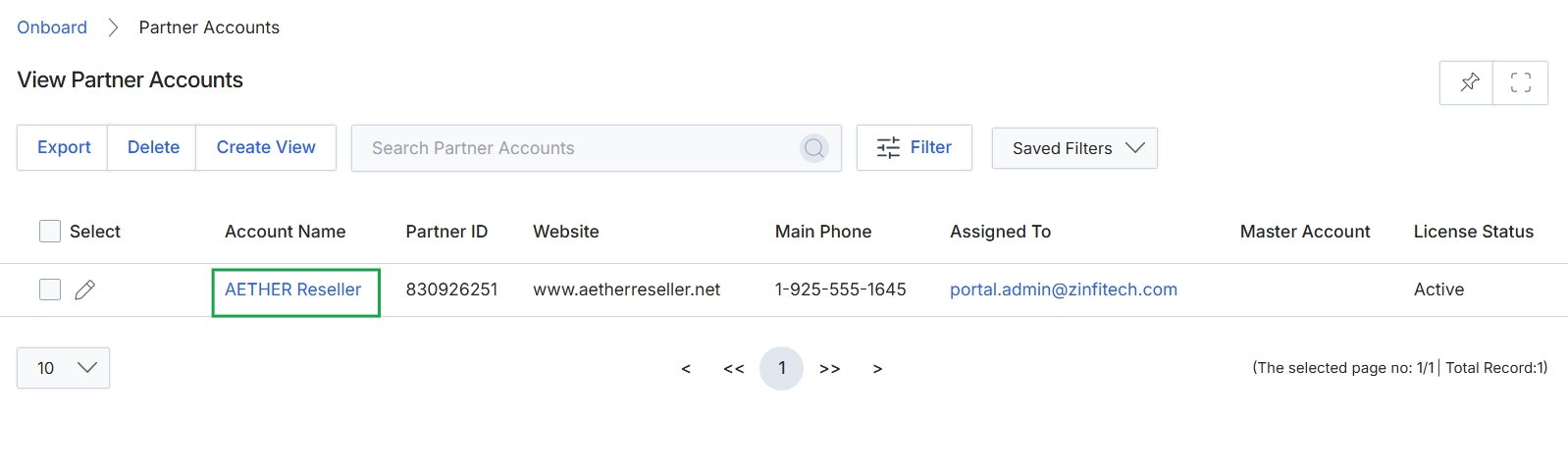
Click the AETHER Reseller link.
Reviewing a Partner's Profile Details
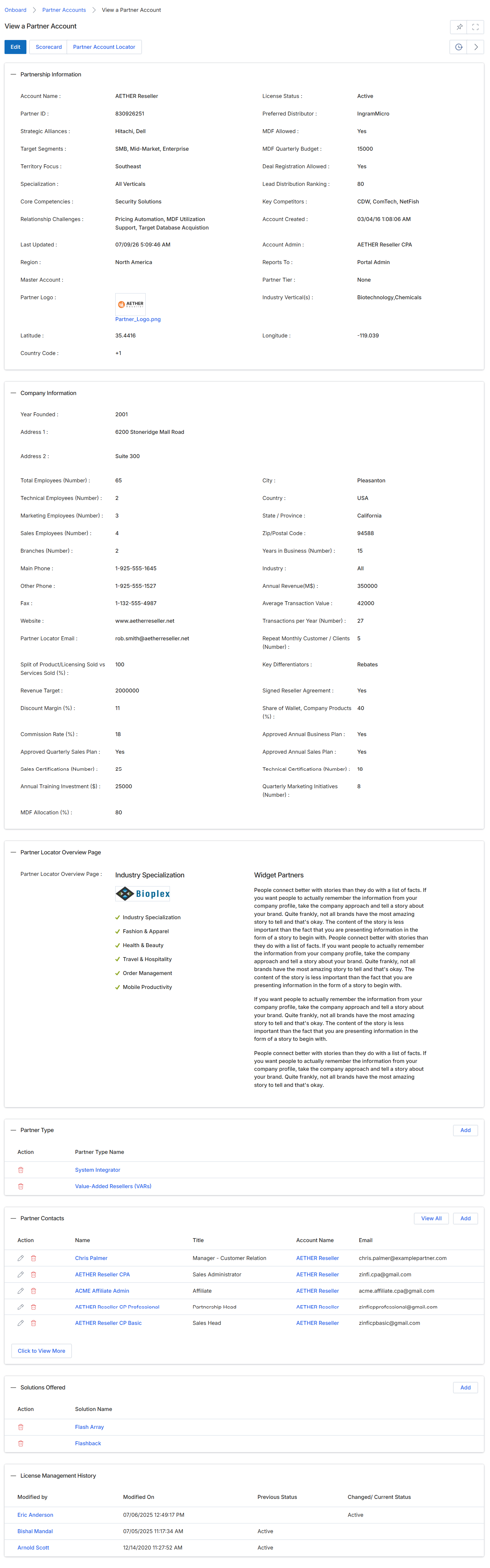
This screen provides a comprehensive, read-only view of a specific Partner Account within the UPM, centralizing all relevant information for administrators. It consolidates various data points, including detailed partnership specifics, company demographics, and an overview for the partner locator. Additionally, it presents related lists for assigned partner types, associated contacts, solutions offered by the partner, and a history of license management changes. Administrators utilize this detailed profile to effectively manage partner relationships, track their status, review engagement, and gain insights into their capabilities and specializations, which is crucial for informed decisions regarding tier assignments, program participation, and overall partner ecosystem health.
Review the detailed information presented across the various sections for the selected Partner Account.
Buttons
| Button | Description |
|---|---|
| Edit | Allows administrators to modify the details of the Partner Account. |
| Scorecard | Navigates to the partner's performance scorecard, which summarizes key metrics and scoring information. |
| Add | Adds a new partner type to the list. |
| View All | Displays all partner contacts associated with this account. |
| Add | Adds a new partner contact to the list. |
| Add | Adds a new solution offered to the list. |
Partnership Information
| Field | Description |
|---|---|
| Account Name | The official name of the partner company. |
| Partner ID | A unique identifier assigned to the partner account. |
| Strategic Alliances | Lists any strategic alliances or partnerships the partner maintains. |
| Target Segments | Indicates the market segments the partner primarily targets. |
| Territory Focus | Specifies the geographic region where the partner focuses its business. |
| Specialization | Describes the partner's areas of expertise or specific product/service focus. |
| Core Competencies | Highlights the fundamental skills and capabilities of the partner. |
| Relationship Challenges | Notes any identified challenges in the partnership relationship. |
| Last Updated | The timestamp of the last modification made to the partner's record. |
| Region | The broader geographical region associated with the partner. |
| Master Account | Indicates if this partner account is part of a larger master account structure. |
| Partner Logo | Displays the partner's company logo. |
| Latitude | The geographical latitude coordinate of the partner's primary location. |
| Country Code | The international dialing code for the partner's country. |
| License Status | The current status of the partner's license or certification. |
| Preferred Distributor | Identifies the partner's preferred distributor. |
| MDF Allowed | Indicates whether the partner is eligible for Market Development Funds. |
| MDF Quarterly Budget | The allocated quarterly budget for Market Development Funds for this partner. |
| Deal Registration Allowed | Specifies if the partner is permitted to register deals. |
| Lead Distribution Ranking | The partner's ranking for lead distribution. |
| Key Competitors | Lists the primary competitors of the partner. |
| Account Created | The date and time when the partner account was initially created. |
| Account Admin | The administrator responsible for managing this partner account. |
| Reports To | Indicates who the partner account reports to within the vendor organization. |
| Partner Tier | The assigned performance tier of the partner, which determines benefits and access. |
| Industry Vertical(s) | The specific industry verticals the partner operates within. |
| Longitude | The geographical longitude coordinate of the partner's primary location. |
Company Information
| Field | Description |
|---|---|
| Year Founded | The year the partner company was established. |
| Address 1 | The first line of the partner's physical address. |
| Address 2 | The second line of the partner's physical address, if applicable. |
| Total Employees (Number) | The total number of employees at the partner company. |
| Technical Employees (Number) | The number of employees in technical roles at the partner company. |
| Marketing Employees (Number) | The number of employees in marketing roles at the partner company. |
| Sales Employees (Number) | The number of employees in sales roles at the partner company. |
| Branches (Number) | The number of branch offices the partner company operates. |
| Main Phone | The primary contact phone number for the partner company. |
| Other Phone | An alternative contact phone number for the partner company. |
| Fax | The fax number for the partner company. |
| Website | The official website URL of the partner company. |
| Partner Locator Email | The email address designated for partner locator inquiries. |
| Split of Product/Licensing Sold vs Services Sold (%) | The percentage breakdown of the partner's revenue from product/licensing sales versus services sold. |
| Revenue Target | The target revenue set for the partner. |
| Discount Margin (%) | The percentage discount margin offered to the partner. |
| Commission Rate (%) | The percentage commission rate applicable to the partner. |
| Approved Quarterly Sales Plan | Indicates whether a quarterly sales plan has been approved for the partner. |
| Sales Certifications (Number) | The number of sales certifications held by the partner's employees. |
| Annual Training Investment ($) | The partner's annual investment in training. |
| MDF Allocation (%) | The percentage of Market Development Funds allocated to the partner. |
| City | The city where the partner's primary location is situated. |
| Country | The country where the partner's primary location is situated. |
| State / Province | The state or province where the partner's primary location is situated. |
| Zip/Postal Code | The postal code for the partner's primary location. |
| Years in Business (Number) | The total number of years the partner company has been in business. |
| Industry | The industry in which the partner primarily operates. |
| Annual Revenue(M$) | The partner's annual revenue, expressed in millions of dollars. |
| Average Transaction Value | The average monetary value of transactions conducted by the partner. |
| Transactions per Year (Number) | The total number of transactions performed by the partner annually. |
| Repeat Monthly Customer / Clients (Number) | The number of customers or clients that repeatedly engage with the partner on a monthly basis. |
| Key Differentiators | Highlights the unique aspects that set the partner apart from competitors. |
| Signed Reseller Agreement | Indicates whether a reseller agreement has been signed with the partner. |
| Share of Wallet, Company Products (%) | The percentage of the partner's total relevant spending that is directed toward the vendor's products. |
| Approved Annual Business Plan | Indicates whether an annual business plan has been approved for the partner. |
| Approved Annual Sales Plan | Indicates whether an annual sales plan has been approved for the partner. |
| Technical Certifications (Number) | The number of technical certifications held by the partner's employees. |
| Quarterly Marketing Initiatives (Number) | The number of marketing initiatives undertaken by the partner on a quarterly basis. |
Partner Locator Overview Page
| Field | Description |
|---|---|
| Partner Locator Overview Page | A descriptive text field providing an overview for the partner locator. |
| Industry Specialization | Lists the industries in which the partner specializes, often accompanied by visual indicators. |
| Widget Partners | A text area for descriptive content related to widget partners, possibly for marketing or informational purposes. |
Partner Type
| Column | Description |
|---|---|
| Action | Column header for actions that can be performed on a partner type entry, such as deletion. |
| Partner Type Name | Column header for the name of the partner type. |
Partner Contacts
| Column | Description |
|---|---|
| Action | Column header for actions that can be performed on a partner contact entry, such as editing or deleting. |
| Name | Column header for the name of the partner contact. |
| Title | Column header for the job title of the partner contact. |
| Account Name | Column header for the account name associated with the partner contact. |
| Column header for the email address of the partner contact. |
Solutions Offered
| Column | Description |
|---|---|
| Action | Column header for actions that can be performed on a solution offered entry, such as deletion. |
| Solution Name | Column header for the name of the solution offered by the partner. |
License Management History
| Column | Description |
|---|---|
| Modified by | Column header for the user who last modified the license management entry. |
| Modified On | Column header for the date and time when the license management entry was last modified. |
| Previous Status | Column header for the status of the license before the most recent change. |
| Changed/ Current Status | Column header for the current or changed status of the license. |
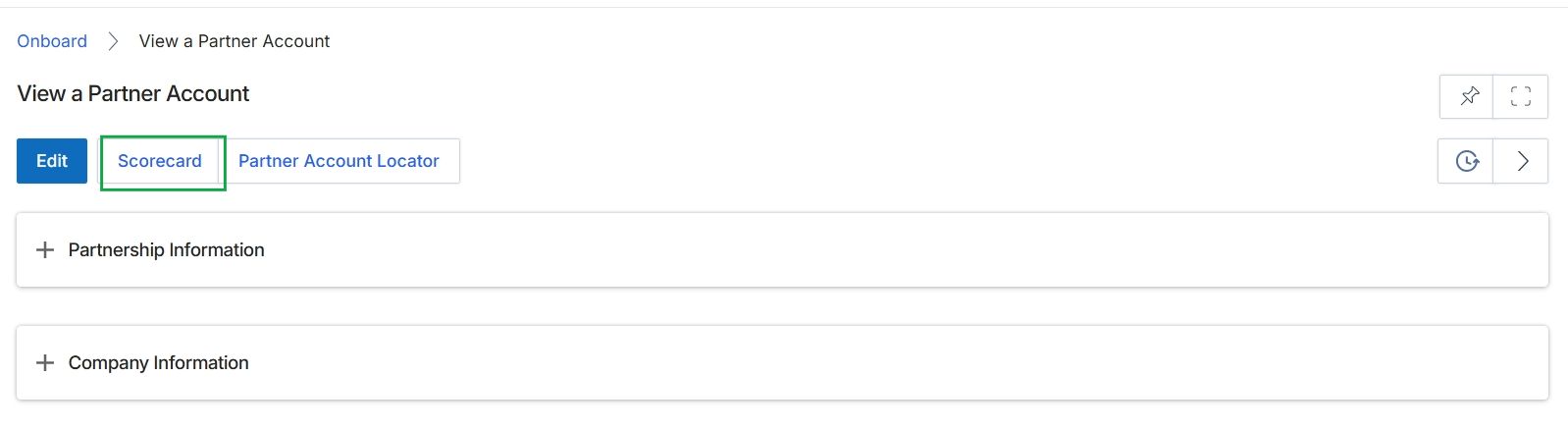
Click the Scorecard button.
Accessing the Partner Scorecard
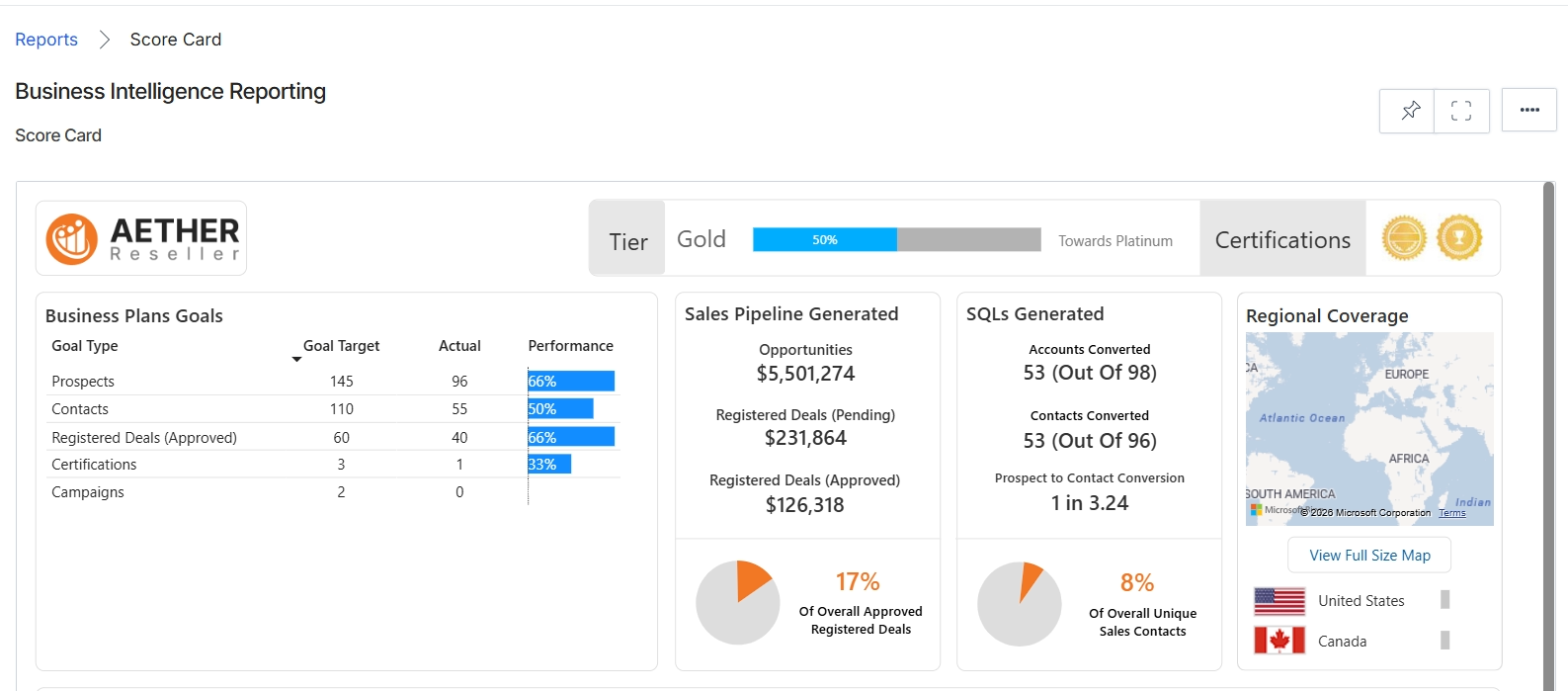
This screen displays a comprehensive business intelligence report, or 'Score Card,' for a specific partner, providing a detailed overview of their performance and progress. It presents key metrics related to their business plan goals, sales pipeline generation, SQLs generated, and regional coverage. The view also indicates the partner's current tier status and their progress toward the next tier, along with any certifications they have achieved, offering a holistic performance snapshot for vendor administrators.
Using the Partner Account Locator
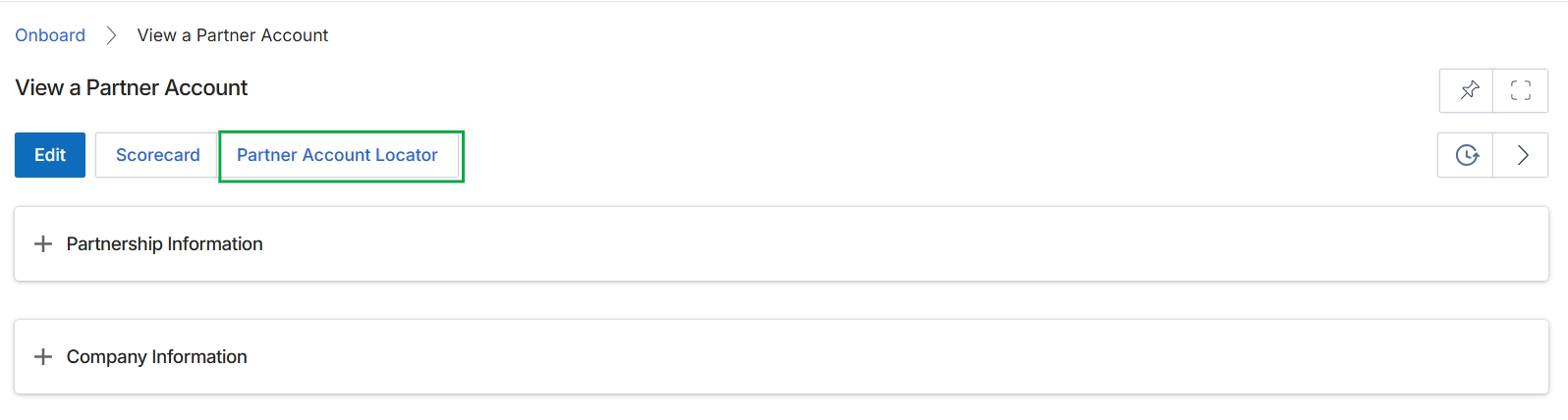
Click Scorecard.
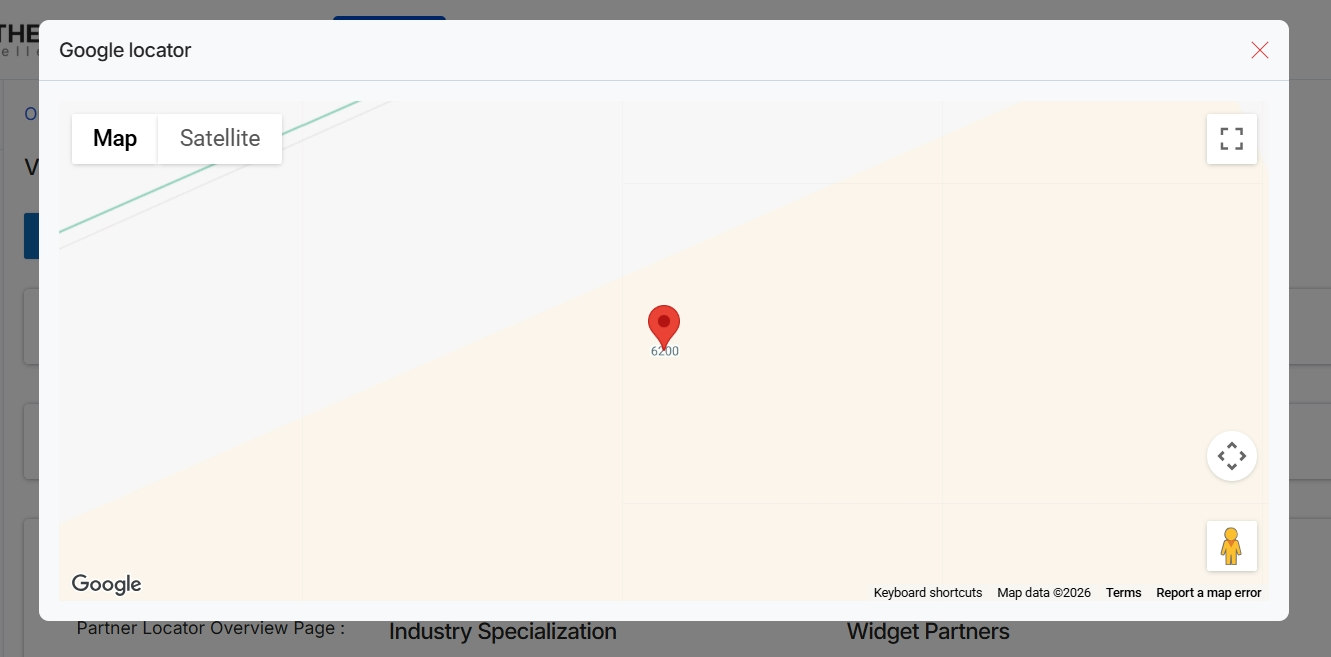
This screen displays a map interface, labeled "Google locator," which is likely used to visualize the geographic location of a partner or to select a location for a partner's profile. It provides options to switch between map and satellite views, allowing for different perspectives of the location data. This functionality supports the partner profile management workflow by enabling accurate geographic data entry or verification for partner accounts, which can be crucial for segmentation and regional targeting.