

Overview
Partner Contacts are individual personnel associated with a partner company. Managing these contacts is crucial for effective communication, collaboration, and ensuring the right individuals at partner organizations have appropriate access and information within the platform. This module provides administrators with the tools to maintain accurate and up-to-date contact details, which is essential for various operations such as sending targeted communications, tracking interactions, and assigning responsibilities for partner engagement.
By accurately managing partner contacts, administrators can streamline partner support, facilitate co-selling activities, and ensure that all relevant stakeholders within a partner organization are properly enabled and informed. The ability to assign contacts to internal users or groups also helps in distributing workload and maintaining accountability for partner relationships.
Accessing and Viewing Partner Contacts
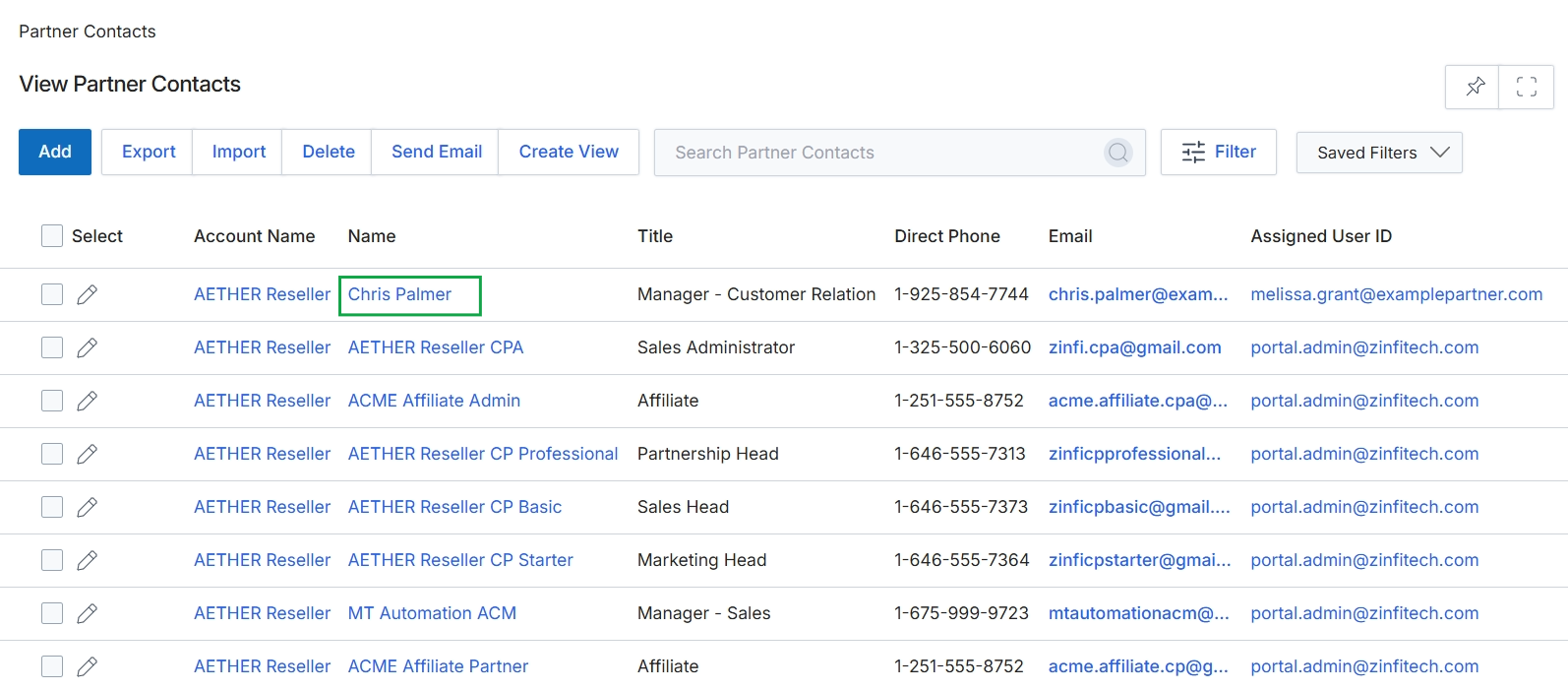
Click the Chris Palmer link under the 'Name' column.
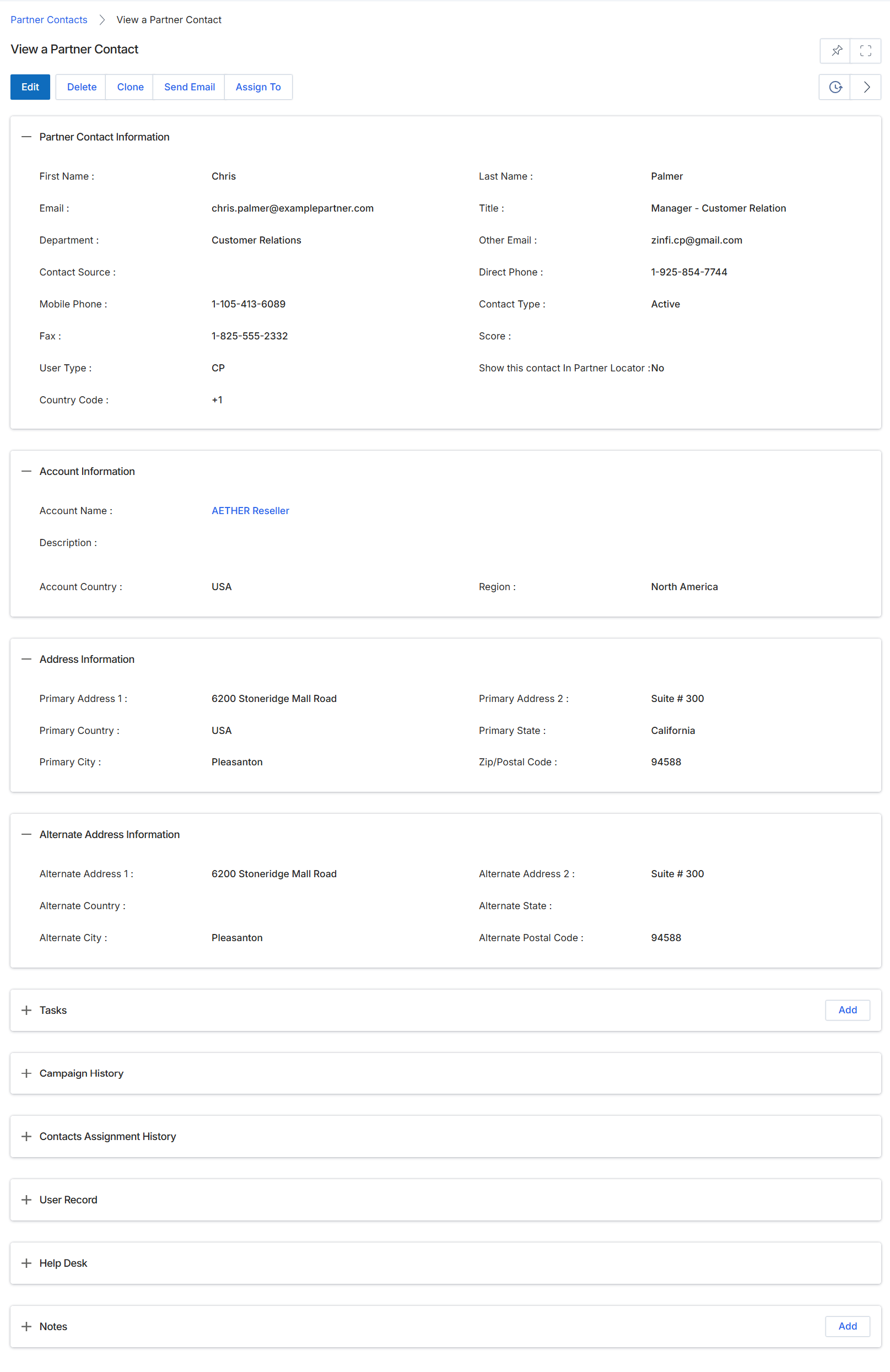
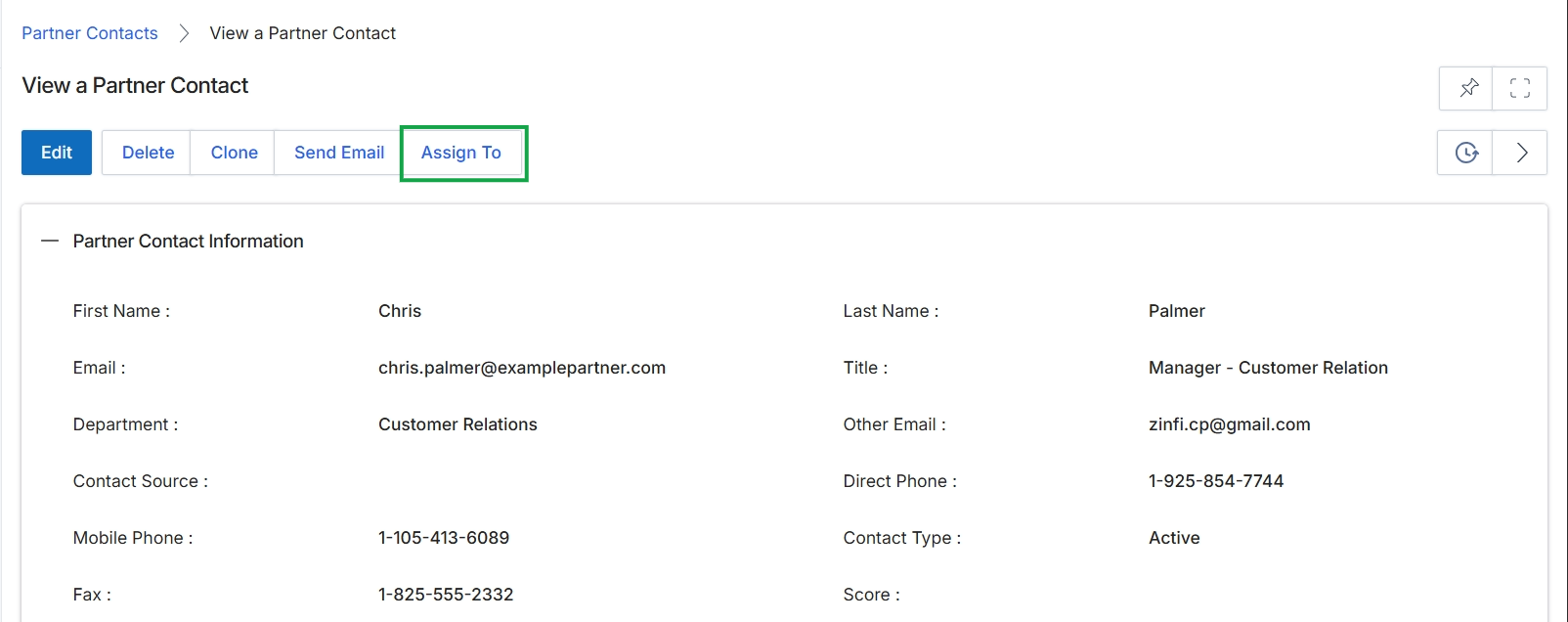
This screen displays the detailed profile of a specific Partner Contact within the UPM, providing a comprehensive overview of their contact information, associated partner account details, and address records. Partner Contacts are individuals at a partner company who interact with the platform, and their records are essential for communication, activity tracking, and role-based access management. This view consolidates all relevant information about a contact, allowing vendor administrators to quickly review their profile, manage their association with a partner account, and understand their engagement metrics. The information presented here is typically created during the partner application process or added manually by vendor or partner administrators, and it serves as a central reference point for managing individual partner representatives.
Review the details of the selected partner contact.
Buttons
| Button | Description |
|---|---|
| Edit | Allows editing of the partner contact's details. |
| Delete | Removes the partner contact record from the system. |
| Clone | Creates a new partner contact record with details pre-filled from the current contact. |
| Send Email | Initiates an email to the partner contact. |
| Assign To | Assigns the partner contact to a specific user or team within the vendor organization. |
| Add | Adds a new task associated with this partner contact. |
| Add | Adds a new note associated with this partner contact. |
Partner Contact Information
| Field | Description |
|---|---|
| First Name | The first name of the partner contact. |
| The primary email address of the partner contact. | |
| Department | The department within the partner company where the contact works. |
| Contact Source | Indicates how the contact was initially acquired or entered into the system. |
| Mobile Phone | The mobile phone number of the partner contact. |
| Fax | The fax number of the partner contact. |
| User Type | The type of user role assigned to this contact within the partner portal. |
| Country Code | The country code associated with the contact's phone numbers. |
| Last Name | The last name of the partner contact. |
| Title | The job title of the partner contact within their organization. |
| Other Email | An alternative or secondary email address for the partner contact. |
| Direct Phone | The direct phone number of the partner contact. |
| Contact Type | The classification or status of the contact. |
| Score | A numerical score associated with the contact, potentially indicating engagement or importance. |
| Show this contact In Partner Locator | Indicates whether this contact's information is publicly visible in a partner locator directory. |
Account Information
| Field | Description |
|---|---|
| Account Name | The name of the partner company account this contact is associated with. |
| Account Country | The country where the associated partner account is located. |
| Region | The geographical region of the associated partner account. |
Address Information
| Field | Description |
|---|---|
| Primary Address 1 | The first line of the primary street address for the contact. |
| Primary Country | The country of the primary address. |
| Primary City | The city of the primary address. |
| Primary Address 2 | The second line of the primary street address (e.g., suite, apartment number). |
| Primary State | The state or province of the primary address. |
| Zip/Postal Code | The zip or postal code of the primary address. |
Alternate Address Information
| Field | Description |
|---|---|
| Alternate Address 1 | The first line of an alternate street address for the contact. |
| Alternate Country | The country of the alternate address. |
| Alternate City | The city of the alternate address. |
| Alternate Address 2 | The second line of the alternate street address (e.g., suite, apartment number). |
| Alternate State | The state or province of the alternate address. |
| Alternate Postal Code | The zip or postal code of the alternate address. |
Editing and Cloning Partner Contacts
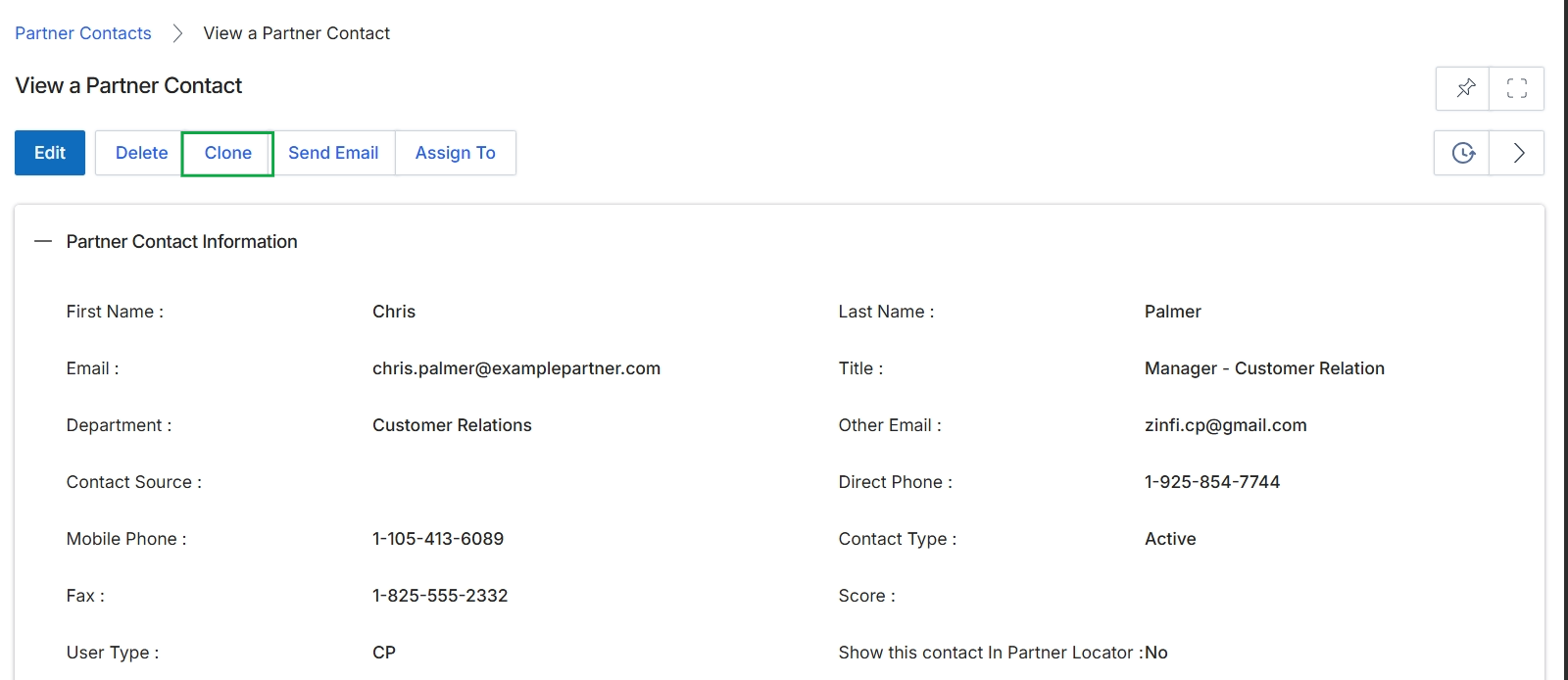
Click the Clone button.
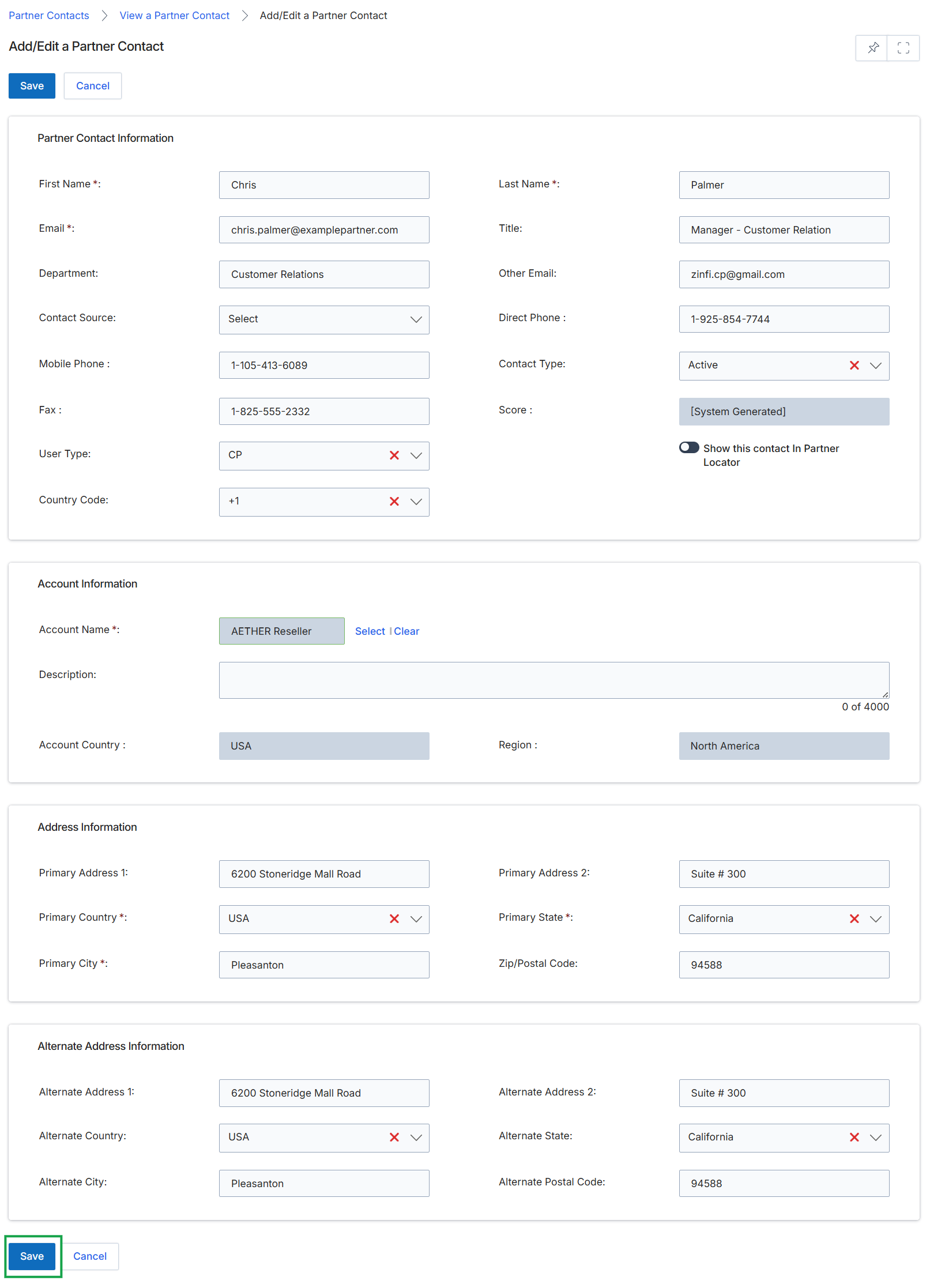
This screen presents a comprehensive form for managing the details of a Partner Contact within the UPM. It allows administrators to input and modify personal contact information, associate the contact with a specific Partner Account, and define their primary and alternate address details. This view is crucial for maintaining accurate records of individuals at partner companies, which supports communication and operational workflows within the Onboard module.
Assigning Partner Contacts to Users or Groups
Click Save.
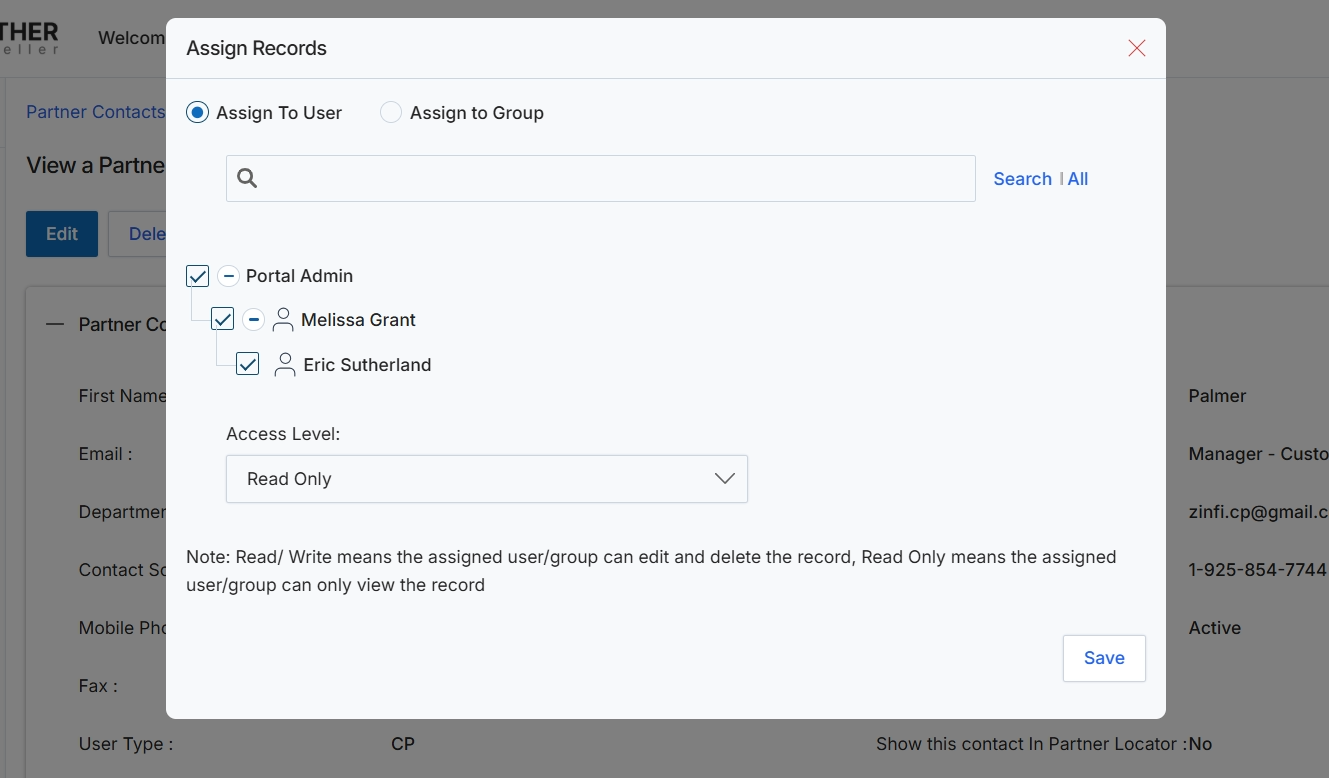
This modal window facilitates the assignment of records, such as partner contacts, to specific users or user groups within the platform. It allows administrators to control who has access to view or modify particular records, ensuring data governance and appropriate permissions. By assigning records, the system enables granular control over data visibility and editing capabilities, which is crucial for managing partner relationships and internal team collaboration effectively. The modal supports selecting multiple users or groups and defining their access level, which then dictates their interaction with the assigned record.
Select the users or groups to assign the record to, choose their access level, and then click 'Save' to apply the assignments.
Buttons
| Button | Description |
|---|---|
| Search | A clickable link to initiate the search based on the entered query. |
| All | A clickable link to display all available users or groups. |
| Save | A button to confirm and save the record assignments with the specified access levels. |
Fields
| Field | Description |
|---|---|
| Assign To User | A radio button to select whether the record will be assigned to individual users. |
| Assign to Group | A radio button to select whether the record will be assigned to a user group. |
| Search | An input field to search for specific users or groups by name. |
| Access Level | A dropdown menu to define the permission level for the selected users or groups, either 'Read/Write' or 'Read Only'. |
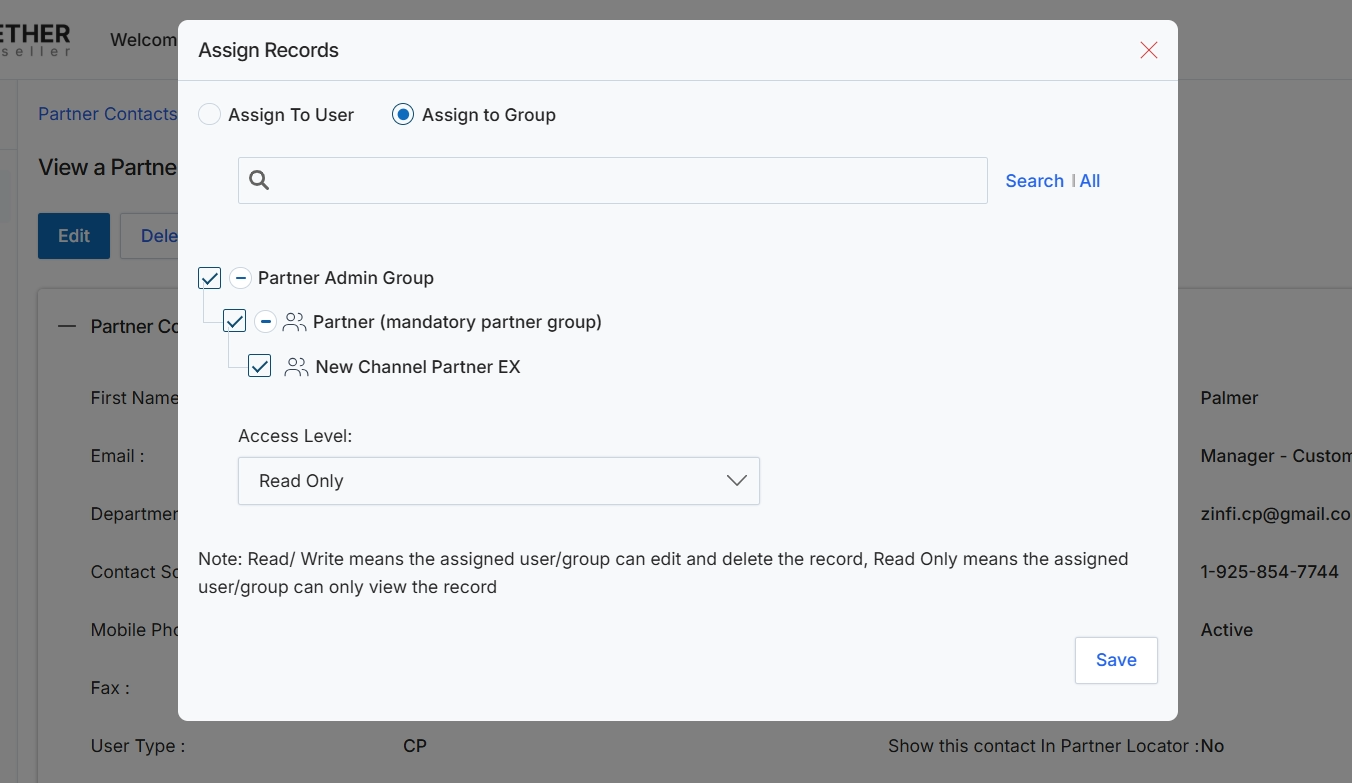
This modal window facilitates the assignment of records, such as Partner Contacts, to specific users or groups within the UPM. This functionality is crucial for controlling access and permissions, ensuring that only authorized individuals or teams can view, edit, or manage particular records. By assigning records to groups, administrators can efficiently manage permissions for multiple users simultaneously, streamlining collaboration and data governance across the partner ecosystem. The system provides options to search for existing groups and define the access level (Read/Write or Read Only) for the assigned entities.
Select the groups to assign the record to and define their access level.
Buttons
| Button | Description |
|---|---|
| Search | All | A button to initiate a search or display all available users/groups. |
| Save | A button to save the record assignment and apply the selected access levels. |
Fields
| Field | Description |
|---|---|
| Assign To User | A radio button to select assignment to an individual user. |
| Assign to Group | A radio button to select assignment to one or more user groups. |
| Search | An input field to search for specific users or groups to assign the record to. |
| Access Level | A dropdown menu to define the permission level for the assigned users or groups (e.g., Read Only, Read/Write). |