

Overview
Microsites are a crucial component of partner marketing, providing partners with dedicated, co-branded web pages to promote vendor products or services. This feature allows vendors to create and manage these microsites, ensuring brand consistency while offering partners the flexibility to customize certain elements. Partners can then use these microsites in their campaigns, driving traffic and capturing leads directly attributable to their efforts.
Administrators use this section to define the structure, content, and lead capture mechanisms for microsites. This includes setting up individual pages, configuring lead scoring rules for form submissions, and managing the overall look and feel. The ability to preview microsites ensures that all content and branding are correctly displayed before partners launch their campaigns.
Accessing Microsite Details
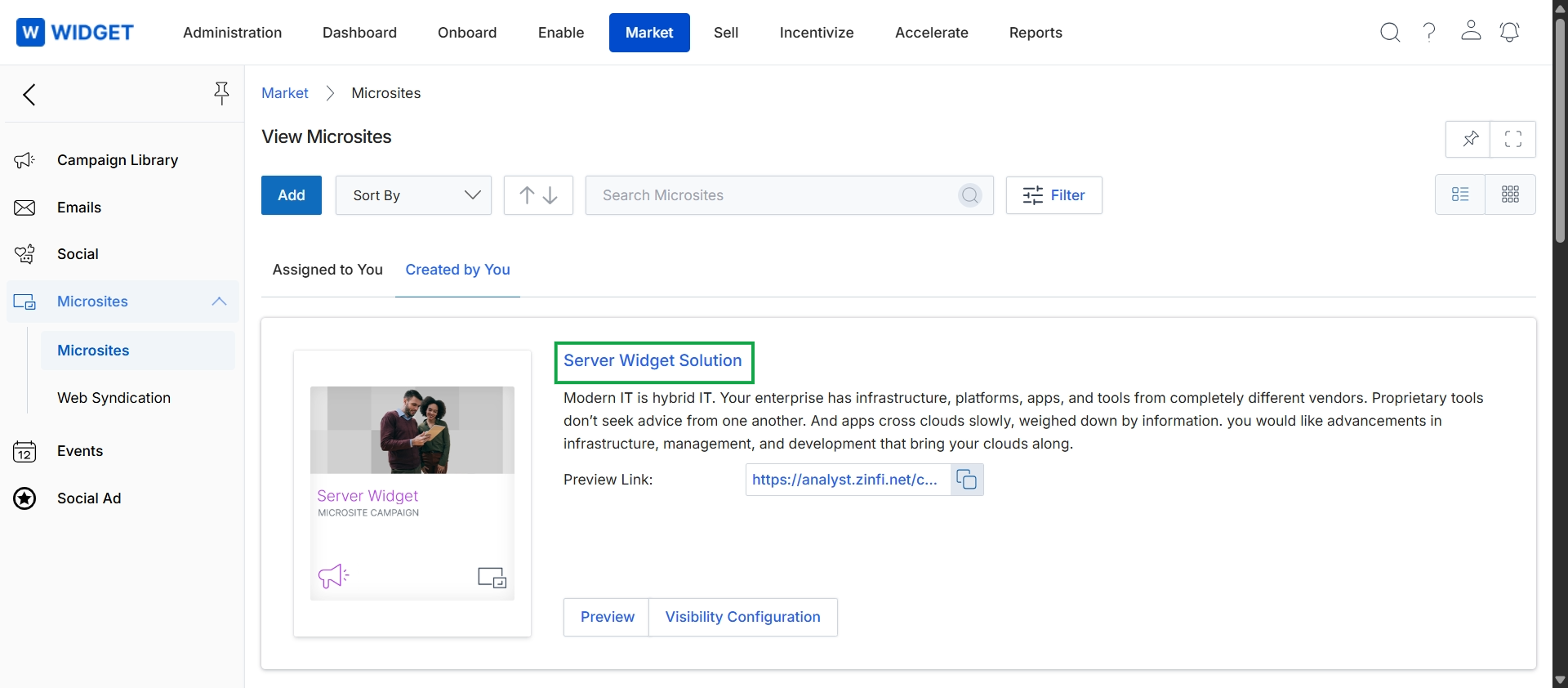
Click the Server Widget Solution link to view the details of the microsite.
Reviewing Microsite Information
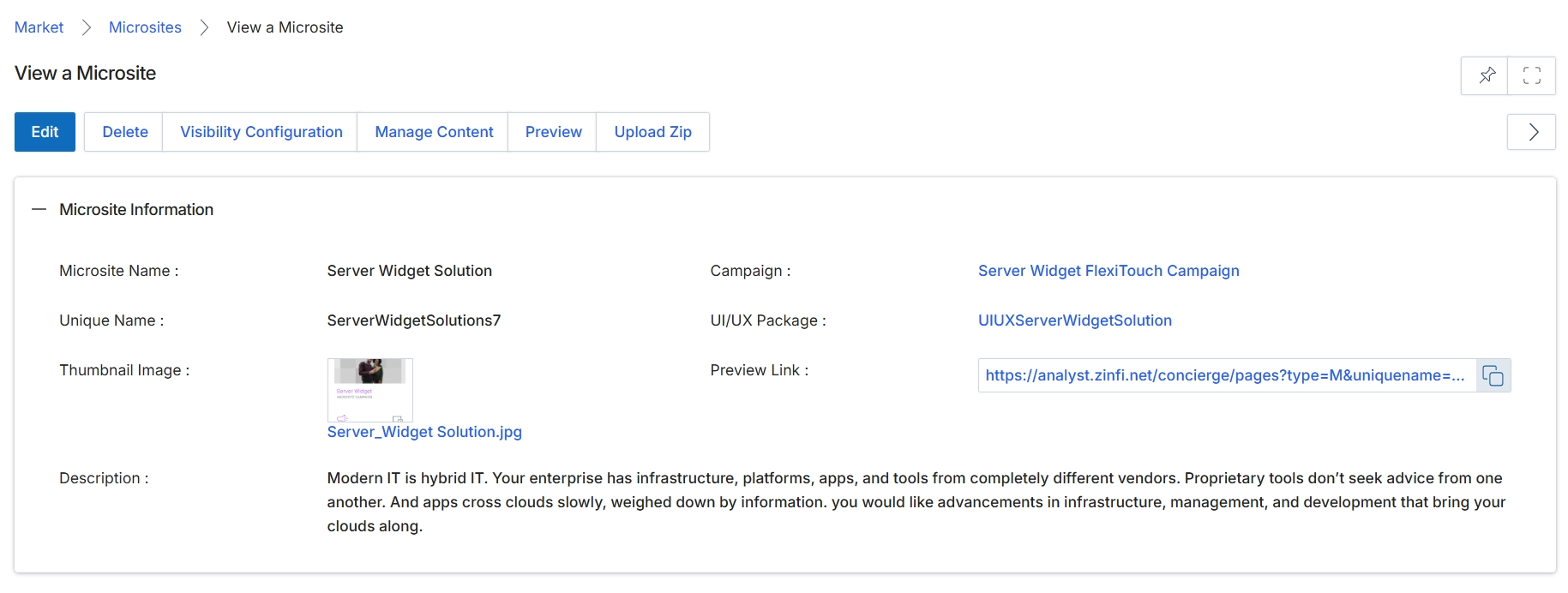
This screen displays the detailed information for a specific microsite within the Market module. Microsites are partner-branded landing pages that partners can customize and publish to generate leads, with their activity tracked within the platform. This view provides a comprehensive overview of the microsite's configuration, including its name, unique identifier, associated campaign, and a preview link. It serves as a central point for reviewing the setup and content of a partner-branded landing page, allowing administrators to ensure it aligns with campaign objectives and branding guidelines before or after publication. The information presented here helps in managing the lifecycle of microsites, from initial setup to performance monitoring.
Review the detailed information for the selected microsite.
Buttons
| Button | Description |
|---|---|
| Edit | Allows editing the microsite's configuration and content. |
| Delete | Removes the microsite from the system. |
| Visibility Configuration | Configures who can view and access this microsite. |
| Manage Content | Navigates to the content management interface for the microsite. |
| Preview | Opens a preview of the microsite in a new tab. |
| Upload Zip | Allows uploading a ZIP file to update microsite content. |
Microsite Information
| Field | Description |
|---|---|
| Microsite Name | The display name of the microsite. |
| Unique Name | A unique identifier for the microsite, often used in its URL. |
| Thumbnail Image | A small image representing the microsite. |
| Description | A textual description of the microsite's purpose or content. |
| Campaign | The marketing campaign associated with this microsite. |
| UI/UX Package | The user interface and user experience package applied to the microsite. |
| Preview Link | The URL to view a live preview of the microsite. |
Managing Microsite Structure and Lead Scoring
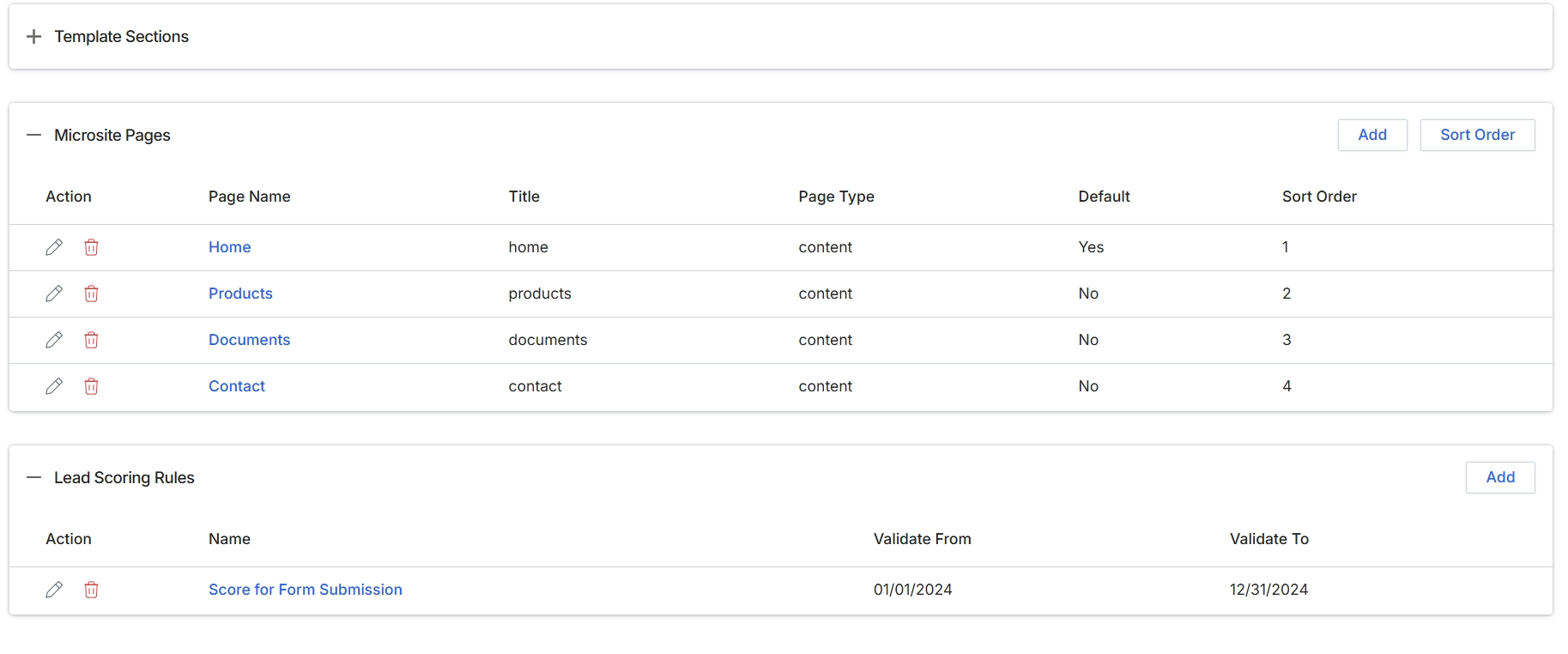
This screen displays the detailed configuration for a microsite template, which partners use to create co-branded landing pages. It presents two key sections: 'Microsite Pages' and 'Lead Scoring Rules'. The 'Microsite Pages' section lists all individual pages that constitute the microsite, detailing their names, titles, types, whether they are designated as the default page, and their display order. This allows administrators to structure the content flow and navigation of the microsite. The 'Lead Scoring Rules' section shows any active rules designed to score leads generated through the microsite, indicating their names and the period during which they are valid. This integration ensures that leads captured via the microsite are automatically evaluated according to predefined criteria, feeding into the broader lead management process within the platform.
Review the details of the microsite pages and lead scoring rules configured for the template.
Buttons
| Button | Description |
|---|---|
| Add | Adds a new page to the microsite template. |
| Sort Order | Allows reordering of the microsite pages. |
| Add | Adds a new lead scoring rule. |
Microsite Pages
| Column | Description |
|---|---|
| Action | Column header for actions that can be performed on each microsite page, such as editing or deleting. |
| Page Name | Column header for the internal name of the microsite page. |
| Title | Column header for the public-facing title of the microsite page. |
| Page Type | Column header indicating the type of content for the microsite page (e.g., 'content'). |
| Default | Column header indicating whether the page is set as the default landing page for the microsite. |
| Sort Order | Column header for the numerical order in which the pages are displayed. |
Lead Scoring Rules
| Column | Description |
|---|---|
| Action | Column header for actions that can be performed on each lead scoring rule, such as editing or deleting. |
| Name | Column header for the name of the lead scoring rule. |
| Validate From | Column header for the start date from which the lead scoring rule is active. |
| Validate To | Column header for the end date until which the lead scoring rule is active. |
Previewing the Microsite
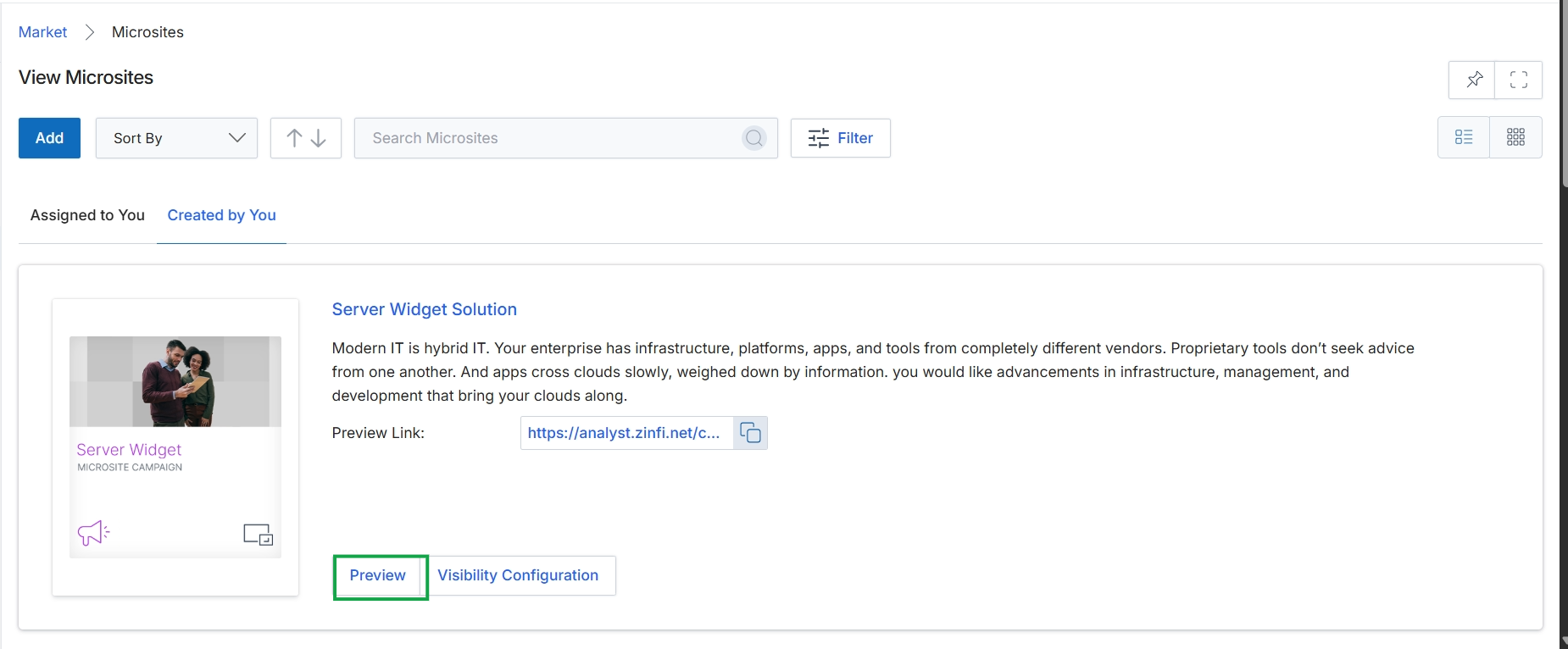
Click the Preview button.

Click the Preview button.