

Overview
Microsites are critical co-marketing assets that partners can brand and use to generate leads. To maintain brand consistency, regional relevance, and ensure partners only access appropriate content, vendors need granular control over microsite visibility. This feature addresses that need by allowing administrators to define who can see and utilize each microsite.
By configuring visibility based on factors like country, language, and specific partner groups, vendors can streamline partner enablement. This prevents partners from seeing irrelevant content, reduces support queries, and ensures that marketing efforts are aligned with regional strategies and partner capabilities. For instance, a microsite promoting a specific regional event can be restricted to partners in that region and language, while a global product launch microsite can be made available more broadly.
Accessing Visibility Configuration
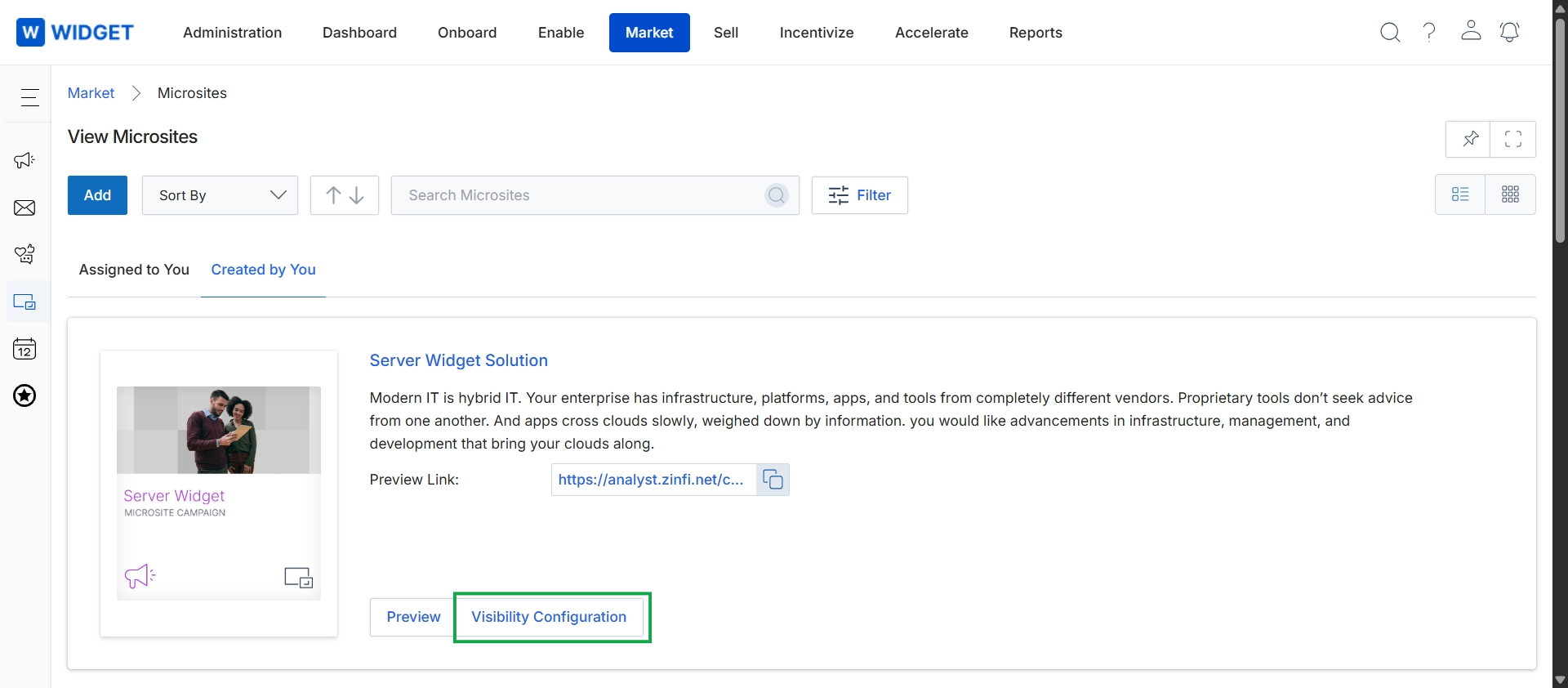
Click Visibility Configuration.
Defining Geographic and Language Visibility
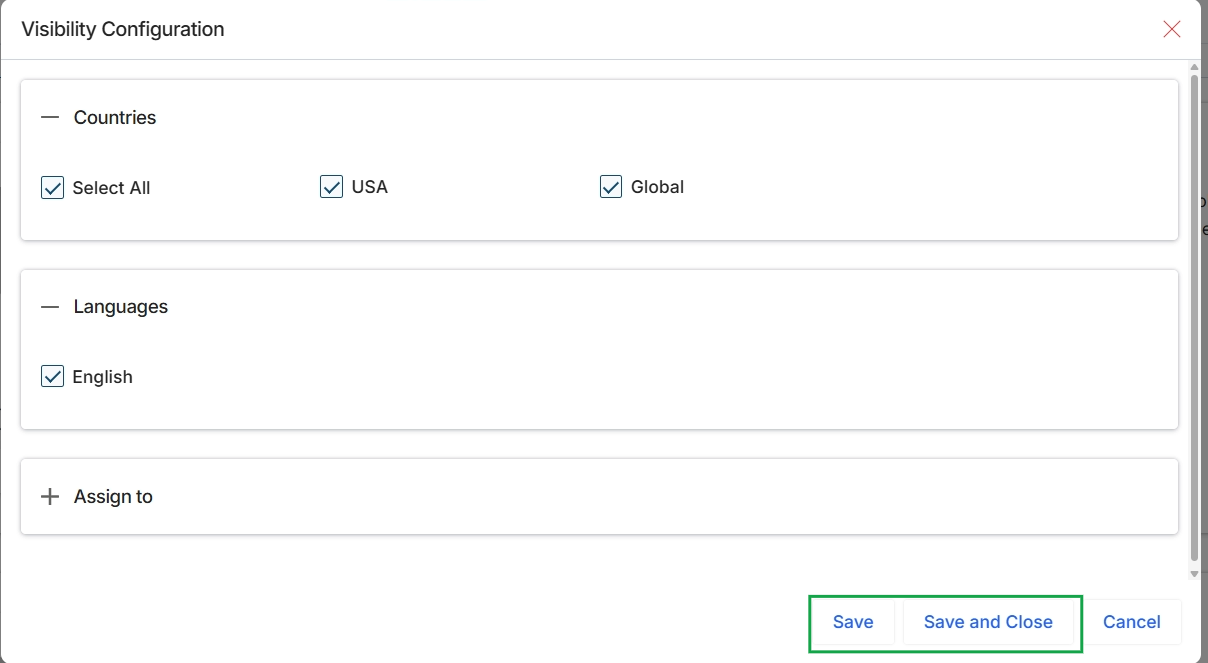
This screen presents a dialog for configuring the visibility settings of a microsite or landing page. It allows administrators to define the geographical regions and languages for which the content will be available. The configuration options include selecting specific countries and languages, which determines the audience reach for the marketing asset.
Assigning Microsites to Partners
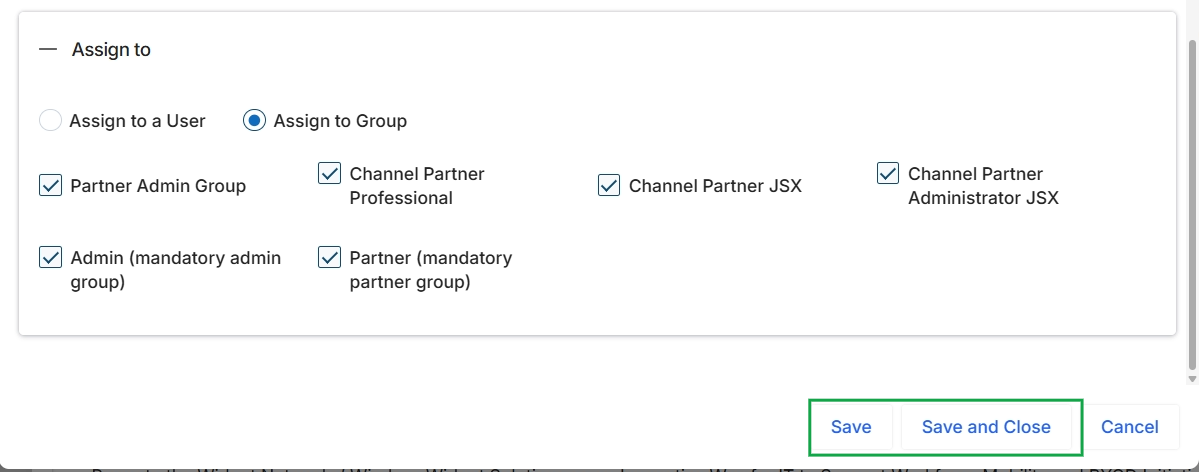
This modal dialog allows administrators to configure the visibility of a microsite or landing page by assigning it to specific user groups. The selected option indicates that the assignment is to groups, not individual users. Several predefined partner and admin groups are available for selection, enabling granular control over which segments of the partner ecosystem can access and utilize the marketing asset. This configuration ensures that only relevant groups see and can deploy specific microsites or landing pages, aligning with the module's purpose of providing co-marketing tools.