

Overview
Business plan templates are crucial for standardizing the planning process between vendors and their partners. By providing pre-defined structures for joint sales and marketing plans, these templates ensure consistency, clarity, and alignment of goals across the partner ecosystem. This feature enables administrators to maintain a library of up-to-date templates that partners can utilize to develop their strategic plans, fostering more effective collaboration and performance tracking.
Accessing and Viewing Plan Templates
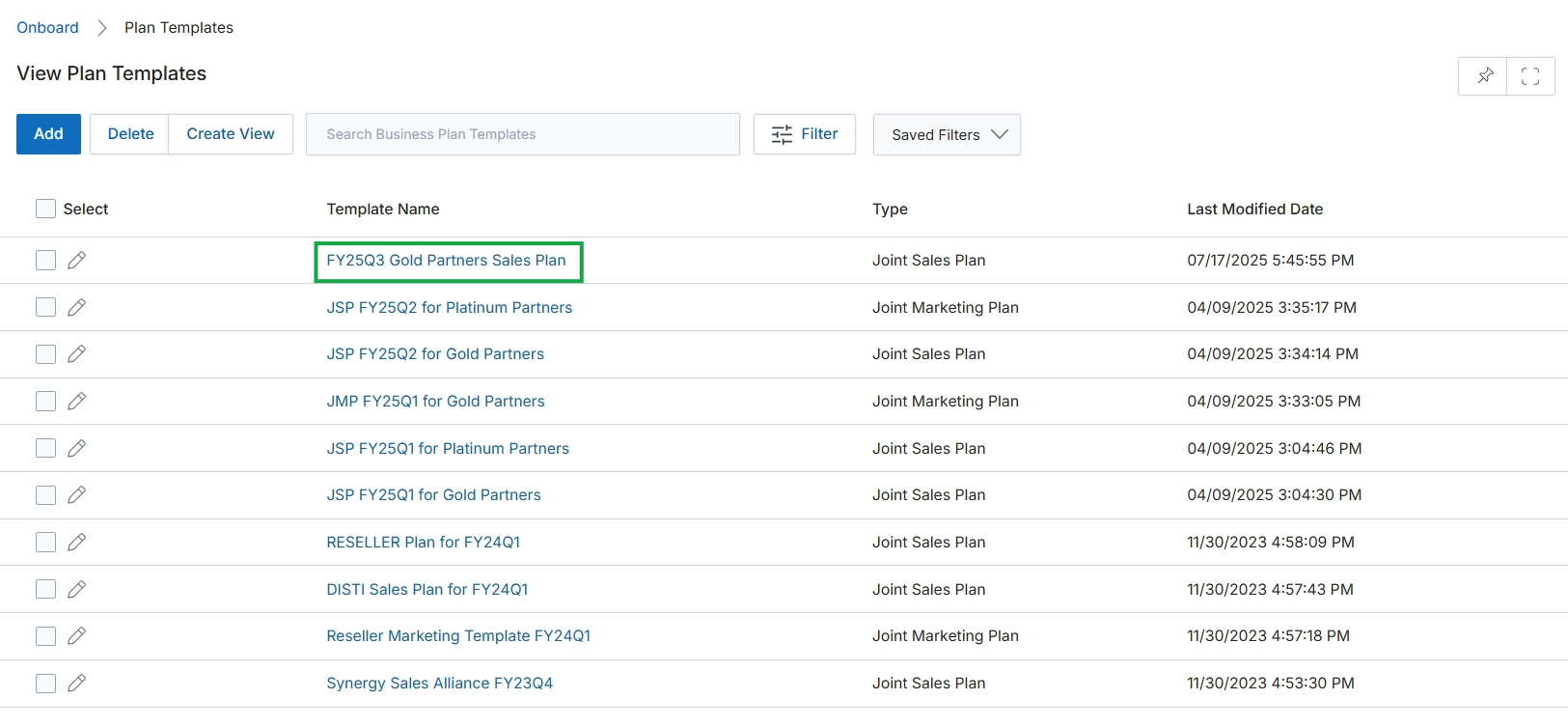
Click the FY25Q3 Gold Partners Sales Plan link in the Template Name column.
Viewing a Specific Plan Template
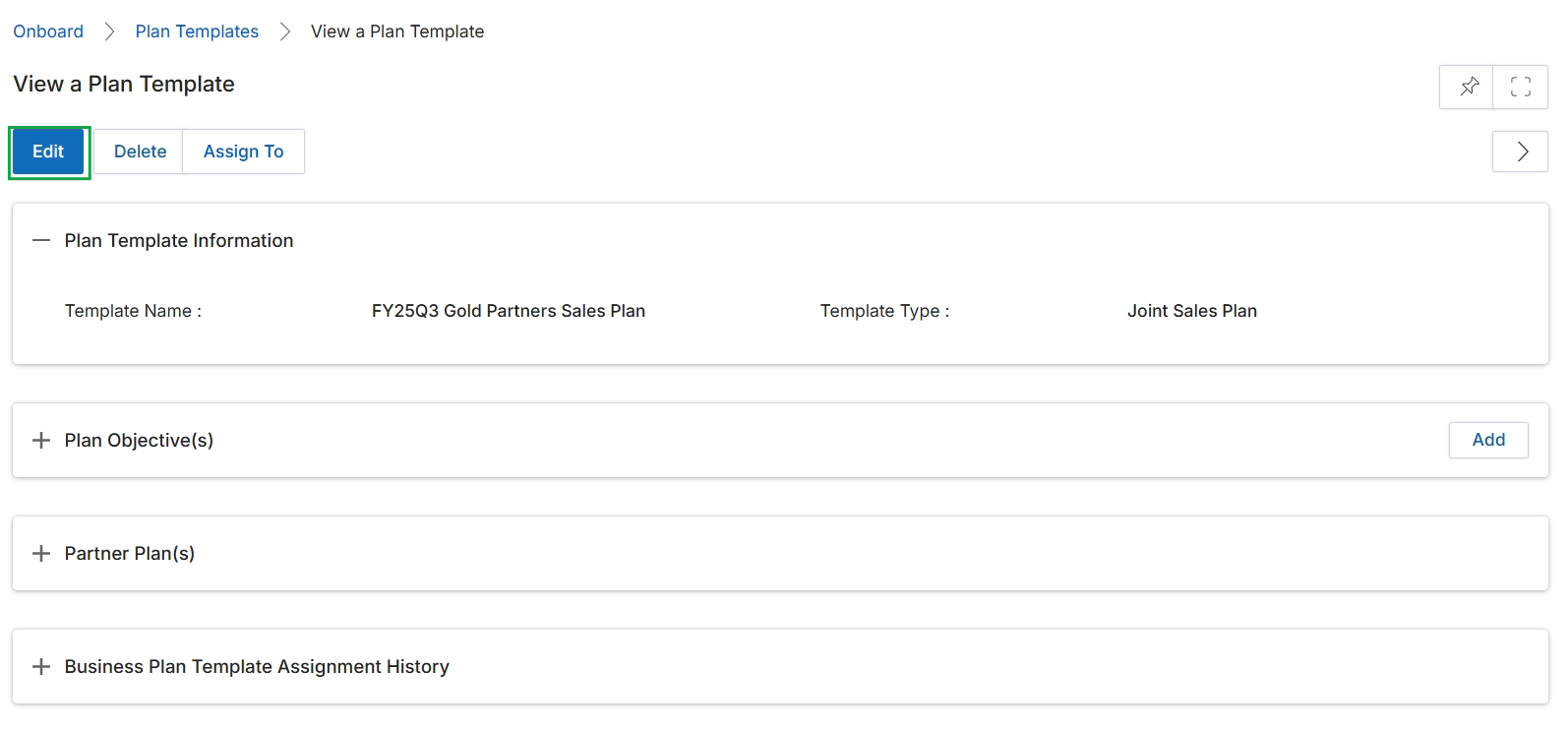
Click the FY25Q3 Gold Partners Sales Plan link in the table.
Editing Plan Template Information
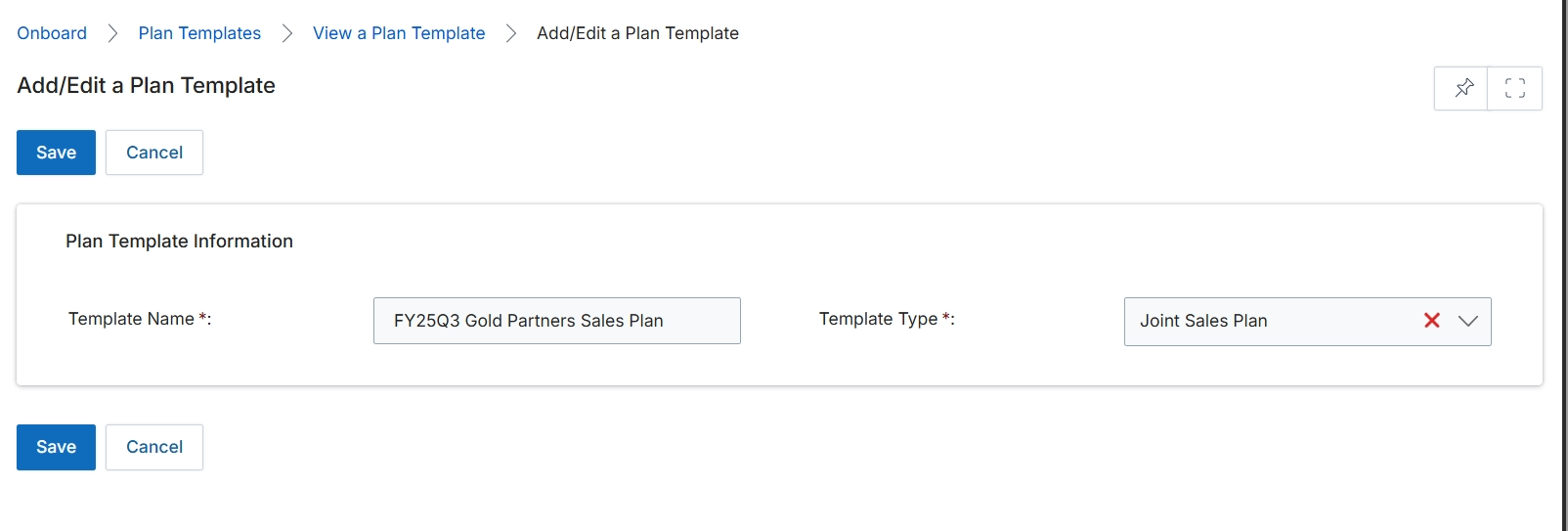
This screen allows administrators to add or edit a plan template, which defines the structure and content for business plans that partners will complete. Plan templates are crucial for standardizing the planning process across the partner ecosystem, ensuring that all partners provide consistent and relevant information. The 'Plan Template Information' section captures fundamental details about the template, such as its name and type, which are essential for categorization and later assignment to partners. These templates are then used within the Accelerate module to guide partners through creating their strategic business plans, facilitating alignment with vendor objectives and enabling effective performance tracking.
Edit the 'Template Name' and 'Template Type' fields to define the plan template.
Buttons
| Button | Description |
|---|---|
| Save | Saves the current changes made to the plan template. |
| Cancel | Discards any changes and returns to the previous screen. |
Plan Template Information
| Field | Description |
|---|---|
| Template Name | The unique name for the plan template. This field is required. |
| Template Type | The category or type of the plan template, selected from a dropdown list. This field is required. |