

Overview
In UPM, 'Programs' are the structured frameworks that define how partners engage with the vendor across different aspects of the partner lifecycle, such as onboarding, enablement, and incentivization. Each program can have specific requirements, benefits, and content tailored to its purpose. For instance, a 'New Channel Partner Onboarding Program' would guide new partners through their initial setup, while a 'Technical Partner Enablement Program' might focus on skill development and certification.
Administrators use this feature to establish these programs, setting their core attributes like name, type, and accreditation. This foundational setup is crucial as it dictates the partner's journey, the resources they access, and the rules that govern their participation within the the platform ecosystem. Properly configured programs ensure a streamlined and effective experience for partners, from initial recruitment through ongoing collaboration and growth.
Accessing Program Management
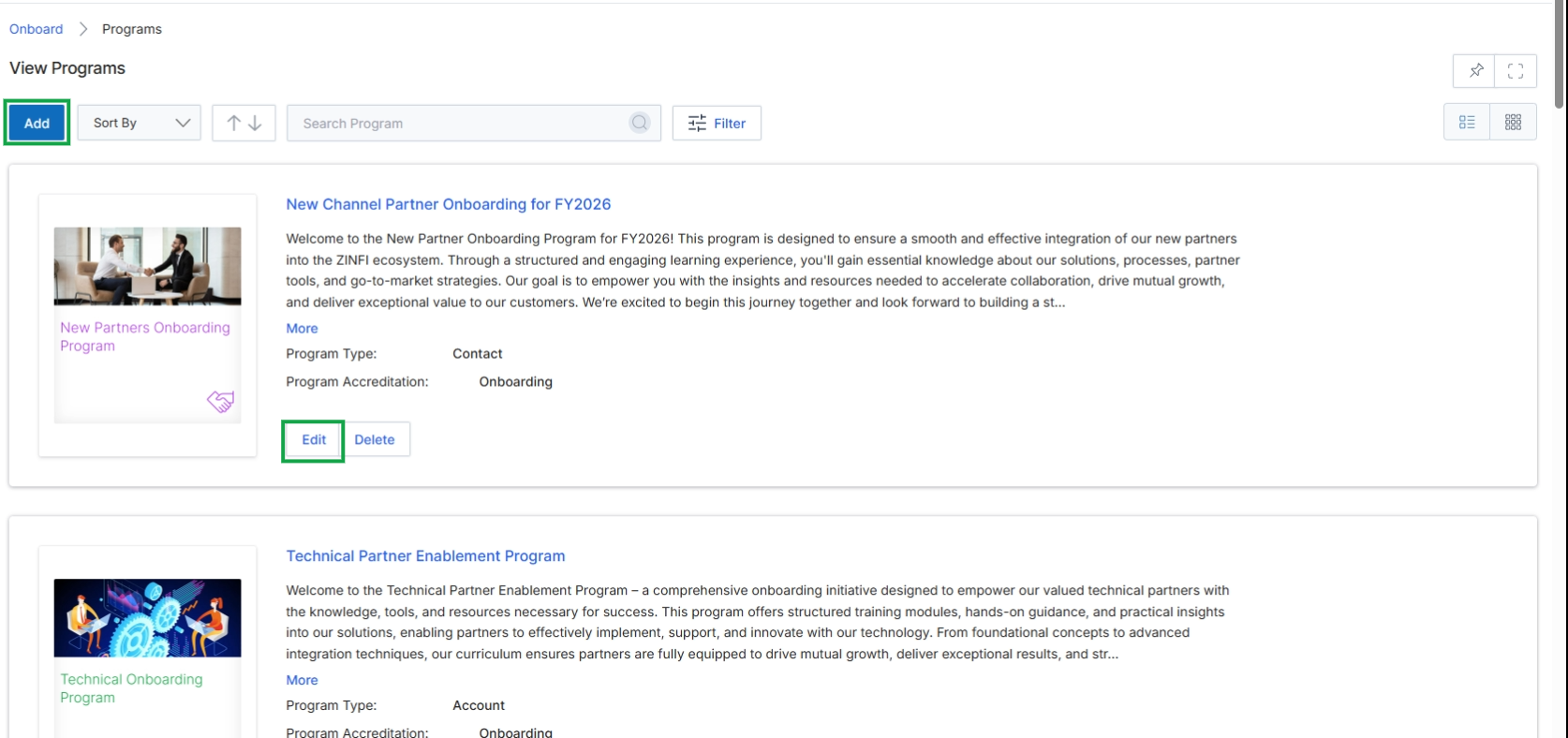
Click Add to create a new program, or click Edit on an existing program to modify it.
Configuring Program Details
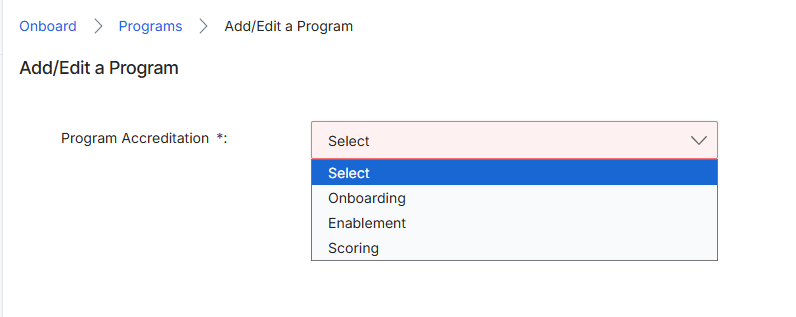
This screen is part of the process for adding or editing a Partner Program within the Onboard module. Partner Programs are central to UPM, defining the structure, terms, and benefits for different partner types. The 'Program Accreditation' field determines which core the platform module will primarily manage the accreditation process for partners enrolled in this specific program. This selection influences the subsequent configuration options and the partner's onboarding journey, as different modules (Onboard, Enablement, Scoring) have distinct mechanisms for partner qualification and progression.
Select the appropriate Program Accreditation from the dropdown list.
Fields
| Field | Description |
|---|---|
| Program Accreditation | This required field specifies which the platform module will govern the accreditation process for partners in this program. Options include 'Onboarding' for initial setup, 'Enablement' for training-based accreditation, or 'Scoring' for performance-based accreditation. |
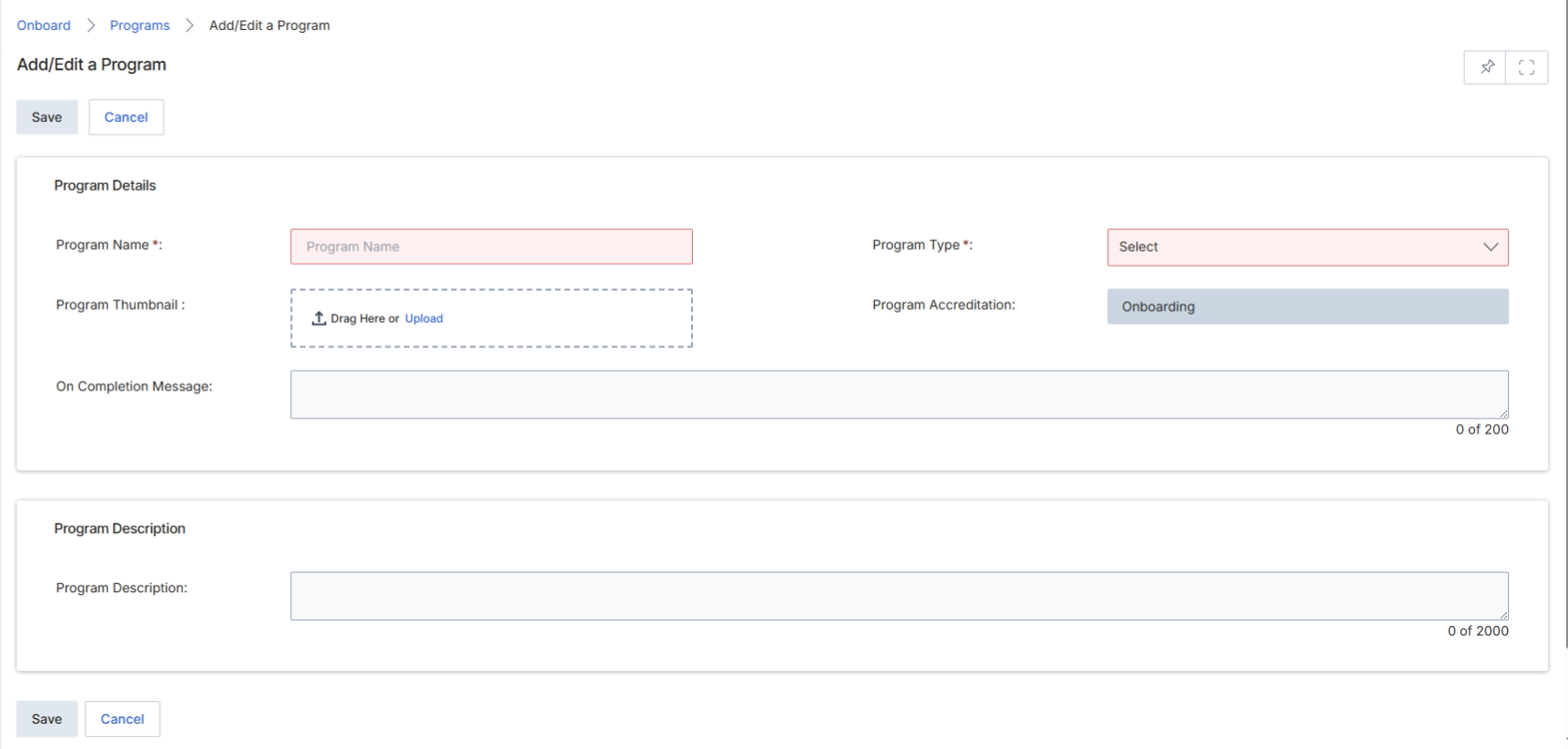
The Add/Edit a Program form allows UPM administrators to define and configure new partner programs or modify existing ones. Partner Programs are central to the Onboard module, as they dictate the terms, application process, and overall structure for how partners engage with the vendor. Each program can have specific application fields, agreement templates, and onboarding workflows. This form captures essential details such as the program's name, type, and accreditation status, which influences how partners are guided through their initial journey and what content or incentives they can access. The 'Program Accreditation' field, for instance, is set to 'Onboarding' by default for new programs, indicating that partners joining this program will follow the standard onboarding journey.
Enter the required details for the new program in the 'Add/Edit a Program' form.
Buttons
| Button | Description |
|---|---|
| Save | Saves the program details entered in the form. |
| Cancel | Discards any changes and returns to the previous screen. |
Program Details
| Field | Description |
|---|---|
| Program Name * | The unique name for the partner program. This field is required. |
| Program Type * | The category or classification of the partner program, selected from a dropdown list. This field is required. |
| Program Thumbnail | Allows uploading an image to represent the program, which can be dragged and dropped or uploaded from a file. |
| Program Accreditation | Indicates the accreditation status of the program, which is set to 'Onboarding' by default for new programs. |
| On Completion Message | A message displayed to partners upon successful completion of the program's onboarding or requirements. |
Program Description
| Field | Description |
|---|---|
| Program Description | A detailed description of the program, outlining its purpose, benefits, and requirements for partners. |
Viewing Program Information
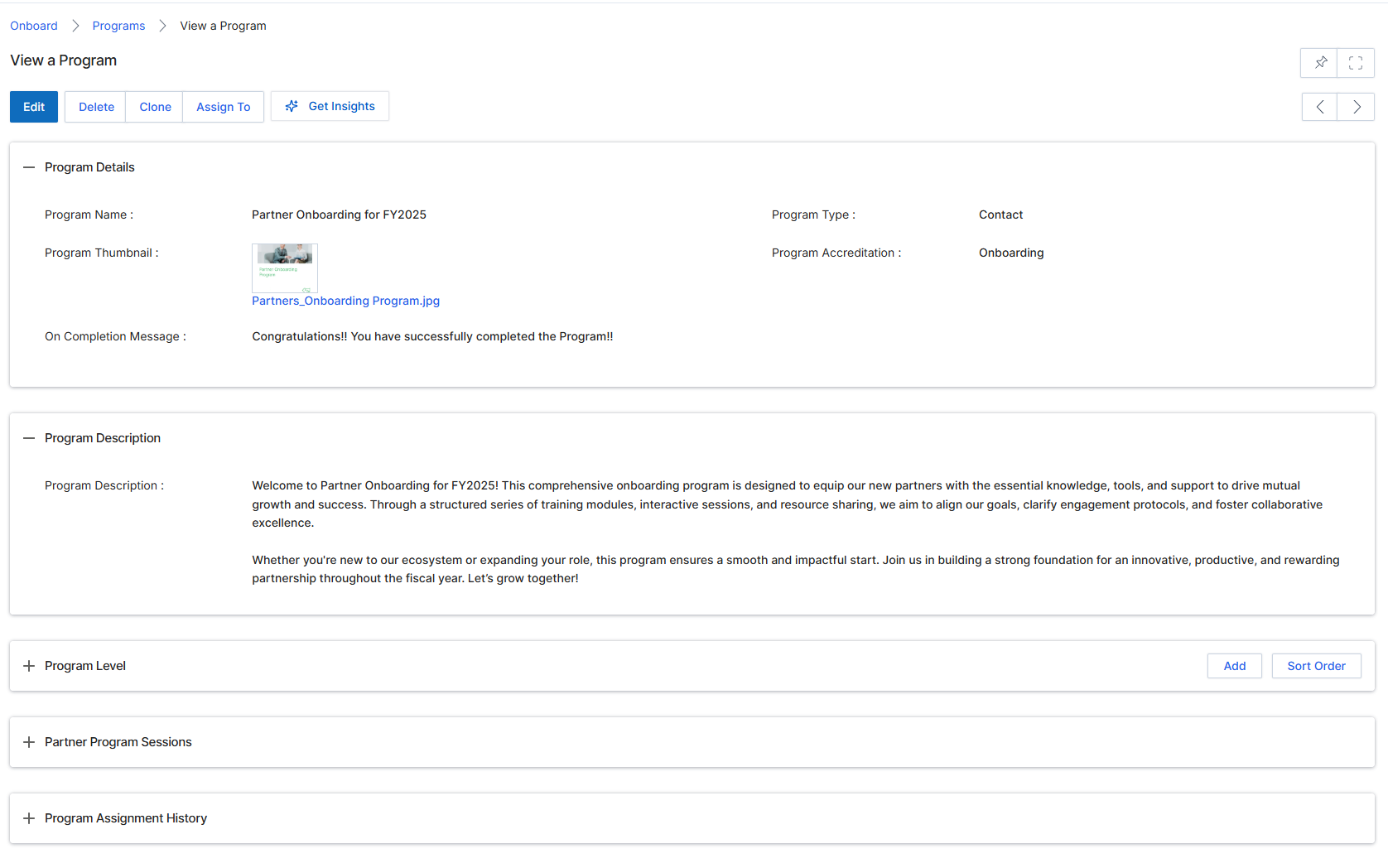
This screen displays the detailed view of a specific Partner Program within the Onboard module. It presents all configured information for the program, including its name, description, type, and accreditation status. This view serves as a central point for administrators to review program settings after creation and before partners are enrolled, ensuring all details are accurate and complete for the onboarding journey.