

Overview
In UPM, 'Programs' are the backbone of how vendors structure their partner ecosystem. A program defines the specific terms, onboarding steps, and resources available to a particular group of partners. For instance, a vendor might have a 'Reseller Program' with one set of agreements and training, and an 'Affiliate Program' with entirely different requirements and incentives. This modular approach allows for immense flexibility in managing diverse partner relationships.
Administrators use Programs Management to design these distinct experiences, from the initial application form to the ongoing enablement content. Properly configured programs ensure that partners are onboarded efficiently, understand their commitments, and have access to the relevant tools and information, ultimately driving partner success and program scalability.
Accessing Programs Management
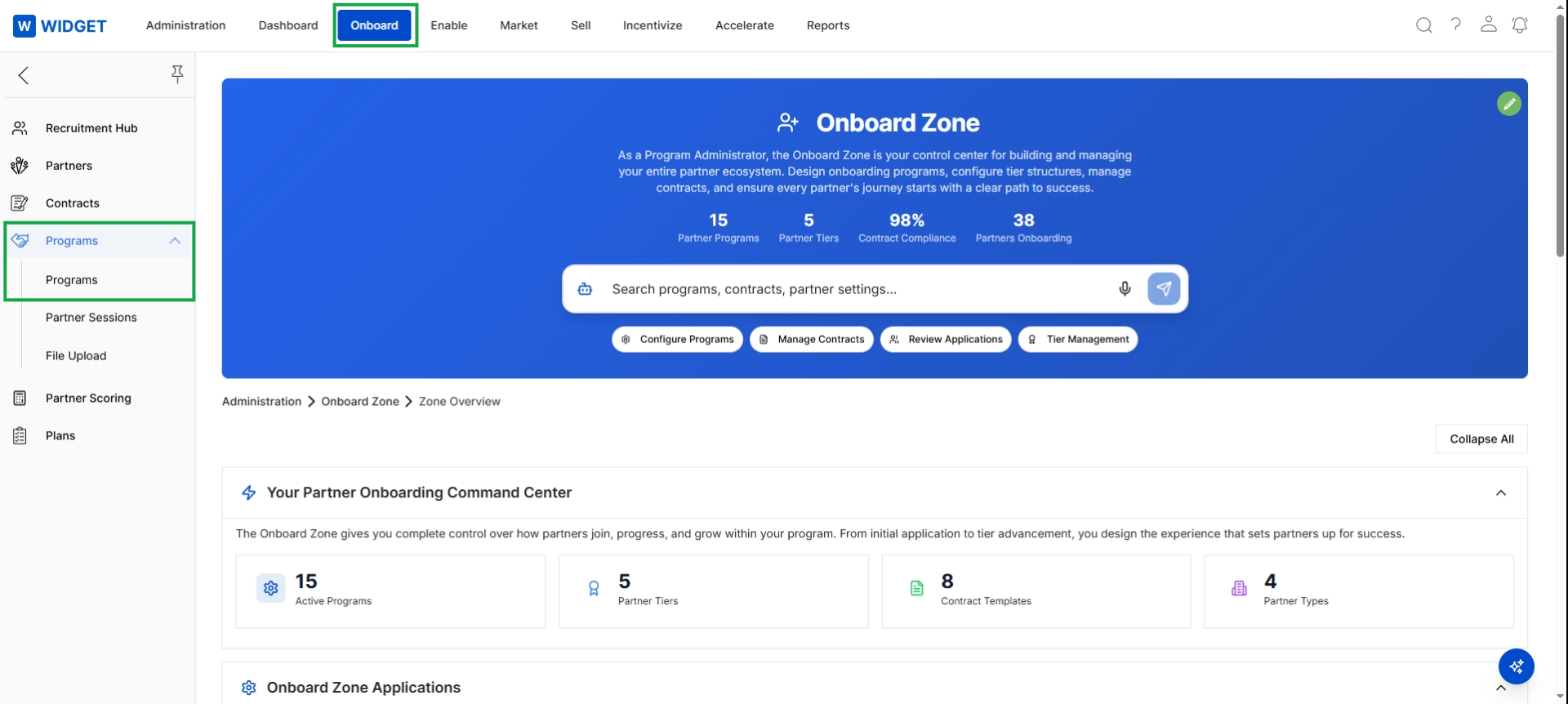
Click Programs in the left navigation menu to access the Programs list page.
Viewing Programs
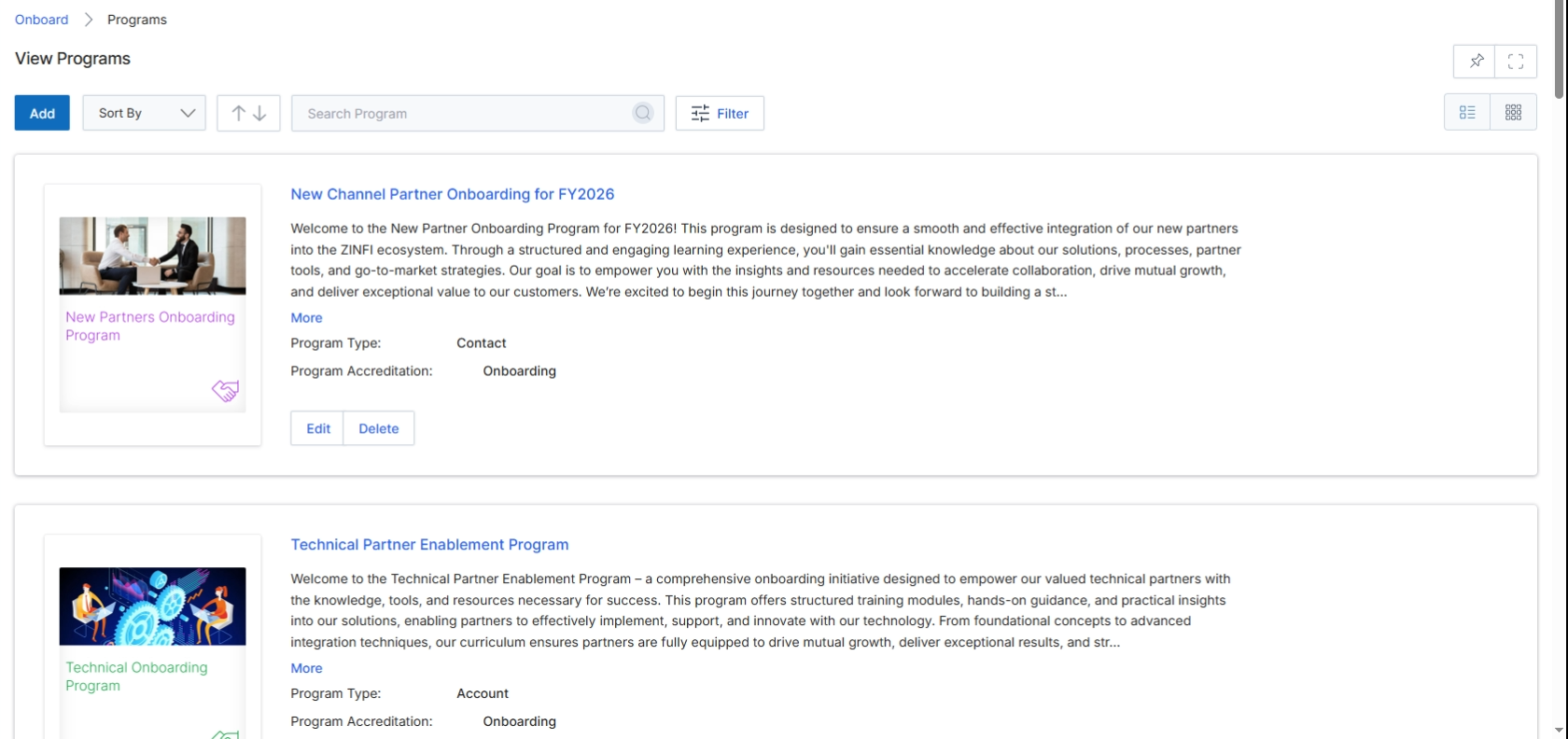
The View Programs page within the Onboard module displays a list of all configured partner programs. These programs define the specific onboarding journey, terms, and benefits for different categories of partners, such as resellers, affiliates, or technical partners. Each program card provides a summary of its purpose, type, and accreditation status, allowing administrators to quickly understand its scope. This screen is crucial for managing the various pathways partners can take within the the platform ecosystem, enabling the vendor to tailor the partner experience and ensure effective integration and enablement. Administrators can use this view to review existing programs, search for specific programs, or initiate the creation of new ones.
Review the list of existing partner programs displayed on the View Programs page.
Buttons
| Button | Description |
|---|---|
| Add | Initiates the process to create a new partner program. |
| Filter | Applies filters to narrow down the displayed list of programs based on various criteria. |
| Edit | Modifies the details of the program. |
| Delete | Removes the program. |
Fields
| Field | Description |
|---|---|
| Sort By | Opens a dropdown menu to select criteria for sorting the list of programs. |
| Search Program | An input field to search for specific programs by name or keywords. |
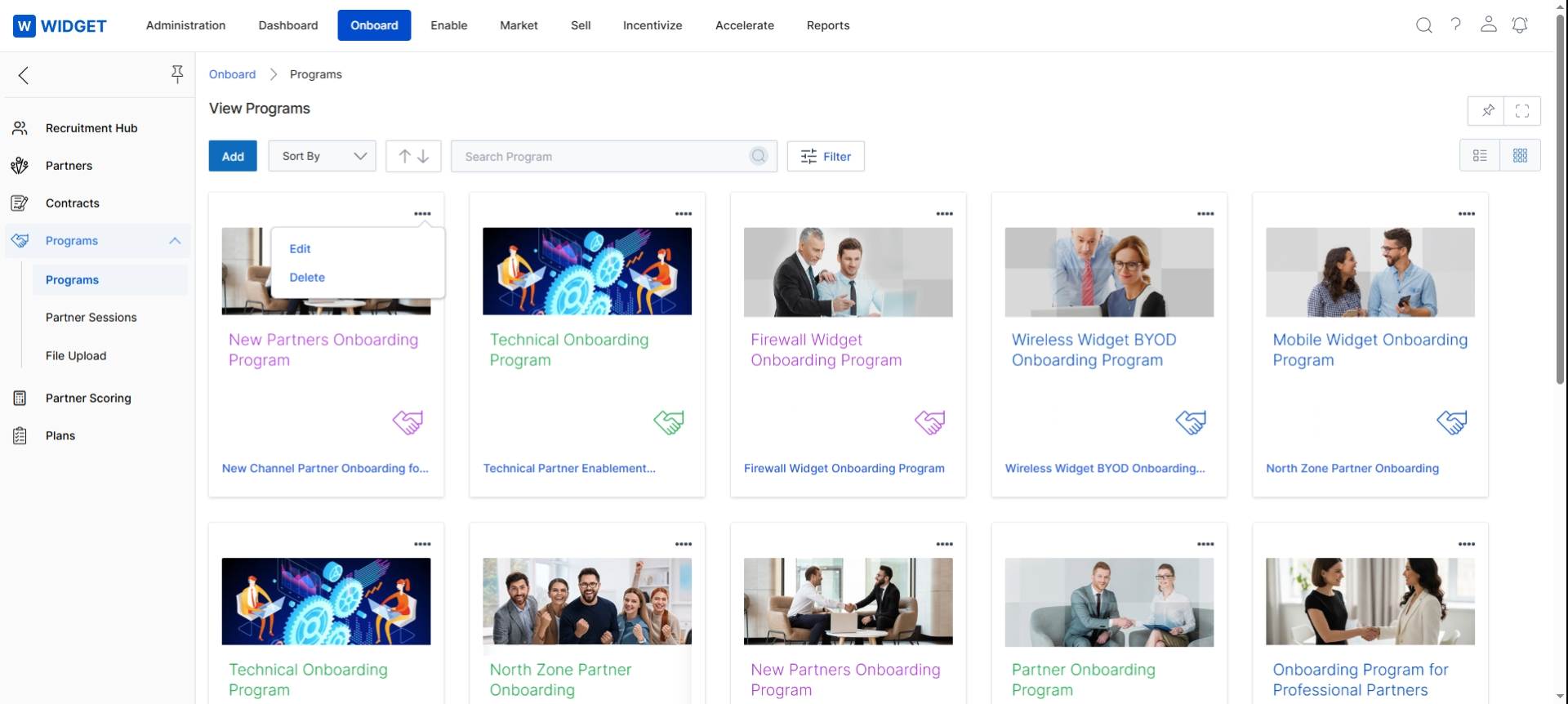
This screen displays a grid view of all configured partner programs within the Onboard module. Each program is represented by a card that includes an image, the program's name, and a brief description, allowing for quick visual identification and overview. This interface enables administrators to manage the various partner programs, which are central to defining the structure and rules for partner enrollment and engagement in the UPM platform. The view facilitates the selection of individual programs for further editing or deletion, supporting the overall management of the partner lifecycle.