

Overview
Effective partner program management is crucial for scaling a channel ecosystem. This module provides administrators with the tools to define distinct programs tailored to different partner types or business objectives, such as 'New Partners Onboarding Program' or 'Technical Onboarding Program.' Each program can have its own set of rules, agreements, training requirements, and benefits, which are configured and managed here. This structured approach ensures that partners are onboarded efficiently and guided through the appropriate journey, ultimately leading to higher engagement and productivity.
Key Features
- Program Creation & Management
- Program Search & Filter
- Partner Setup Management
- Dashboard Management
Accessing and Viewing Programs
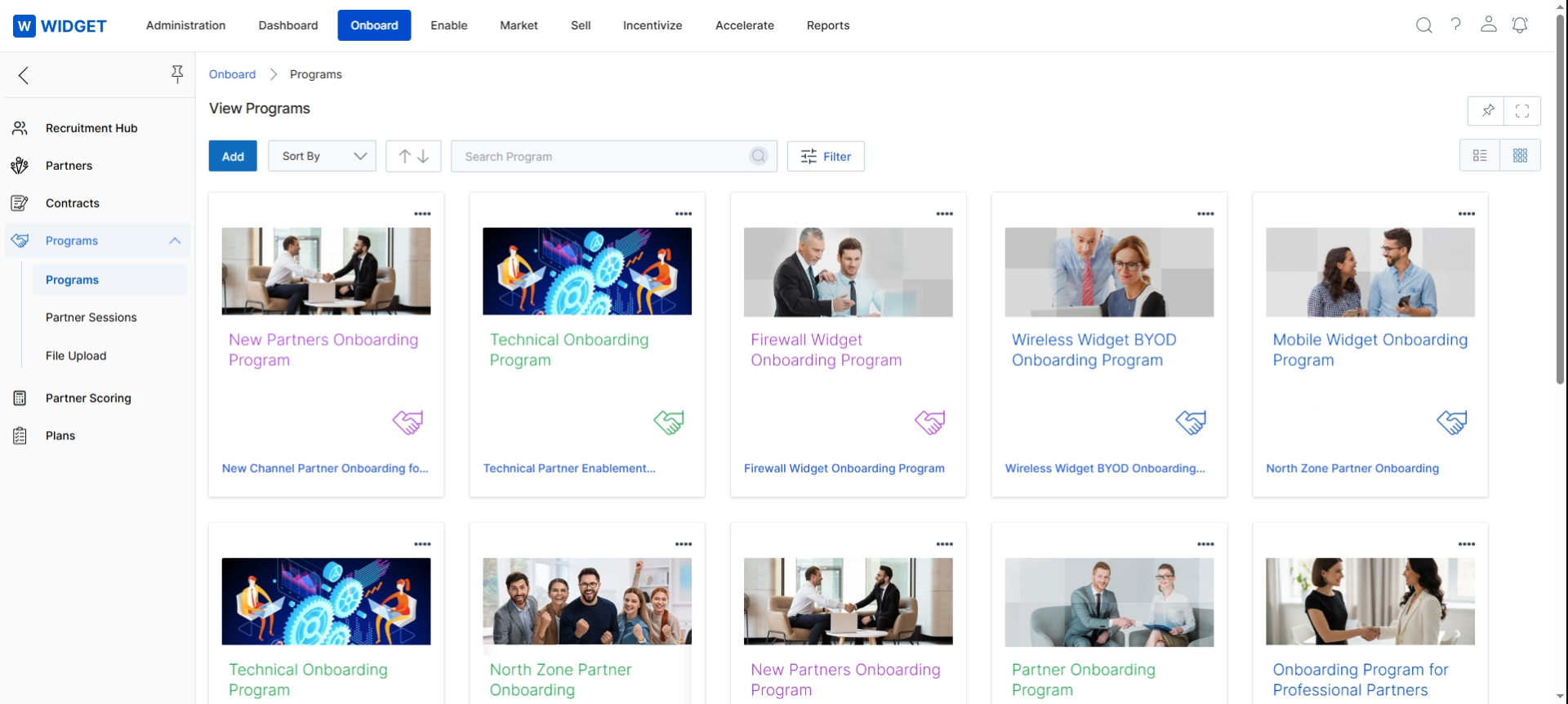
This screen displays a comprehensive overview of all partner programs configured within the UPM platform. Each program is represented by a card, providing a visual summary and allowing administrators to quickly identify and manage different onboarding and engagement tracks for various partner types. This view is central to the Onboard module, as it enables the creation and organization of the structured environments partners will enroll in, defining their journey from recruitment through active participation.
Frequently asked questions
- What is the Programs Management feature in UPM?
The Programs Management feature is a central repository within the Onboard module for all partner programs offered by the vendor. It helps administrators define, organize, and manage various onboarding and engagement pathways for their partners.
- Who uses the Programs Management feature?
UPM administrators use the Programs Management feature to structure partner recruitment and enablement processes effectively.
- What can be configured within each program?
Each program can have its own set of rules, agreements, training requirements, and benefits, all configured and managed within this feature.
- What are some key features of Programs Management?
Key features include program creation and management, program search and filter, partner setup management, and dashboard management.
- How are programs displayed in the overview screen?
Programs are displayed as cards, providing a visual summary that allows administrators to quickly identify and manage different onboarding and engagement tracks.
- Why is effective partner program management important?
Effective partner program management is crucial for scaling a channel ecosystem. It ensures partners are onboarded efficiently and guided appropriately, leading to higher engagement and productivity.