

Overview
The Web Syndication module within the Market zone provides administrators with the tools to manage and distribute co-branded content to their partners. This feature is crucial for maintaining brand consistency across the partner ecosystem and enabling partners to easily promote vendor products and services on their own digital properties. By creating 'showcases' or embeddable widgets, vendors can push updated content directly to partner websites, eliminating the need for partners to manually update marketing materials.
Administrators can define the content, design, and visibility rules for each showcase, ensuring that the right content reaches the right partners. This not only streamlines the co-marketing process but also empowers partners with dynamic, up-to-date promotional assets, ultimately driving more effective marketing efforts and lead generation.
Accessing Web Syndication
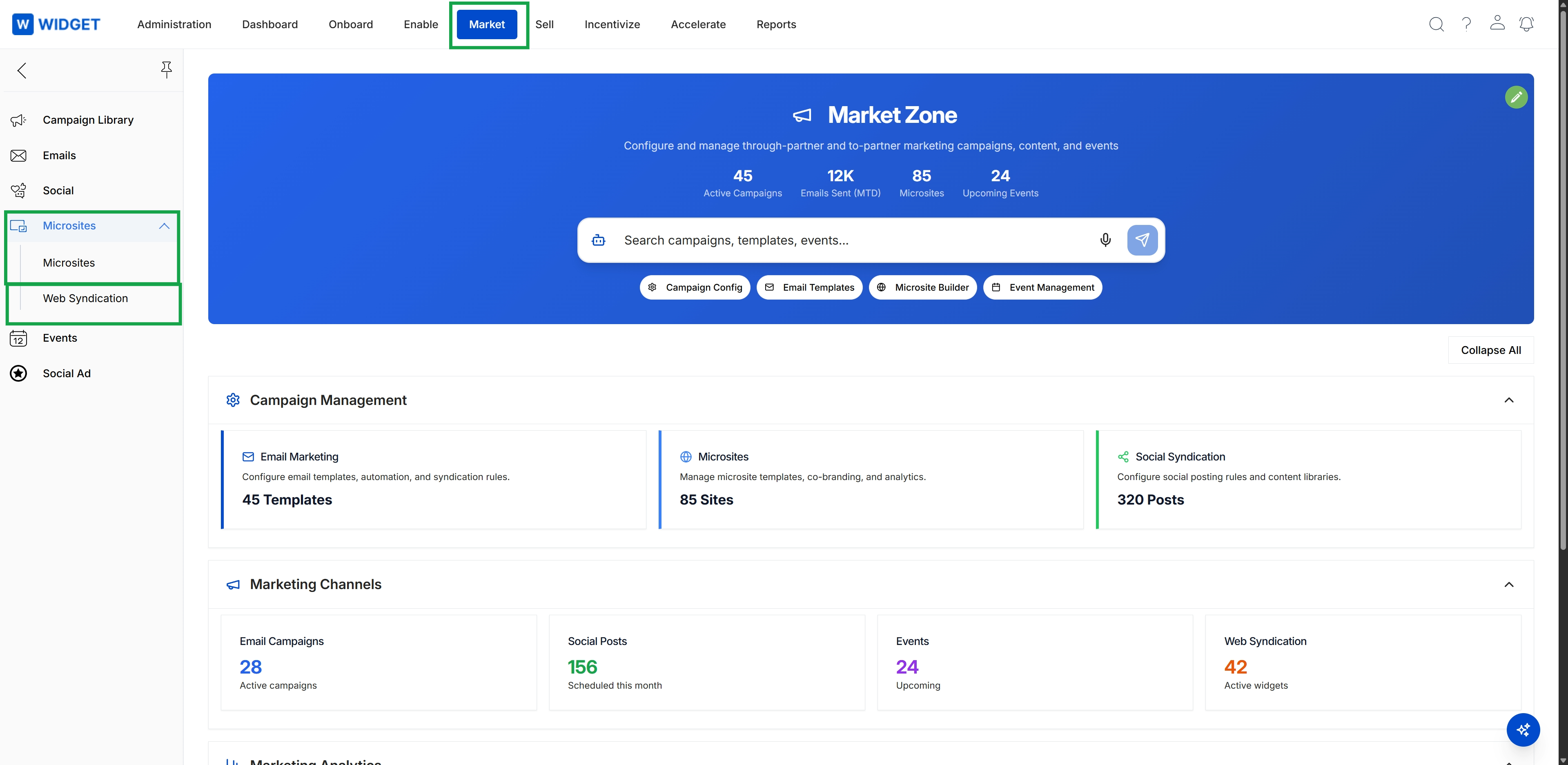
Click Market in the top navigation bar, then click Microsites in the left navigation menu, and finally click Web Syndication in the expanded submenu.
Viewing Showcases
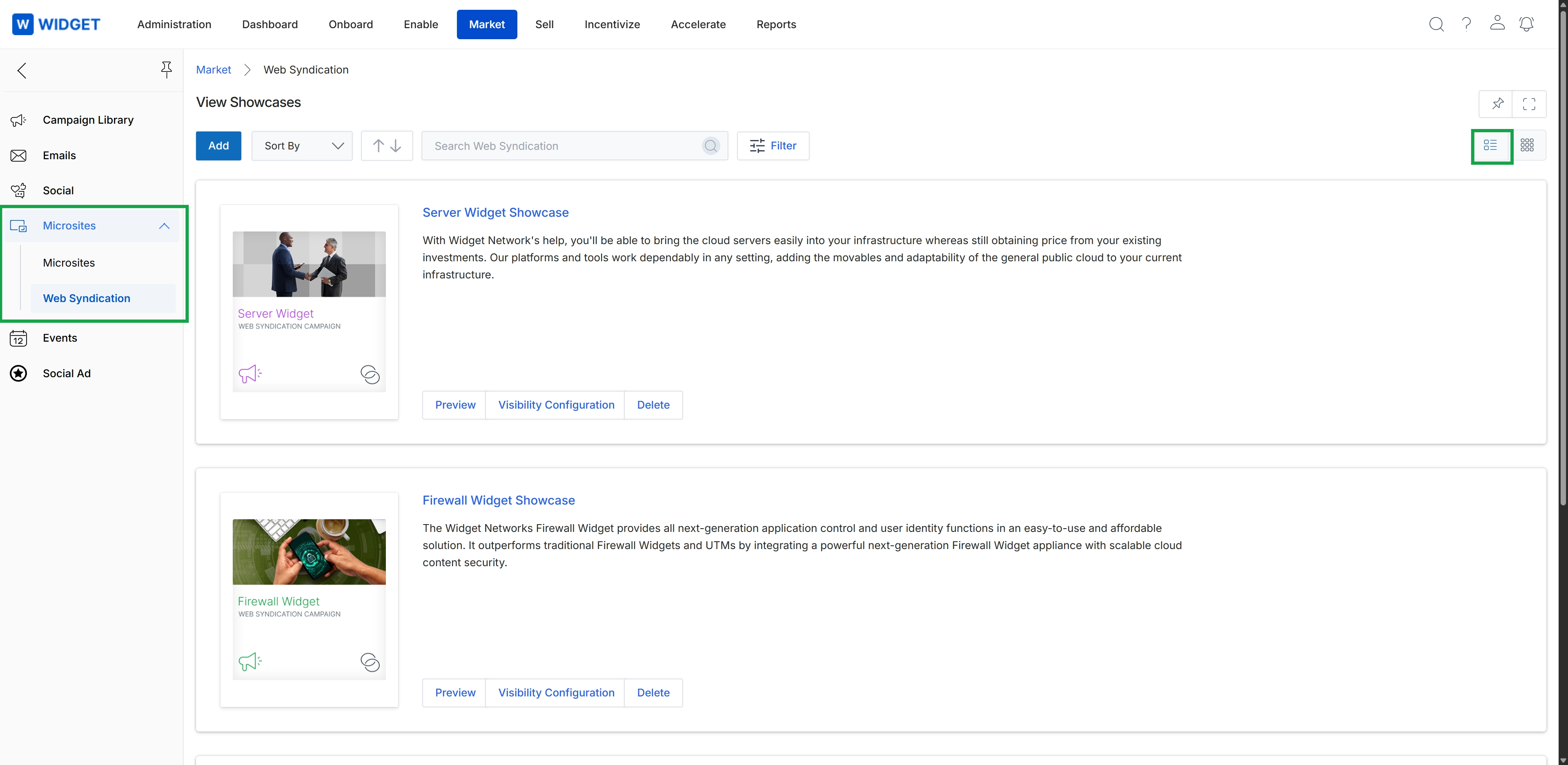
The Web Syndication page displays a list of content showcases that can be syndicated to partner websites. These showcases allow vendors to push content directly to partner portals or microsites, ensuring partners have access to the latest marketing materials and product information. Each showcase is presented as a card, providing a summary of the content and quick access to actions like previewing, configuring visibility, or deleting the showcase. This feature is part of the Market module, which provides vendors and partners with co-marketing tools to execute campaigns and manage marketing assets.
Click the "Web Syndication" option in the left navigation panel to view the list of content showcases.
Buttons
| Button | Description |
|---|---|
| Add | Adds a new web syndication showcase, allowing vendors to define content and settings for partner syndication. |
| Sort By | Opens a dropdown menu to sort the list of showcases by various criteria. |
| Filter | Applies filters to narrow down the displayed list of web syndication showcases. |
| Preview | Displays a preview of the content showcase as it would appear on a partner's site. |
| Visibility Configuration | Configures which partner types, tiers, or segments can access and syndicate this content showcase. |
| Delete | Removes the selected web syndication showcase from the list. |
Fields
| Field | Description |
|---|---|
| Search Web Syndication | Allows users to search for specific web syndication showcases by keyword. |
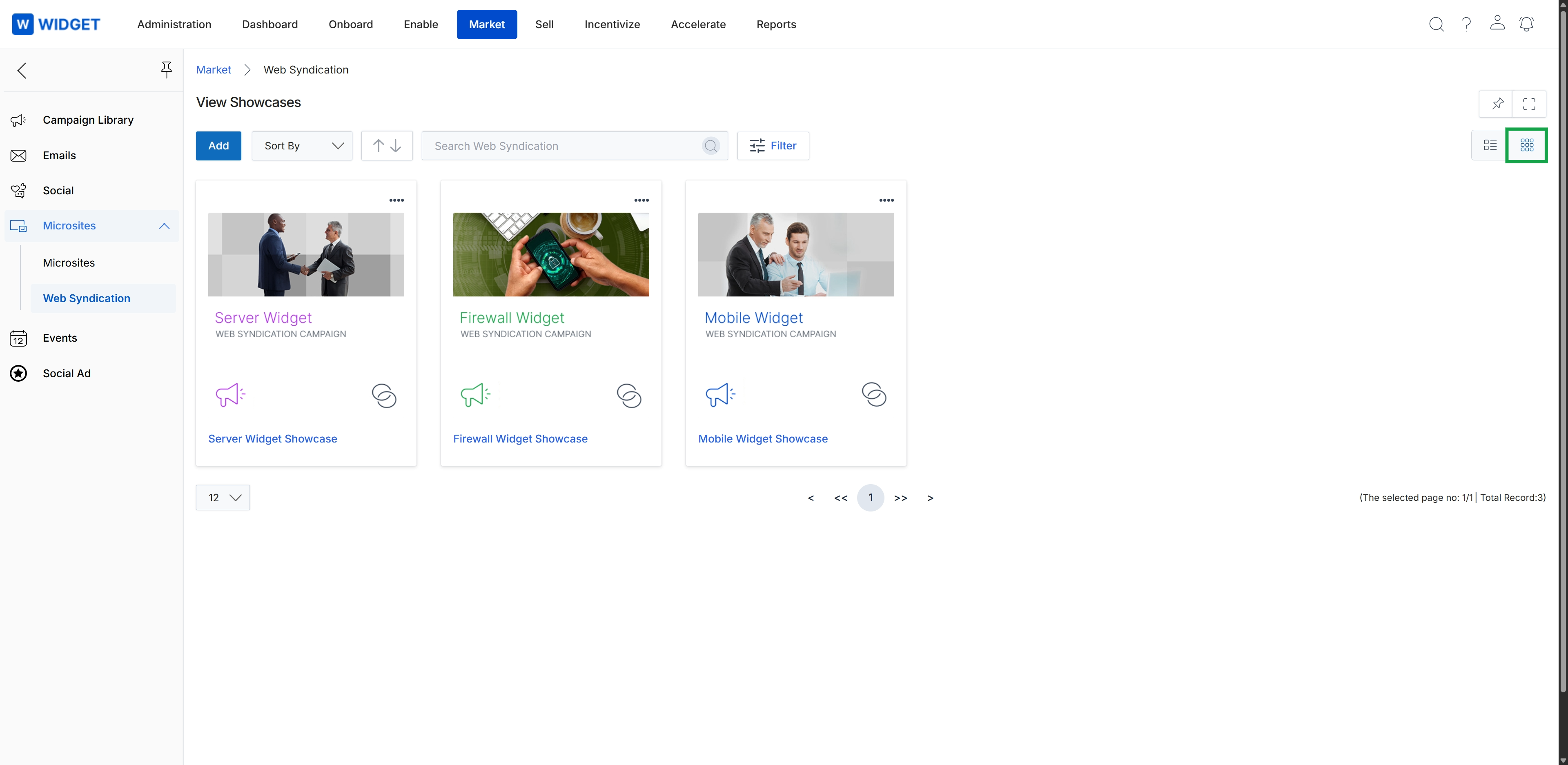
The Web Syndication page within the Market module allows administrators to manage and view all available web syndication showcases. Web syndication enables vendors to push content feeds to partner websites, ensuring partners always have up-to-date marketing materials. This screen displays a collection of these showcases, each representing a distinct content feed or campaign that partners can integrate. Administrators can use this view to quickly assess the status and details of each showcase, facilitating content distribution and partner enablement efforts. The view supports different display formats, allowing users to switch between a list view and a thumbnail (grid) view for better visual organization and quick identification of showcases.
Click the grid icon to switch the display of web syndication showcases to a thumbnail view.
Buttons
| Button | Description |
|---|---|
| Add | Adds a new web syndication showcase. |
| Filter | Applies filters to narrow down the displayed web syndication showcases. |
| grid icon | Switches the display of showcases to a grid (thumbnail) view. |
| list icon | Switches the display of showcases to a list view. |
Fields
| Field | Description |
|---|---|
| Sort By | Sorts the list of web syndication showcases by various criteria. |
| Search Web Syndication | Searches for specific web syndication showcases by keyword. |
| Server Widget | A card representing a web syndication campaign for 'Server Widget'. |
| Firewall Widget | A card representing a web syndication campaign for 'Firewall Widget'. |
| Mobile Widget | A card representing a web syndication campaign for 'Mobile Widget'. |