

Overview
Showcase pages are an integral part of the Microsite functionality, allowing partners to create branded landing pages to promote vendor products and services. By associating dynamic forms with these showcase pages, administrators can empower partners to collect valuable data directly from their microsites. This streamlines lead capture and other data submission processes, ensuring that information collected through partner marketing efforts is directly integrated into the platform.
This capability is particularly useful for campaigns where partners need to gather prospect details, event registrations, or survey responses. The dynamic forms, once associated, become an active component of the showcase page, enabling interactive engagement with visitors and facilitating the flow of information back to the vendor for lead management and performance tracking.
Adding a New Showcase Page

Click the Add button.
Selecting a Dynamic Form
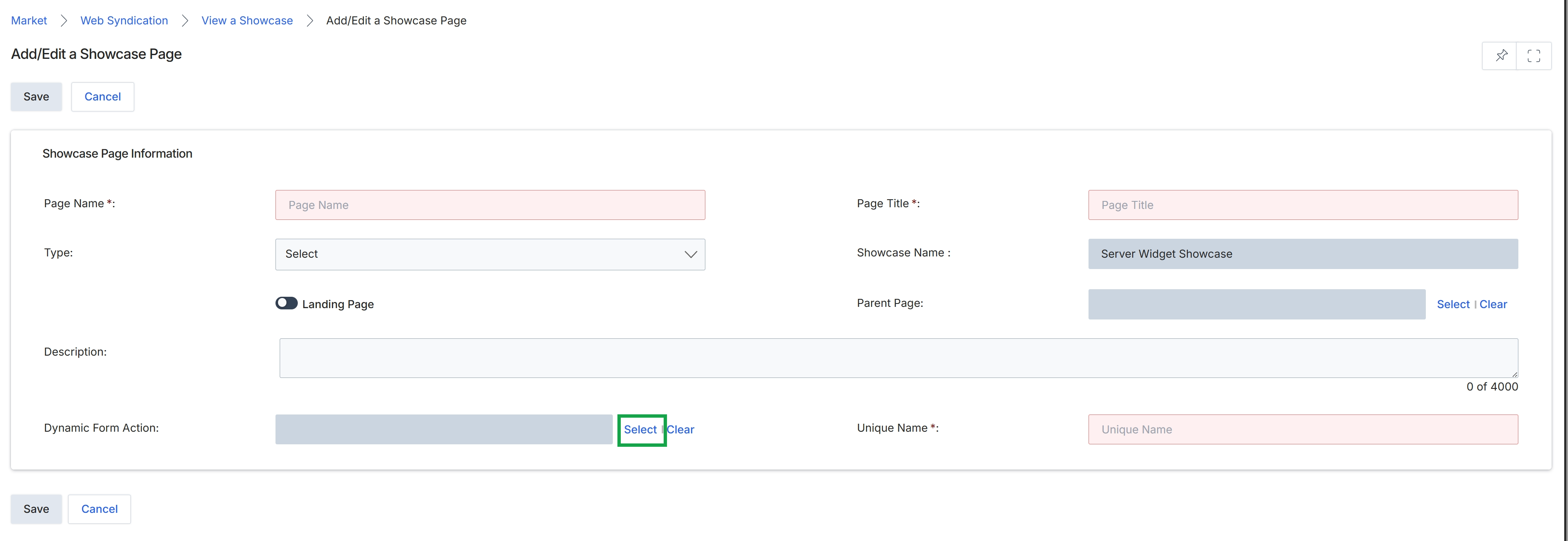
The Add/Edit a Showcase Page form allows administrators to define the properties of a new or existing page within a microsite. This includes basic identification like the page name and title, its type, and whether it functions as a landing page. The form also supports associating a dynamic form to the page, which enables lead capture or other interactive functionalities. The Showcase Name field indicates the microsite to which this page belongs, ensuring proper organization and content delivery within the Market module's microsite management capabilities. This screen is crucial for building out the structure and interactive elements of partner-branded microsites.
Click the "Select" button next to the "Dynamic Form Action" field to associate a dynamic form with this showcase page.
Buttons
| Button | Description |
|---|---|
| Save | Saves the current showcase page configuration. |
| Cancel | Discards any changes and returns to the previous screen. |
| Select | Click to select a dynamic form to associate with the showcase page. |
| Clear | Click to clear the currently selected dynamic form. |
Showcase Page Information
| Field | Description |
|---|---|
| Page Name * | Enter the name for the showcase page. This is a mandatory field. |
| Type | Select the type of the showcase page from a dropdown list. |
| Landing Page | Toggle to indicate if this page functions as a landing page. |
| Description | Provide a description for the showcase page, with a character limit of 4000. |
| Dynamic Form Action | This field allows you to select and associate a dynamic form with the showcase page, enabling interactive elements like lead capture forms. |
| Page Title * | Enter the title that will appear for the showcase page. This is a mandatory field. |
| Showcase Name | Displays the name of the microsite (showcase) to which this page belongs. |
| Parent Page | Allows selection of a parent page if this showcase page is part of a hierarchical structure. |
| Unique Name * | Enter a unique identifier for the showcase page. This is a mandatory field. |
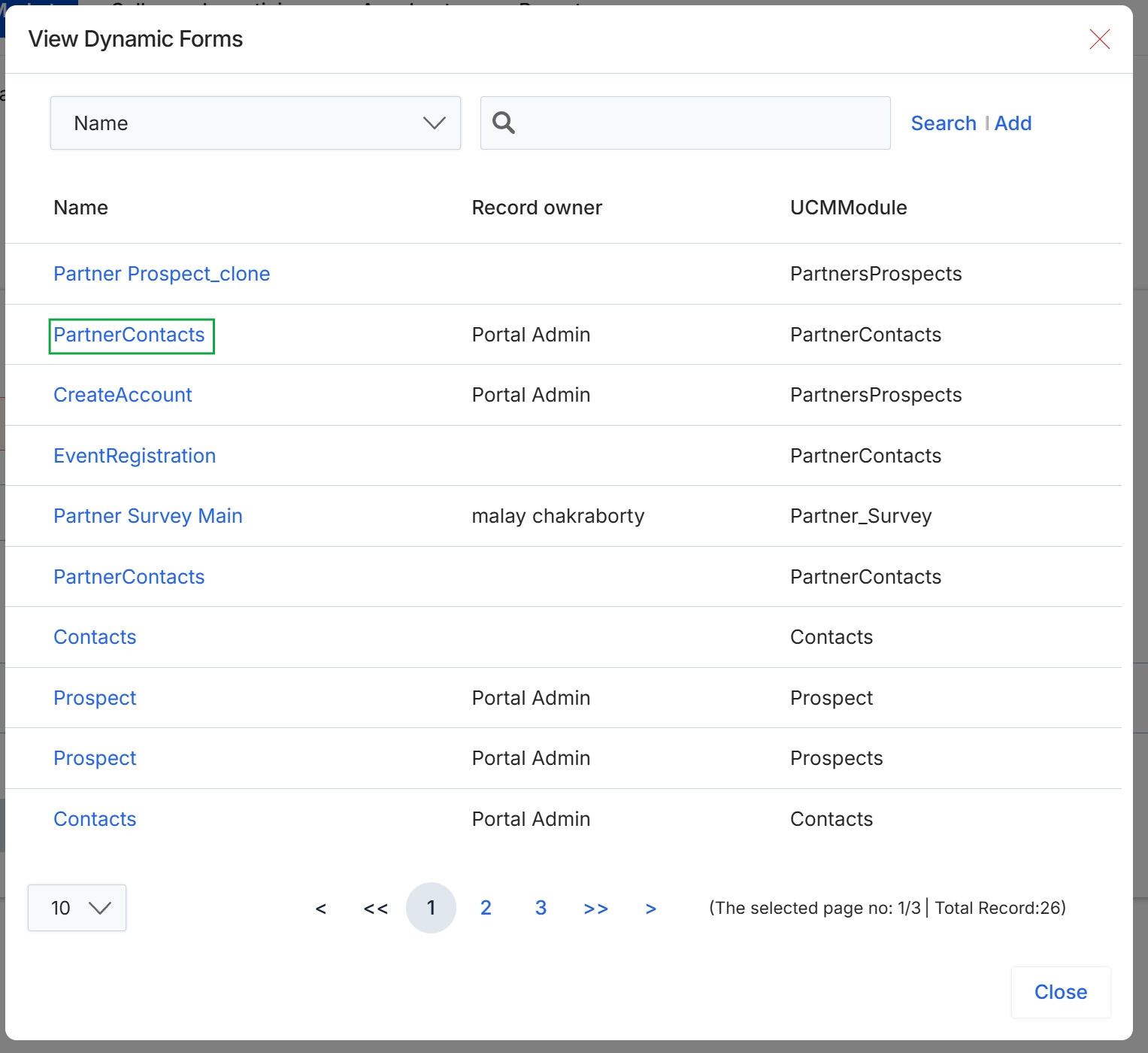
Click PartnerContacts to select the form.
Confirming Form Association
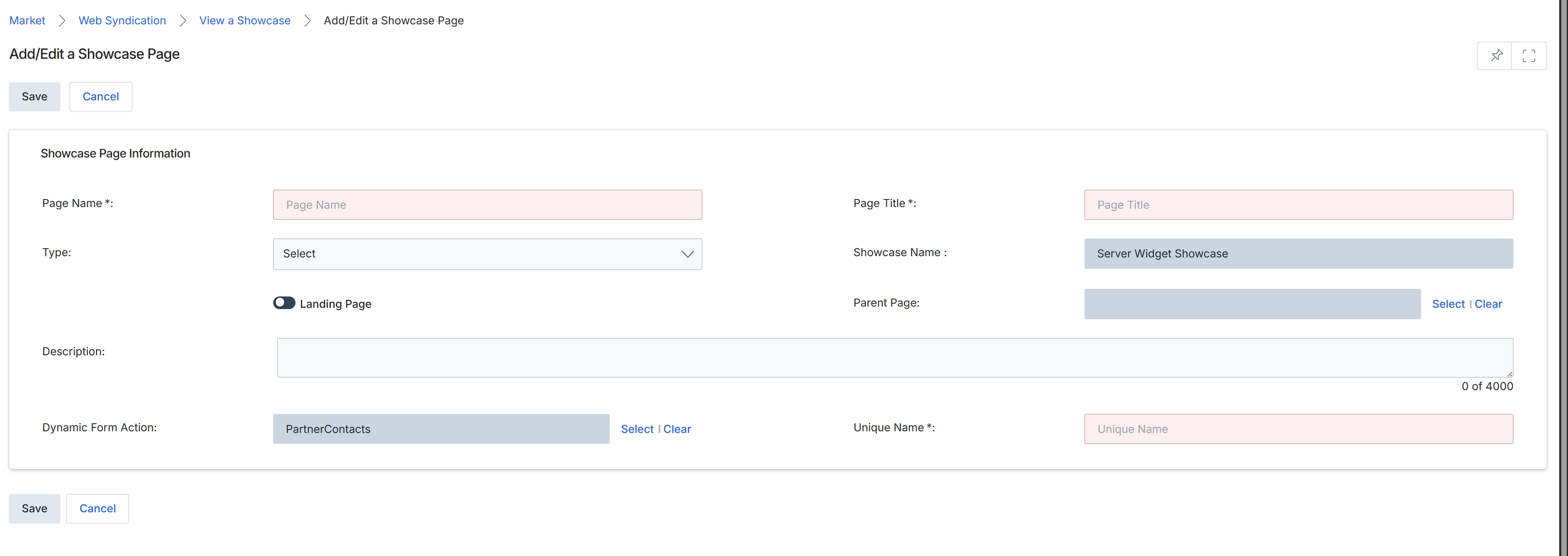
This screen displays the form for adding or editing a showcase page within the module, which is used for creating microsites and landing pages. It allows administrators to define the page's name, title, type, and associate it with a specific showcase. The form also includes a toggle to designate the page as a landing page and provides a field to select a dynamic form action, which in this instance is set to "PartnerContacts", indicating that this page will likely collect partner contact information.