

Overview
Web Syndication enables vendors to push curated content directly to partner websites, ensuring brand consistency and up-to-date product information across the partner ecosystem. Showcases are a key component of this, providing partners with pre-packaged, easily embeddable content blocks that highlight specific products, services, or campaigns. This streamlines the co-marketing process, allowing partners to quickly populate their sites with relevant, vendor-approved materials without extensive effort.
By offering configurable showcases, the platform empowers partners to enhance their digital presence with rich content while giving vendors control over messaging and branding. This feature is particularly valuable for partners who may lack the resources to create their own marketing content, providing them with a ready-to-use solution that drives engagement and supports co-selling efforts.
Key Features
- Showcase Content Management
- Preview Content
- Visibility Configuration
- Web Syndication
- Content Embedding
Managing Showcases
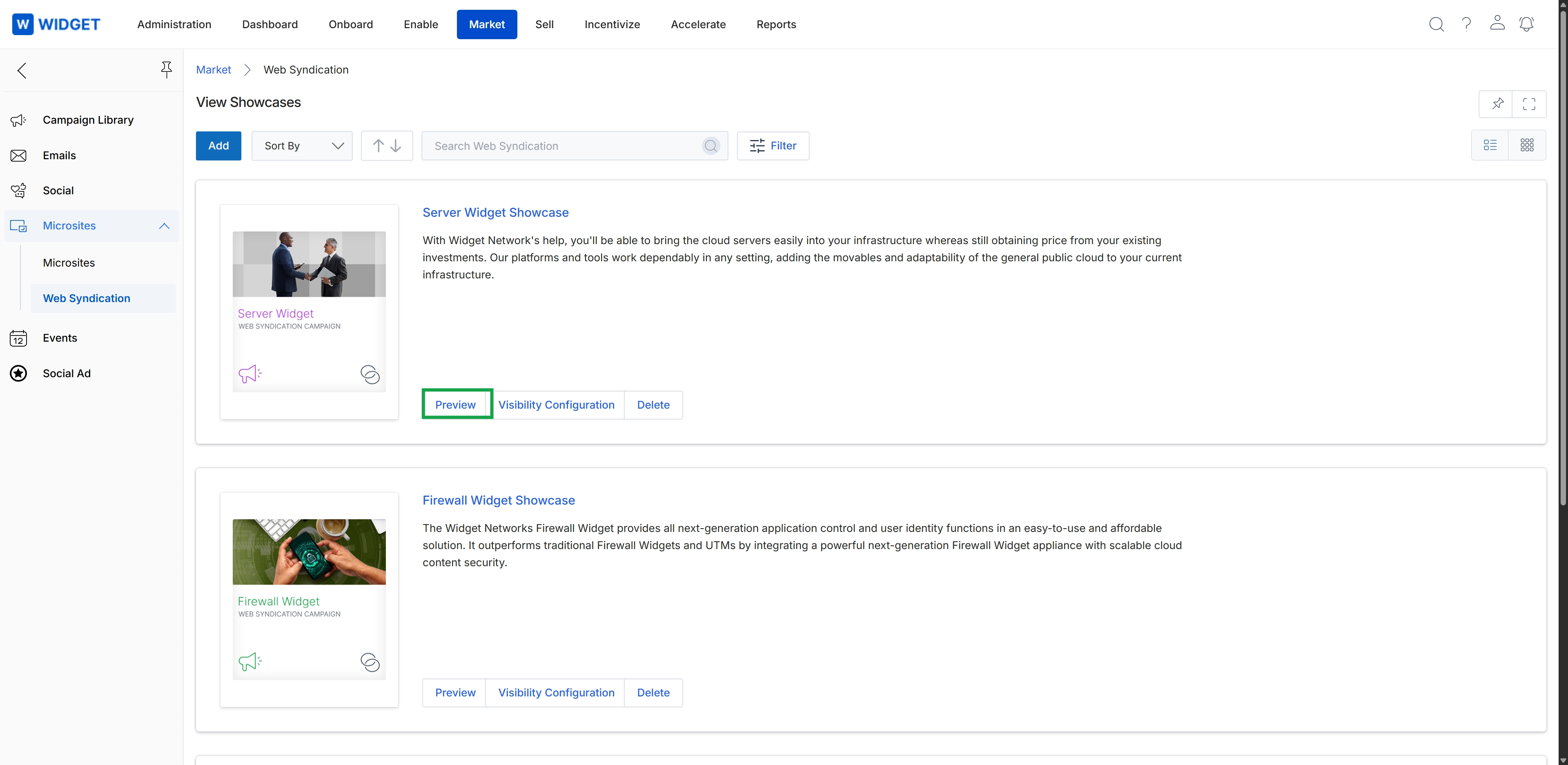
Click the Preview button for the "Server Widget Showcase" to view the syndicated content.
Previewing a Showcase
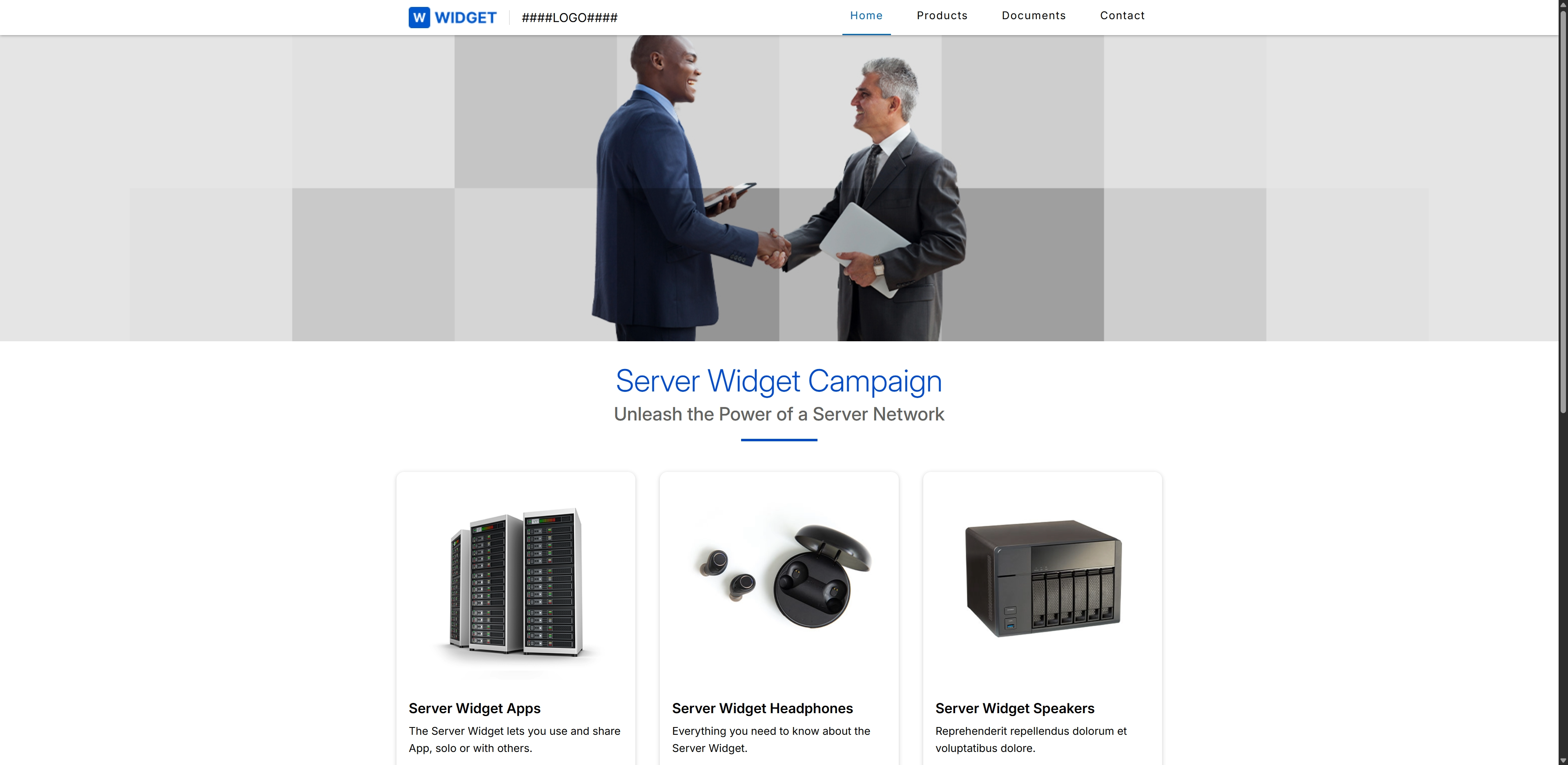
This screen displays a preview of a showcase, which is a co-branded web page that partners can use for their marketing activities. It showcases how the 'Server Widget Campaign' appears to an end-user, featuring a banner image, a campaign title and tagline, and product highlights with descriptions. This preview functionality allows administrators to review the visual layout and content of a microsite before it is published or made available to partners, ensuring brand consistency and accuracy.
Frequently asked questions
- What is the purpose of "Showcases" in the UPM?
Showcases are web syndication content modules that allow administrators to create and publish vendor-approved content collections. Partners can then easily embed these collections on their websites to promote specific products or campaigns.
- Who uses the "View Showcases" feature?
UPM administrators use this feature to manage and configure the showcases. Channel partners utilize the showcases by embedding the pre-packaged content on their websites.
- How do showcases facilitate co-marketing?
Showcases streamline co-marketing by providing partners with easily embeddable content blocks that highlight specific products, services, or campaigns. This allows partners to quickly populate their sites with relevant, vendor-approved materials.
- What is Web Syndication?
Web Syndication enables vendors to push curated content directly to partner websites. This ensures brand consistency and up-to-date product information across the partner ecosystem.
- Why is previewing a Showcase important?
Previewing a showcase allows administrators to review its visual layout and content before it is published or made available to partners. This ensures brand consistency and accuracy, showcasing how co-branded content will appear to an end-user.