

Overview
The Partner Support Management module, part of the Accelerate zone, provides a structured way for vendors to manage support requests from their partners. While the Accelerate module primarily focuses on strategic partner relationship management for Gold/Platinum tiers, the support ticket functionality is often relevant across all partner types, including affiliates, to ensure efficient resolution of their queries. This system centralizes communication, allowing administrators to track issues from submission to resolution, ensuring partners receive timely assistance and that service level agreements (SLAs) can be monitored.
Viewing Support Tickets
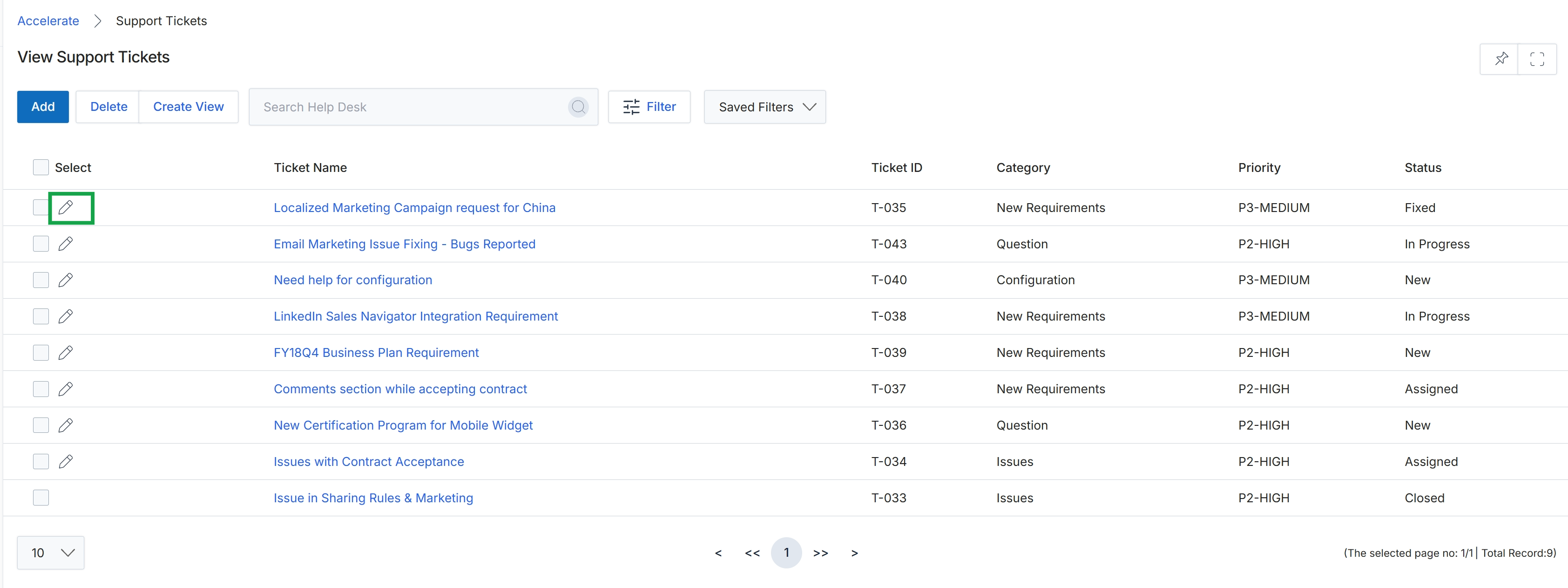
Click the edit icon next to the desired support ticket.
Editing a Support Ticket
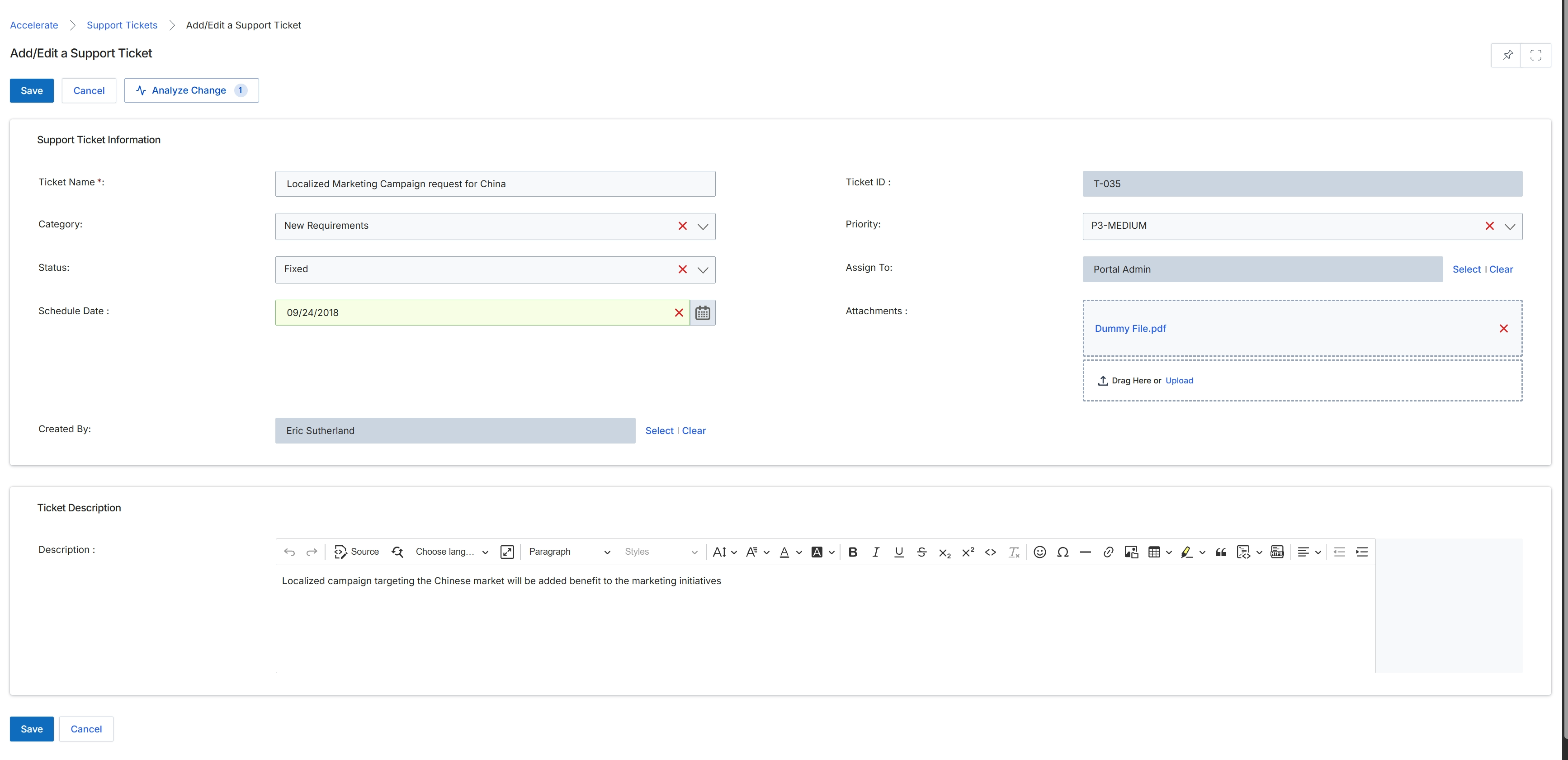
This screen provides the interface for adding or editing a support ticket within the Accelerate module, which is part of the platform's comprehensive partner support management system. Support tickets are used to track and manage partner-submitted help requests, covering various categories such as technical, billing, training, or program-related issues. Users can define the ticket's name, categorize it, set its priority and status, assign it to a specific individual or team, and attach relevant files. The system also captures the creator and a scheduled date for follow-up, allowing for detailed tracking and management of partner inquiries from submission to resolution, adhering to defined SLAs.
Fill in or modify the details for the support ticket, including its name, category, status, priority, and description.
Buttons
| Button | Description |
|---|---|
| Save | Saves the current support ticket details. |
| Cancel | Discards any changes and returns to the previous screen. |
| Analyze Change | Initiates an analysis of changes made to the ticket, potentially showing a history or impact. |
Support Ticket Information
| Field | Description |
|---|---|
| Ticket Name * | The mandatory name or subject of the support ticket. |
| Category | The classification of the support ticket (e.g., technical, billing, training, program). |
| Status | The current state of the support ticket (e.g., Open, In Progress, Fixed, Closed). |
| Schedule Date | The date scheduled for follow-up or resolution of the ticket. |
| Created By | The name of the user who created the support ticket. |
| Ticket ID | A unique identifier automatically assigned to the support ticket. |
| Priority | The urgency level of the support ticket (e.g., P1-CRITICAL, P2-HIGH, P3-MEDIUM, P4-LOW). |
| Assign To | The individual or team responsible for handling the support ticket. |
| Attachments | Allows users to upload or drag and drop files relevant to the support ticket. |
Ticket Description
| Field | Description |
|---|---|
| Description | A detailed explanation of the support issue or request. |