

Overview
Effective partner support is crucial for maintaining strong partner relationships and ensuring their success. The Partner Support Management feature within the Accelerate module provides a structured system for partners to communicate issues, ask questions, and request assistance directly through their portal. This streamlines the support process, moving away from ad-hoc emails or calls, and ensures that all partner inquiries are logged, tracked, and addressed systematically.
Accessing Partner Support Tickets
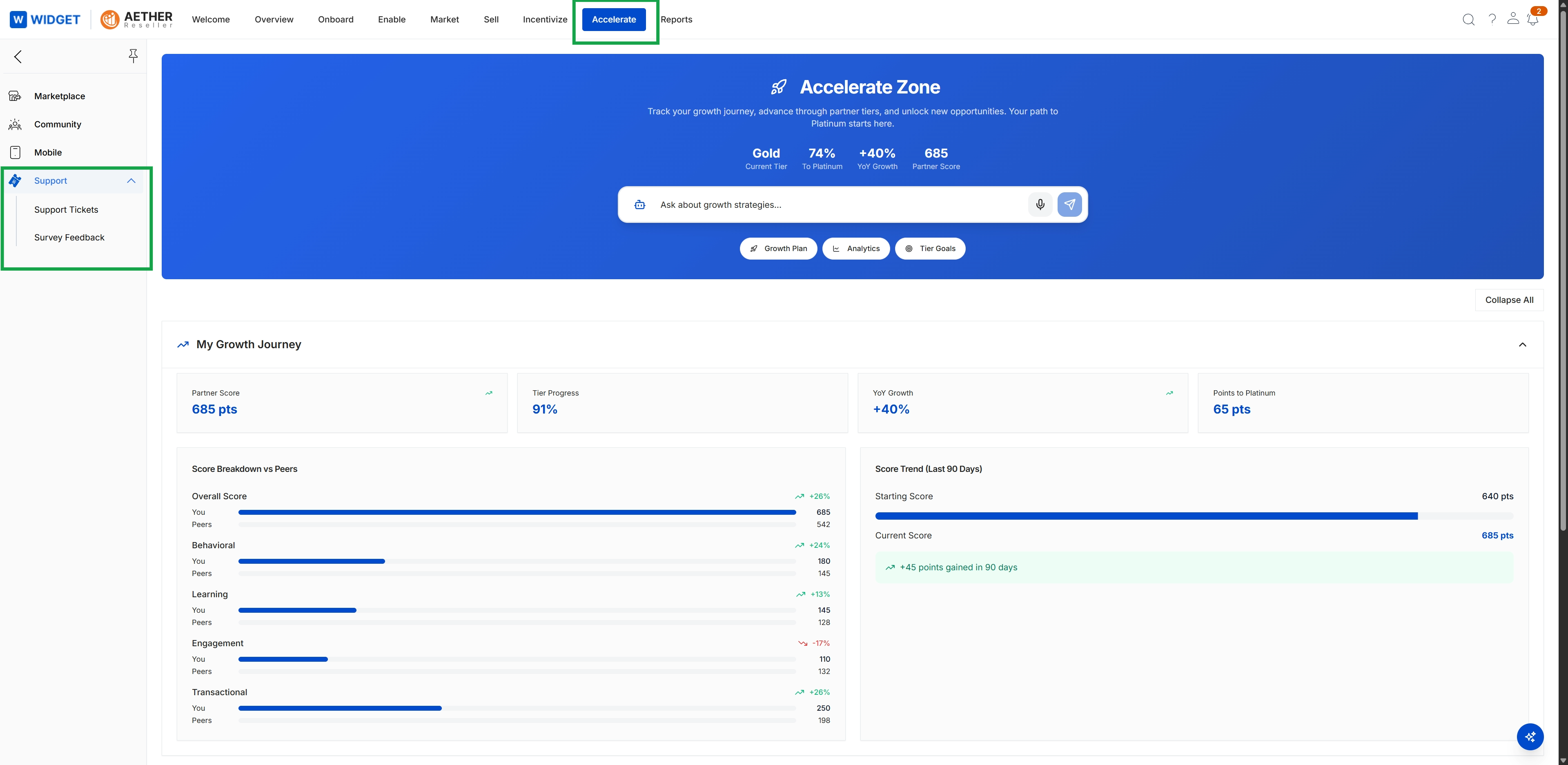
Click Accelerate in the top navigation bar, then click Support in the left navigation menu to expand it, and finally click Support Tickets.
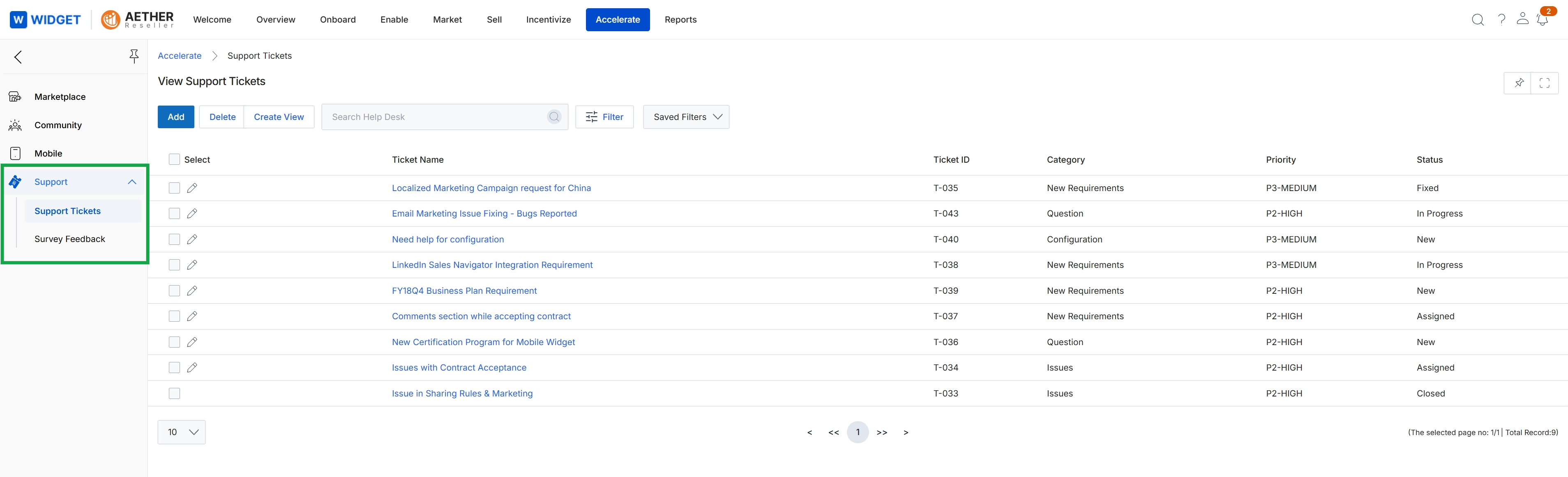
This screen displays a comprehensive list of support tickets submitted by partners, providing a centralized view for administrators to manage partner inquiries and issues. Each ticket entry includes key details such as the ticket name, a unique identifier, its category, priority level, and current status. This view is part of the Accelerate module's support management capabilities, allowing administrators to monitor and track the progress of all partner-submitted help requests within the platform.