

Overview
The Partner Support Management module within Accelerate is designed to streamline the process of handling partner-submitted inquiries and issues. This module ensures that all support requests are systematically logged, tracked, and resolved, improving partner satisfaction and operational efficiency. It provides a structured workflow for managing various types of support needs, from technical assistance to program-related questions.
Administrators can quickly access a comprehensive list of all support tickets, review their details, and engage in discussions with internal teams or partners. This centralized approach helps maintain a clear record of all interactions and resolutions, contributing to better partner relationship management and program health.
Viewing the Support Ticket List
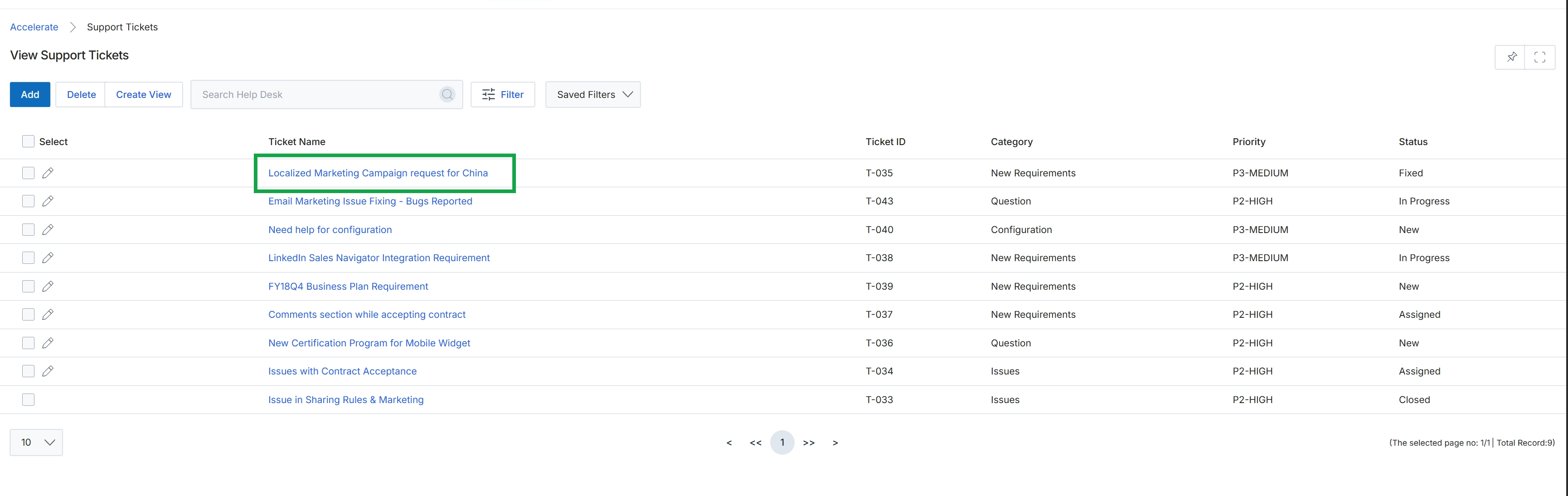
Click the Localized Marketing Campaign request for China link.
Viewing Support Ticket Details
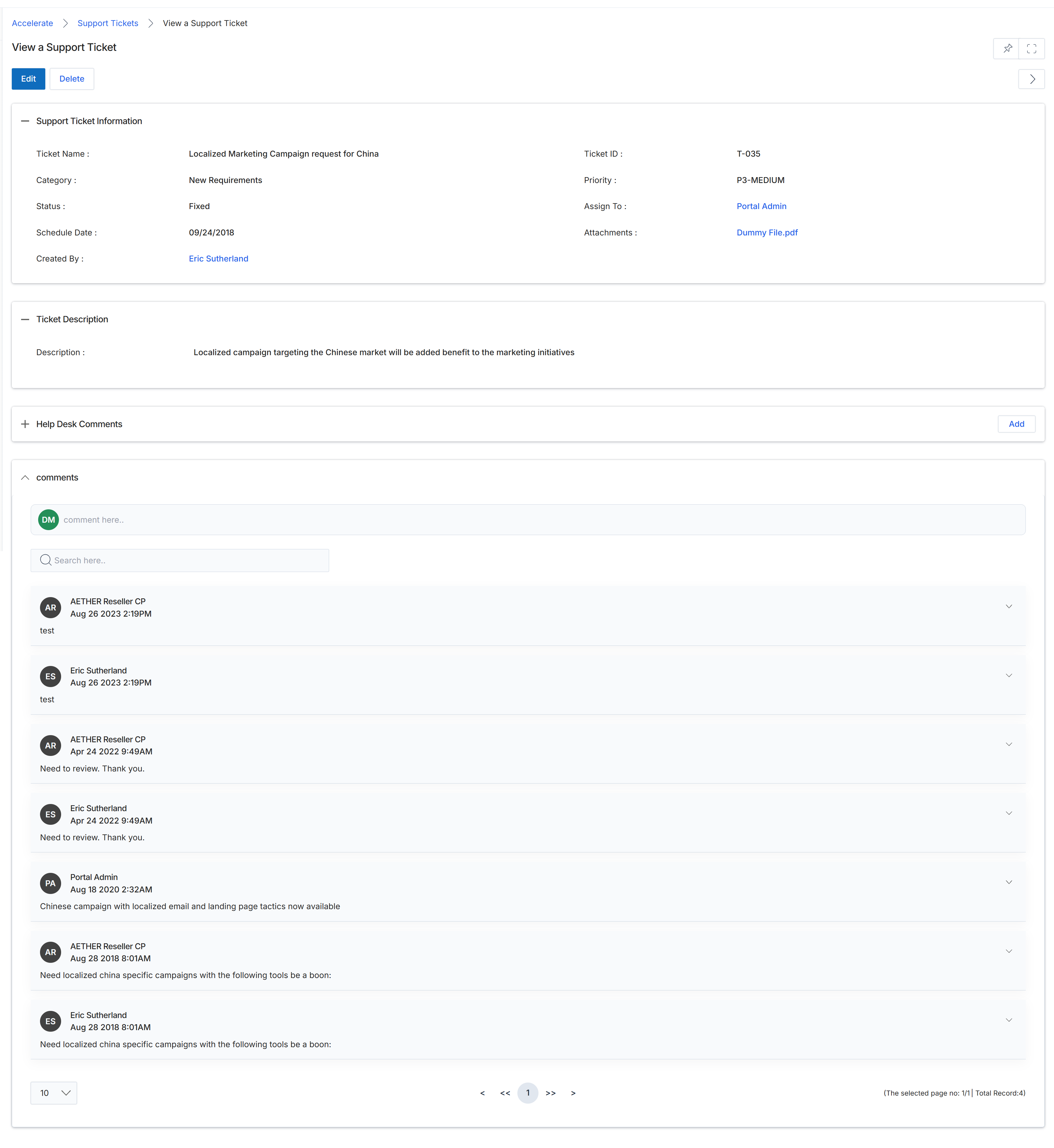
This screen provides a comprehensive view of a specific support ticket, which is part of the help desk functionality within the Accelerate module. It allows both vendor-side administrators and partner users to review all pertinent information related to a support request, including its current status, priority, and assignment details. The screen also displays the original ticket description and a chronological record of all communications and updates in the 'Help Desk Comments' section, facilitating transparent tracking and resolution of partner-submitted issues. This view is crucial for managing the support workflow, ensuring that all stakeholders have access to the necessary context for effective problem-solving and communication.
Review the details of the selected support ticket, including its information, description, and the history of help desk comments.
Buttons
| Button | Description |
|---|---|
| Edit | Allows modification of the support ticket details. |
| Delete | Removes the support ticket from the system. |
| Add | Submits the entered comment to the support ticket's history. |
Support Ticket Information
| Field | Description |
|---|---|
| Ticket Name | The title or subject of the support ticket. |
| Category | The classification of the support ticket, such as 'New Requirements' or other defined categories (technical, billing, training, program). |
| Status | The current state of the support ticket, indicating its progress toward resolution (e.g., Fixed, Open, Pending). |
| Schedule Date | The date associated with the ticket's schedule or a relevant milestone. |
| Created By | The name of the user who initiated or created the support ticket. |
| Ticket ID | A unique identifier assigned to the support ticket. |
| Priority | The level of urgency assigned to the support ticket (e.g., P3-MEDIUM). |
| Assign To | The user or team responsible for handling and resolving the support ticket. |
| Attachments | Links to any files or documents associated with the support ticket. |
Ticket Description
| Field | Description |
|---|---|
| Description | A detailed explanation of the issue or request submitted in the support ticket. |
Help Desk Comments
| Field | Description |
|---|---|
| comment here.. | An input field for adding new comments or updates to the support ticket. |
| Search here.. | A search bar to filter through the existing comments on the support ticket. |