

Overview
The Survey & Feedback module is a critical component of the Accelerate zone, designed to gather valuable insights directly from partners. By collecting feedback through structured surveys, administrators can assess partner satisfaction, identify areas for program improvement, and gather input on new initiatives or product offerings. This direct line of communication helps foster a more responsive and partner-centric ecosystem.
Key Features
- Survey Feedback List
- Search & Filter Surveys
- View Survey Details
- Survey Availability Time
- Survey Status Tracking
Viewing the Survey Feedback List
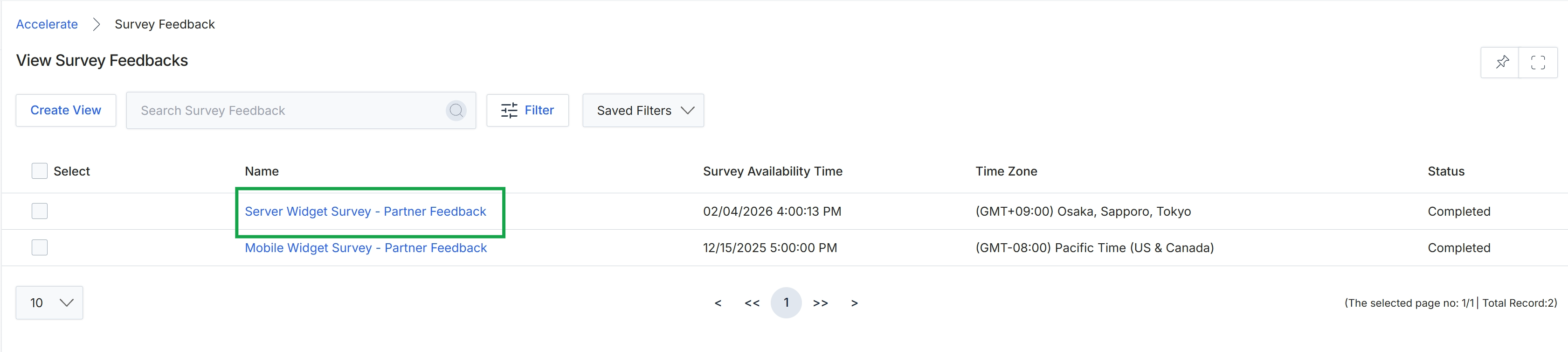
Click the Server Widget Survey - Partner Feedback link.
Reviewing Individual Survey Feedback
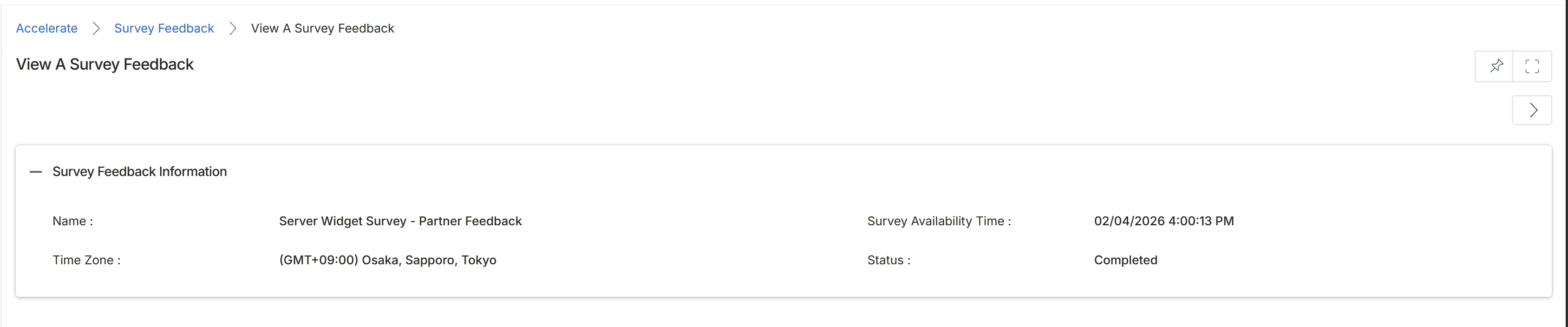
This screen displays the detailed information for a specific survey feedback entry within the Accelerate module. Surveys are a key component of the Accelerate module, allowing vendors to collect feedback from partners on various topics such as program satisfaction, product feedback, or event feedback, as outlined in Workflow WF-05. This view provides an overview of the survey's core attributes, including its name, availability, and current status, helping administrators understand the context of the collected feedback.
Review the details of the selected survey feedback.
Survey Feedback Information
| Field | Description |
|---|---|
| Name | The name of the survey that generated this feedback. |
| Survey Availability Time | The date and time when the survey was made available. |
| Time Zone | The time zone associated with the survey's availability. |
| Status | The current status of the survey, indicating whether it is completed or in another state. |
Frequently asked questions
- What is the purpose of viewing survey feedback?
Viewing survey feedback allows administrators to review partner input, assess satisfaction, identify areas for program improvement, and gather insights on new initiatives or product offerings.
- Who can view survey feedback?
UPM administrators are able to view a list of completed partner surveys and their detailed feedback.
- What information is displayed for individual survey feedback?
For individual feedback entries, the platform displays the survey's name, availability time, time zone, and current status.
- How do I access the survey feedback list?
You access the survey feedback list by clicking the Server Widget Survey - Partner Feedback link.