

Overview
The Invoices module is a critical component of the Sell zone, providing robust capabilities for managing post-sale financial documentation. After a quote is accepted and converted into a sales order, the platform can generate an associated invoice, which is then managed through this module. This ensures that all billing information, including account details, sales order references, pricing, and addresses, is accurately recorded and accessible.
Administrators can track the status of each invoice, from 'Ready for Submission' to 'Approved,' and make necessary edits to invoice details, billing, and shipping information. This functionality streamlines the invoicing process, helps in resolving discrepancies, and supports financial reconciliation by linking invoices directly to sales orders and opportunities.
Viewing Invoices
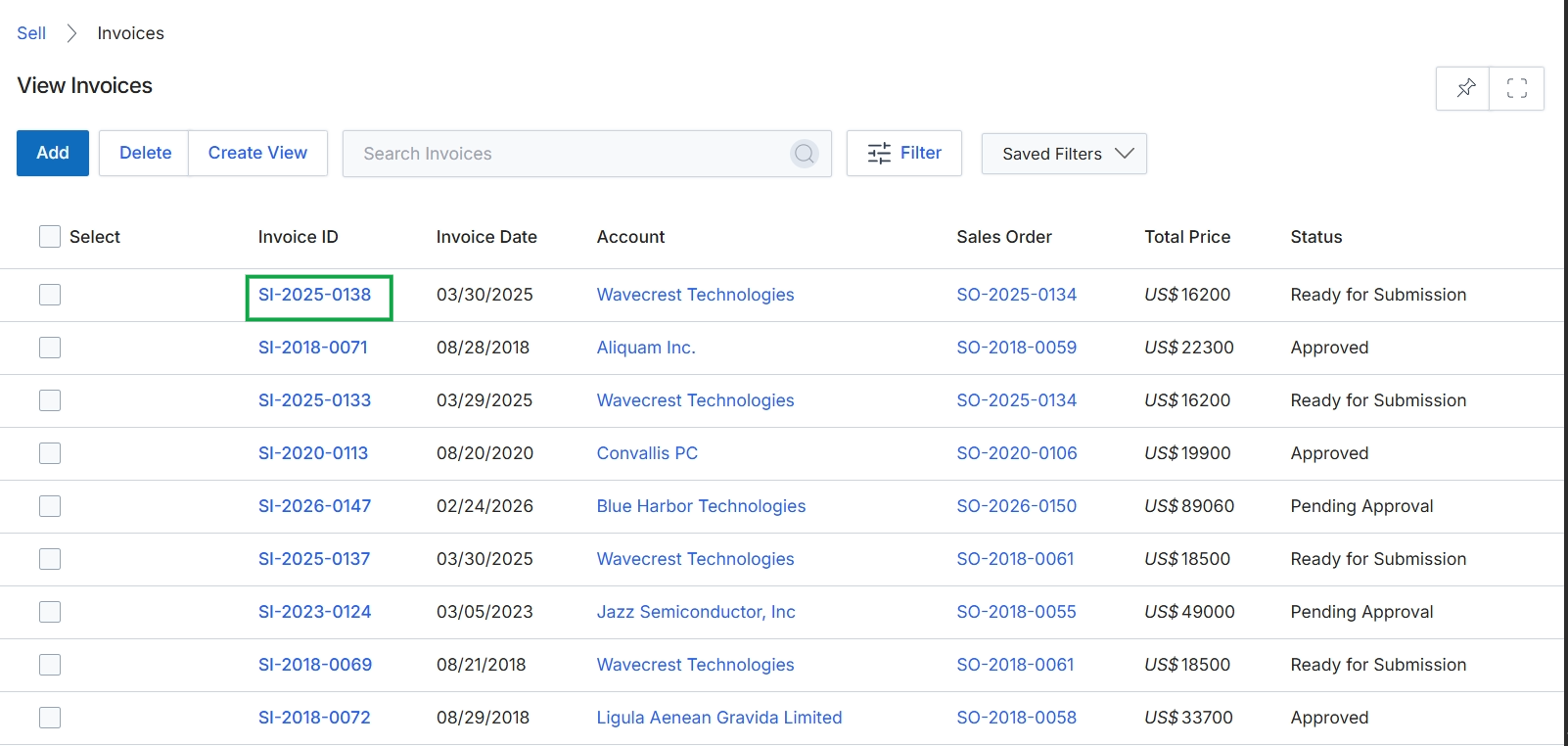
Click the Invoice ID link for the invoice you want to view or edit, for example, SI-2025-0138.
Accessing Invoice Details
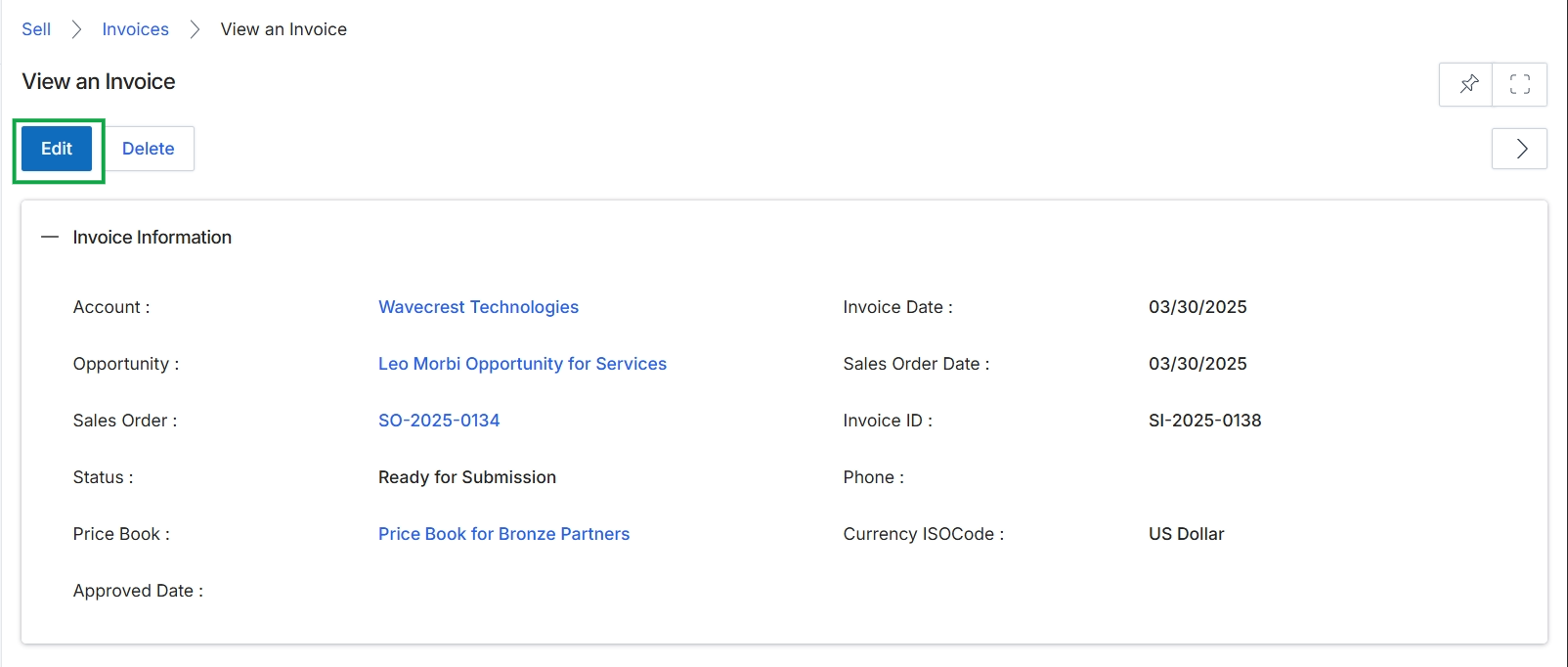
Click the Edit button.
Editing Invoice Information
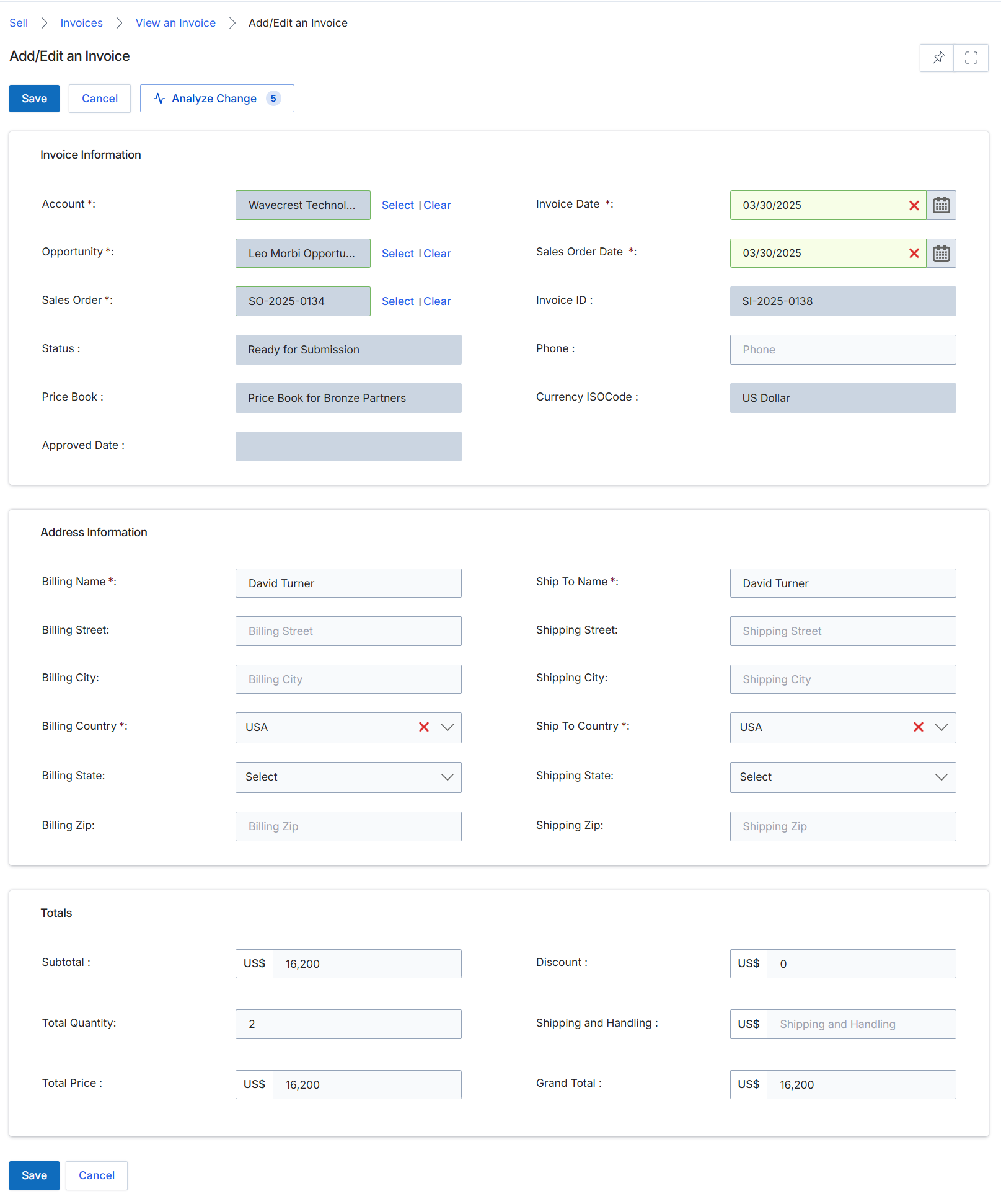
This screen displays the Add/Edit an Invoice form, which is part of the Sell module's quoting and order management workflow. It allows administrators to create or modify invoice records, typically generated after a sales order is confirmed. The form captures essential invoice details, including associated account, opportunity, and sales order, along with billing and shipping address information. Financial summaries such as subtotal, discount, and grand total are also presented. This form is crucial for ensuring accurate financial documentation and can be linked to commission calculations in the Incentivize module upon invoice completion.
Review or modify the details within the Add/Edit an Invoice form.
Buttons
| Button | Description |
|---|---|
| Save | Saves the current invoice details. |
| Cancel | Discards any changes and returns to the previous view. |
| Analyze Change | Analyzes changes made to the invoice. |
Invoice Information
| Field | Description |
|---|---|
| Account * | The account associated with this invoice. |
| Opportunity * | The sales opportunity linked to this invoice. |
| Sales Order * | The sales order from which this invoice was generated. |
| Status | The current status of the invoice, such as 'Ready for Submission'. |
| Price Book | The price book used for the products on this invoice. |
| Approved Date | The date when the invoice was approved. |
| Invoice Date * | The date the invoice was issued. |
| Sales Order Date * | The date the associated sales order was placed. |
| Invoice ID | A unique identifier for the invoice. |
| Phone | The contact phone number for the invoice. |
| Currency ISOCode | The ISO currency code used for the invoice. |
Address Information
| Field | Description |
|---|---|
| Billing Name * | The name of the entity to which the invoice is billed. |
| Billing Street | The street address for billing. |
| Billing City | The city for billing. |
| Billing Country * | The country for billing. |
| Billing State | The state or province for billing. |
| Billing Zip | The postal code for billing. |
| Ship To Name * | The name of the entity to which the products are shipped. |
| Shipping Street | The street address for shipping. |
| Shipping City | The city for shipping. |
| Ship To Country * | The country for shipping. |
| Shipping State | The state or province for shipping. |
| Shipping Zip | The postal code for shipping. |
Totals
| Field | Description |
|---|---|
| Subtotal | The sum of all line items before discounts and shipping. |
| Total Quantity | The total number of items on the invoice. |
| Total Price | The total price of the invoice before any grand total calculations. |
| Discount | The total discount applied to the invoice. |
| Shipping and Handling | The cost for shipping and handling. |
| Grand Total | The final total amount of the invoice, including all charges and discounts. |