

Overview
Effective partner enablement relies heavily on accessible and engaging content, and video is a crucial component of this. The Video Library in UPM provides vendors with the tools to host and distribute video assets, such as product demonstrations, training modules, and marketing collateral, directly through the partner portal. This ensures partners have on-demand access to the visual resources they need to learn about products, understand sales processes, and effectively market solutions.
By centralizing video management, UPM allows administrators to maintain consistent branding, control content versions, and manage access based on partner types or tiers. Features like publish and expiration dates help ensure content remains current, while transcripts improve accessibility and searchability. This streamlined approach to video content delivery enhances the overall partner experience and contributes to more effective partner training and sales readiness.
Viewing the Video Library
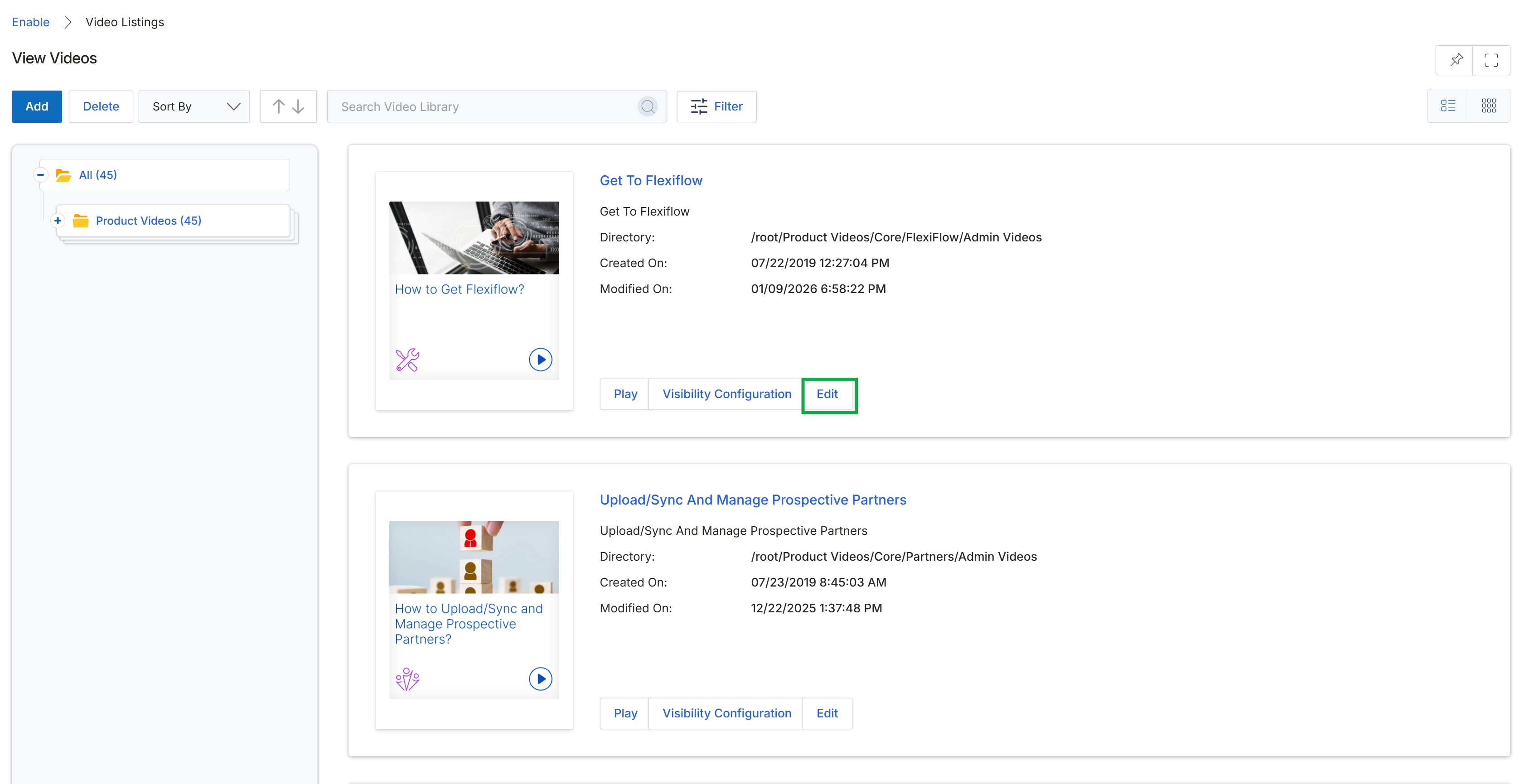
Click the Edit button for the video titled "Get To Flexiflow."
Adding or Editing a Video
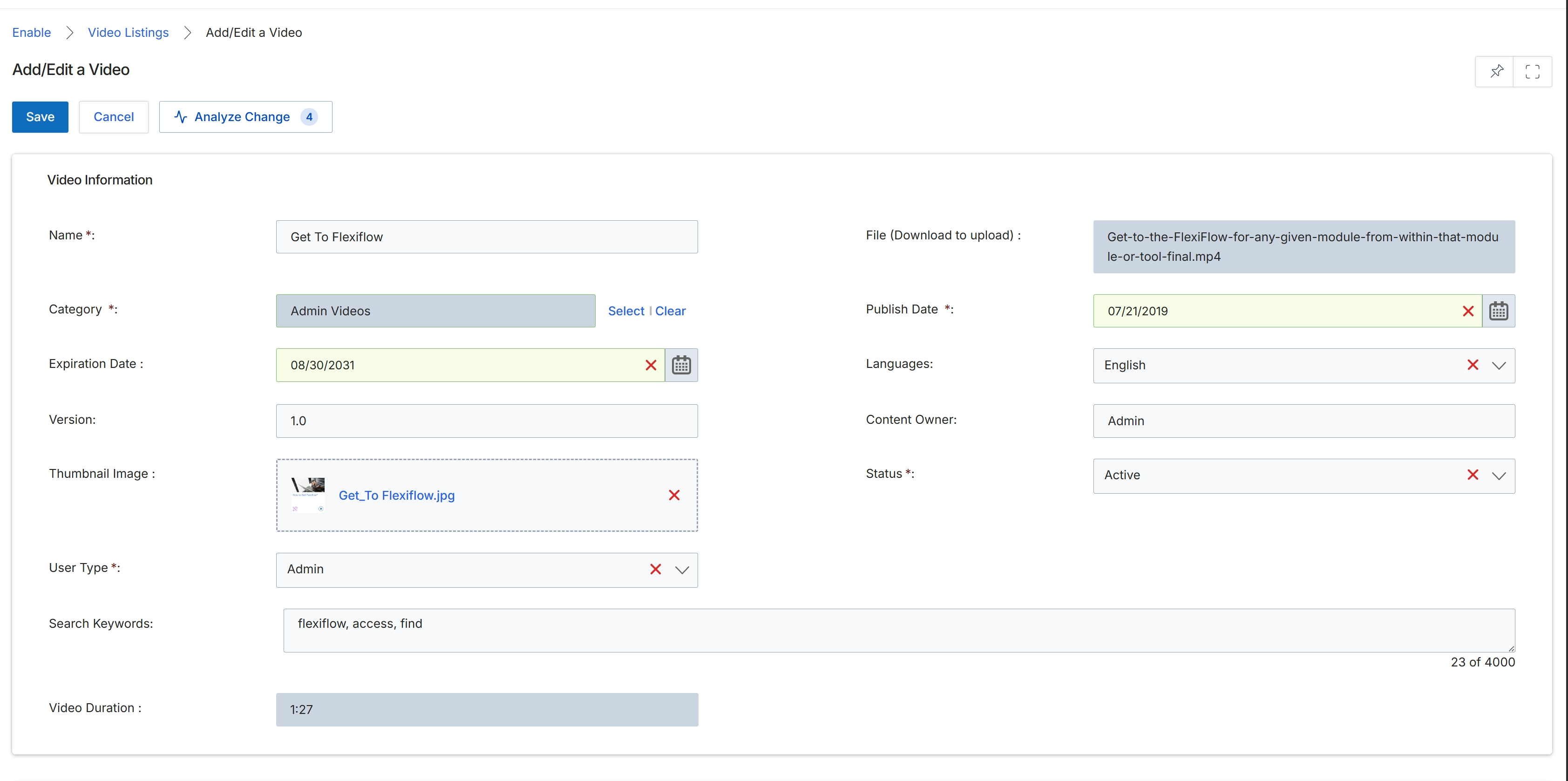
This screen presents the Add/Edit a Video form, which is used by vendor administrators to manage individual video assets within the Enable module's Content Library. It allows for the comprehensive definition of a video's metadata, including its name, category, publication and expiration dates, version, thumbnail image, and the specific user types that have access to it. This form is essential for ensuring that video content is accurately categorized, discoverable, and accessible to the intended partner audiences through their portal, supporting the content management workflow for the Enable module.
Configuring Video Details and Transcripts
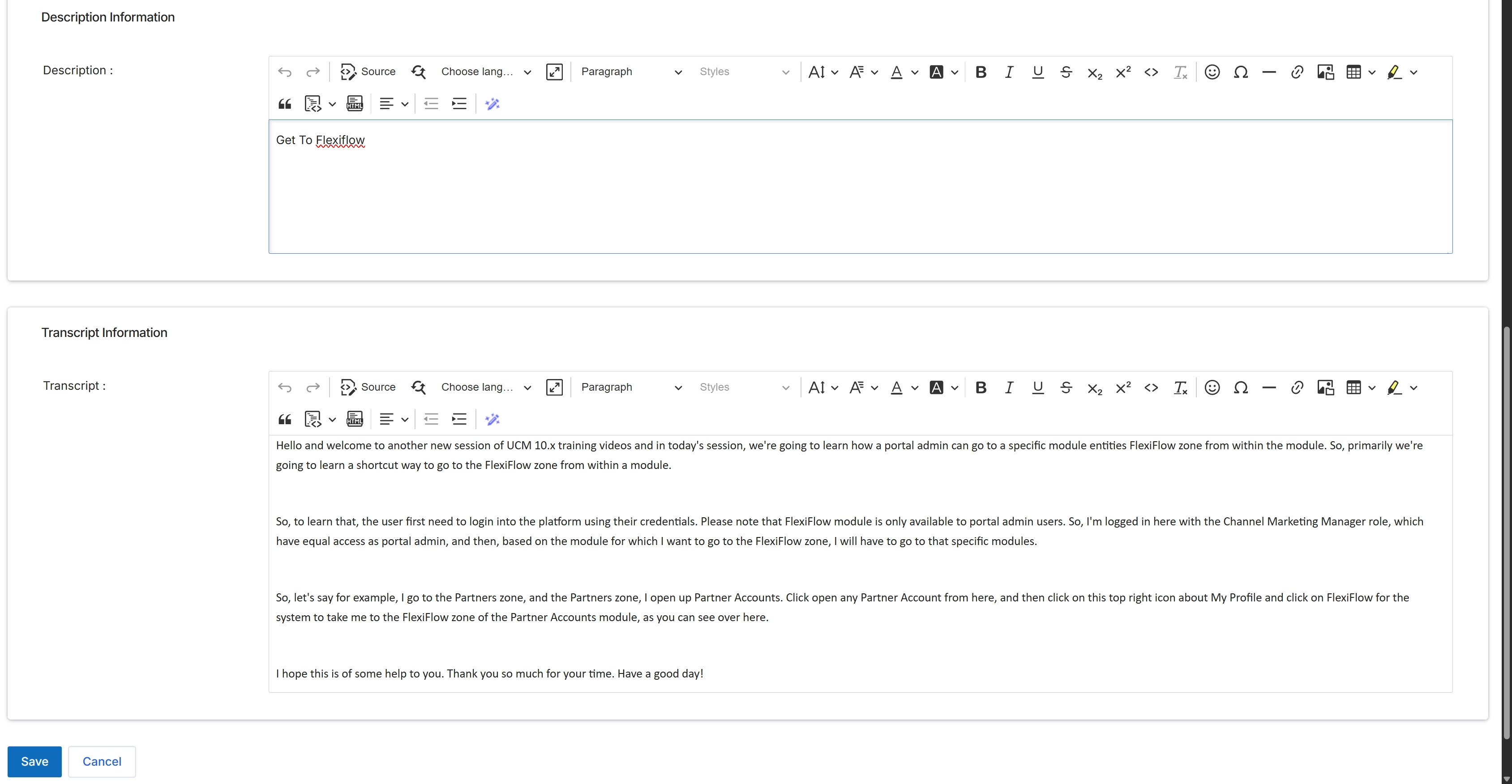
This screen displays the expanded sections for adding detailed textual content to a video asset within the Enable module's video library. It allows vendor administrators to provide a comprehensive description for the video, utilizing a rich text editor for formatting. Additionally, a full transcript of the video content can be entered, enhancing the video's accessibility and searchability for partners within the UPM platform.