

Overview
In the UPM Enable module, the Video Library is a critical component for partner enablement, providing a rich media resource for training and information dissemination. Vendors can upload and categorize various video types, such as product overviews, how-to guides, and marketing materials, ensuring partners have access to up-to-date visual content. This feature supports a dynamic learning environment, allowing partners to consume information at their own pace and preferred format.
Effective video management is essential for maintaining a well-informed partner ecosystem. By centralizing video assets and controlling their visibility, administrators can ensure that partners receive relevant content tailored to their specific roles, tiers, or segments. The ability to manage video details, including transcripts and assignment history, further enhances the utility of this feature, providing a comprehensive tool for delivering engaging and accessible partner training.
Accessing and Viewing Video Listings
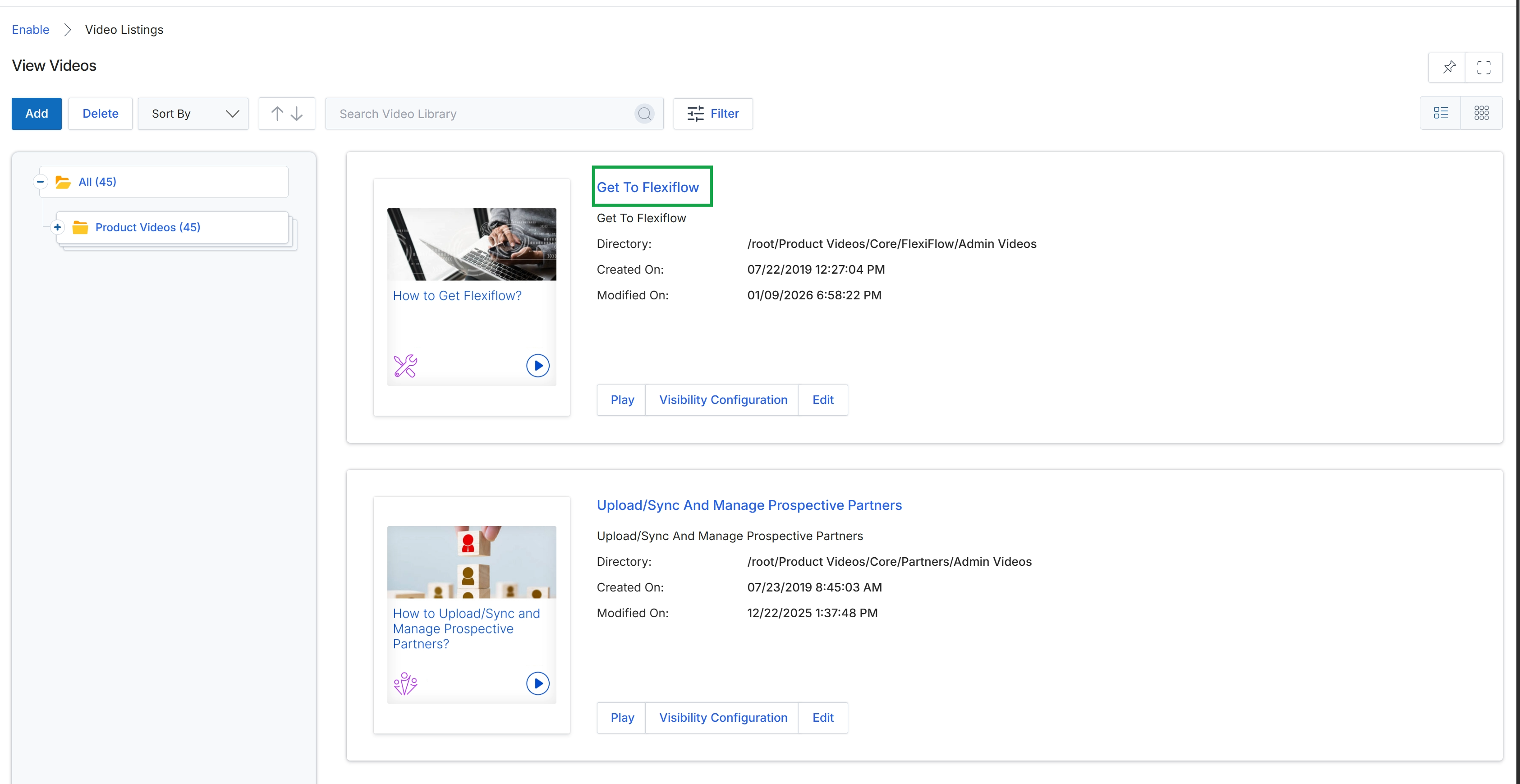
Click the video title Get To Flexiflow to view its detailed information.
Viewing Video Details
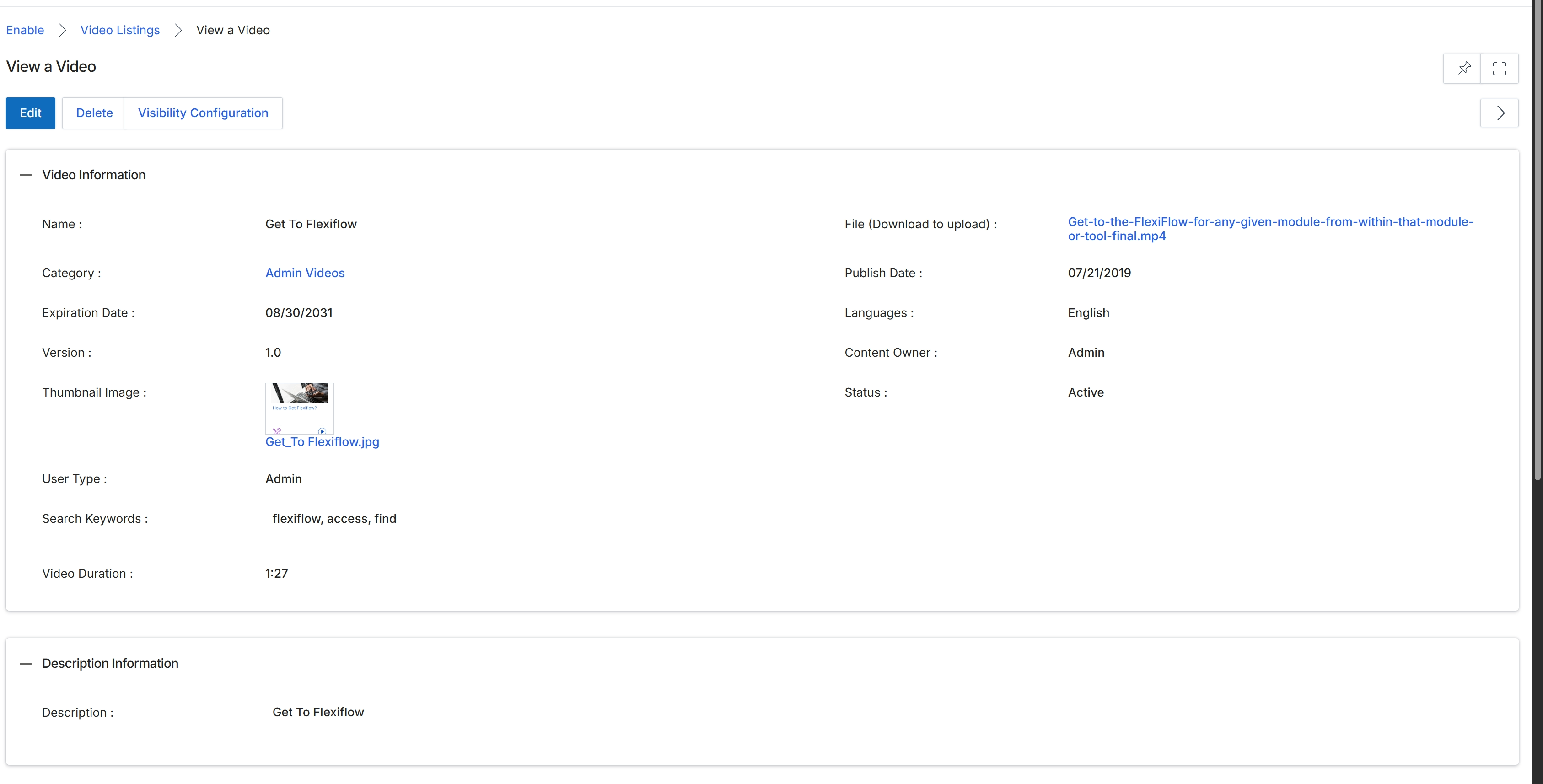
This screen presents a detailed view of a specific video asset within the UPM Enable module's Video Library. It displays comprehensive metadata for the selected video, including its name, category, expiration date, version, associated thumbnail, user type, search keywords, and duration. Additionally, it provides administrative details such as the downloadable file, publish date, languages, content owner, and current status, enabling vendors to effectively manage and track their video content for partner enablement.
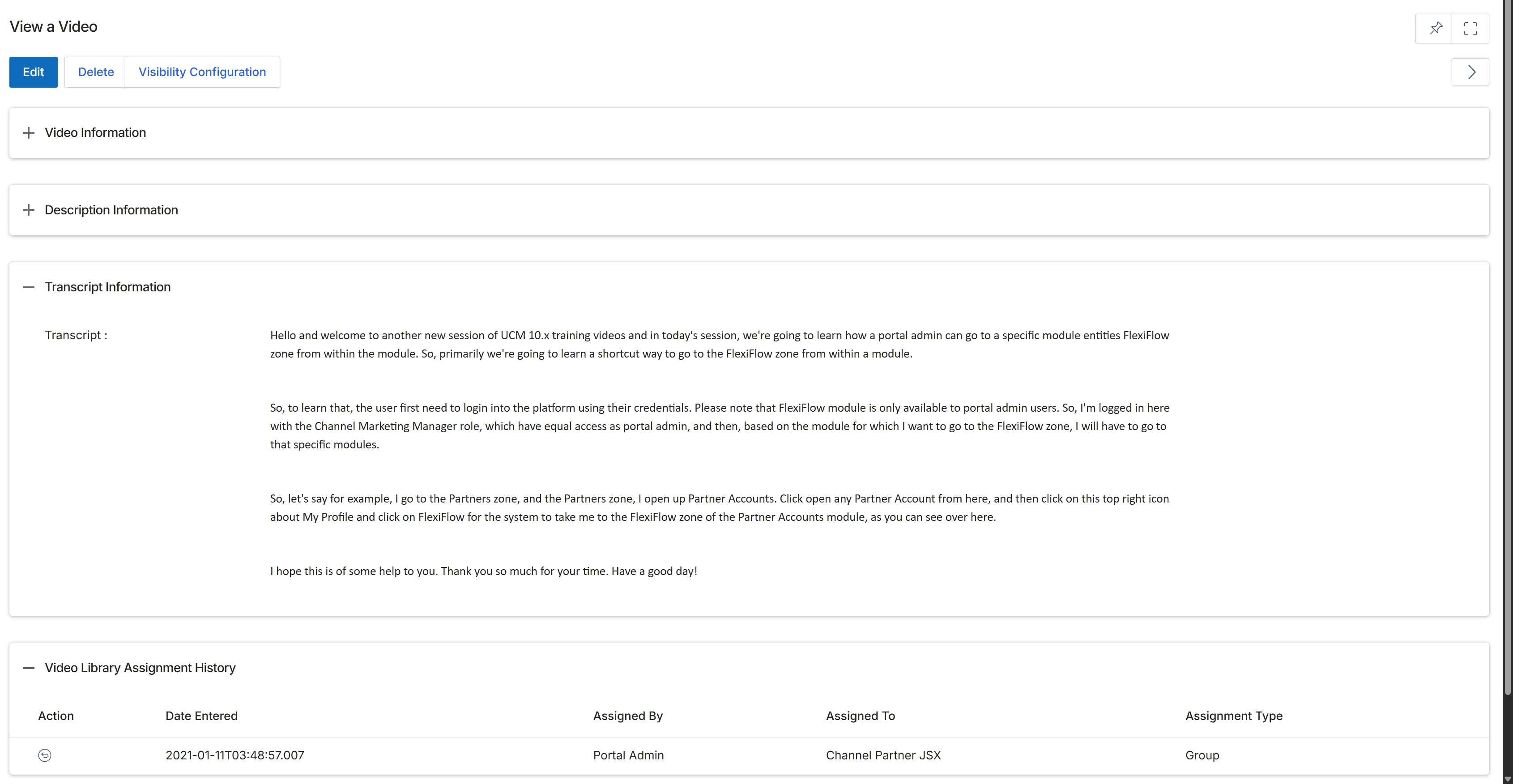
This screen presents a detailed view of a specific video asset within the Enable module's Video Library, allowing administrators to review all associated information. It displays comprehensive metadata about the video, including its title, category, expiration date, version, and language, along with its current status and content owner. Additionally, this view provides the full transcript of the video content, which is crucial for accessibility and searchability, and a historical log of all assignments, detailing when the video was assigned, by whom, to which partners or groups, and the assignment type. This consolidated information supports effective management of video resources and their distribution for partner enablement.