

Overview
In UPM's Enable module, the Video Library is a critical component for partner education and enablement. Vendors often have a diverse partner ecosystem spanning various regions, speaking different languages, and requiring distinct sets of information. Effective content delivery means ensuring that each partner receives only the most relevant videos, avoiding information overload and improving engagement.
This Visibility Configuration feature addresses this need by providing administrators with robust tools to manage who sees what. By segmenting video access based on criteria like country, language, partner group, or even individual users, vendors can tailor the partner experience, streamline content consumption, and ensure compliance with regional or program-specific requirements. This targeted approach enhances the overall effectiveness of partner enablement efforts.
Accessing Visibility Settings
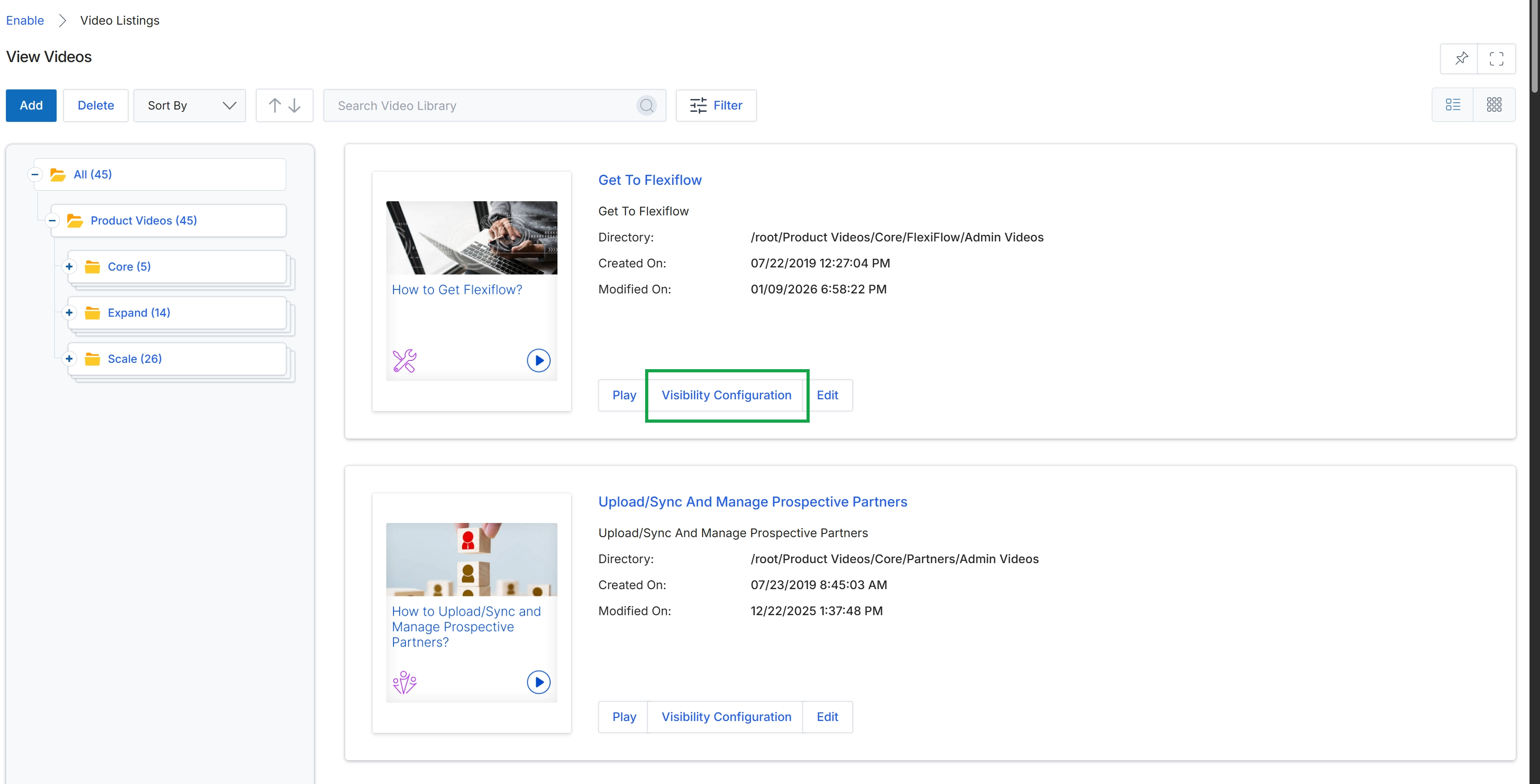
Click the Visibility Configuration button for the "Get To Flexiflow" video.
Configuring Geographic and Language Visibility
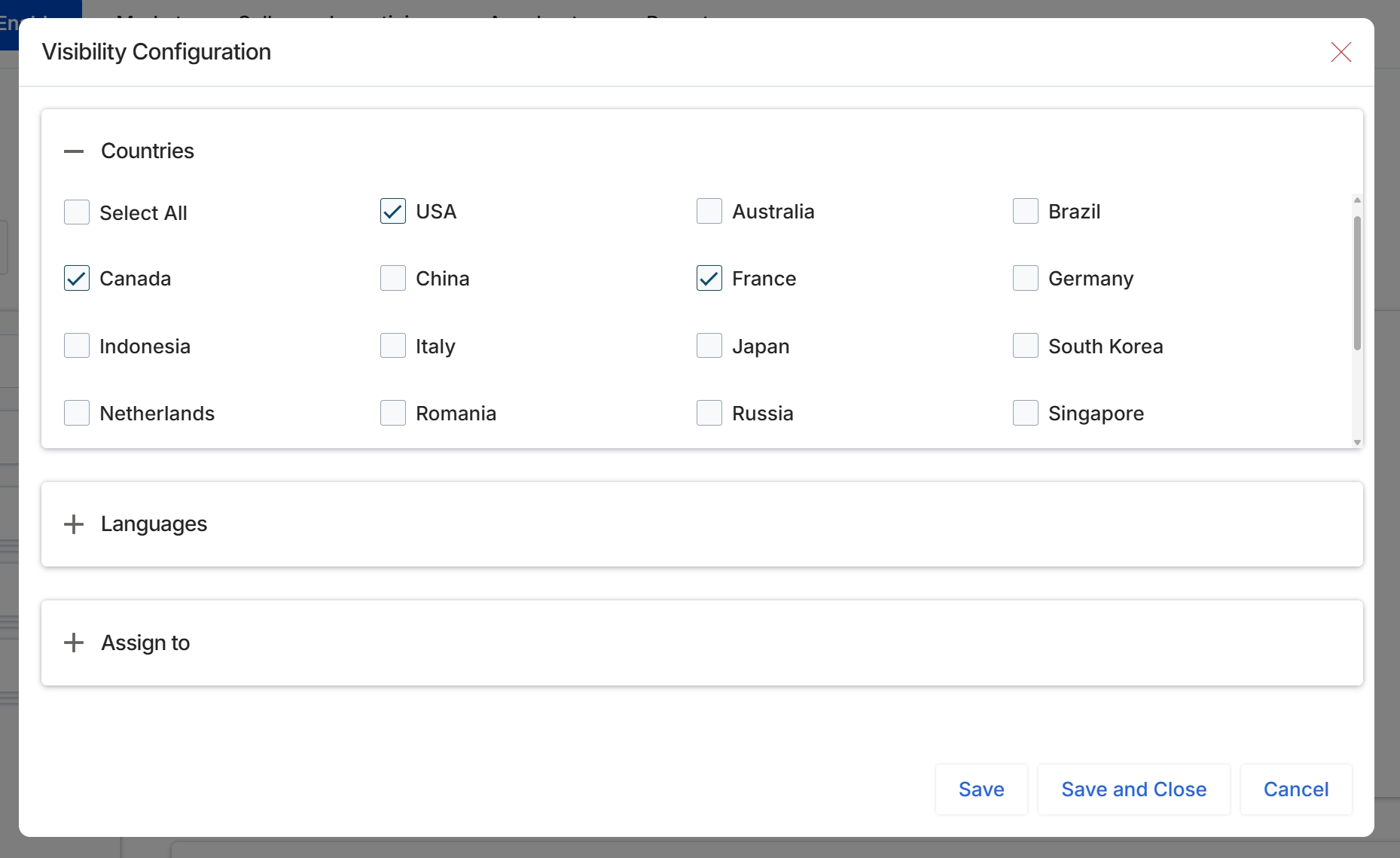
This screen displays the Visibility Configuration dialog, which allows an administrator to define granular access rules for a video asset within the Enable module's content library. This dialog enables the vendor to control which partners can view the selected video based on their geographic location, language, or assigned partner types, tiers, or segments. By setting these parameters, the system ensures that partners only access content relevant to their specific program requirements, aligning content delivery with the vendor's channel strategy and partner segmentation rules.
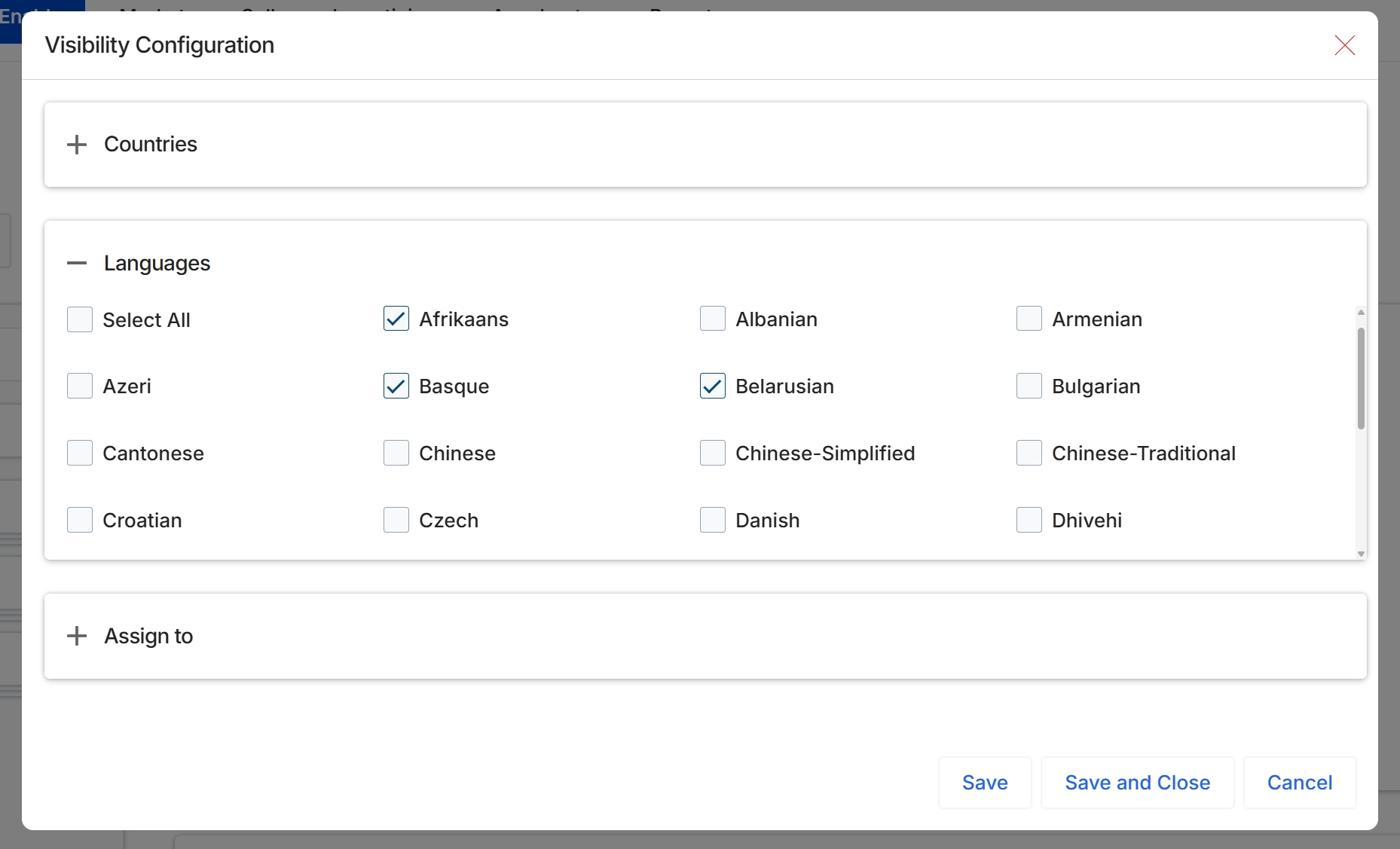
This screen displays the Visibility Configuration dialog, which allows administrators to define granular access rules for video content within the Enable module. This particular view shows the expanded "Languages" section, where administrators can select specific languages to determine which partners will see the video. This functionality supports UPM's objective of providing targeted content delivery, ensuring that partners receive relevant learning and content resources based on their linguistic preferences.
Assigning Content to Partners
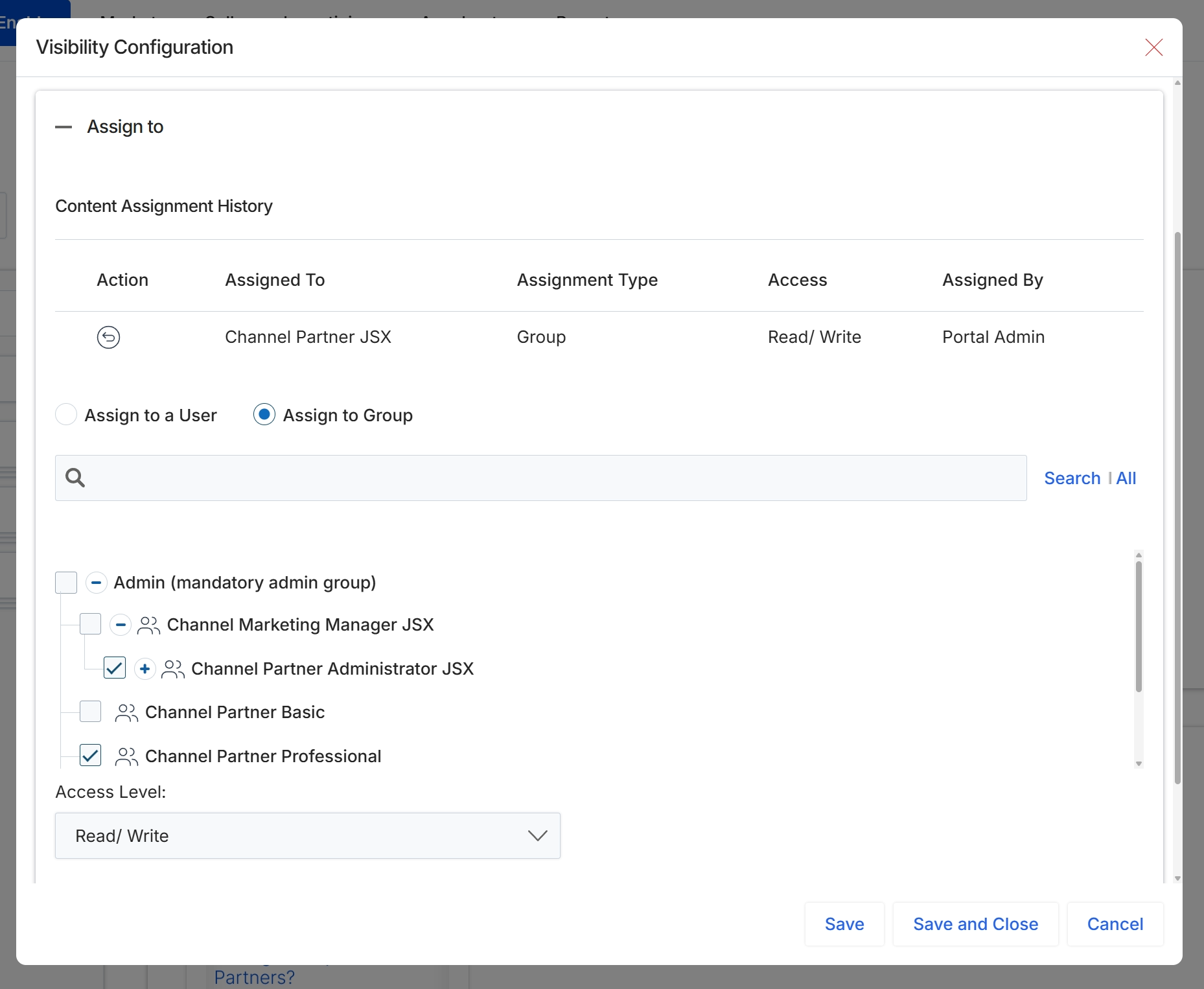
This screen displays the expanded "Assign to" section within the Visibility Configuration dialog, which allows administrators to precisely control content access for videos. It presents options to assign content to individual users or predefined partner groups, along with a historical log of content assignments. This functionality enables granular content governance, ensuring that specific videos are made available only to relevant partners based on their roles, tiers, or segments, thereby supporting targeted content delivery within the Enable module's learning and content management framework.
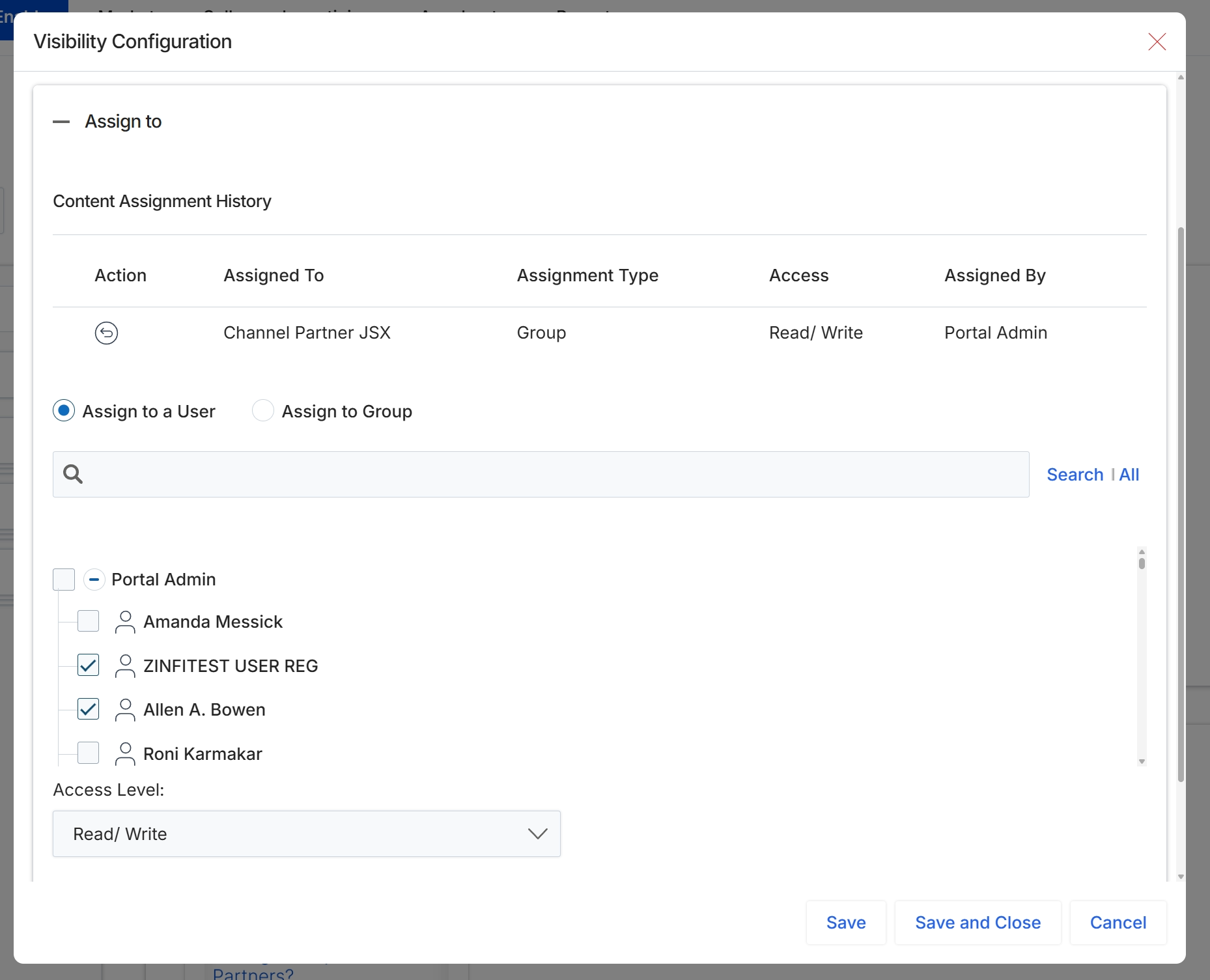
This dialog, the Visibility Configuration, enables administrators to precisely control access to video content within the Enable module. It allows for granular assignment of content visibility to either individual partner users or predefined partner groups. The screen displays a historical record of previous content assignments, detailing the recipient, assignment type, granted access level, and the administrator responsible for the assignment. Switching between 'Assign to a User' and 'Assign to Group' dynamically updates the available selection options, ensuring that content is appropriately distributed based on specific partner types, tiers, or individual user requirements.