

Overview
The Enable Zone in UPM is dedicated to partner training, certifications, and content delivery, playing a crucial role in empowering partners with the knowledge and resources they need to succeed. A key component of this enablement strategy is effective video content management. Videos are an invaluable tool for conveying complex information, demonstrating product features, and providing engaging training modules.
By leveraging the Video Library Management feature, vendors can ensure that partners have access to a well-organized and easily navigable collection of video assets. This not only streamlines the learning process but also enhances partner engagement and accelerates their time to productivity, ultimately contributing to stronger channel performance.
Introduction
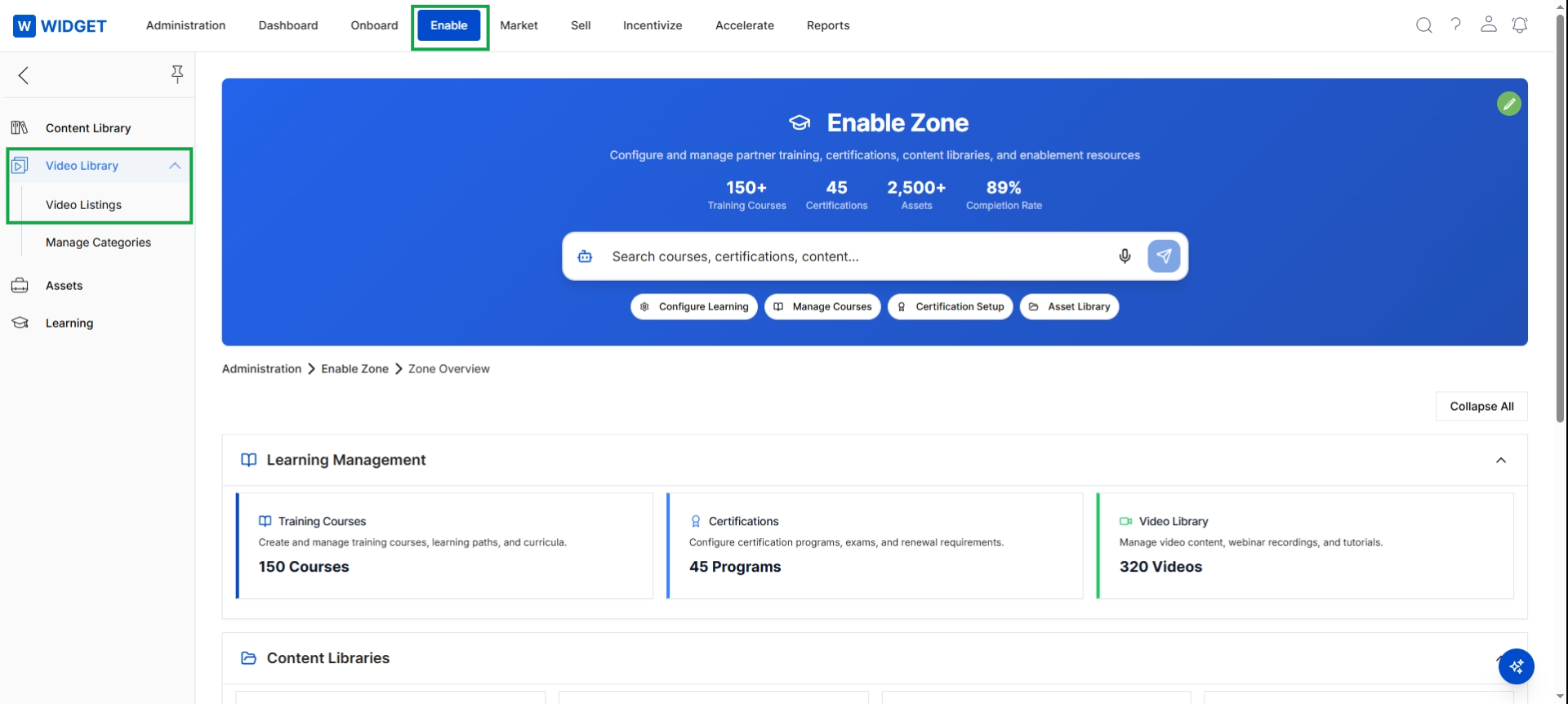
Click Enable in the top navigation bar, then click Video Library in the left navigation panel, and then click Video Listings.
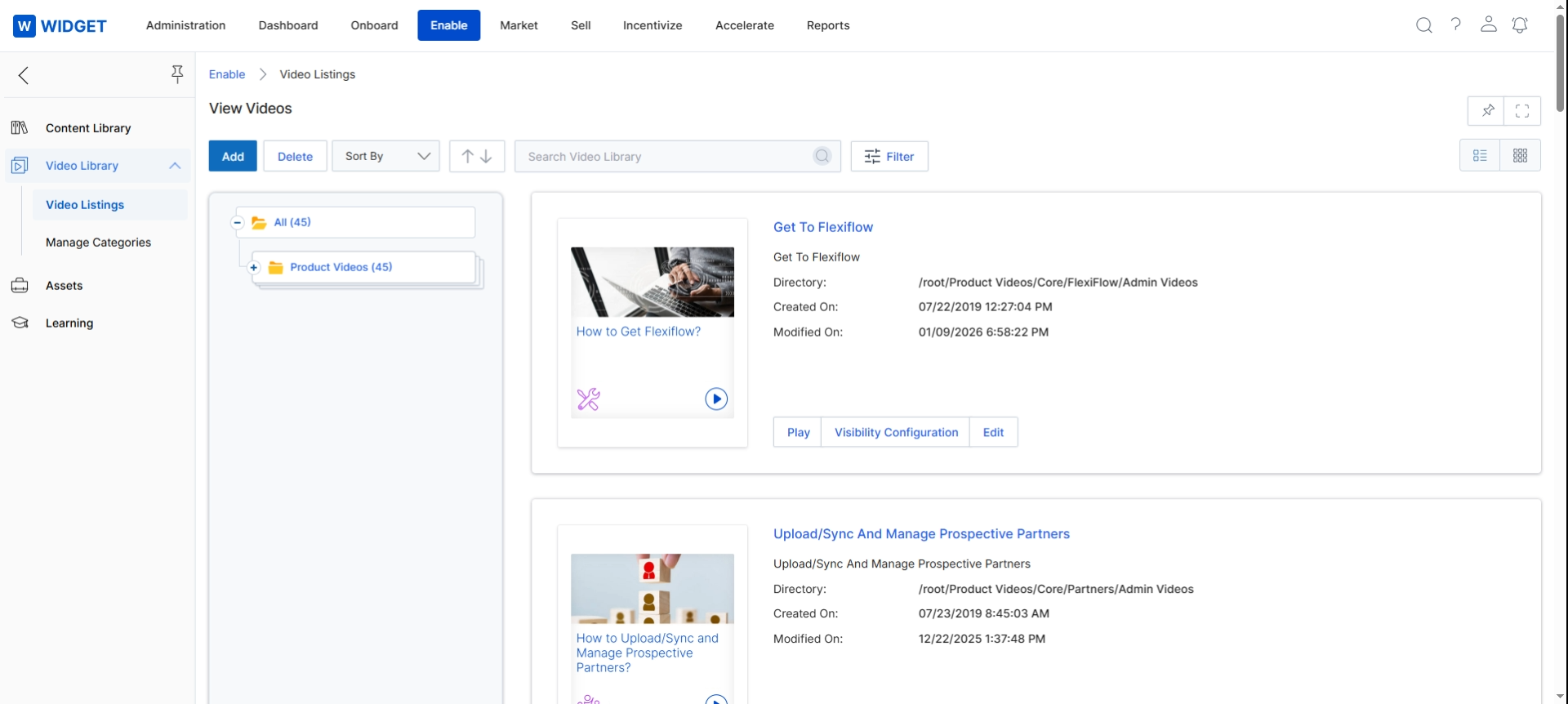
This screen displays the Video Library, which is a central repository for managing video content within the Enable module. It provides an overview of all uploaded videos, allowing administrators to view, organize, and configure their visibility. The view presents a list of video assets, each with a thumbnail, title, directory path, and creation/modification dates, enabling efficient content management for partner training and enablement.