

Overview
The Partner Prospects module is a critical component of the Onboard zone, designed to streamline the initial stages of partner recruitment. Before a company becomes a registered partner, they often begin as a prospect. This module provides administrators with the tools to manage these potential partners effectively, from initial contact to the point where they are invited to apply for a program.
Administrators can use this module to maintain a comprehensive list of all potential partners, track their status, and perform actions such as sending recruitment emails or importing new prospect lists. This centralized management ensures that the recruitment pipeline is organized and that no potential partner opportunities are missed, ultimately contributing to a robust and growing partner ecosystem.
Key Features
- Prospect List Management
- Search & Filter Prospects
- Send Email to Prospects
- Delete Prospect Records
- Import/Export Prospects
- Create New Prospect
Accessing Partner Prospects
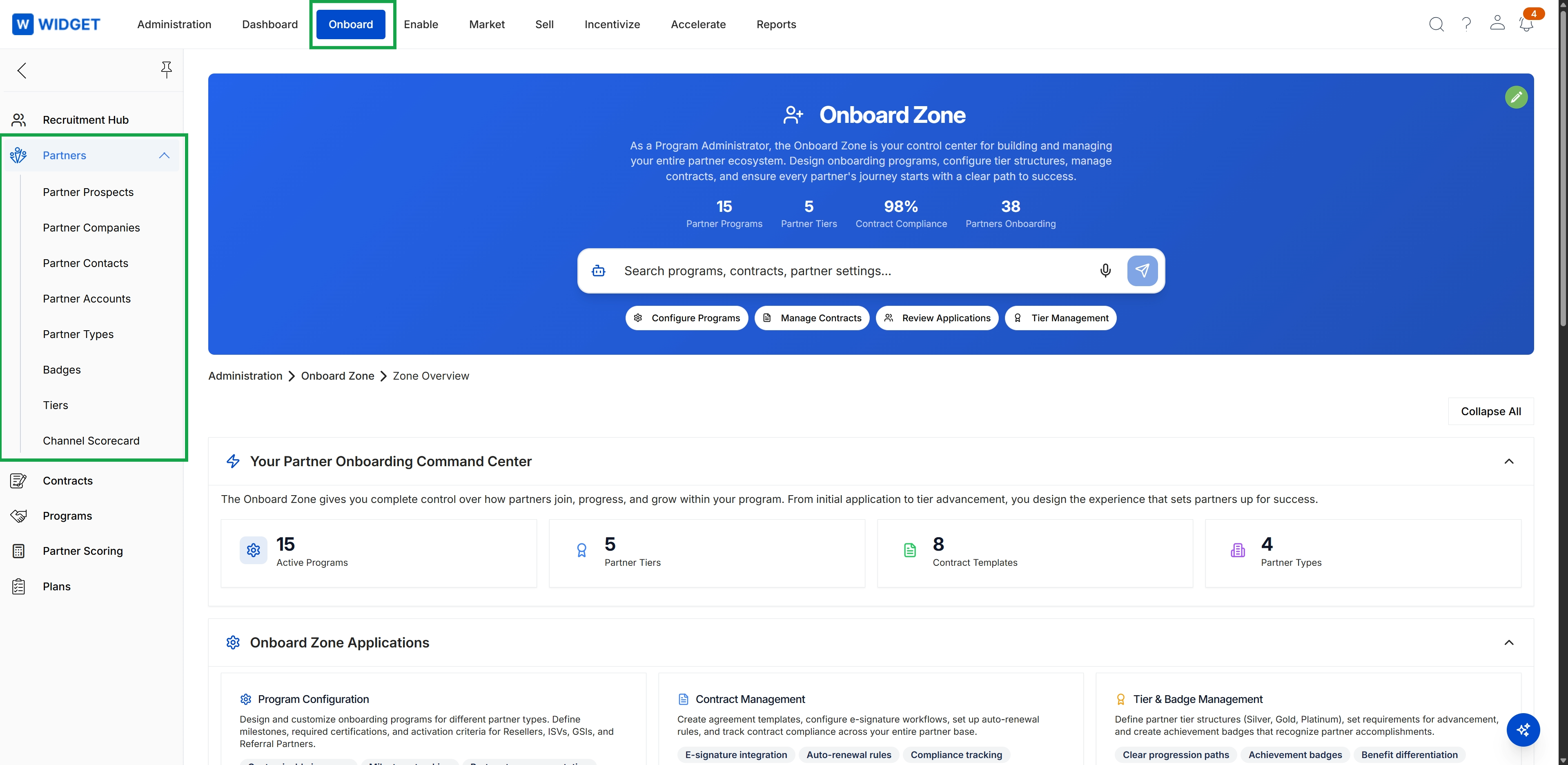
Click Onboard in the top navigation bar, then click Partners in the left navigation menu to expand the submenu, and finally click Partner Accounts.
Viewing Partner Prospects List
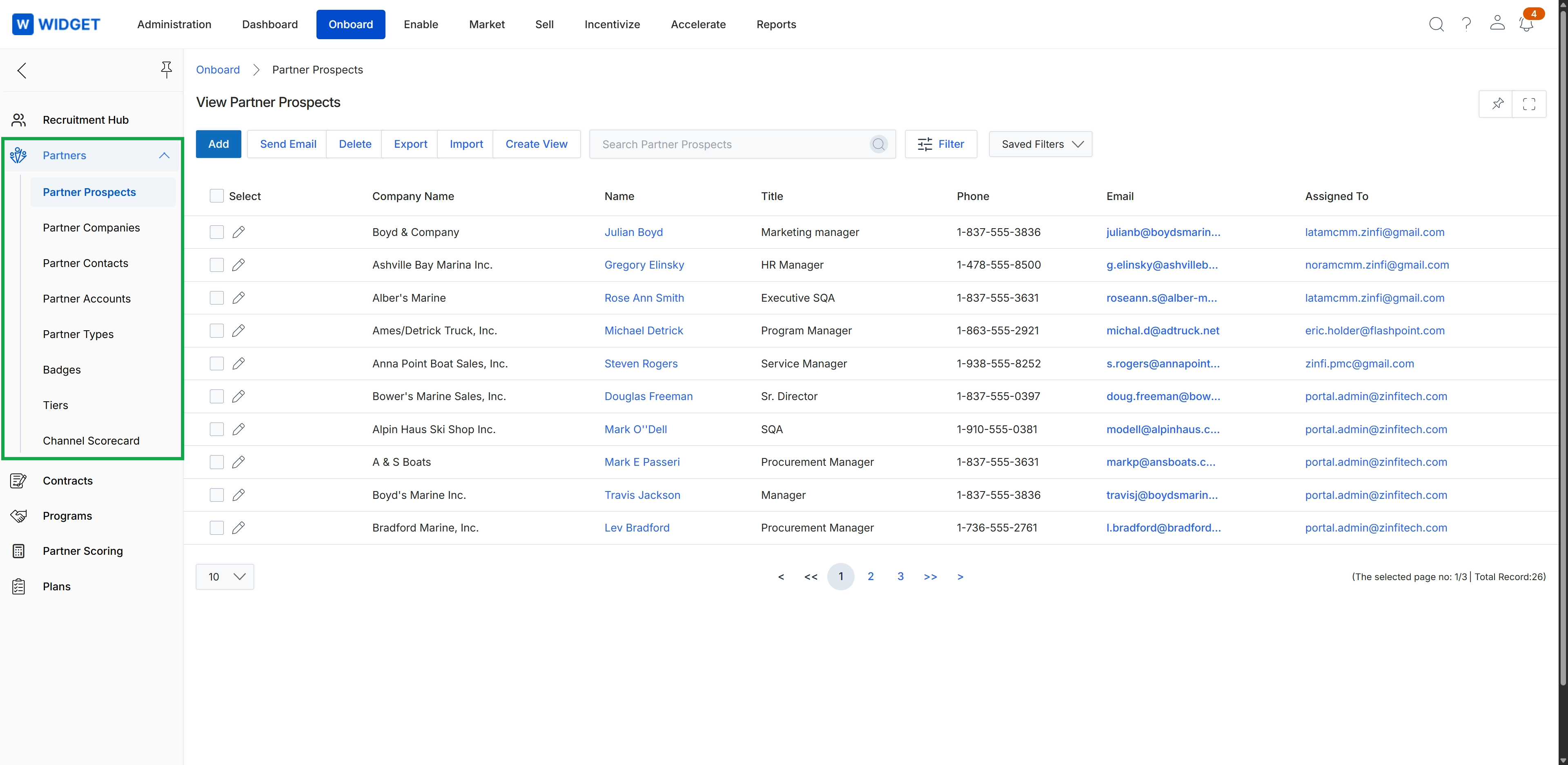
This screen displays a list of potential partners, referred to as Partner Prospects, within the Onboard module. It serves as a central hub for administrators to manage the initial stages of partner recruitment, allowing them to view details such as company name, contact person, title, phone, email, and the assigned administrator. This view is crucial for tracking and managing the pipeline of prospective partners before they formally apply or are onboarded into a partner program.
Frequently asked questions
- What is the Partner Prospects module for?
The Partner Prospects module is a central repository for managing potential partners before they formally apply or are onboarded. It helps administrators track recruitment efforts and manage pre-application communications.
- Who uses the Partner Prospects module?
Administrators primarily use this module to manage and track potential partners. It is a tool for streamlining the initial stages of partner recruitment.
- What can administrators do with Partner Prospects?
Administrators can maintain a list of potential partners, track their status, send recruitment emails, import prospect lists, and initiate the partner application process by sending invitations.
- Where is the Partner Prospects module located?
The Partner Prospects module is accessed by clicking "Onboard" in the top navigation, then expanding the "Partners" menu in the left navigation, and finally clicking "Partner Accounts".
- What information is displayed in the Partner Prospects list?
The Partner Prospects list displays details such as company name, contact person, title, phone, email, and the assigned administrator for each potential partner.