

Overview
Effective partner sales and co-selling initiatives rely on accurate and comprehensive contact data. The Add/Edit Contact functionality enables administrators to maintain detailed records for individuals, which are crucial for tracking lead progression, managing deal registrations, and facilitating communication between vendors and partners. This ensures that all parties involved in a sales opportunity have access to the necessary contact details to drive successful outcomes. This feature supports the broader Sell module by providing the foundational contact information needed for various workflows, including lead submission, deal registration, and co-sell requests. By centralizing contact management, UPM helps streamline sales processes and improve data consistency across the platform.
Add/Edit a Contact
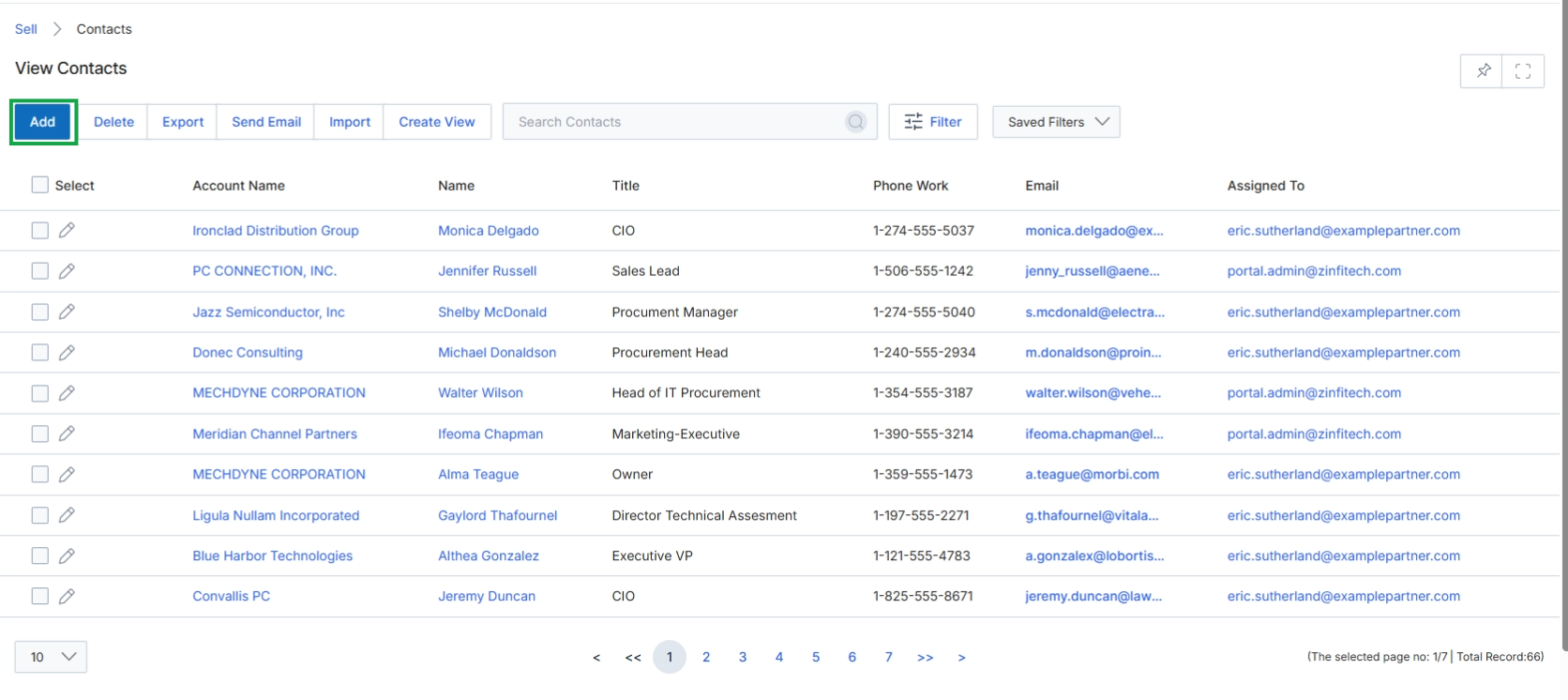
Click the Add button to begin creating a new contact.
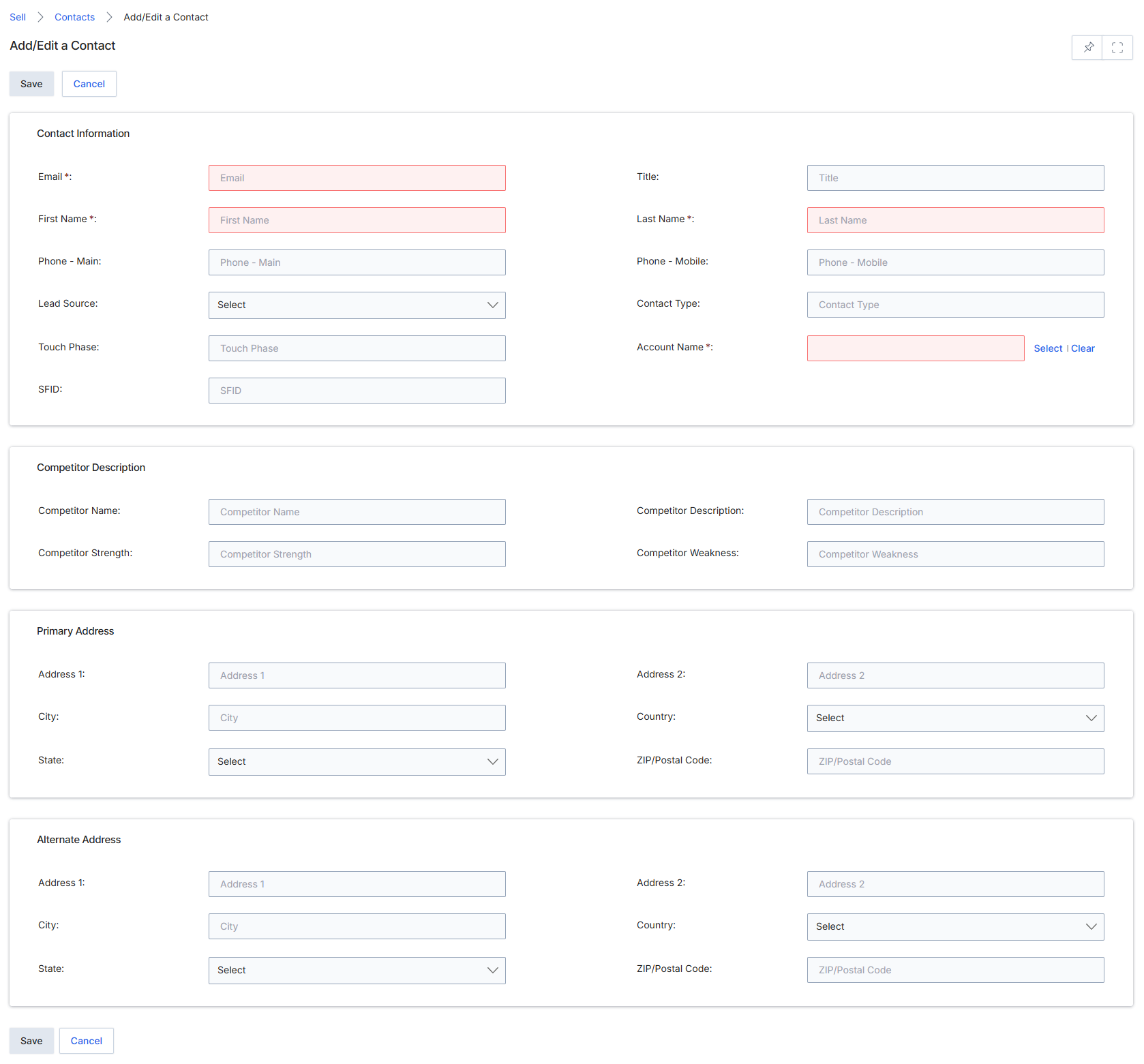
The Add/Edit a Contact page in the Sell module allows users to create new contact records or modify existing ones. Contacts are individuals associated with accounts, prospects, or deals, and are fundamental to tracking interactions and managing the sales pipeline. This form captures essential personal and professional details, including contact information, competitive insights, and primary and alternate addresses. The information entered here can be linked to other entities within UPM, such as leads and deals, to provide a comprehensive view of customer engagement. Required fields ensure that critical data points are always captured for effective contact management and subsequent use in sales processes.
Enter the details for the new contact in the Add/Edit a Contact form.
Buttons
| Button | Description |
|---|---|
| Save | Saves the new or updated contact record. |
| Cancel | Discards any changes and returns to the previous screen. |
Contact Information
| Field | Description |
|---|---|
| Email * | The primary email address of the contact. This is a required field. |
| First Name * | The first name of the contact. This is a required field. |
| Phone - Main | The primary phone number for the contact. |
| Lead Source | The source from which this contact or lead was acquired, selected from a dropdown list. |
| Touch Phase | The current phase of interaction or engagement with the contact. |
| SFID | The Salesforce ID, if the contact record is synced with Salesforce CRM. |
| Title | The professional title of the contact. |
| Last Name * | The last name of the contact. This is a required field. |
| Phone - Mobile | The mobile phone number for the contact. |
| Contact Type | The classification or type of contact. |
| Account Name * | The name of the account associated with this contact. This is a required field. |
Competitor Description
| Field | Description |
|---|---|
| Competitor Name | The name of a competitor relevant to this contact or associated deal. |
| Competitor Strength | A description of the competitor's strengths. |
| Competitor Description | A general description of the competitor. |
| Competitor Weakness | A description of the competitor's weaknesses. |
Primary Address
| Field | Description |
|---|---|
| Address 1 | The first line of the primary street address. |
| Address 2 | The second line of the primary street address. |
| City | The city of the primary address. |
| State | The state or province of the primary address, selected from a dropdown. |
| Country | The country of the primary address, selected from a dropdown. |
| ZIP/Postal Code | The ZIP or postal code of the primary address. |
Alternate Address
| Field | Description |
|---|---|
| Address 1 | The first line of the alternate street address. |
| Address 2 | The second line of the alternate street address. |
| City | The city of the alternate address. |
| State | The state or province of the alternate address, selected from a dropdown. |
| Country | The country of the alternate address, selected from a dropdown. |
| ZIP/Postal Code | The ZIP or postal code of the alternate address. |