

Overview
In the UPM Sell module, 'Opportunities' represent potential sales engagements that can be either directly managed by the vendor or linked to partner-registered deals. This feature is crucial for maintaining a holistic view of the sales pipeline across the entire partner ecosystem. Administrators use this section to oversee the progress of all opportunities, ensuring alignment with sales goals and identifying areas where partners might need support or where vendor intervention is required. The ability to track sales stages, estimated values, and close dates provides critical data for sales forecasting and performance analysis, ultimately contributing to the overall success of the partner program.
Accessing and Viewing Opportunities
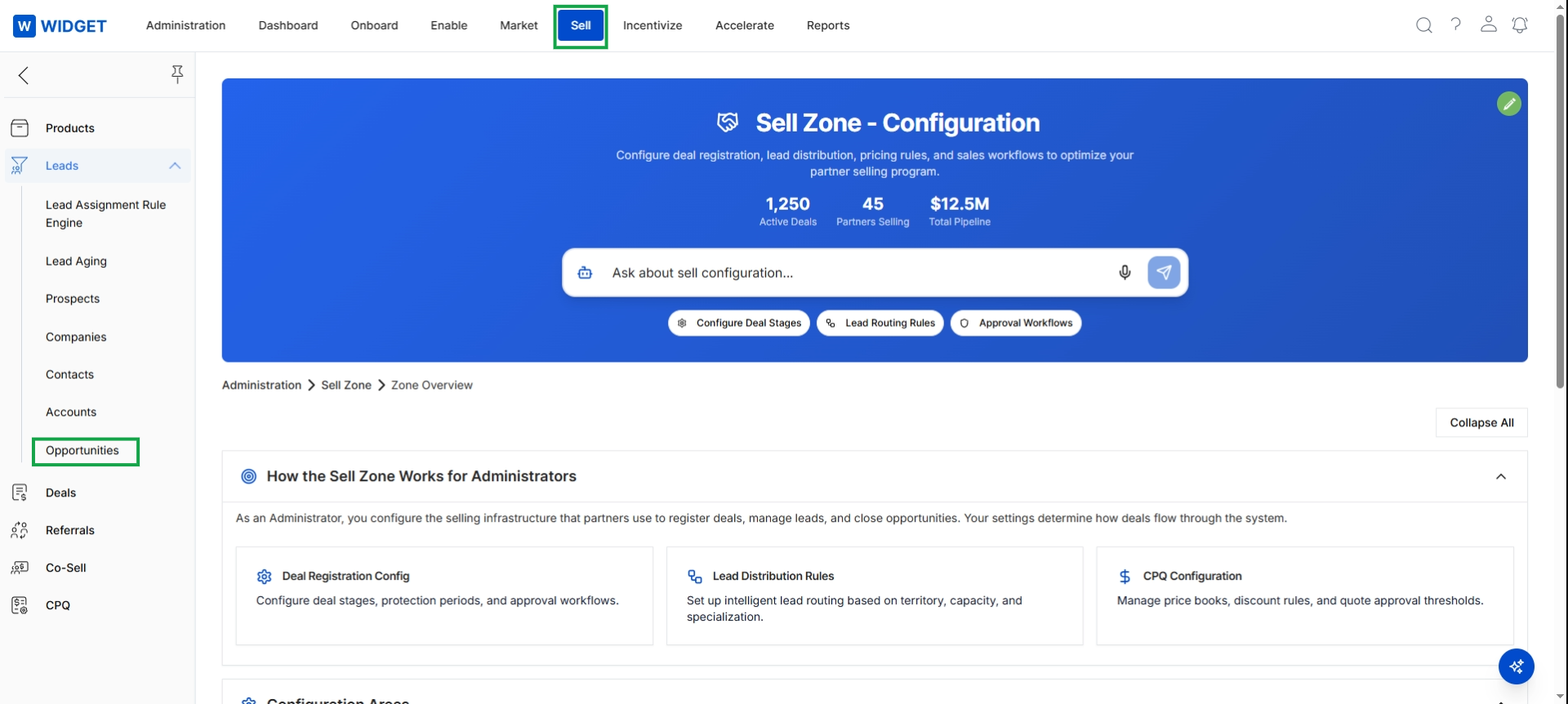
Click Opportunities in the left navigation menu.
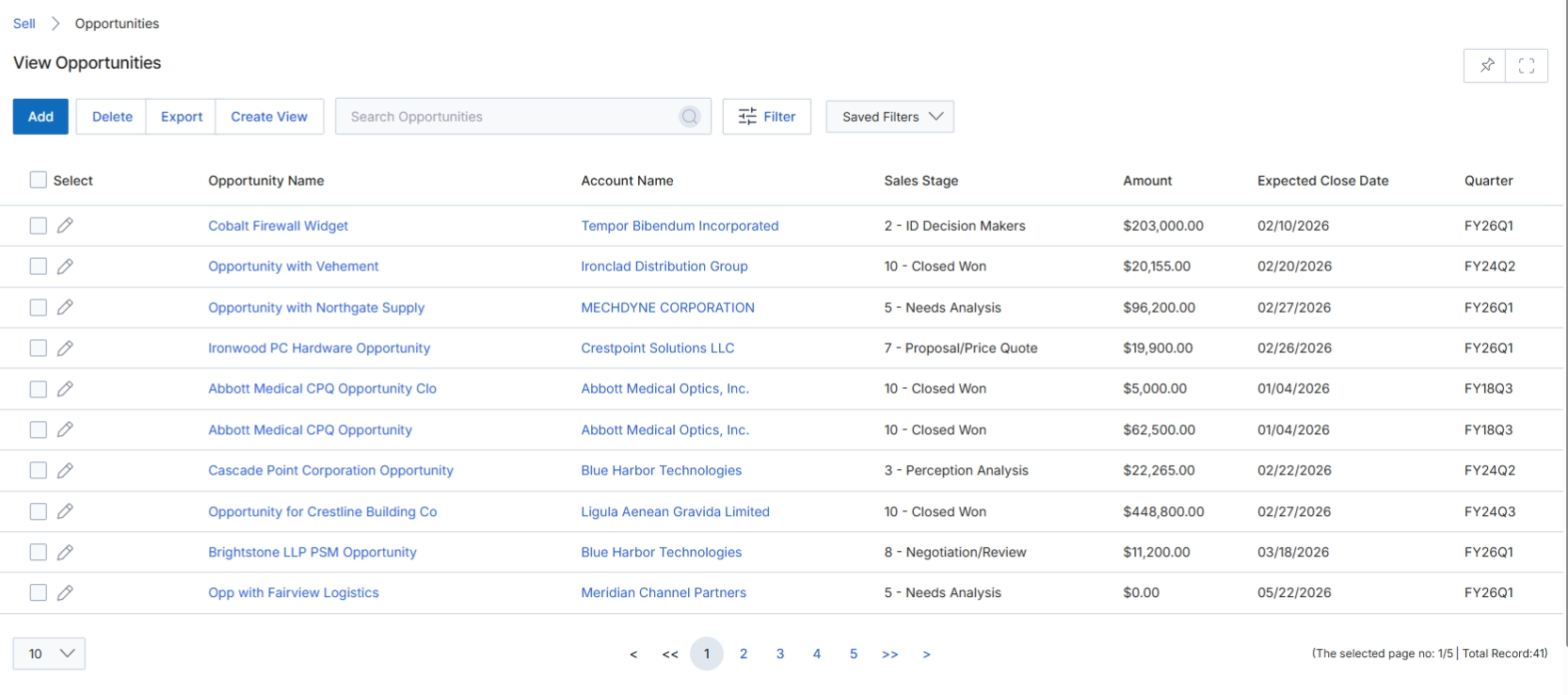
The View Opportunities screen provides a comprehensive list of all sales opportunities being tracked within the UPM platform. This list view is crucial for vendors to monitor the overall sales pipeline, understand the progress of various deals, and identify potential areas for intervention or support. Each entry represents a sales opportunity, which can be linked to a partner's registered deal or a vendor-side sales effort, and includes key details such as the associated account, current sales stage, estimated value, and expected close date. This screen allows for quick assessment of pipeline health and individual opportunity status, supporting strategic decision-making and resource allocation within the Sell module.
The Opportunities list view displays all sales opportunities, providing an overview of their status and key details.
Buttons
| Button | Description |
|---|---|
| Add | Initiates the process to create a new sales opportunity record. |
| Delete | Removes selected sales opportunity records from the system. |
| Export | Downloads the current list of sales opportunities, typically in a CSV or Excel format. |
| Create View | Allows users to define and save custom filtered views of the opportunities list. |
| Filter | Opens a panel or dialog to apply advanced filters to the opportunities list. |
| Saved Filters | A dropdown menu to select and apply previously saved filter configurations. |
Fields
| Field | Description |
|---|---|
| Search Opportunities | A text input field to search for specific opportunities by name or other criteria. |
Column Headings
| Column | Description |
|---|---|
| Select | A checkbox column to select individual opportunities for bulk actions. |
| Opportunity Name | The name or title given to the sales opportunity. |
| Account Name | The name of the company or customer associated with the opportunity. |
| Sales Stage | The current stage of the sales process for the opportunity (e.g., Needs Analysis, Proposal, Closed Won). |
| Amount | The estimated monetary value of the opportunity. |
| Expected Close Date | The anticipated date by which the opportunity is expected to close. |
| Quarter | The fiscal quarter in which the opportunity's expected close date falls. |
Exporting Opportunity Data
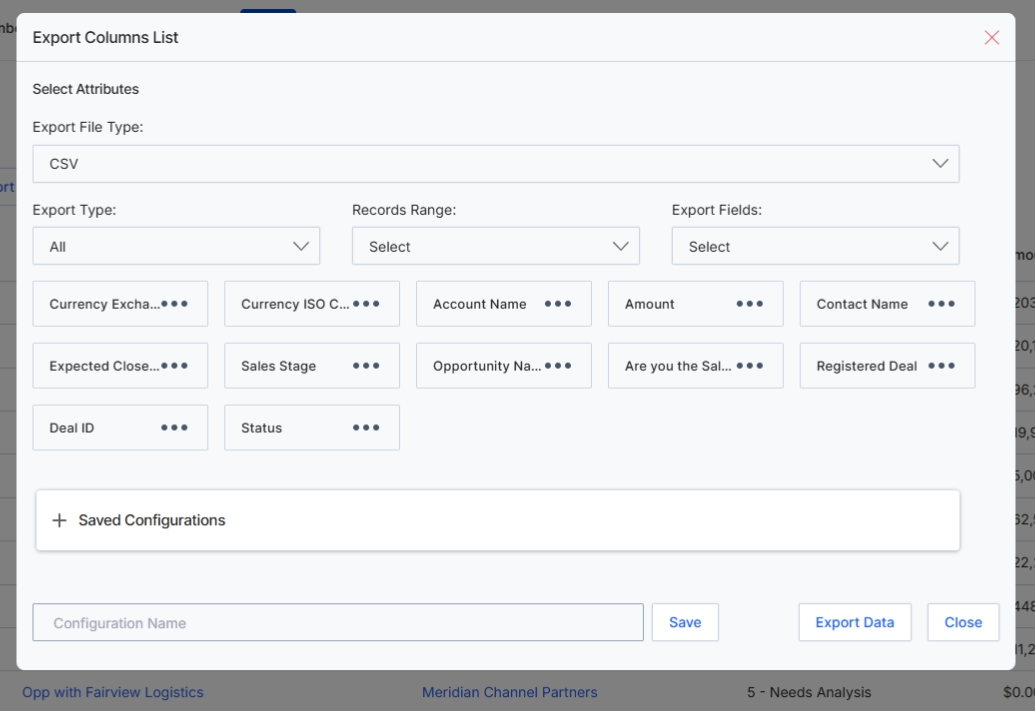
This 'Export Columns List' dialog box allows users to configure and initiate the export of opportunity data from UPM. It provides options to select the desired file format, specify the range of records to be exported (e.g., all records or a selection), and precisely choose which data fields to include in the output. This functionality is crucial for data analysis, reporting, and integration with external systems, enabling users to extract specific subsets of opportunity information for various business needs. Users can also save their export configurations for future reuse, streamlining recurring data export tasks.
Configure the export settings for opportunities by selecting the file type, record range, and specific fields to include.
Buttons
| Button | Description |
|---|---|
| + Saved Configurations | An expandable section to manage and apply previously saved export configurations. |
| Save | A button to save the current export configuration under the specified name. |
| Export Data | A button to initiate the data export based on the selected configurations. |
| Close | A button to close the export dialog without performing an export. |
Select Attributes
| Field | Description |
|---|---|
| Export File Type | A dropdown menu to select the desired file format for the exported data, with 'CSV' currently chosen. |
| Export Type | A dropdown menu to specify which records to export, with 'All' currently selected, indicating all opportunities will be included. |
| Records Range | A dropdown menu to define the range of records for export, such as selected records or a custom range. |
| Export Fields | A dropdown menu to choose which specific data fields from the opportunities list will be included in the export. |
Fields
| Field | Description |
|---|---|
| Configuration Name | An input field to enter a name for saving the current export configuration. |
Filtering and Customizing Views
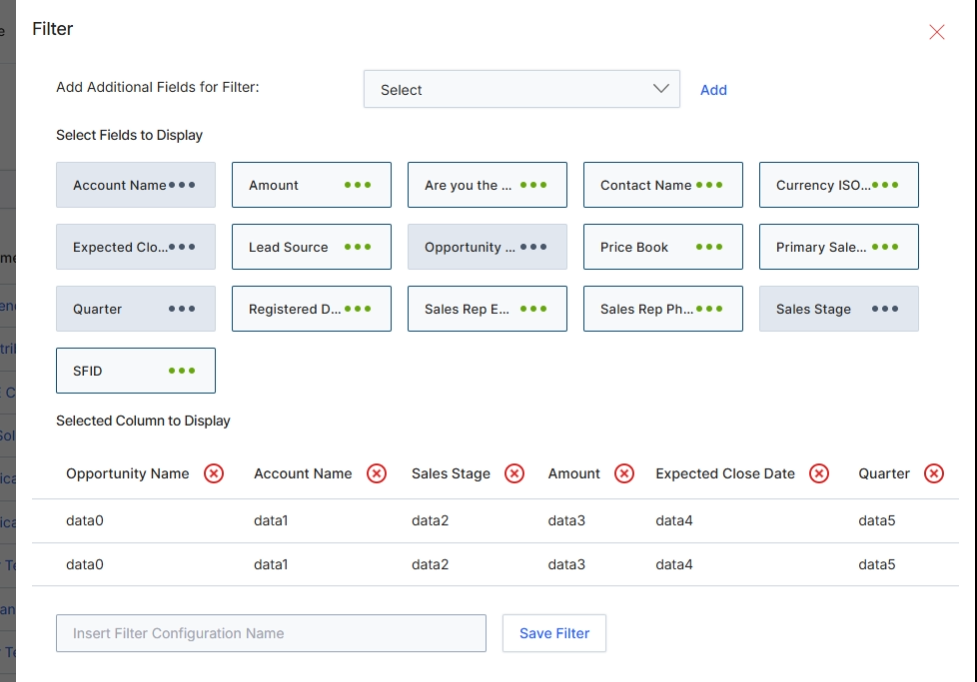
This modal window, titled 'Filter', allows users to customize the displayed columns and apply filters to the 'View Opportunities' list. This feature is crucial for tailoring the data view to specific analytical or operational needs within the Sell module, which manages the revenue side of partner relationships including lead sharing, deal registration, and opportunity pipeline. Users can select from a predefined set of fields to include as columns in the main Opportunities table, and also define filter criteria to narrow down the displayed opportunities. This customization helps program managers and other vendor-side users focus on relevant opportunities, track specific metrics, and streamline their workflow by presenting only the most pertinent information.
Configure the filter settings by selecting additional fields to display and defining filter criteria for the Opportunities list.
Buttons
| Button | Description |
|---|---|
| Add | A button to add the selected field from the 'Add Additional Fields for Filter' dropdown to the filter configuration. |
| Insert Filter Configuration Name | A text input field to enter a name for the current filter configuration, allowing it to be saved and reused. |
Selected Column to Display
| Button | Description |
|---|---|
| Opportunity Name | A column header for the 'Opportunity Name' in the 'Selected Column to Display' table, indicating it is currently selected to be shown. |
| Account Name | A column header for the 'Account Name' in the 'Selected Column to Display' table, indicating it is currently selected to be shown. |
| Sales Stage | A column header for the 'Sales Stage' in the 'Selected Column to Display' table, indicating it is currently selected to be shown. |
| Amount | A column header for the 'Amount' in the 'Selected Column to Display' table, indicating it is currently selected to be shown. |
| Expected Close Date | A column header for the 'Expected Close Date' in the 'Selected Column to Display' table, indicating it is currently selected to be shown. |
| Quarter | A column header for the 'Quarter' in the 'Selected Column to Display' table, indicating it is currently selected to be shown. |