

Overview
Effective lead management is crucial for maximizing sales opportunities and ensuring partners are engaged in the sales process. the platform's Leads Management application streamlines the process of capturing, qualifying, and distributing leads to your partner network. This ensures that valuable sales opportunities are routed to the most appropriate partners, accelerating the sales cycle and improving conversion rates. The system supports various lead distribution mechanisms, including 'round robin' and 'shark tank' models, to optimize partner engagement and fairness.
Key Features
- Shark Tank Management
- End-user Account Management
- Opportunity & Deal Management
- Lead Assignment Rules
- Prospect Tracking
- Deal Registration
Shark Tank Management
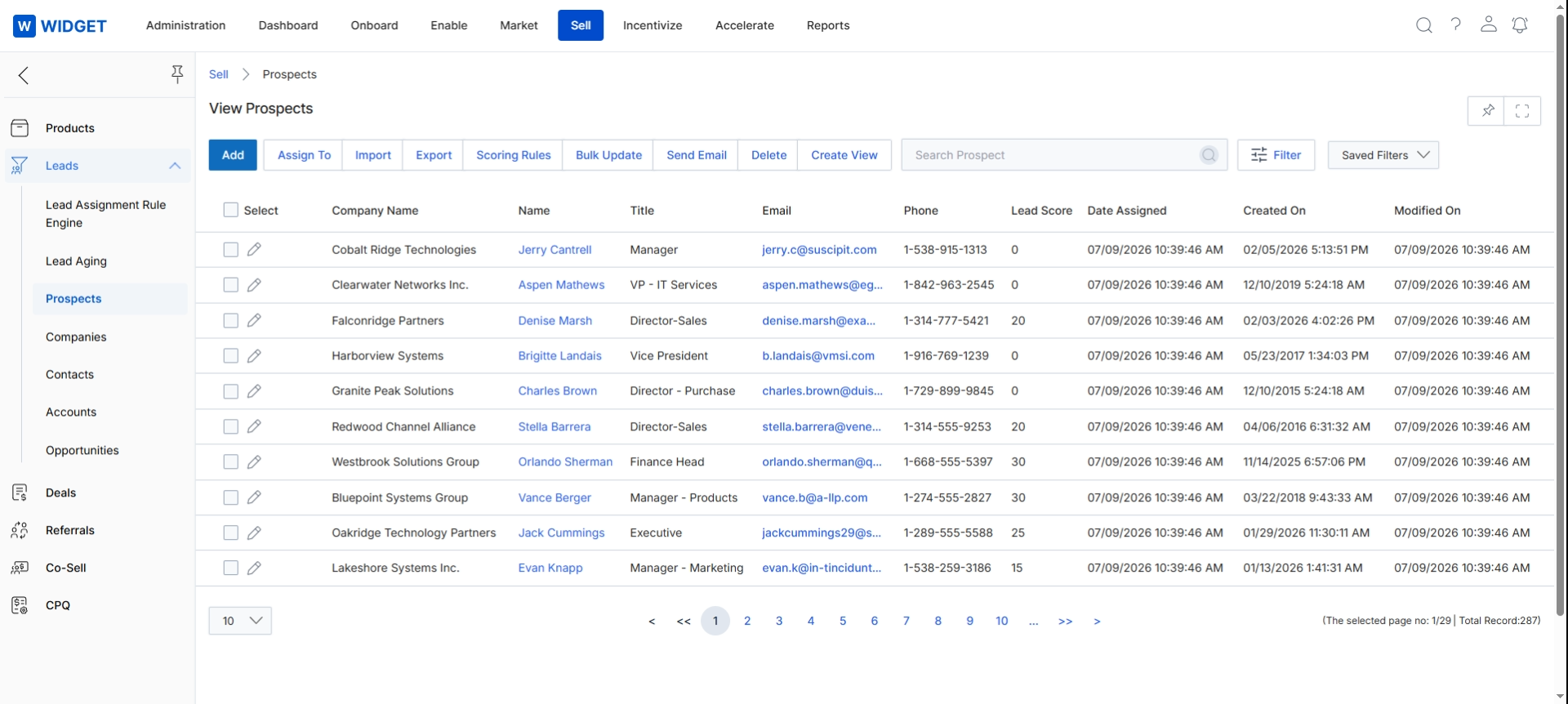
The Partner Leads Management application allows your organization to distribute leads to different partners or partner groups based on various criteria established in a “shark tank” lead distribution scheme. Lead management data can also be synchronized with data in an existing CRM system for smooth integration between the two platforms. Using the Partner Leads Management application, your organization can easily define a time frame for lead followup, including pre-scheduled system notifications at regular intervals when no activity has occurred. Pullback functionality allows a lead to be automatically pulled from one partner, in case of non-activity, and reassigned to another.
End-user Account Management
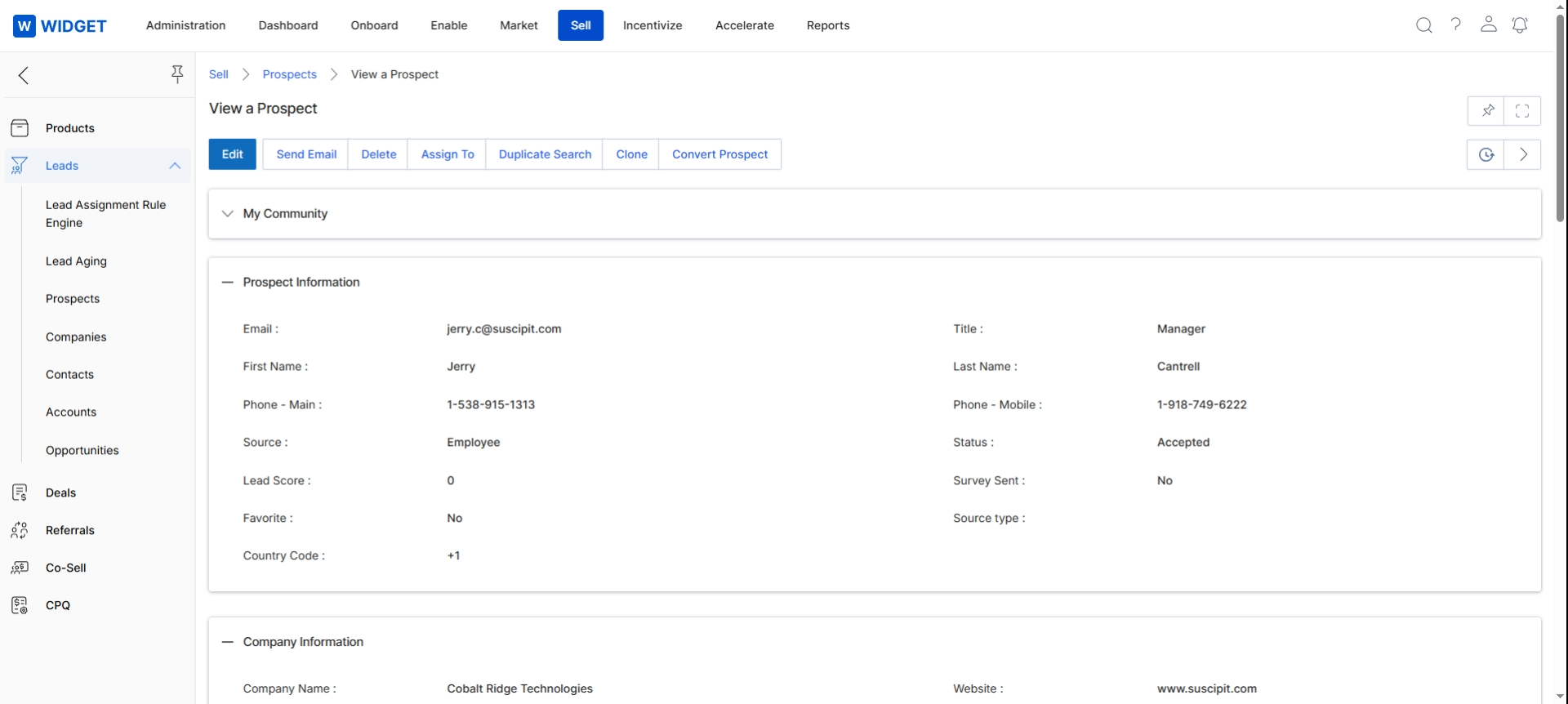
This screen displays the detailed view of a specific prospect record within the Sell module, following selection from the Prospects list. It presents comprehensive information about an individual prospect, including their contact details, lead source, and status, as well as associated company information. This view allows administrators to examine all relevant data points for a single prospect, which is crucial for understanding their background and managing their progression through the sales pipeline.
Opportunity & Deal Management
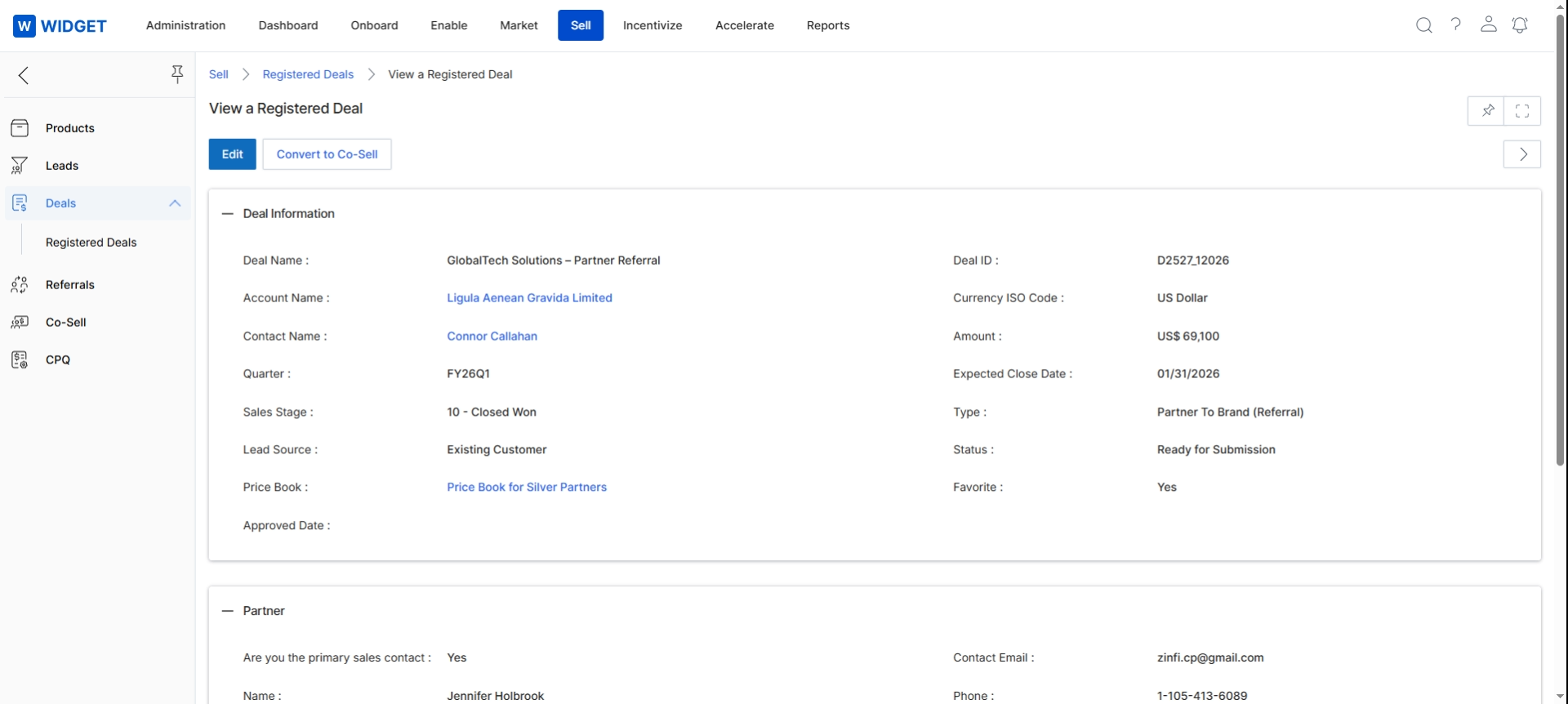
Organizations use our Partner Leads Management application to set up an automated review and approval mechanism for all submitted opportunities and deals completed by the channel sales team. The application also allows you to push submitted opportunities and deals submitted to your internal CRM through configured system connectors. The dynamic reporting engine of the Partner Leads Management application provides clear insight into every level of the sales funnel created by your channel sales team. Individual channel partners can also track their own sales activity progress by reviewing their individualized progress dashboard.
Frequently asked questions
- What is the purpose of the Leads Management application in UPM?
The Leads Management application centralizes sales lead management, enabling administrators to distribute leads to partners, manage the sales process from contacts to opportunities, and track the lifecycle of prospects and registered deals. It streamlines capturing, qualifying, and distributing leads to accelerate the sales cycle.
- How does the platform's Leads Management application facilitate lead distribution?
The application supports various lead distribution mechanisms, including 'round robin' and 'shark tank' models. It allows organizations to distribute leads to different partners or partner groups based on established criteria.
- Can the Leads Management application integrate with existing CRM systems?
Yes, lead management data can be synchronized with data in an existing CRM system, ensuring smooth integration between the two platforms.
- What is the 'pullback functionality' in lead management?
Pullback functionality allows a lead to be automatically retrieved from a partner if there is no activity within a defined timeframe, and then reassigned to another partner to ensure follow-up.
- What information is available in the prospect detail view?
The prospect detail view displays comprehensive information for a specific prospect, including contact details, lead source, status, and associated company information, crucial for understanding their background and managing their progression.
- How does the application support opportunity and deal management?
Organizations can set up automated review and approval mechanisms for submitted opportunities and deals. The application also allows pushing submitted opportunities and deals to internal CRMs and provides reporting on the sales funnel.
- Can individual channel partners track their sales activity?
Yes, individual channel partners can track their own sales activity progress by reviewing their individualized progress dashboard within the application.