

Overview
The Registered Deals module is critical for tracking and managing sales opportunities that partners have claimed for protection. Administrators often need to analyze this data from various perspectives, such as by region, deal stage, or partner type. The ability to create custom views directly within the platform streamlines this process, eliminating the need to export data for analysis in external tools.
By defining specific filters and selecting relevant columns, administrators can create personalized dashboards that highlight key performance indicators or identify deals requiring immediate attention. This functionality enhances operational efficiency and supports more informed decision-making regarding partner pipeline management and commission forecasting.
Create View
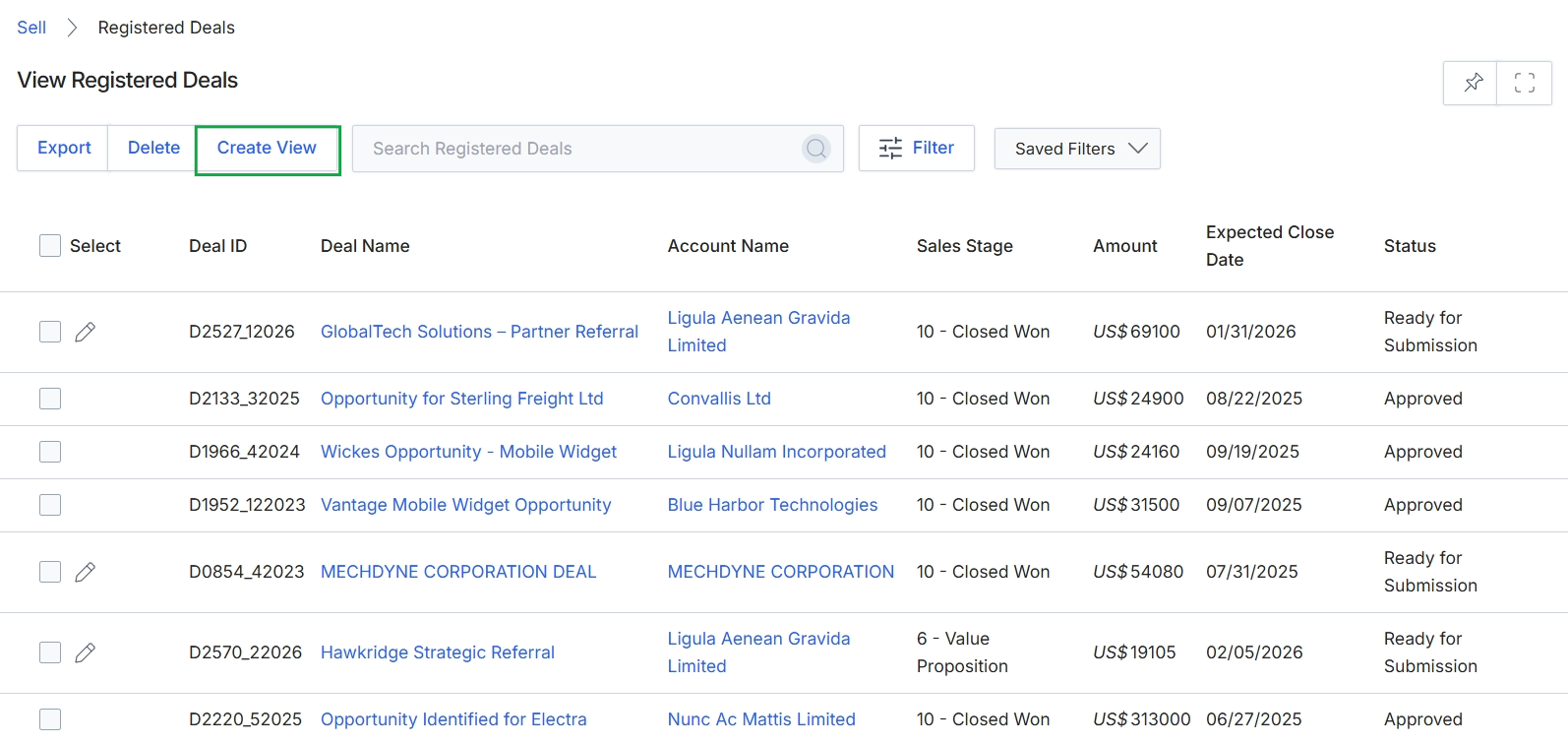
Click the Create View button.
Configuring a Custom View
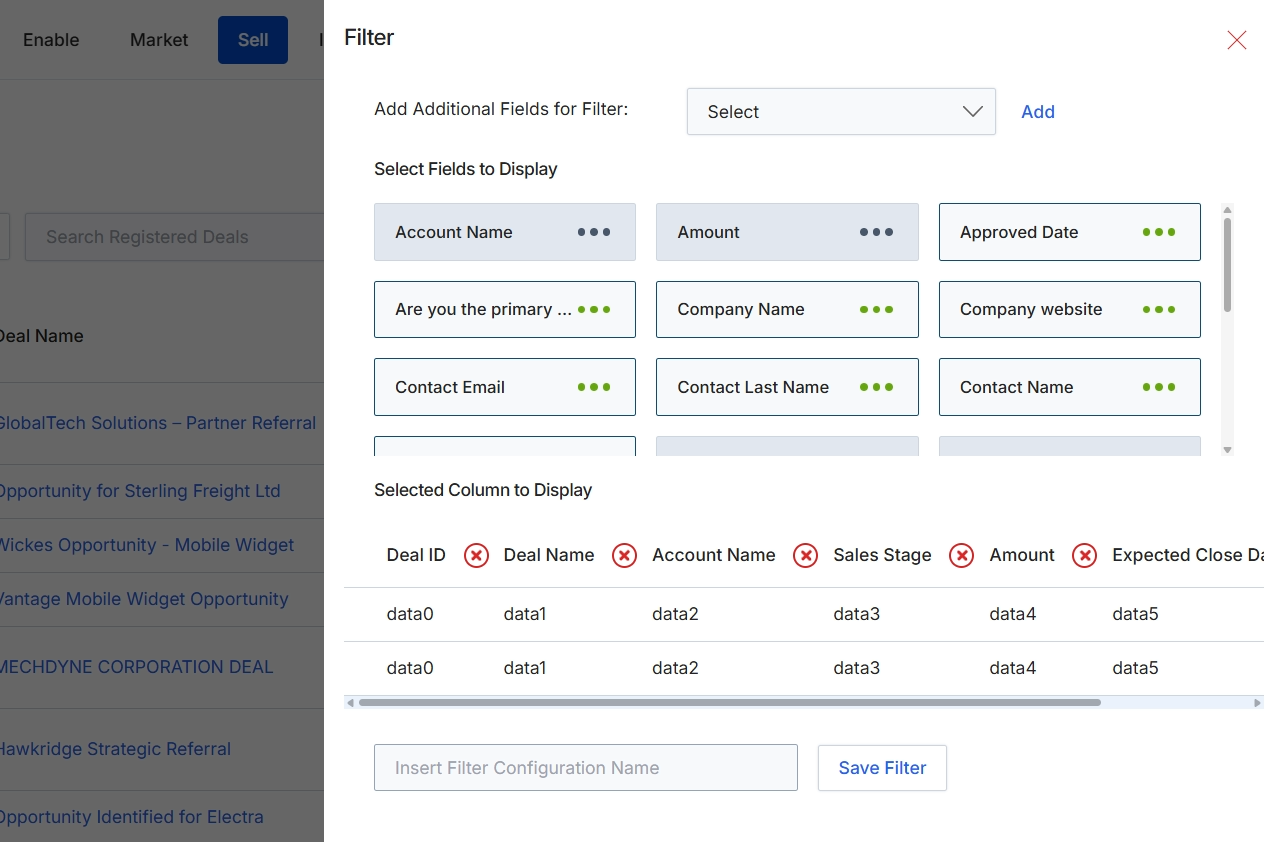
This filter configuration screen allows administrators to customize the display and filtering options for the Registered Deals list view. By selecting specific fields, users can define which data points are available for filtering the deal records, enabling more granular searches and analysis. Additionally, the screen provides control over which columns are visible in the main list, allowing for tailored views that prioritize relevant information for different reporting or management needs. This customization helps users efficiently manage and monitor registered deals within the Sell module, aligning the displayed data with their operational requirements.
Select additional fields to filter by and choose which columns to display in the Registered Deals list.
Buttons
| Button | Description |
|---|---|
| Add | A button to add the selected field to the filter options. |
| Save Filter | A button to save the current filter and column display configuration. |
Fields
| Field | Description |
|---|---|
| Add Additional Fields for Filter | A dropdown menu to select additional fields that can be used to filter the Registered Deals list. |
| Insert Filter Configuration Name | An input field to enter a name for the custom filter configuration. |
Select Fields to Display