

Overview
The Deals Management module is central to tracking and managing sales opportunities generated by partners. Registered Deals represent qualified opportunities that partners have claimed for protection, ensuring they receive credit for their sales efforts. Exporting this data provides administrators with flexibility to perform in-depth analysis outside the platform, share information with other departments, or migrate data as needed. This functionality supports comprehensive reporting and data management for the partner sales pipeline. Administrators can leverage this export capability to gain deeper insights into partner performance, identify trends in deal registration, and integrate deal data with other business intelligence tools. This ensures that all critical sales pipeline information is accessible and actionable, facilitating better decision-making and strategic planning within the partner program.
Initiating the Export
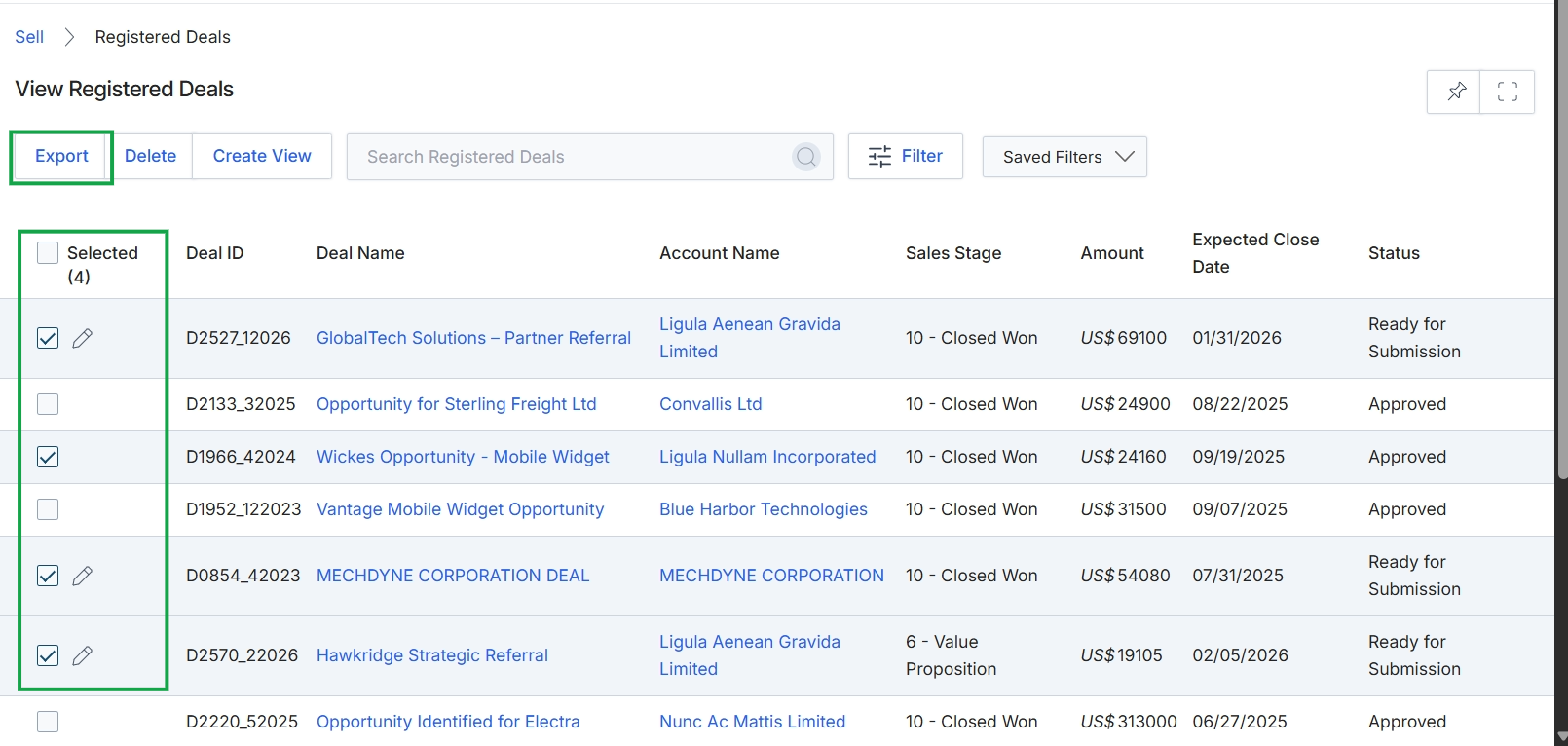
Click the Export button.
Configuring Export Options
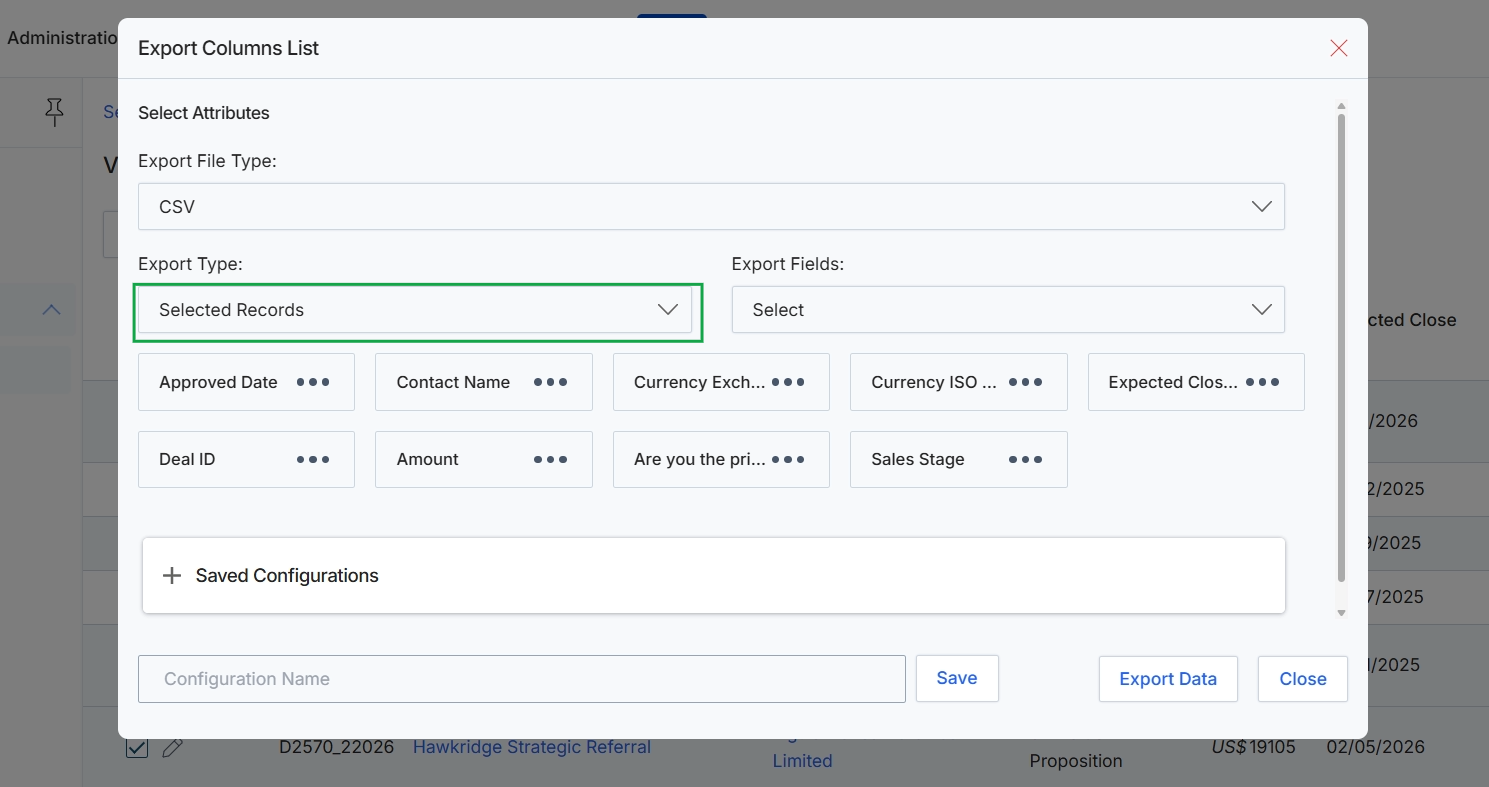
This dialog box allows administrators to configure and initiate the export of registered deal data from the platform. It provides options to select the file format, specify which records to include in the export (all or only selected ones), and choose the specific data fields or columns to be exported. This functionality is crucial for reporting, data analysis, or migrating deal information to external systems, enabling detailed insights into partner sales activities and pipeline performance. Users can also save frequently used export configurations for future convenience, streamlining repetitive data extraction tasks.
Select "Selected Records" from the Export Type dropdown to specify that only the currently chosen deals will be included in the export.
Buttons
| Button | Description |
|---|---|
| Saved Configurations | An expandable section that allows users to manage and apply previously saved export configurations. |
| Save | A button to save the current export configuration under the specified name. |
| Export Data | A button to initiate the data export based on the selected options. |
| Close | A button to close the export dialog without performing any action. |
Fields
| Field | Description |
|---|---|
| Export File Type | A dropdown menu to select the desired file format for the exported data, such as CSV. |
| Export Type | A dropdown menu to specify whether all available records or only the currently selected records should be included in the export. |
| Export Fields | A dropdown menu to select the specific data fields or columns to be included in the export file. |
| Configuration Name | A text input field to enter a name for saving the current export configuration. |
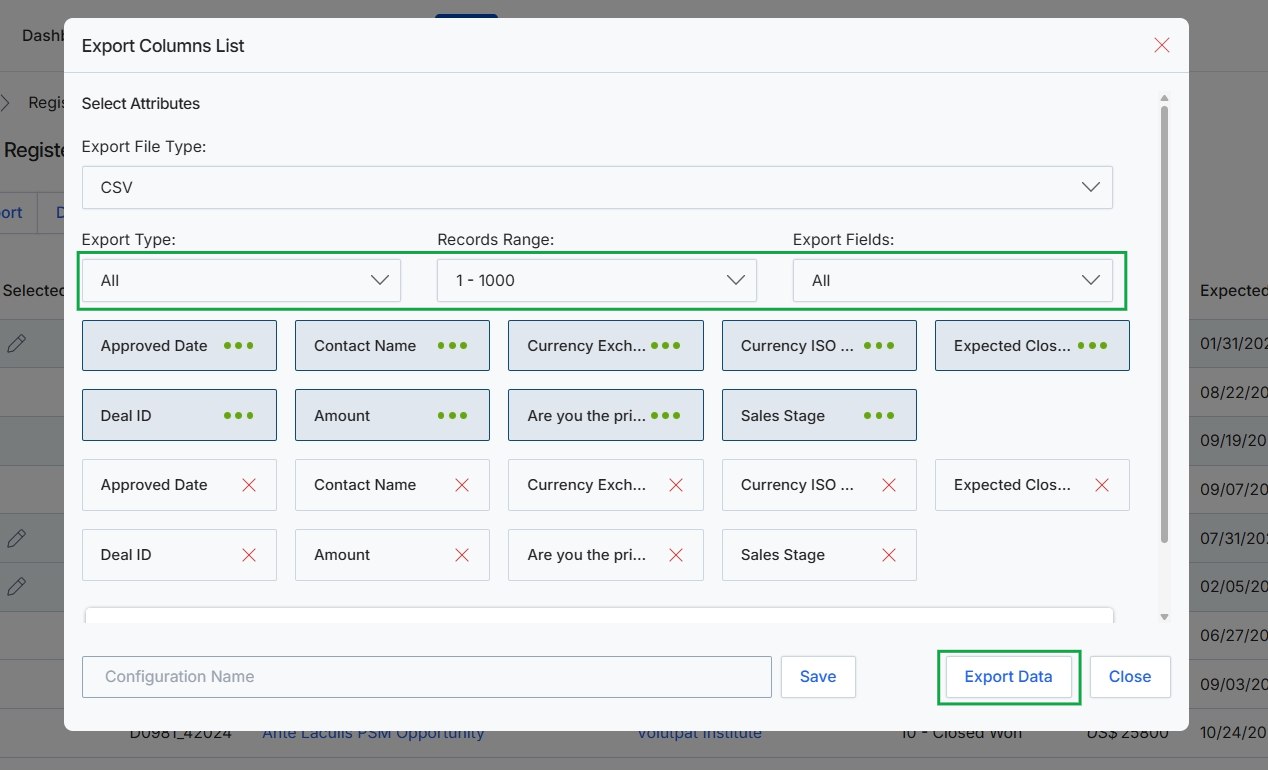
Click the Export Data button.