

Overview
The Registered Deals section provides administrators with a comprehensive overview of all sales opportunities that partners have registered for protection and tracking. This visibility is crucial for understanding the partner sales pipeline, identifying high-value deals, and ensuring timely support for partners. Each registered deal represents a potential revenue stream, and monitoring their progress from submission to closure is vital for accurate forecasting and commission calculations.
Administrators can use this interface to quickly assess the health of the partner pipeline, identify any deals that may be stalled, or perform necessary administrative actions such as deleting outdated or incorrect deal registrations. The ability to filter and search through deals further enhances the efficiency of pipeline management, allowing for targeted review and action based on various criteria like sales stage, account, or status.
Key Features
- View Registered Deals
- Deal ID & Name
- Account Information
- Sales Stage Tracking
- Expected Close Date
- Deal Status
- Bulk Delete Deals
Viewing the Registered Deals List
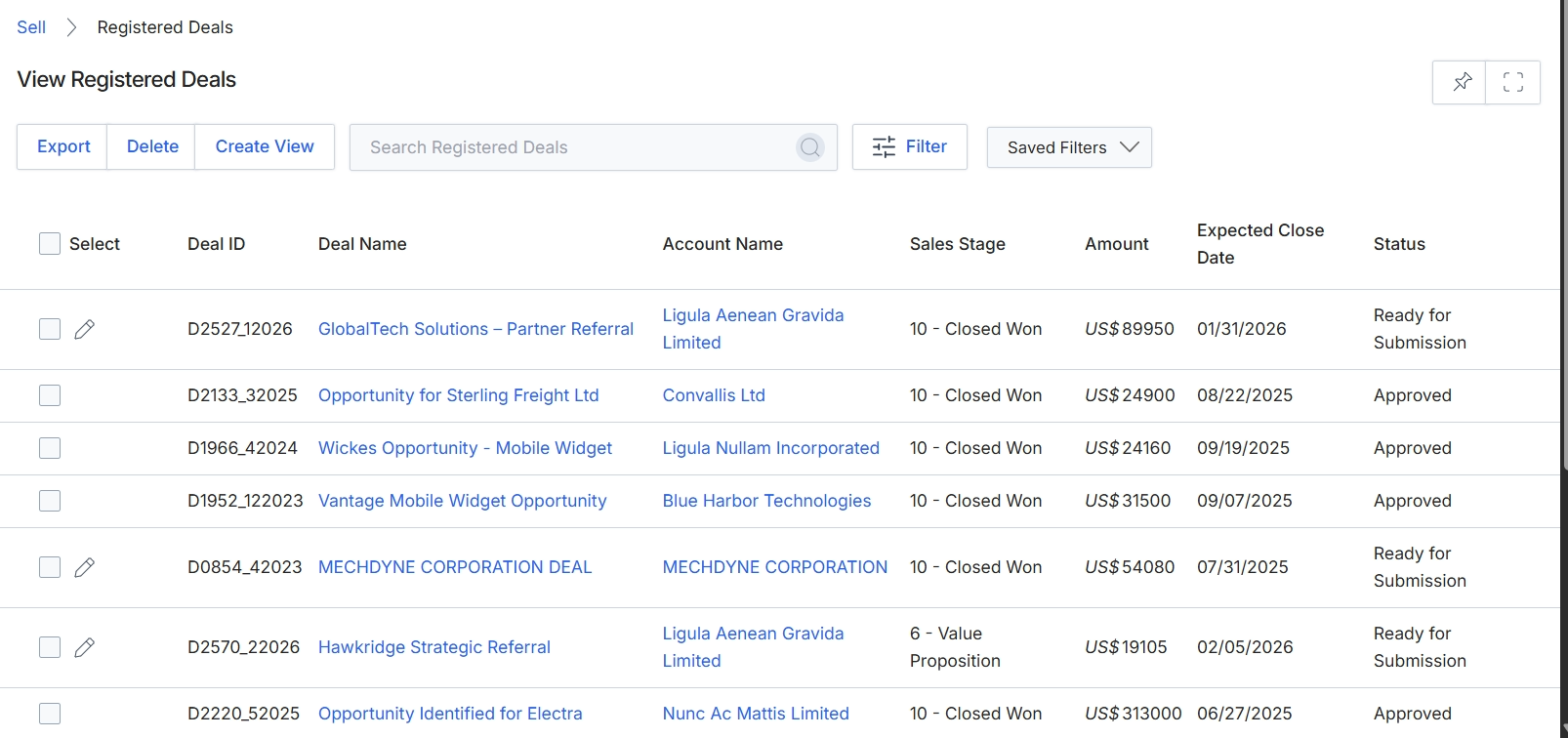
This screen displays a comprehensive list of all registered deals within the platform, providing administrators with an overview of sales opportunities submitted and managed by partners. Each row in the table represents a unique deal, showing key details such as the deal ID, deal name, associated account, current sales stage, monetary amount, expected close date, and the deal's current status. This view is central to monitoring the progress of partner-driven sales, enabling administrators to track deal flow and identify opportunities that require attention or approval.
Performing Bulk Delete Actions
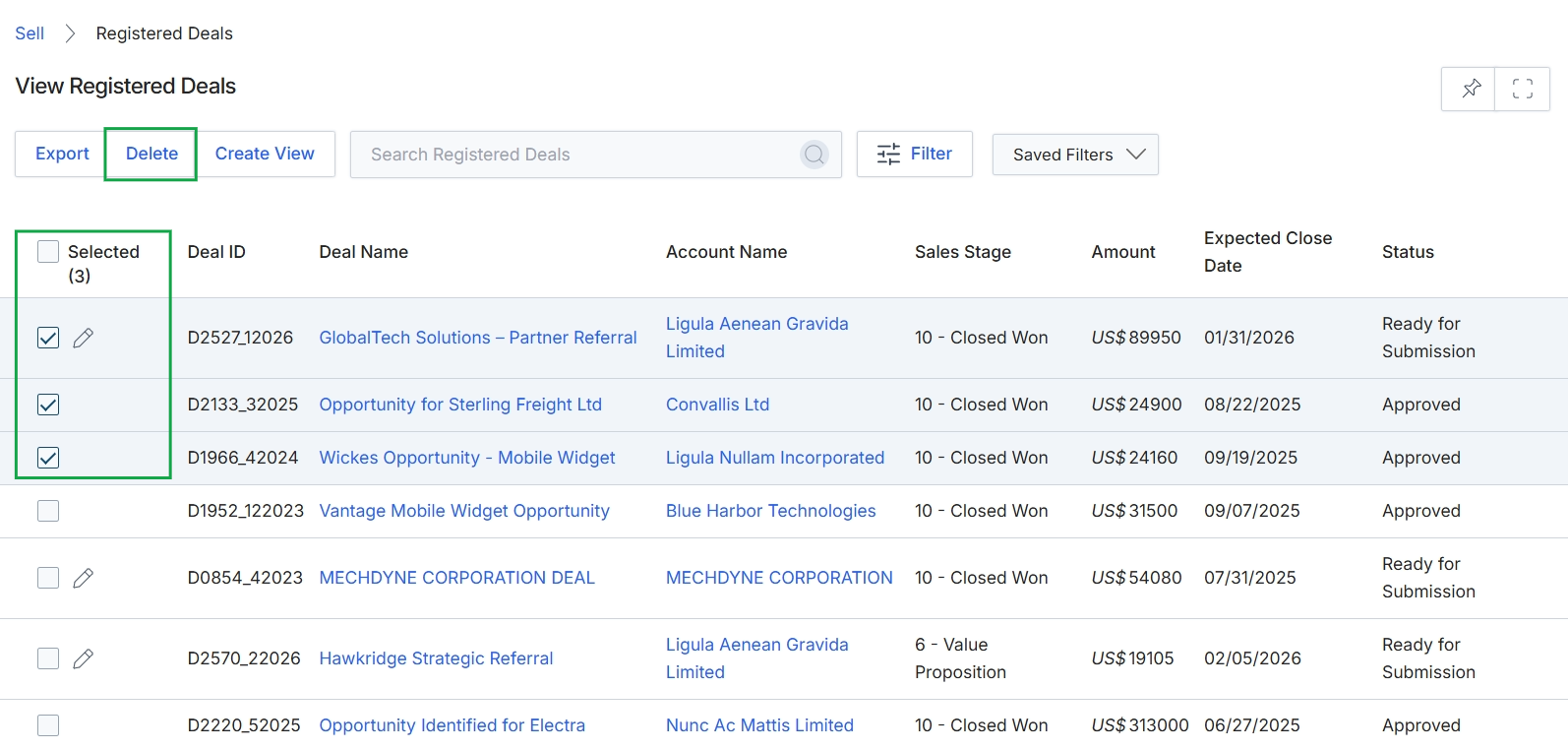
This screen displays a list of registered deals, which are qualified opportunities claimed by partners for protection and commission purposes. The table provides key details for each deal, including its ID, name, associated account, current sales stage, monetary amount, expected close date, and status. Users can select multiple deals from this list to perform bulk actions, such as deleting the selected entries, which helps in managing and cleaning up the deal pipeline.
Frequently asked questions
- What is the purpose of the Registered Deals module?
This module serves as a central repository for viewing and managing all registered deals within the partner program. It provides administrators with a comprehensive overview of sales opportunities partners have registered for protection and tracking.
- Who uses the Registered Deals module?
UPM administrators use this module to monitor the status, value, and expected close dates of deals submitted by partners. Partners register deals which then appear in this module for administrator review.
- What information is displayed for each registered deal?
Each registered deal displays key details such as the deal ID, deal name, associated account, current sales stage, monetary amount, expected close date, and the deal's current status.
- Why is it important to monitor registered deals?
Monitoring registered deals is crucial for understanding the partner sales pipeline, identifying high-value deals, and ensuring timely support for partners. It is also vital for accurate forecasting and calculating commission payments.
- Can administrators perform bulk actions on registered deals?
Yes, administrators can select multiple deals from the list to perform bulk actions, such as deleting selected entries. This helps in managing and cleaning up the deal pipeline.