

Overview
Administrators utilize the Deals Management module to define how partners interact with the sales process, including setting up deal protection periods, establishing criteria for lead assignment, and customizing approval processes for deals. This comprehensive control helps in minimizing channel conflict, maximizing partner engagement, and ultimately driving revenue growth through the partner network.
This module provides a centralized repository for all partner-submitted sales activities, from initial lead submission to the final registered deal. It allows administrators to monitor the sales pipeline, review deal statuses, and manage the entire lifecycle of a sales opportunity within the partner ecosystem. The configurations made here directly impact how partners engage with sales opportunities and how commissions are subsequently calculated in the Incentivize module.
Accessing Deals Management
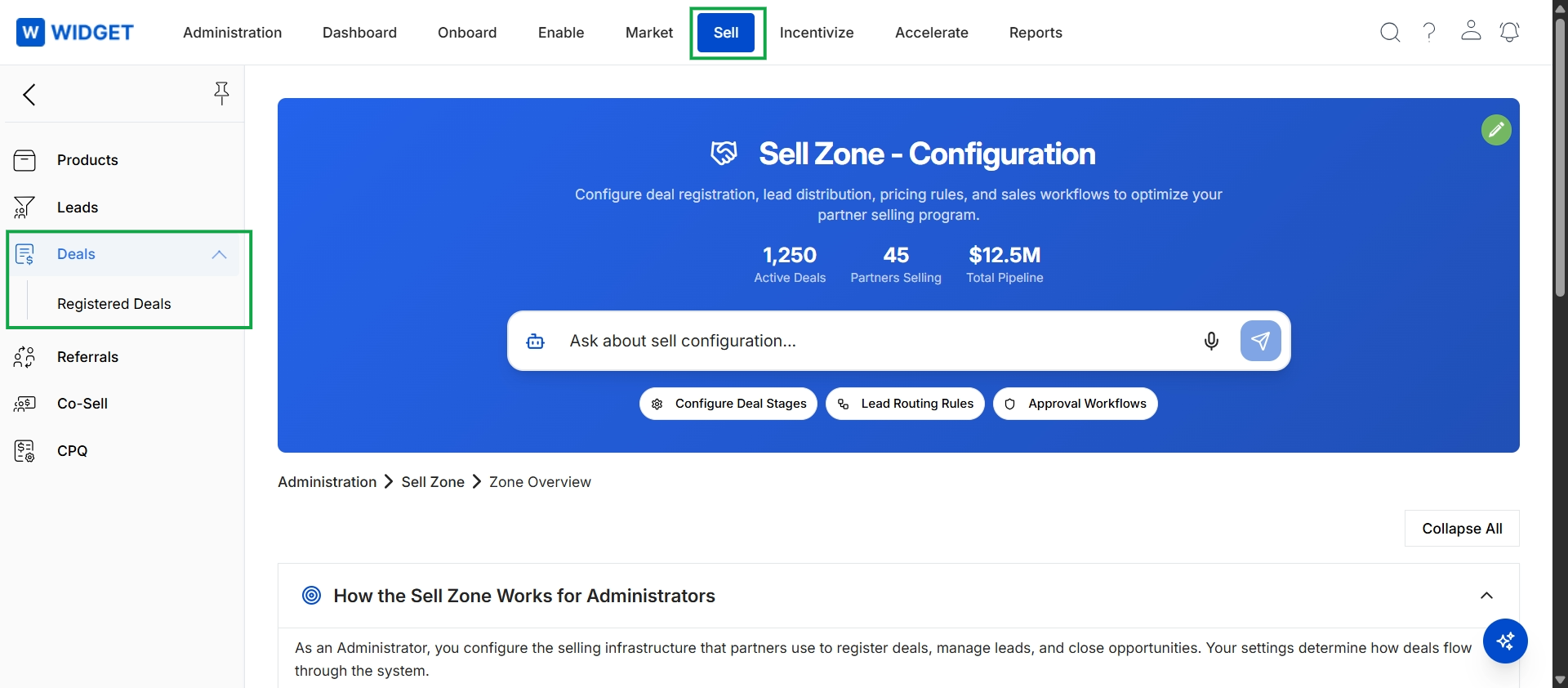
Click Sell in the top navigation bar, then click Deals → Registered Deals in the left navigation menu.
Viewing Registered Deals
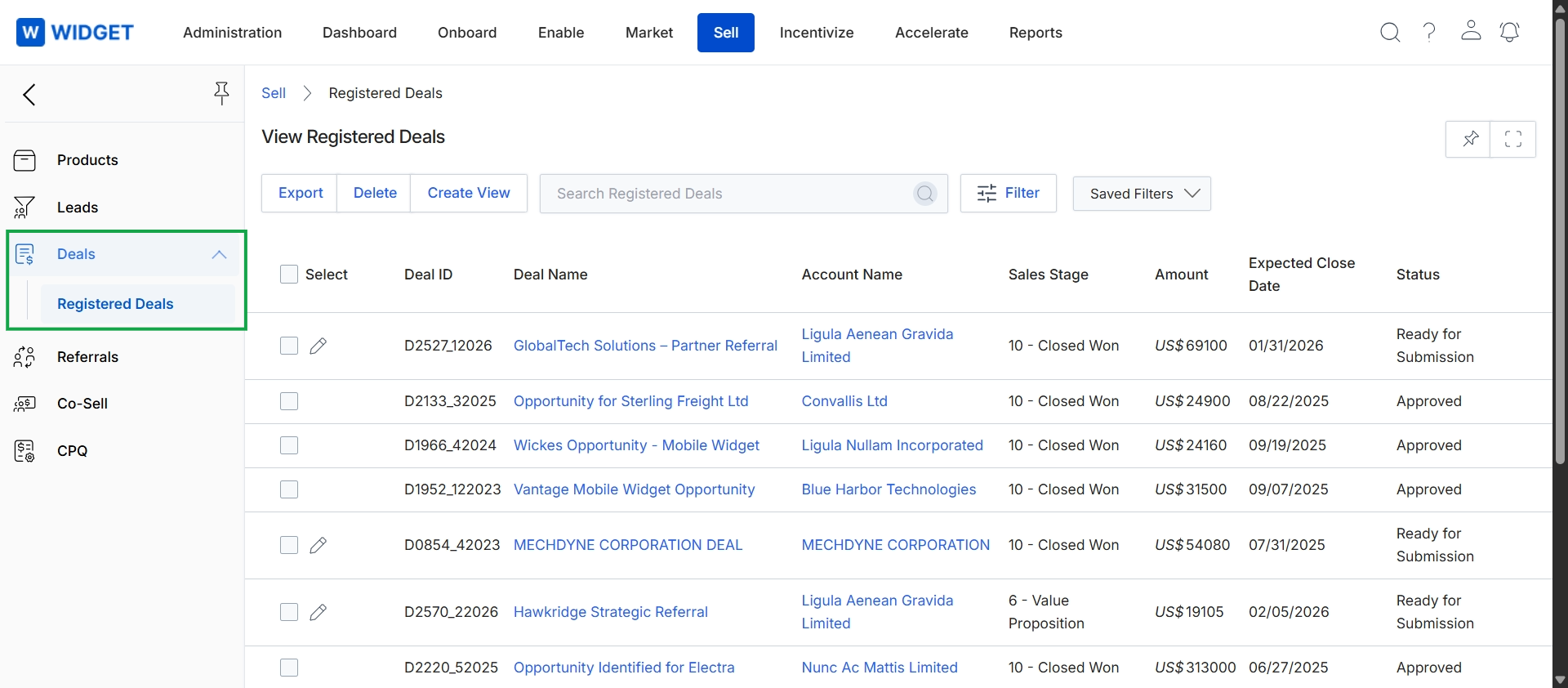
This screen displays a comprehensive list of all registered deals within the platform, providing a centralized view for administrators to manage partner-submitted sales opportunities. Each row in the table represents a unique deal, showing its identifier, name, associated account, current sales stage, estimated monetary value, and expected close date. The 'Status' column indicates the deal's current state, such as 'Ready for Submission' or 'Approved', which is crucial for tracking the deal registration workflow and its impact on potential commission calculations in the Incentivize module. This view enables efficient monitoring of the partner sales pipeline and ensures proper protection for qualified opportunities.