

Overview
In the UPM platform, the Enable module is designed to empower partners with the knowledge and resources they need to effectively sell and market products. A critical component of this enablement is providing easy access to relevant content. The Content Listings feature facilitates this by allowing vendors to upload, categorize, and manage a wide array of digital assets.
This ensures that partners always have access to the most current and appropriate marketing and sales materials, such as datasheets, case studies, and presentations. By centralizing content management, vendors can maintain brand consistency, control content versions, and track partner engagement with these resources, ultimately driving better partner performance and sales outcomes.
Add/Edit Content
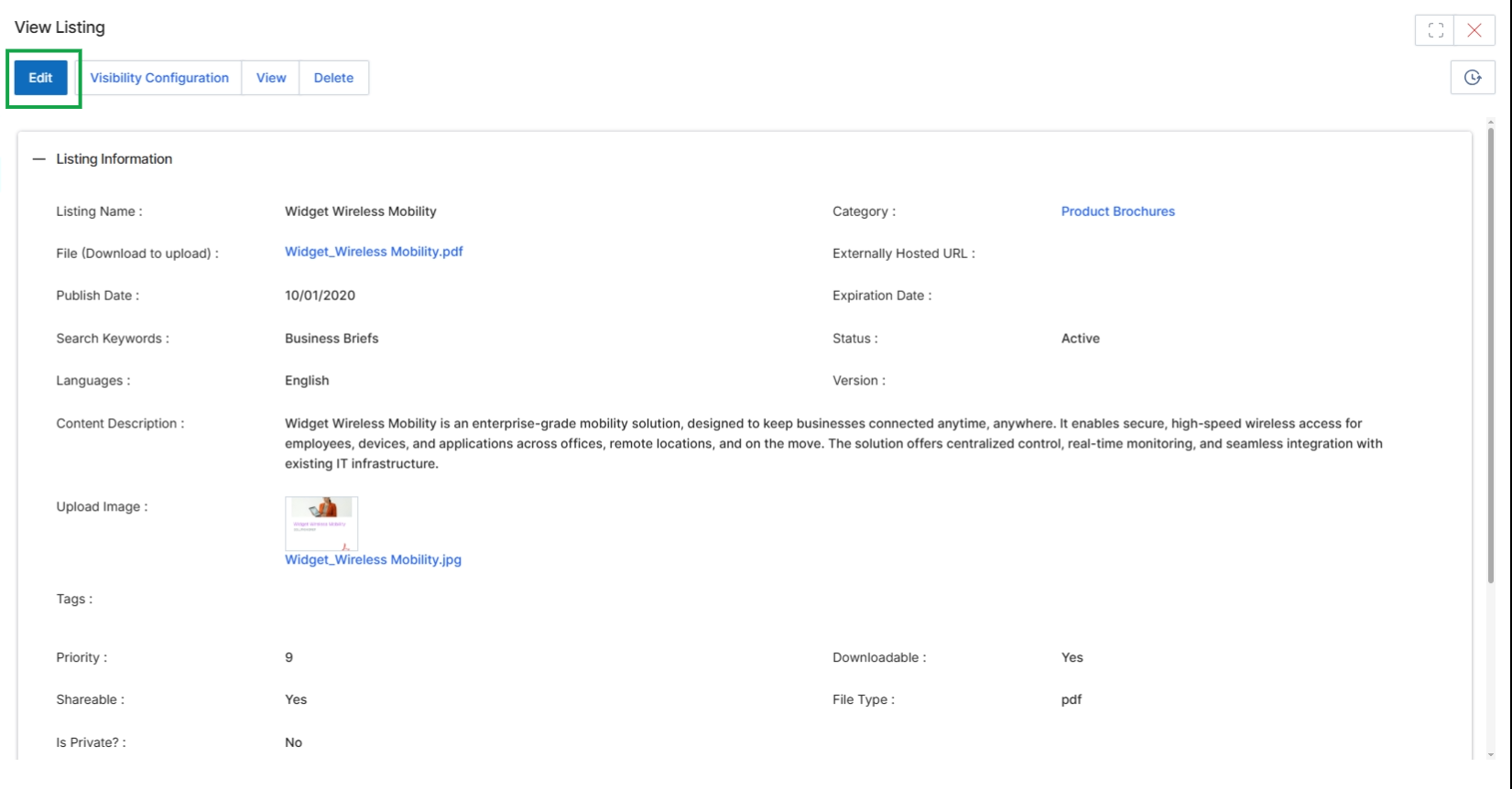
Click the Edit button to open the Add/Edit Listing Details page.
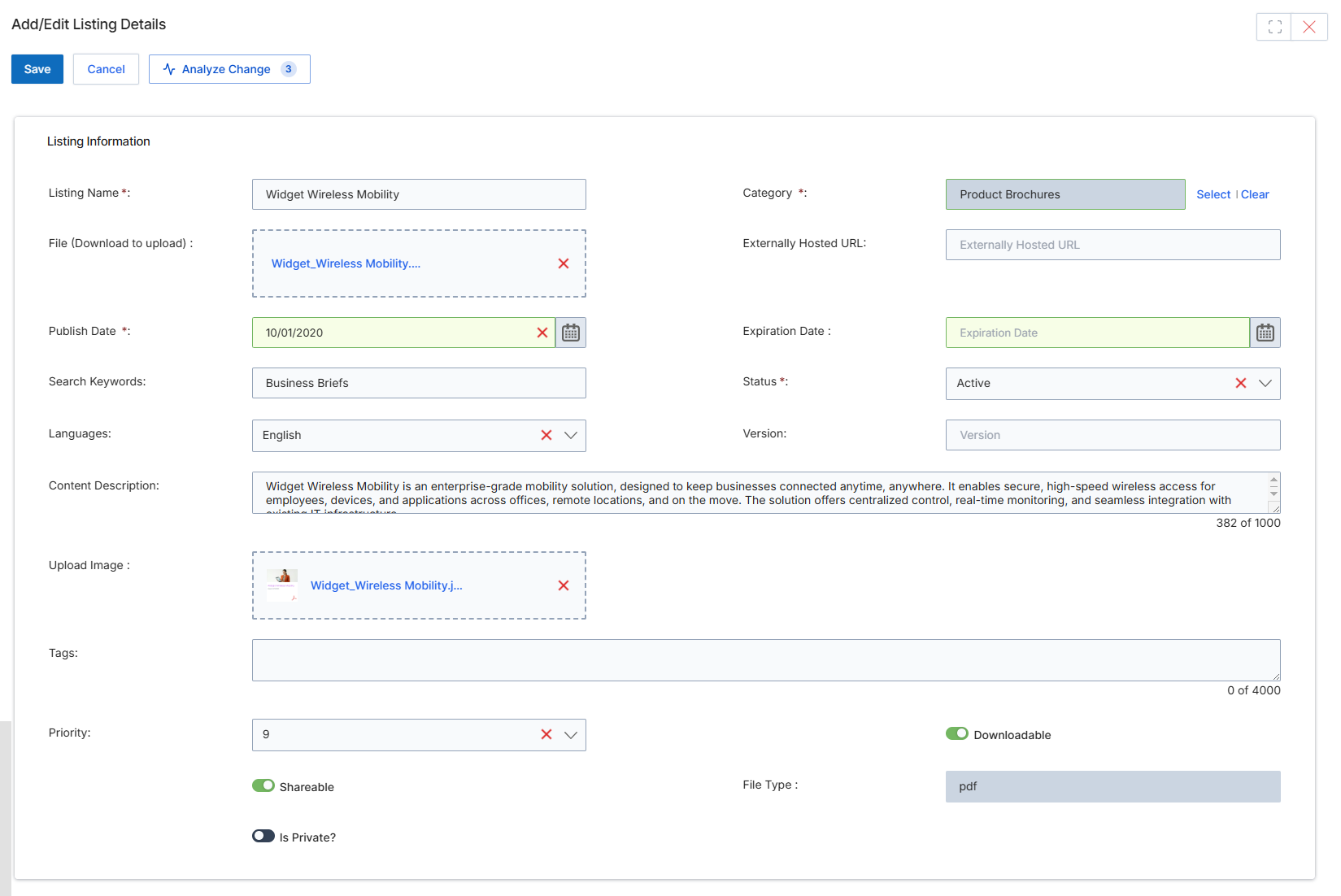
This screen displays the Add/Edit Listing Details form, which allows vendor administrators to modify the metadata and content associated with a specific content listing in the Content Library. Content listings are key entities within the Enable module, serving as a centralized repository for various types of partner-facing assets such as product brochures, battle cards, and marketing collateral. This form enables granular control over each listing's attributes, including its title, associated files, publication and expiration dates, search keywords, language, and descriptive content. Administrators can also manage visibility settings, such as whether the content is downloadable, shareable, or private, ensuring that partners have access to relevant and up-to-date resources based on their roles and permissions. The form supports uploading both primary content files and associated images, and provides fields for categorizing and tagging content to improve discoverability within the partner portal.
Click the "Edit" button to open the content listing in edit mode.
Buttons
| Button | Description |
|---|---|
| Save | Saves the changes made to the content listing. |
| Cancel | Discards any unsaved changes and returns to the previous view. |
| Analyze Change | Compares the current changes with the previously saved version of the listing. |
Listing Information
| Field | Description |
|---|---|
| Listing Name | The name of the content listing as it appears to partners. |
| Category | The category to which this content listing belongs, aiding in organization and search. |
| File (Download to upload) | The primary file associated with this content listing that partners can download. |
| Externally Hosted URL | An optional URL if the content file is hosted externally rather than uploaded to UPM. |
| Publish Date | The date from which the content listing will be visible and available to partners. |
| Expiration Date | The date after which the content listing will no longer be visible or available. |
| Search Keywords | Keywords that help partners find this content listing through search functionality. |
| Status | The current status of the content listing, such as Active or Inactive. |
| Languages | The language(s) in which the content listing is available. |
| Version | The version number of the content listing. |
| Content Description | A detailed description of the content listing, providing context and information to partners. |
| Upload Image | An image associated with the content listing, often used as a thumbnail or preview. |
| Tags | Additional tags for further categorization and filtering of the content listing. |
| Priority | A numerical value indicating the display priority of the content listing. |
| Downloadable | A toggle indicating whether partners can download the associated file. |
| Shareable | A toggle indicating whether partners can share this content listing with others. |
| File Type | The file extension or type of the primary content file. |
| Is Private? | A toggle indicating whether the content listing is private and only accessible to specific partners. |