

Overview
Beyond simply providing access, the platform offers a crucial 'Share Document' functionality. This capability empowers partners to directly share vendor-approved documents with their prospects or other external contacts. By facilitating direct sharing from the portal, UPM helps partners accelerate their sales cycles, ensure prospects receive accurate information, and maintain a consistent brand message across all external communications.
Sharing the Content
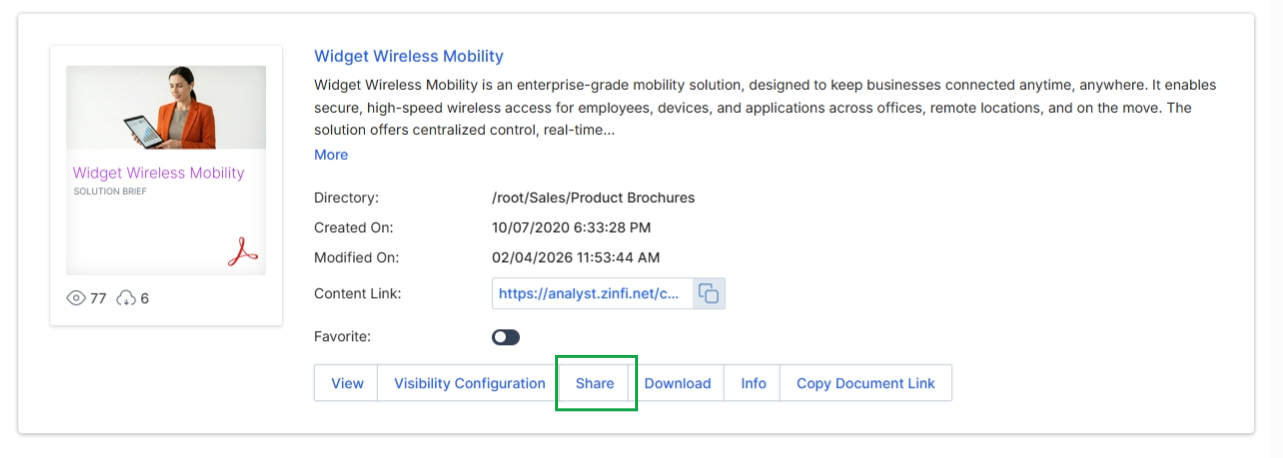
Click the Share button to open the Share Document pop-up
Initiating Document Sharing
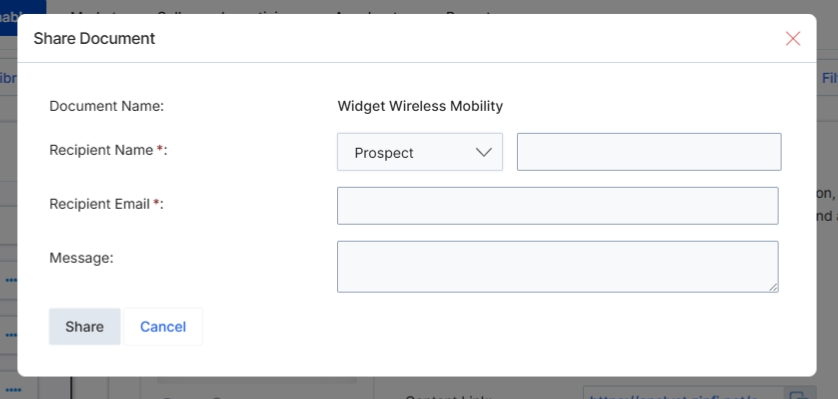
The 'Share Document' dialog box allows vendor administrators to share a specific content library document with external recipients, such as prospects or partners, directly from the UPM platform. This functionality is part of the Enable module's content management capabilities, enabling controlled distribution of marketing and sales assets. By specifying the recipient type and providing their contact details, administrators can ensure that relevant documents reach the intended audience, facilitating external communication and content dissemination. This dialog ensures that the sharing process is tracked and managed within the system, providing a record of who received which document.
Buttons
| Button | Description |
|---|---|
| Share | Sends the document to the specified recipient. |
| Cancel | Closes the dialog box without sharing the document. |
Fields
| Field | Description |
|---|---|
| Document Name | The name of the document being shared, pre-populated from the selected content library item. |
| Recipient Type | A dropdown menu to select the category of the recipient, such as 'Prospect' or 'Partner'. |
| Recipient Name | The name of the individual recipient to whom the document will be shared. |
| Recipient Email | The email address of the recipient, where the shared document link will be sent. |
| Message | An optional text field for including a personalized message with the shared document. |
Completing the Share Action
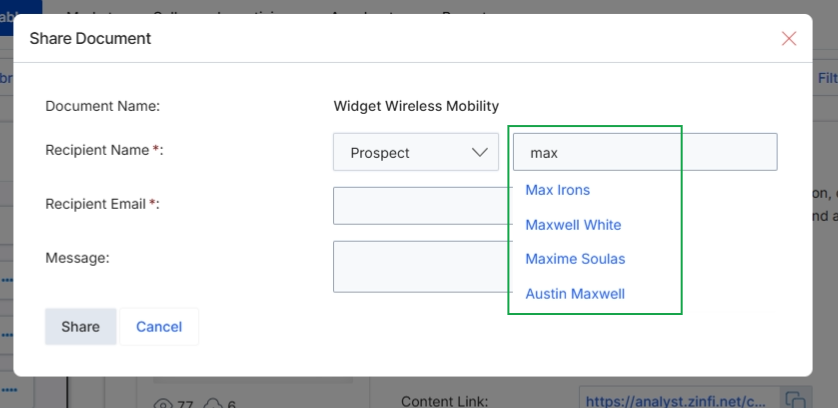
This screen displays a dialog for sharing a document, specifically demonstrating the recipient search functionality. As a user types into the 'Recipient Name' field, the system dynamically presents a dropdown list of matching contacts, allowing for quick selection of the intended recipient. This feature streamlines the process of sharing content from the Enable module's asset library by helping users efficiently locate and select existing contacts, such as prospects, for document distribution.
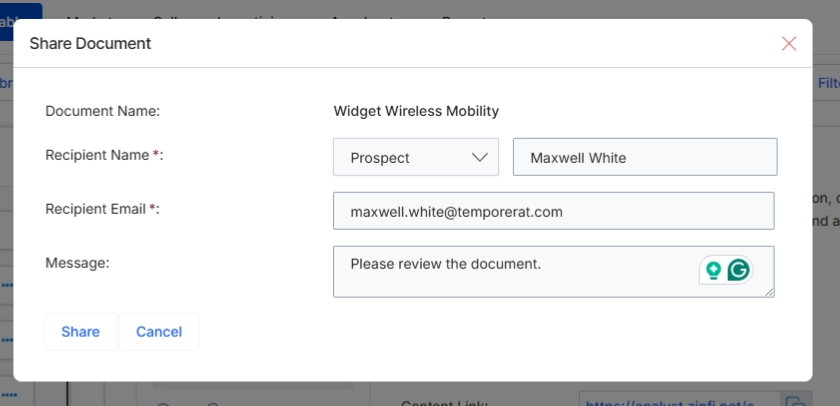
This dialog box facilitates the sharing of content library documents with external recipients, such as prospects. It allows vendors to securely distribute specific assets from their content library, ensuring that the right information reaches the intended audience. The sharing mechanism supports direct email delivery, enabling partners or vendor-side users to send relevant materials without requiring the recipient to log into the UPM portal. This feature is crucial for sales and marketing activities, allowing for quick dissemination of collateral to support lead nurturing and deal progression.