

Overview
The Content Library in UPM is a central repository for all partner-facing assets, including sales collateral, marketing materials, and product documentation. Effective management of these assets is crucial for enabling partners with the right information at the right time. Each content item has a detailed record that defines its properties, how it's categorized, and to which partner groups it is assigned. This detailed view allows administrators to verify that content is accurately described, appropriately visible, and linked to relevant resources, which directly impacts partner enablement and their ability to effectively sell and market products.
Accessing Content Details
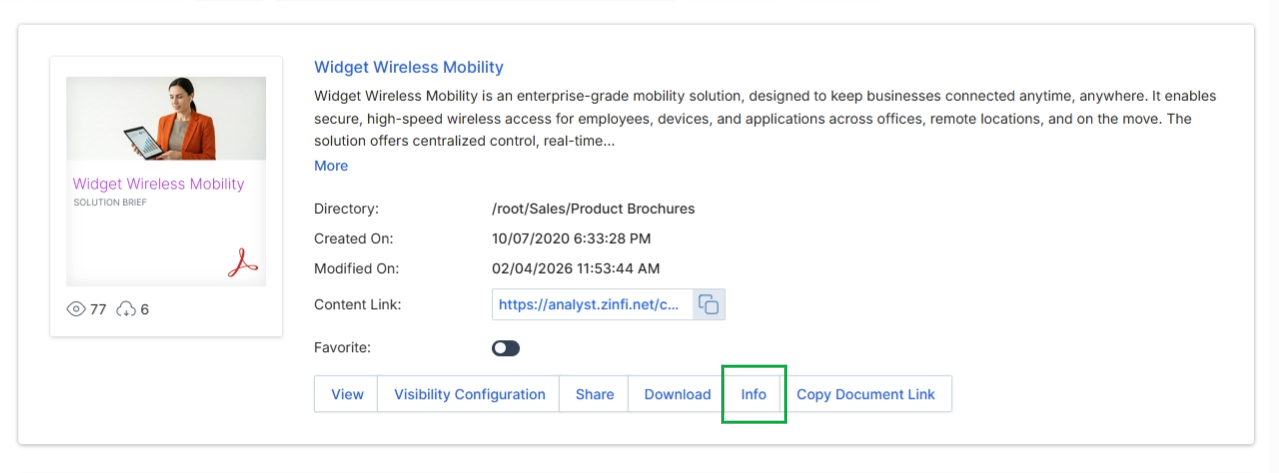
Click Info to view the content details page.
Reviewing Listing Information
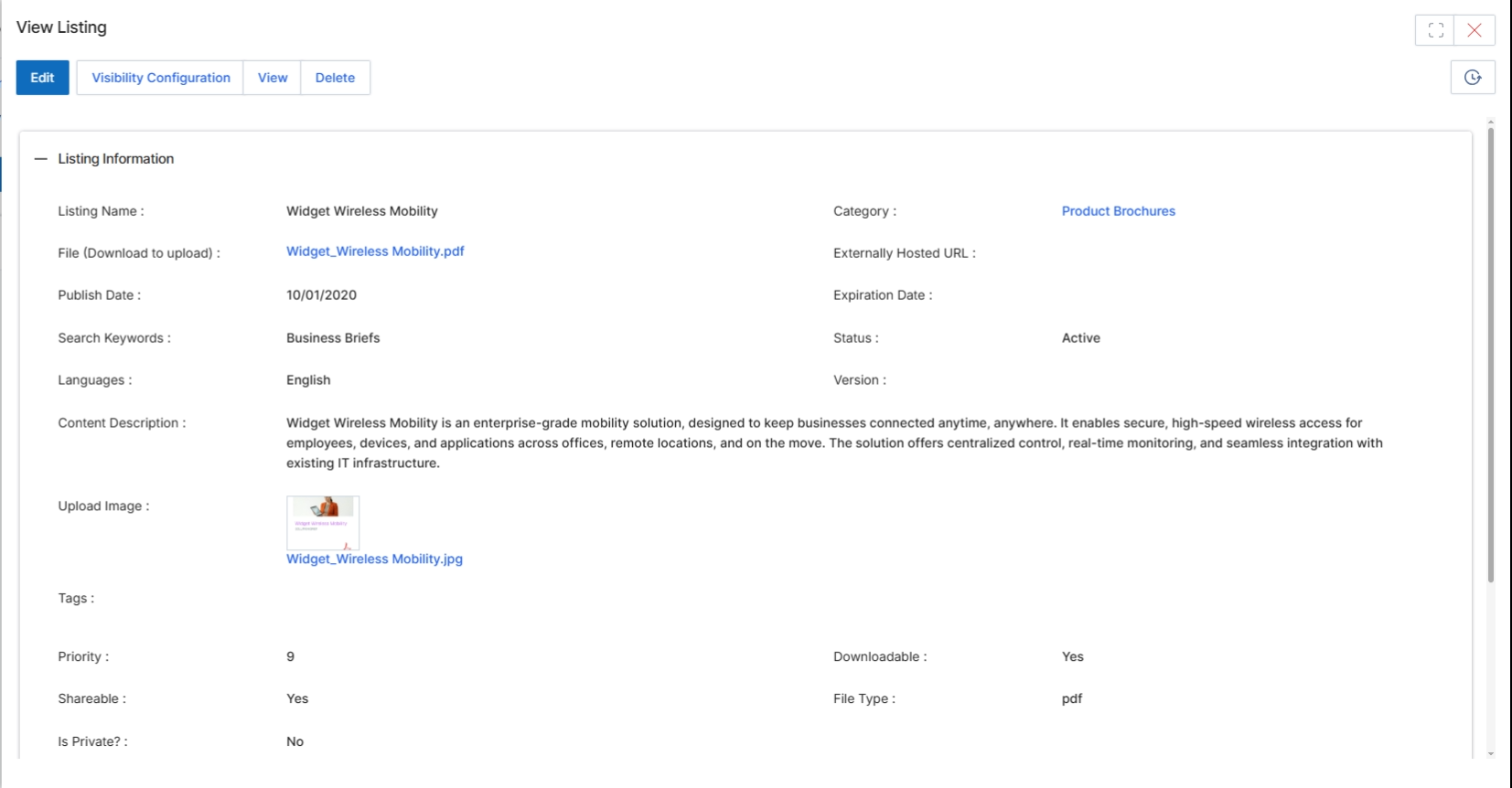
This screen displays the detailed information for a specific content listing within the UPM Content Library. The Content Library, part of the Enable module, serves as a central repository for all partner-facing assets, including product brochures, solution briefs, training materials, and other marketing or sales collateral. This detailed view provides administrators with a comprehensive overview of the content's metadata, visibility settings, and associated files, allowing them to manage and verify its properties. It is crucial for ensuring that partners have access to accurate and relevant resources, supporting their enablement and co-selling efforts. The information presented here directly reflects the configuration set during content creation or editing, impacting how the asset is categorized, searched, and presented within the partner portal.
Review the detailed information for the selected content listing.
Buttons
| Button | Description |
|---|---|
| Edit | Allows editing of the content listing's details. |
| Visibility Configuration | Configures the visibility rules for the content listing, determining which partner types, tiers, or segments can access it. |
| View | Displays a preview of the content listing as partners would see it. |
| Delete | Removes the content listing from the Content Library. |
Listing Information
| Field | Description |
|---|---|
| Listing Name | The title or name of the content listing. |
| Category | The content category to which this listing belongs, used for organization and filtering. |
| File (Download to upload) | The name of the file associated with this content listing, available for download. |
| Externally Hosted URL | The URL if the content is hosted externally rather than uploaded directly to UPM. |
| Publish Date | The date when the content listing was made available. |
| Expiration Date | The date when the content listing will automatically be archived or removed. |
| Search Keywords | Keywords used to improve the discoverability of the content listing through search. |
| Status | The current status of the content listing, such as Active, Draft, or Archived. |
| Languages | The language(s) in which the content is available. |
| Version | The version number of the content listing. |
| Content Description | A detailed description of the content, providing context and summary. |
| Upload Image | A thumbnail or preview image associated with the content listing. |
| Tags | Additional tags for categorization and filtering. |
| Priority | A numerical value indicating the display priority of the content listing. |
| Downloadable | Indicates whether the content file can be downloaded by partners. |
| Shareable | Indicates whether the content can be shared by partners. |
| File Type | The format of the uploaded content file, such as PDF, PPT, or video. |
| Is Private? | Indicates if the content listing is private and requires specific permissions for access. |
Content Assignments
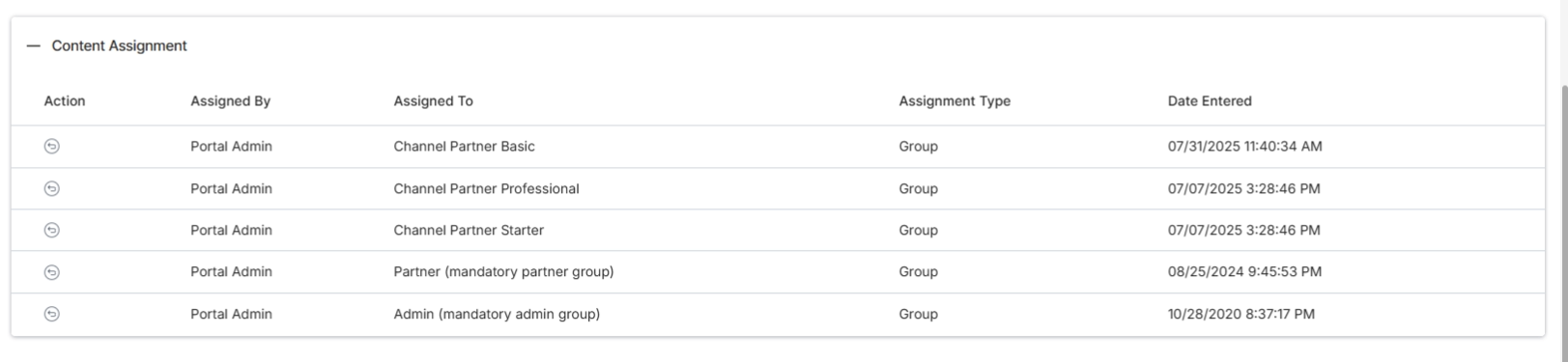
This view is crucial for administrators to verify content properties, manage their lifecycle, and understand their visibility and accessibility settings. The screen also includes a dedicated section for 'Content Assignment,' which details how the content is distributed and made available to various partner groups or individual partners, ensuring that the right content reaches the intended audience within the partner ecosystem.
Scroll down to view the Content Assignment section, which details how this content listing is distributed to partners.
Column Headings
| Column | Description |
|---|---|
| Action | Provides actions related to the content assignment, such as editing or deleting a specific assignment. |
| Assigned By | Indicates the user role or entity that assigned the content. |
| Assigned To | Specifies the partner group, individual partner, or other entity to which the content is assigned. |
| Assignment Type | Describes the method or category of assignment, such as 'Group' for partner groups. |
| Date Entered | Records the timestamp when the content assignment was created. |
Viewing Related Listings
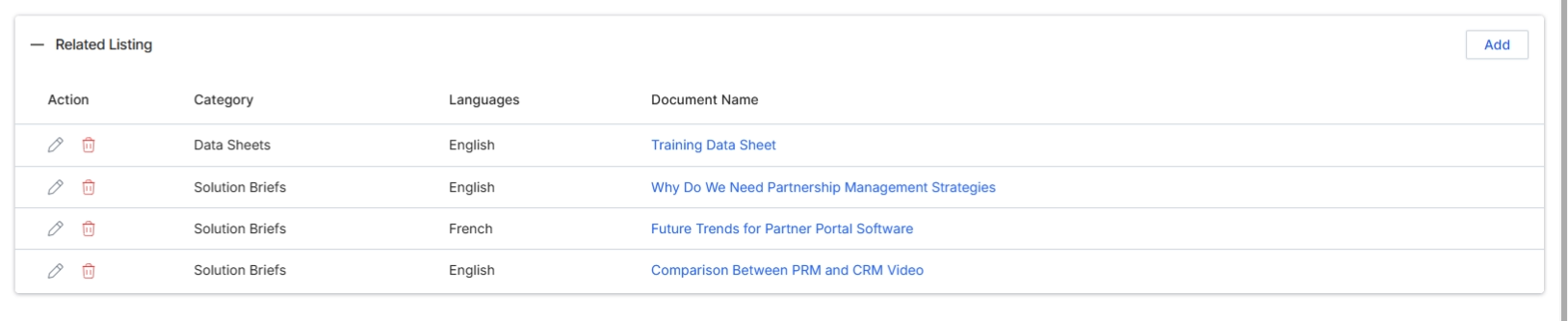
It shows any related content listings, allowing for the creation of interconnected content experiences for partners. This detailed view is crucial for ensuring that partners receive the right information at the right time, supporting their enablement and engagement within the partner program.
Click the "Related Listing" section to expand it and view the associated content listings.
Buttons
| Button | Description |
|---|---|
| Add | Adds a new related listing to the current content. |
Column Headings
| Column | Description |
|---|---|
| Action | Provides actions for managing content assignments, such as editing or deleting. |
| Category | The category of the related content listing. |
| Languages | The language(s) in which the related content is available. |
| Document Name | The title or name of the related document. |