

Overview
In the Market module, UI/UX Packages represent a powerful tool for vendors to empower their partners with comprehensive, pre-built marketing campaigns. Instead of partners having to assemble individual marketing assets like emails, social posts, and landing pages, these packages bundle all necessary components into a single, deployable unit. This approach ensures brand consistency, simplifies campaign execution for partners, and accelerates time-to-market for co-marketing initiatives.
Administrators can define these packages to include various marketing tactics such as email templates, social media content, microsite configurations, and event materials, all designed to work together for a specific marketing objective. By providing these curated packages, vendors reduce the complexity for partners, increase the likelihood of successful campaign execution, and maintain control over brand messaging and compliance. Partners can then select and launch these packages from their portal, often with minimal customization within pre-approved zones, making co-marketing scalable and efficient.
Accessing UI/UX Packages
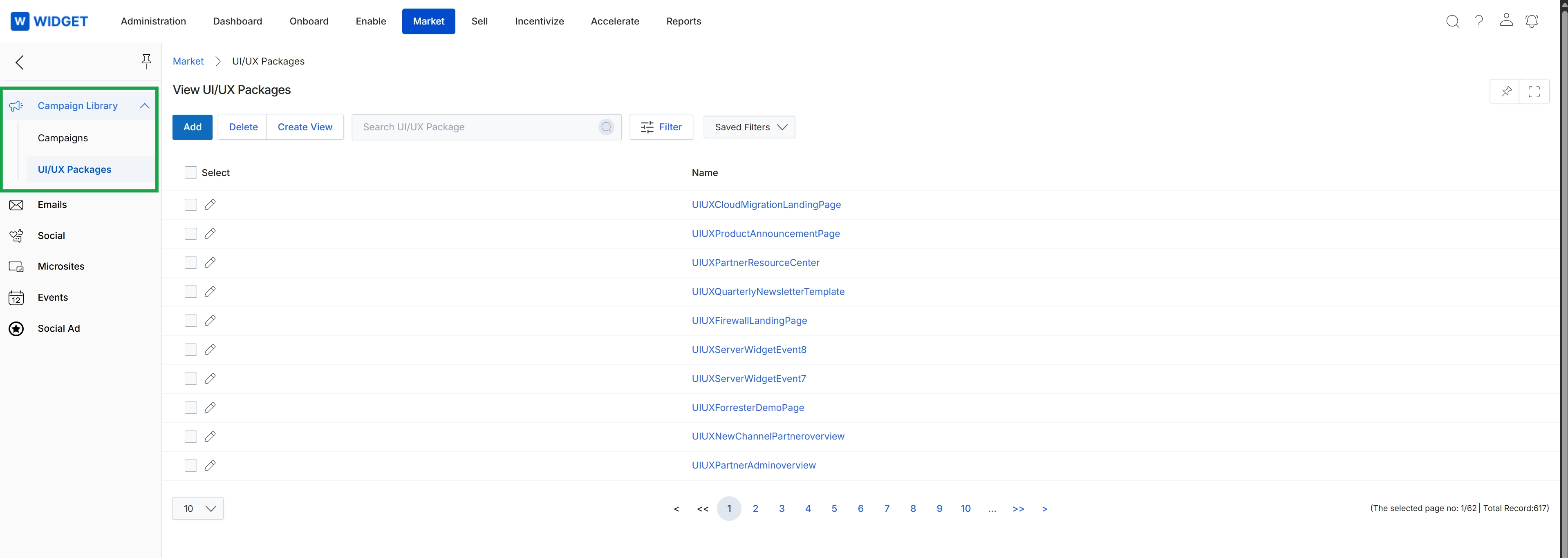
This screen displays the 'UI/UX Packages' list view within the Market module, providing administrators with an overview of available UI/UX packages. These packages are pre-designed sets of user interface and user experience elements that partners can leverage to create co-branded marketing assets, such as microsites or email templates, ensuring brand consistency and accelerating campaign deployment. Administrators can manage these packages, adding new ones, deleting existing ones, or creating custom views to organize the list. This list view is crucial for maintaining a library of standardized, high-quality marketing components that partners can easily access and utilize for their co-marketing efforts.
The 'UI/UX Packages' list view is displayed, showing all available UI/UX packages.
Buttons
| Button | Description |
|---|---|
| Add | Click to add a new UI/UX package to the library. |
| Delete | Click to delete selected UI/UX packages from the library. |
| Create View | Click to create a custom filtered view of the UI/UX packages list. |
| Filter | Click to apply filters to the list of UI/UX packages. |
| Saved Filters | Select from a dropdown of previously saved filter configurations. |
Fields
| Field | Description |
|---|---|
| Search UI/UX Package | Enter keywords to search for specific UI/UX packages by name. |
Column Headings
| Column | Description |
|---|---|
| Select | Checkbox to select all visible UI/UX packages for bulk actions. |
| Name | Displays the name of each UI/UX package. |