

Overview
Partner Tiers are a fundamental component of any structured partner program, allowing vendors to differentiate partners and incentivize performance. By defining distinct tiers like Bronze, Silver, Gold, and Platinum, administrators can align specific benefits, resources, and reward structures with varying levels of partner engagement and achievement. This not only motivates partners to progress through the tiers but also enables the vendor to tailor support and offerings effectively.
This module provides the tools to create, edit, and manage these tiers, ensuring that the partner program's structure is clearly defined and consistently applied. Each tier can be configured with a unique name, description, and a list of earned benefits, which helps in communicating the value proposition to partners and automating the delivery of appropriate resources and incentives.
Accessing Partner Tiers
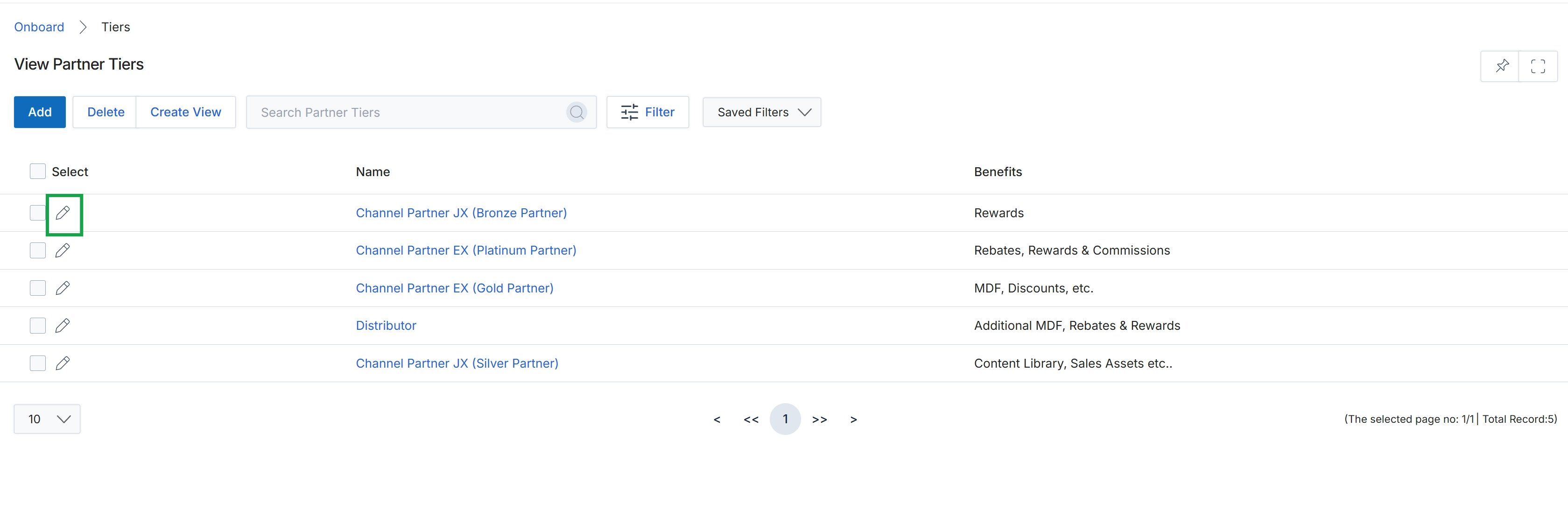
Click the pencil icon next to the desired partner tier to edit it.
Editing a Partner Tier
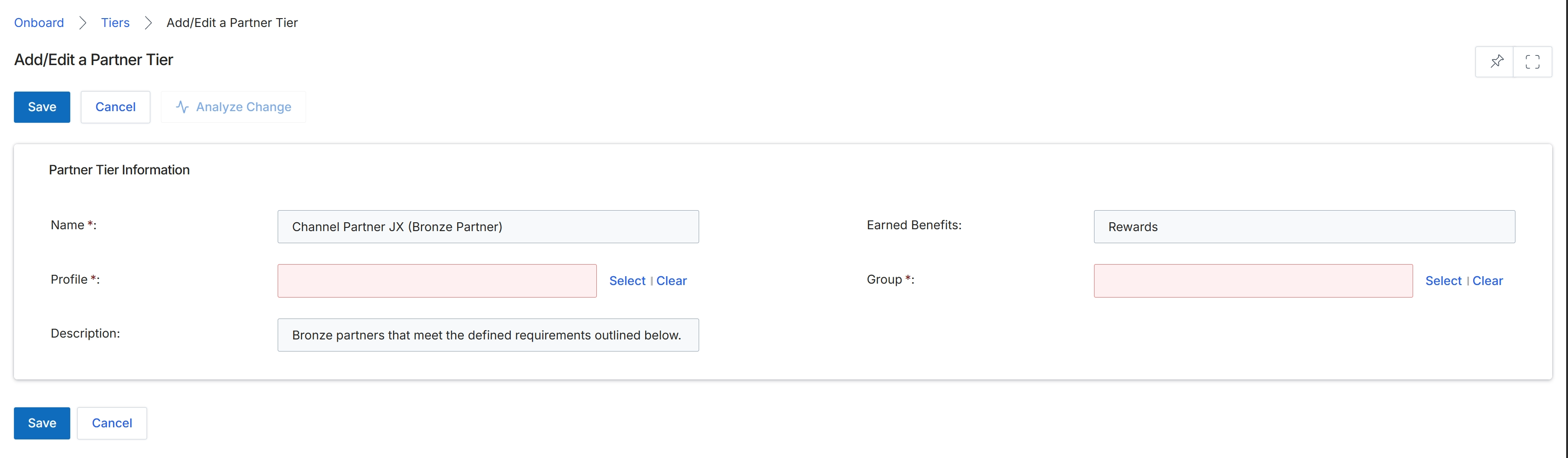
This screen, titled 'Add/Edit a Partner Tier', is part of the Onboard module and allows administrators to modify the details of an existing partner tier. Partner tiers, such as Bronze, Silver, Gold, and Platinum, categorize partners based on performance levels and determine the benefits and access they receive within the platform. This form displays the current configuration of a selected tier, including its name, associated profile, group, and a description. Administrators use this interface to update tier properties, which can impact partner scoring, benefits, and overall program structure. The ability to edit tiers is crucial for managing the partner ecosystem and ensuring that tier definitions align with the program's evolving requirements.
Edit the details of the existing partner tier as needed on the Add/Edit a Partner Tier form.
Buttons
| Button | Description |
|---|---|
| Save | Saves the changes made to the partner tier. |
| Cancel | Discards any changes and returns to the previous screen. |
| Analyze Change | Analyzes the potential impact of the proposed changes to the tier. |
Partner Tier Information
| Field | Description |
|---|---|
| Name * | The name of the partner tier, which is a required field. |
| Earned Benefits | Displays the benefits associated with this partner tier. |
| Profile * | The profile associated with the partner tier, which is a required field. |
| Group * | The group to which this partner tier belongs, which is a required field. |
| Description | A descriptive text field explaining the characteristics or requirements of the partner tier. |