

Overview
Badges are a crucial component of partner recognition and incentivization within the platform, often reflecting a partner's achievement, tier status, or specialized skills. Administrators use this feature to review the configuration of existing badges, ensuring they accurately represent the intended recognition and are correctly linked to partner tiers or other criteria. This detailed view helps in maintaining consistency and clarity in the partner program's recognition structure.
Accessing the Badges List
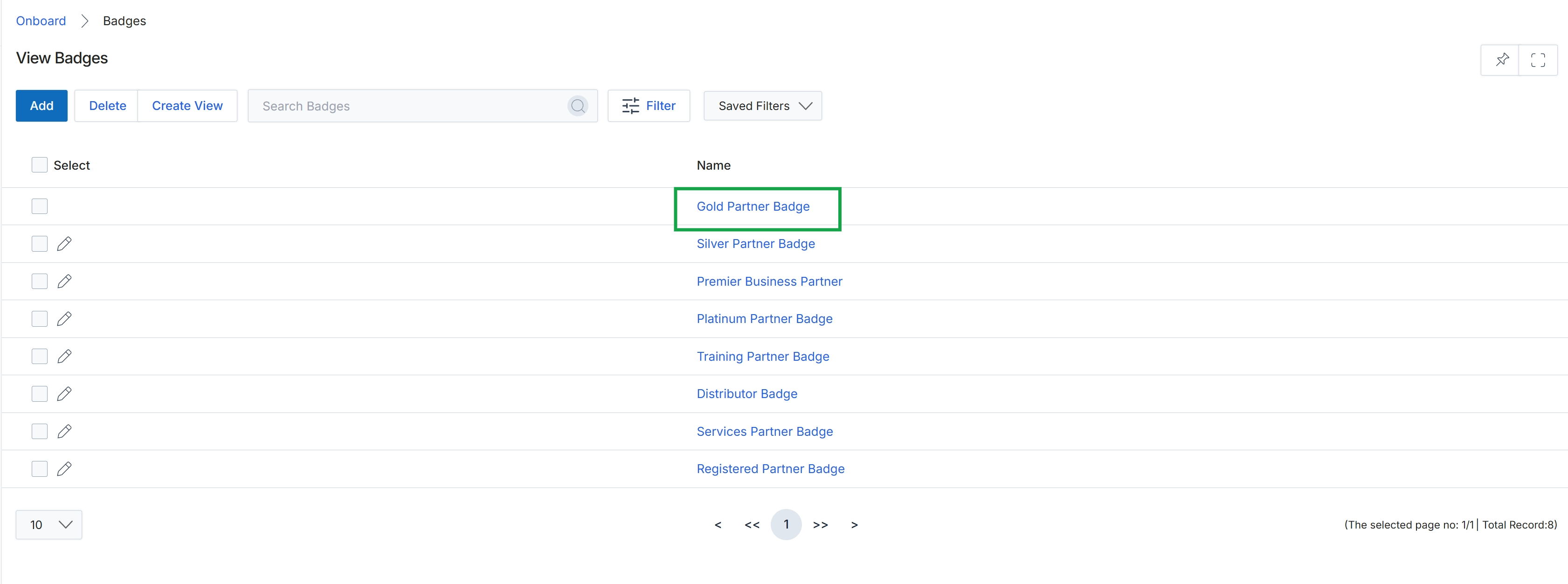
Click the Gold Partner Badge link in the Name column.
Viewing Badge Details
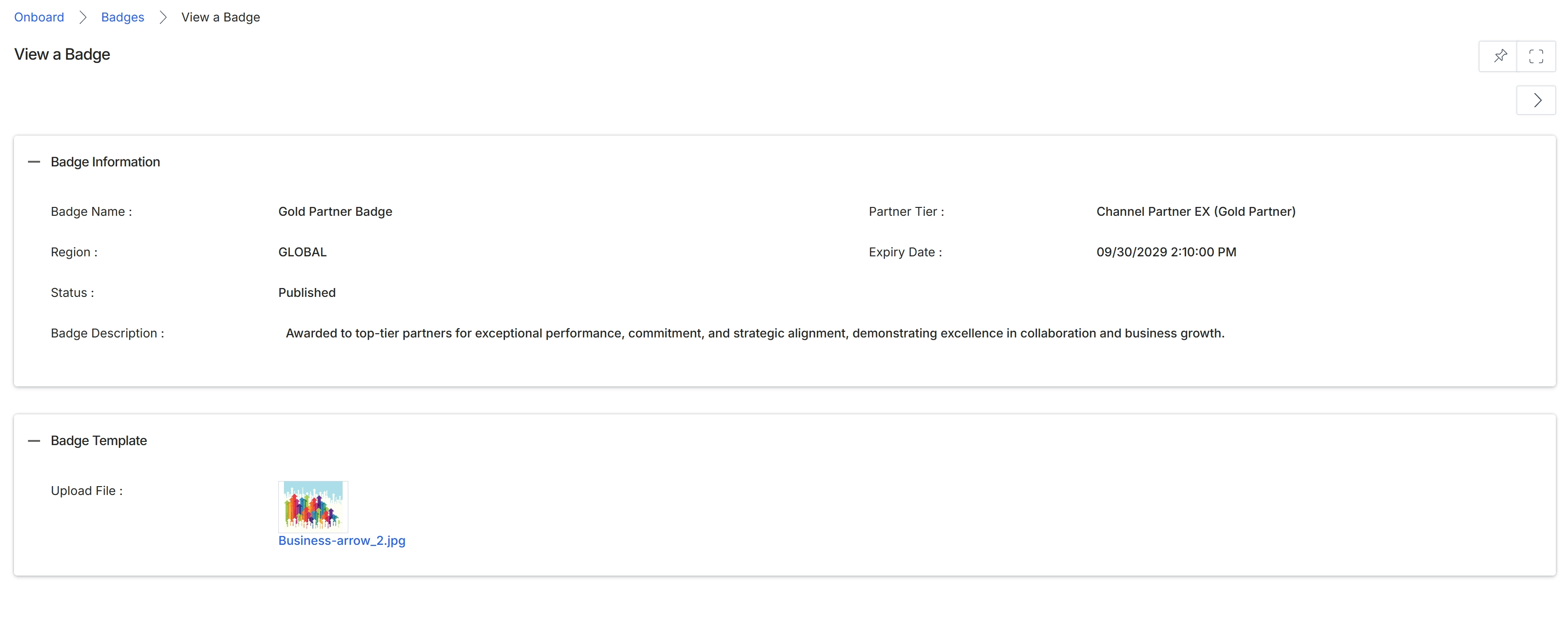
This screen displays the detailed information for a specific badge within the platform. Badges are visual recognitions awarded to partners based on criteria such as performance, commitment, or tier status, as defined in the Onboard module. This view provides an overview of the badge's attributes, including its name, the region it applies to, its current publication status, and a description of what the badge signifies. It also shows the associated partner tier and the badge's expiration date, along with the visual template used for the badge.
Review the details of the selected badge.
Badge Information
| Field | Description |
|---|---|
| Badge Name | The name of the badge, identifying its purpose or achievement. |
| Region | Indicates the geographic region where the badge is applicable. |
| Status | The current publication status of the badge, such as 'Published'. |
| Badge Description | A detailed explanation of what the badge represents and the criteria for earning it. |
| Partner Tier | The partner tier associated with this badge, indicating which tier of partners can earn or display it. |
| Expiry Date | The date and time when the badge will expire. |
Badge Template
| Field | Description |
|---|---|
| Upload File | The image file used as the visual representation for the badge. |