

Overview
Partner Types are fundamental to structuring partner programs, as they categorize partners (e.g., Reseller, Affiliate, ISV, MSP, VAR, Consultant) and dictate their specific program eligibility, content visibility, and incentive structures. Defining clear Partner Types ensures that each partner segment receives relevant resources and support tailored to their business model and role within the ecosystem. This module provides the tools to manage these foundational classifications.
Administrators use this feature to review existing Partner Types, understand their configurations, and make necessary adjustments. This ensures that the partner ecosystem is accurately segmented, enabling effective targeting of communications, training, and incentive programs through other modules.
Accessing Partner Types
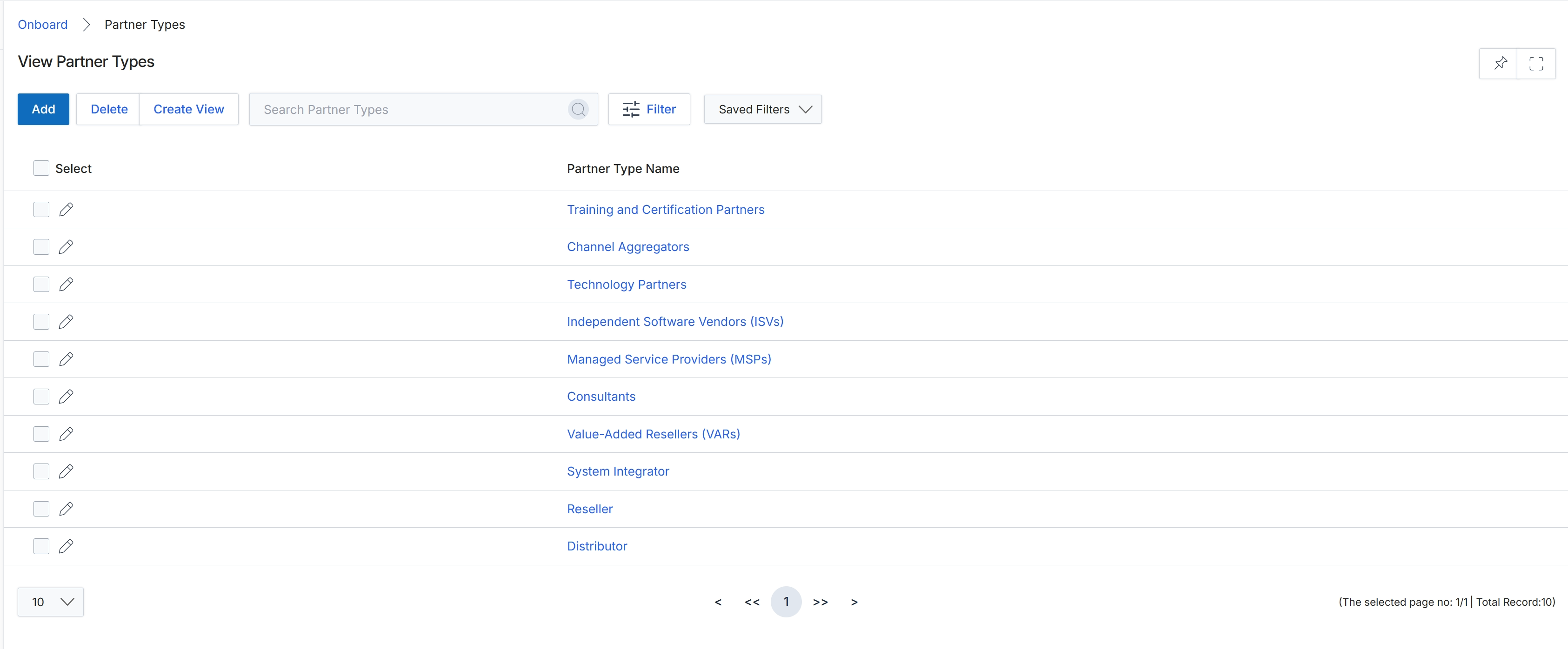
Click Training and Certification Partners to view the details of that partner type.
Viewing Partner Type Details
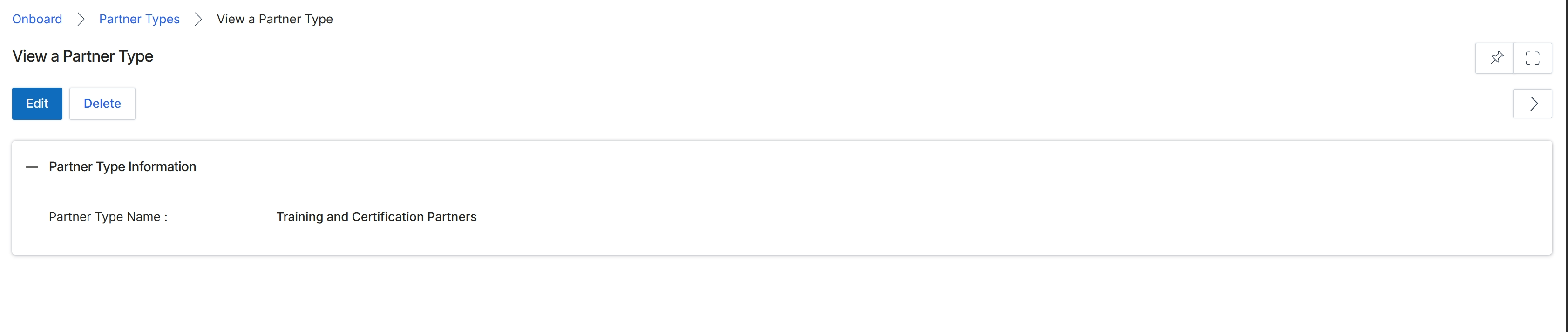
This screen displays the details of a specific Partner Type within the Onboard module. Partner Types are categories that classify partners (e.g., Reseller, Affiliate, ISV, MSP, VAR, Consultant) and are fundamental to how the platform manages partner programs. The Partner Type determines which programs a partner can enroll in, influences content visibility, and impacts incentive eligibility. Administrators use this view to review the name of an existing partner type and can choose to edit its details or delete it from the system, which would affect any partners currently assigned to that type.
Review the details of the selected Partner Type.
Buttons
| Button | Description |
|---|---|
| Edit | Click to modify the details of this Partner Type. |
| Delete | Click to remove this Partner Type from the system. |
Partner Type Information
| Field | Description |
|---|---|
| Partner Type Name | The name assigned to this partner classification. |