

Overview
Effective communication and detailed record-keeping are crucial for managing partner relationships and co-selling activities. The ability to add and manage notes ensures that all relevant information, discussions, and actions are captured and easily accessible. This is particularly important in co-selling scenarios where multiple parties (vendor and partner) collaborate on a deal, requiring a shared understanding of progress and commitments. By associating notes with specific records, such as deals or accounts, administrators can maintain a clear audit trail and context for every interaction.
Accessing and Viewing Notes
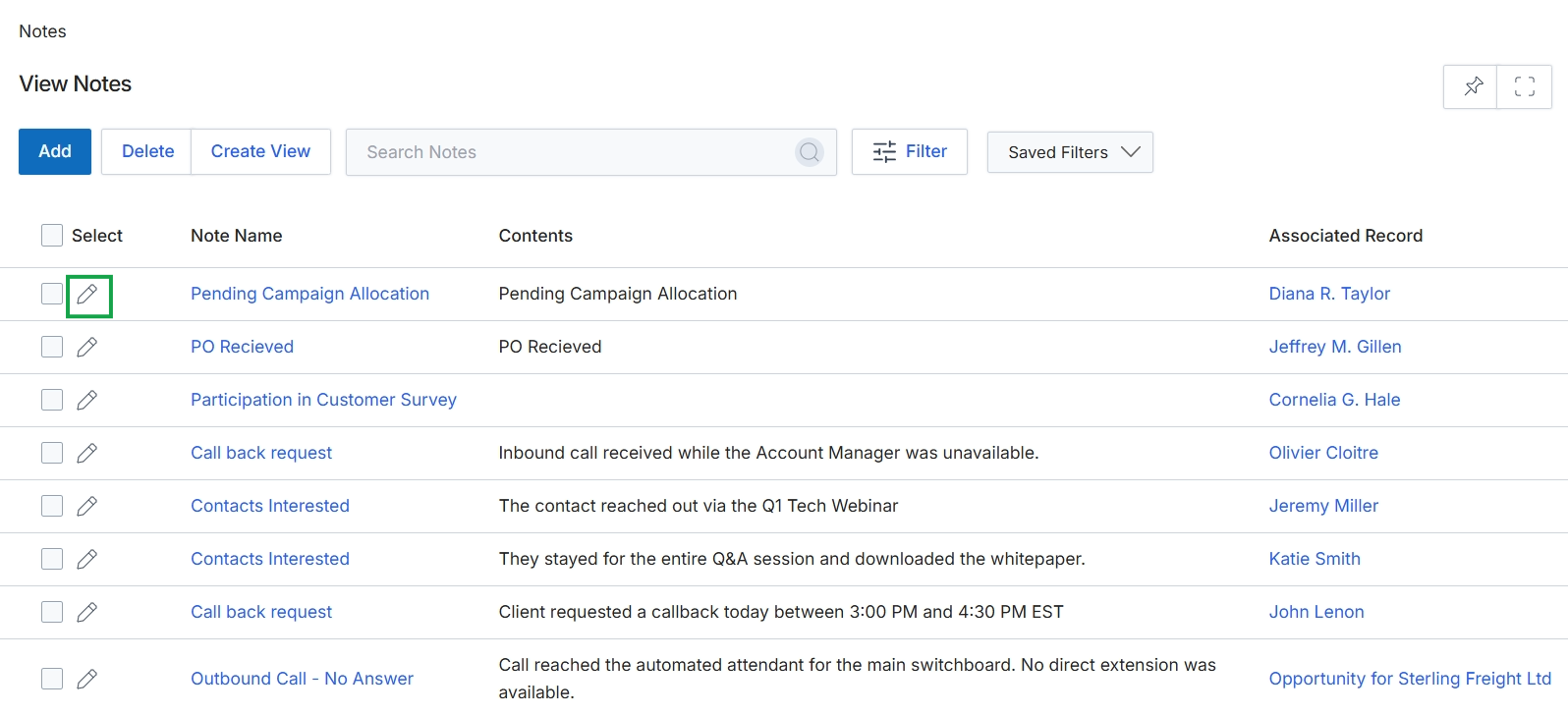
Click the pencil icon next to the desired note to edit it.
Adding or Editing a Note
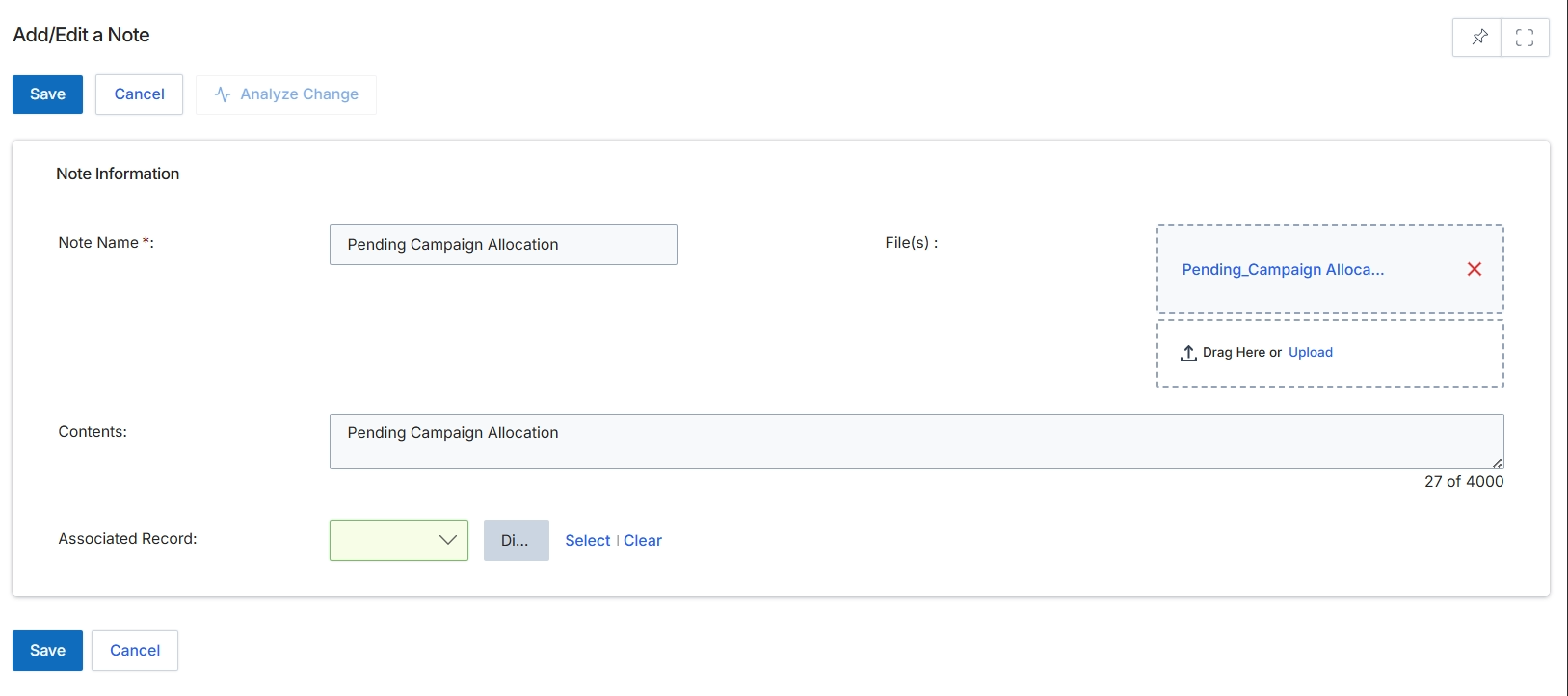
This screen provides a form for adding or editing a note within the UPM. Notes serve as a mechanism for users to record contextual information, observations, or updates related to various entities across the platform, such as leads, deals, or co-sell requests. By associating notes with specific records, users can maintain a comprehensive history of interactions and relevant details, supporting collaborative efforts and ensuring that all stakeholders have access to pertinent information. The form allows for a descriptive name, detailed content, and the attachment of supporting files, making it a versatile tool for internal communication and record-keeping.
Fill in the details for the note, including its name, content, and any associated files or records.
Buttons
| Button | Description |
|---|---|
| Save | Saves the current note with the entered information. |
| Cancel | Discards any changes and closes the note editing form. |
| Analyze Change | Initiates an analysis of changes made to the note, if applicable. |
| Select | Allows the user to select an existing record to associate with this note. |
| Clear | Removes the currently associated record from the note. |
Note Information
| Field | Description |
|---|---|
| Note Name * | A required field for entering a descriptive name for the note. |
| File(s) | Allows users to upload or drag and drop files to attach to the note. Currently, 'Pending_Campaign Alloca...' is attached. |
| Contents | A text area for entering the detailed content or body of the note, with a character limit of 4000. |
| Associated Record | A dropdown field used to link this note to another record within the platform. The 'Select' and 'Clear' links allow for managing the associated record. |