

Overview
In the context of partner co-selling, effective task management is crucial for successful collaboration and deal progression. This module provides a dedicated interface for administrators to create and manage tasks related to co-sell requests, registered deals, or other associated records. By assigning specific tasks to users, setting due dates, and tracking their status, the platform helps ensure that joint selling efforts remain organized and on schedule.
This functionality supports the broader goal of streamlining co-sell workflows, allowing both vendor and partner teams to maintain clear visibility into responsibilities and progress. It helps prevent missed follow-ups and ensures that all necessary actions, from proposal discussions to product brief sharing, are completed efficiently, contributing to a higher win rate for co-sold opportunities.
Viewing Co-Sell Tasks
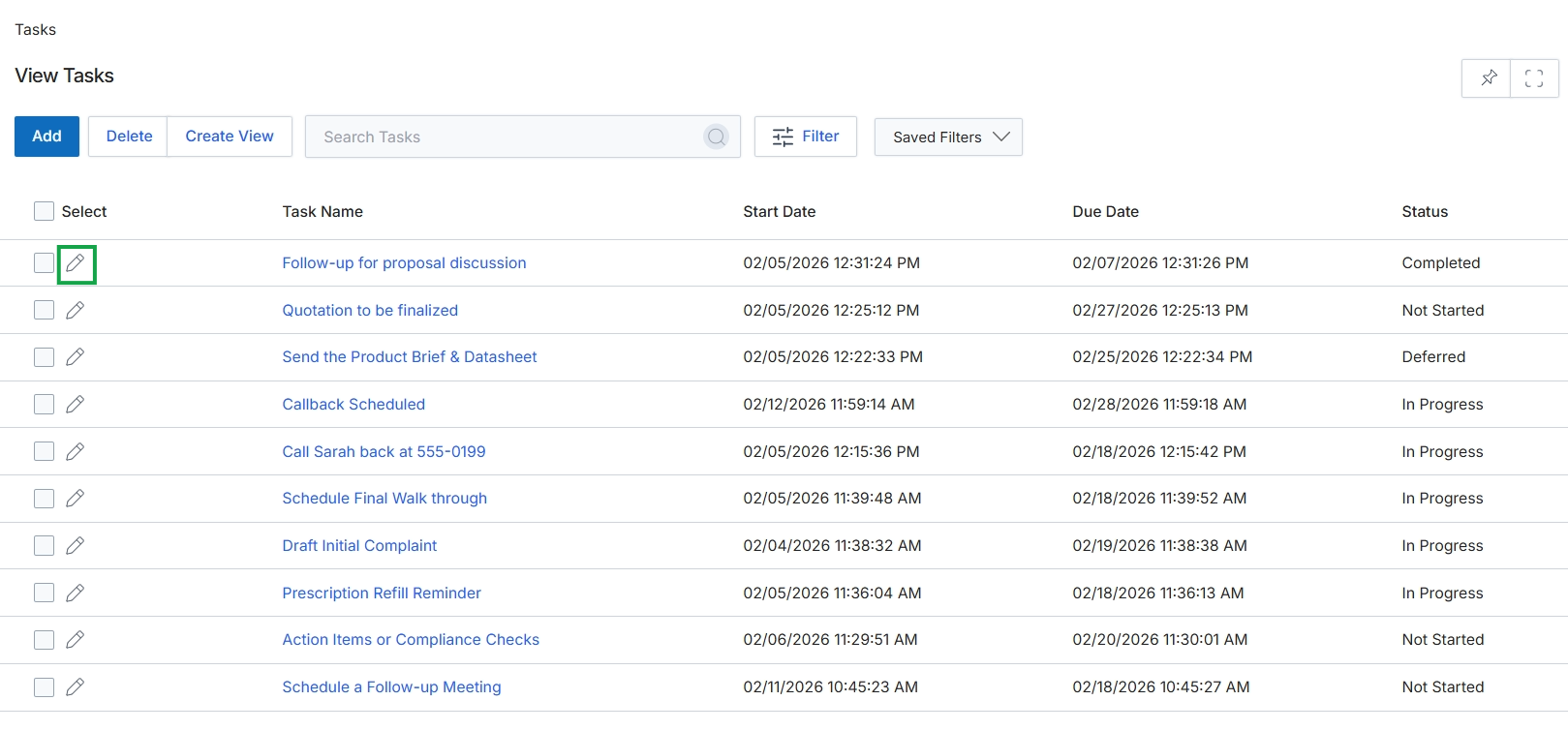
Click the edit icon next to the task "Follow-up for proposal discussion".
Adding or Editing a Task
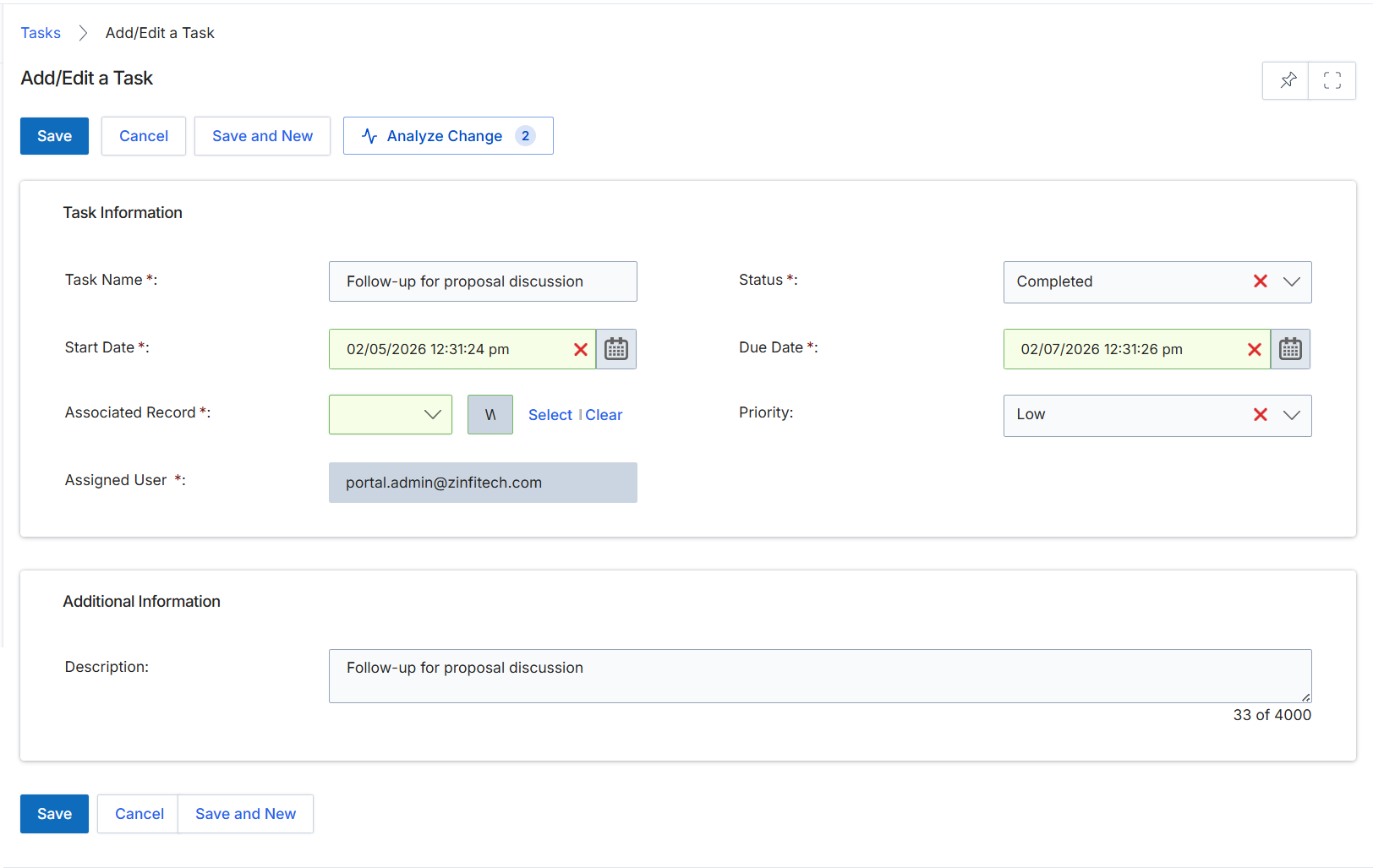
This screen presents the Add/Edit a Task form, which allows users to create new tasks or modify existing ones within the UPM platform. Tasks are essential for managing and tracking activities related to various entities, such as co-sell requests, leads, or deals, ensuring that responsibilities are assigned and deadlines are met. The form captures key details like the task name, associated record, due dates, and priority, facilitating organized workflow management for both vendor and partner users involved in collaborative processes.
Fill in the required details on the Add/Edit a Task form to create or update a task.
Buttons
| Button | Description |
|---|---|
| Save | Saves the current task details. |
| Cancel | Discards any changes and closes the form. |
| Save and New | Saves the current task and opens a new blank form to create another task. |
| Analyze Change | Displays a comparison of changes made to the task. |
Task Information
| Field | Description |
|---|---|
| Task Name | The name or title of the task. |
| Status | The current status of the task, such as 'Completed'. |
| Start Date | The date and time when the task is scheduled to begin. |
| Due Date | The date and time by which the task is expected to be completed. |
| Associated Record | Links the task to a specific record within the platform, such as a lead or deal. |
| Priority | The urgency level of the task, such as 'Low'. |
| Assigned User | The user responsible for completing the task. |
Additional Information
| Field | Description |
|---|---|
| Description | A detailed explanation or additional notes for the task. |