

Overview
Effective co-selling requires meticulous tracking of activities and responsibilities between the vendor and its partners. This module provides the tools to manage these collaborative tasks, ensuring that all follow-ups, quotations, and engagements related to deals are clearly defined, assigned, and monitored. By centralizing task management, the platform helps prevent miscommunication and ensures that critical steps in the sales cycle are not missed, ultimately contributing to successful deal closures and stronger partner relationships.
Accessing and Viewing Tasks
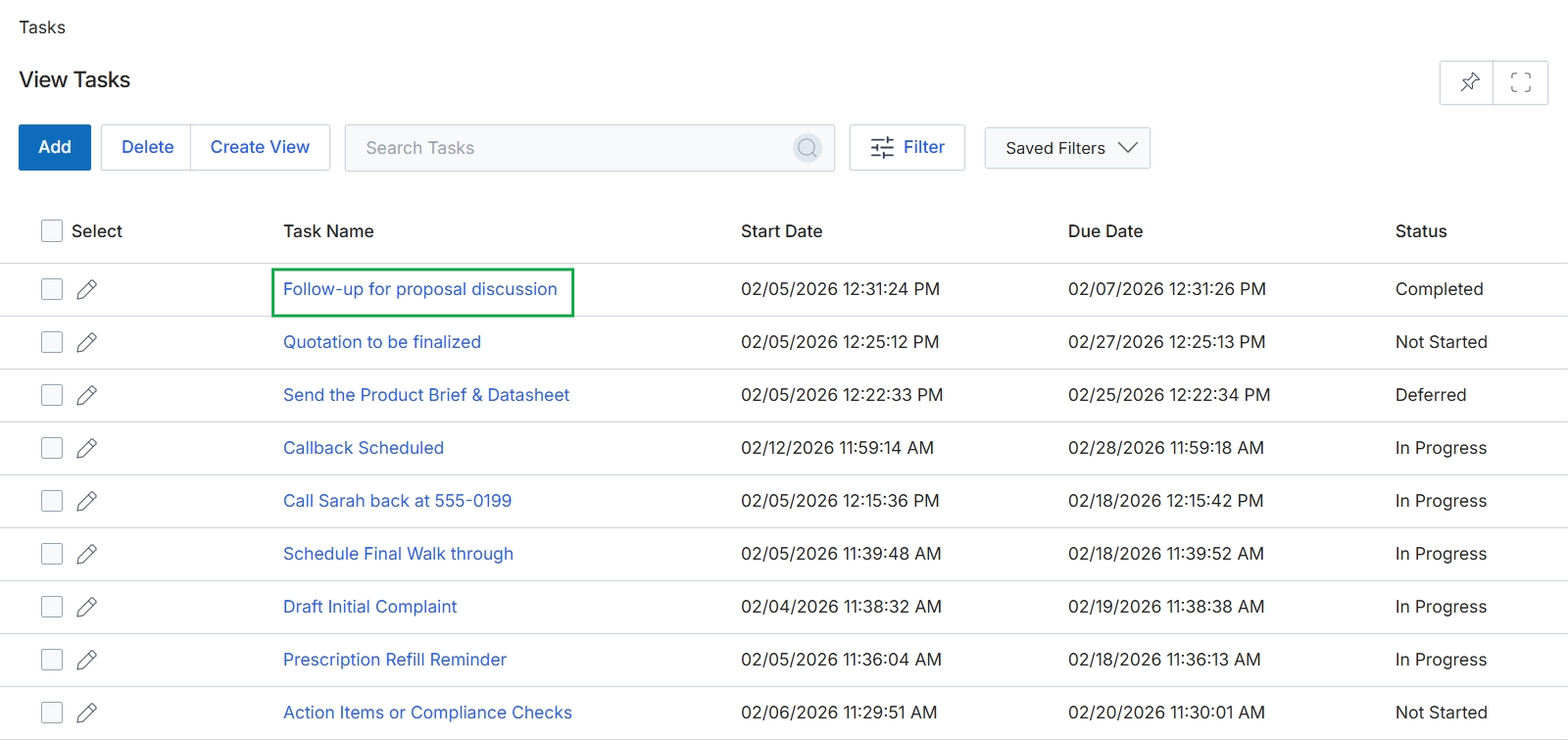
Click the Follow-up for proposal discussion task name.
Reviewing Task Details
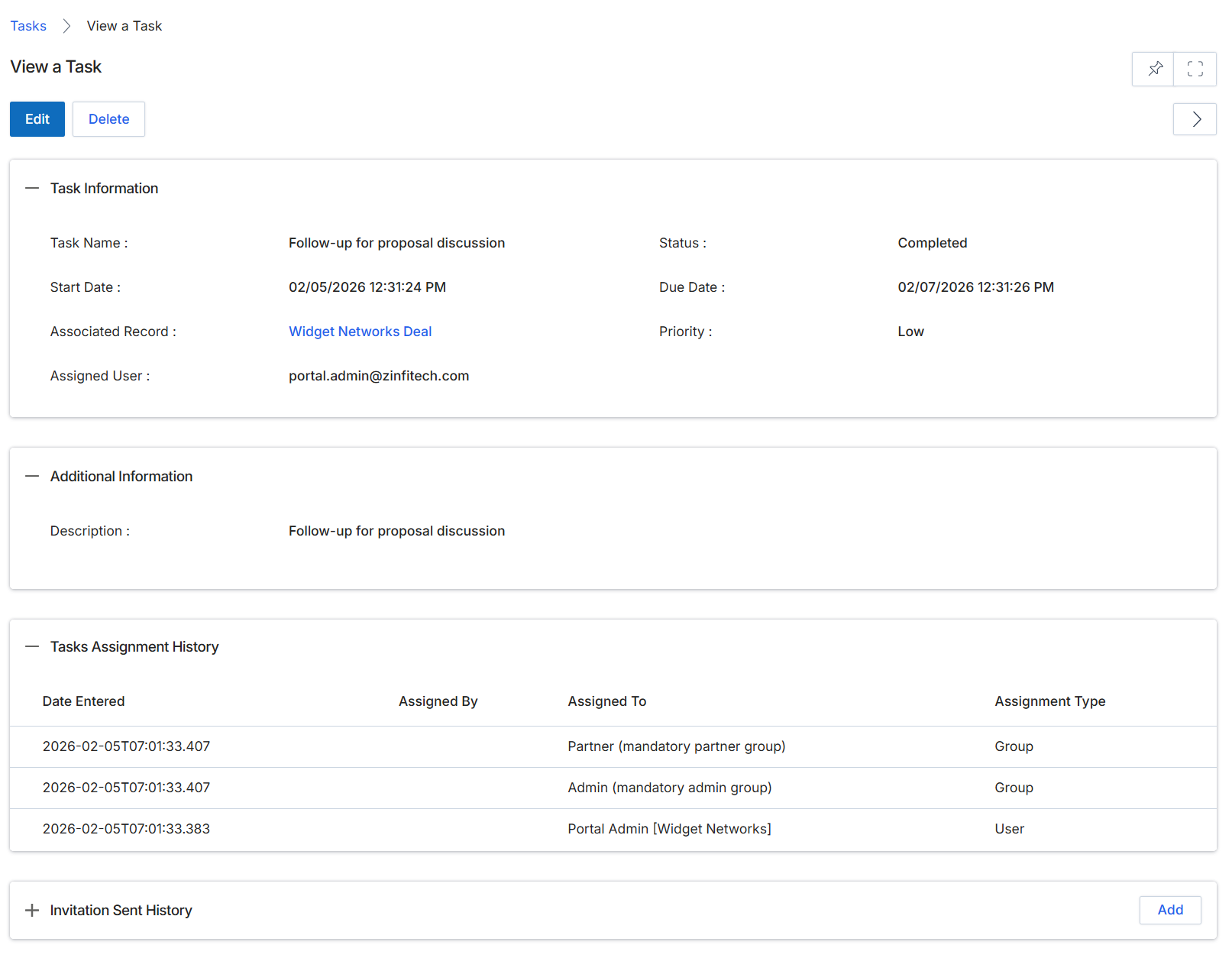
This screen provides a comprehensive view of a specific task within the platform, detailing its core information, additional context, and assignment history. Tasks are used to track activities related to various entities, such as deals, ensuring that follow-up actions and responsibilities are clearly defined and managed. The screen presents key attributes like the task's name, status, due date, and the record it is associated with, offering a centralized point for reviewing task progress and details. It also includes a historical log of how the task has been assigned over time, which is crucial for understanding accountability and workflow changes. Users can review all pertinent information before deciding to edit or delete the task.
Review the details of the selected task on this screen.
Buttons
| Button | Description |
|---|---|
| Edit | Click to modify the details of the current task. |
| Delete | Click to remove the current task from the system. |
| Add | Click to add a new entry to the Invitation Sent History. This section is currently collapsed. |
Task Information
| Field | Description |
|---|---|
| Task Name | The descriptive name given to the task. |
| Status | The current completion status of the task, such as 'Completed'. |
| Start Date | The date and time when the task was initiated. |
| Due Date | The deadline for completing the task. |
| Associated Record | A link to the record (e.g., a deal) that this task is related to. |
| Priority | The importance level assigned to the task, such as 'Low'. |
| Assigned User | The user currently responsible for completing the task. |
Additional Information
| Field | Description |
|---|---|
| Description | A detailed explanation or additional notes about the task. |
Tasks Assignment History
| Column | Description |
|---|---|
| Date Entered | The date and time when the assignment record was created. |
| Assigned By | The user or system component that assigned the task. This column is currently empty. |
| Assigned To | The entity (user or group) to whom the task was assigned. |
| Assignment Type | Indicates whether the task was assigned to a 'Group' or a specific 'User'. |