

Overview
Effective co-selling requires meticulous record-keeping to ensure seamless collaboration between vendor and partner teams. The Notes feature within the Co-Sell module serves as a critical tool for capturing and organizing all pertinent information related to co-sell requests, shared deals, and joint activities. This includes communication logs, decisions made, follow-up actions, and any other details that contribute to the success of a co-sell engagement.
By centralizing these notes and linking them to specific co-sell records, administrators can maintain a comprehensive history of each interaction. This not only aids in tracking progress and accountability but also provides valuable context for future engagements, helping to optimize co-selling strategies and improve overall partner collaboration.
Accessing Co-Sell Notes
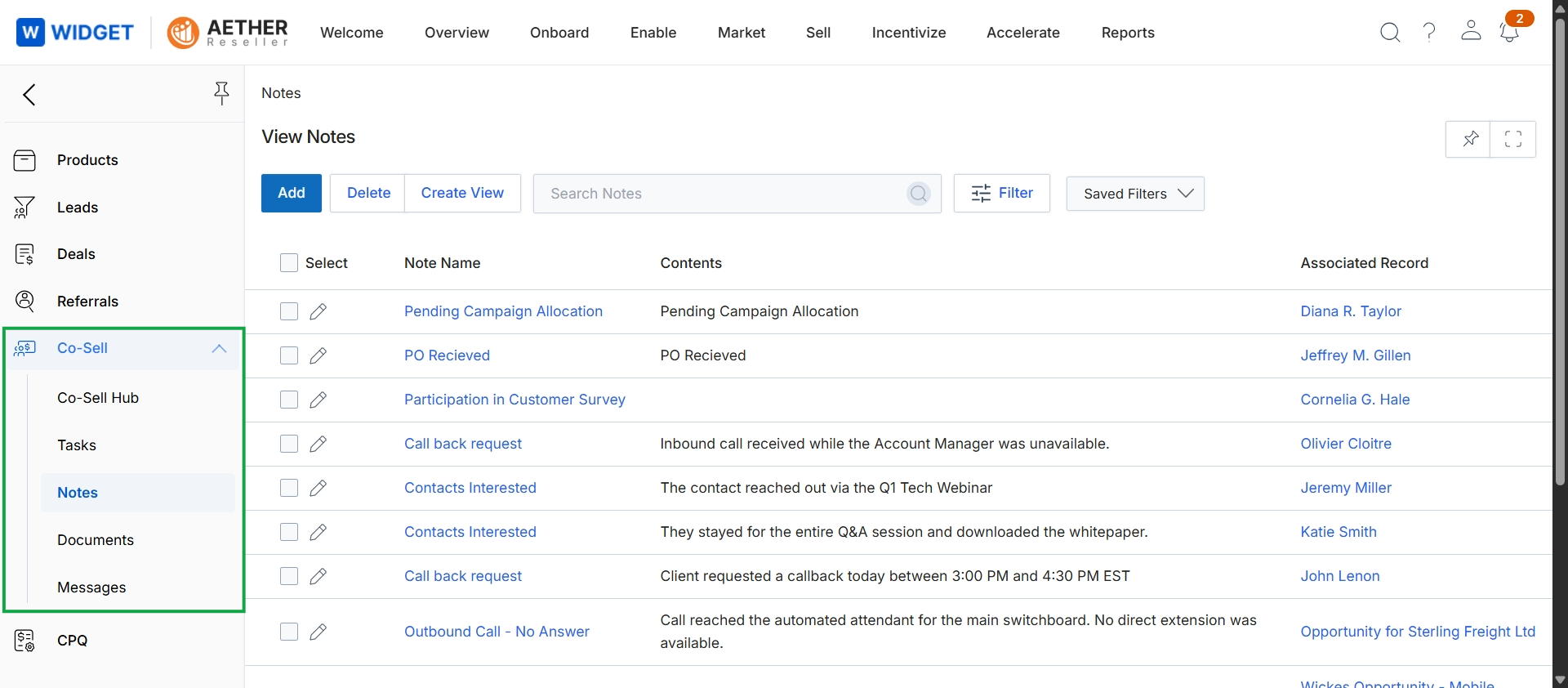
Click Co-Sell → Notes.
Managing Notes List Views
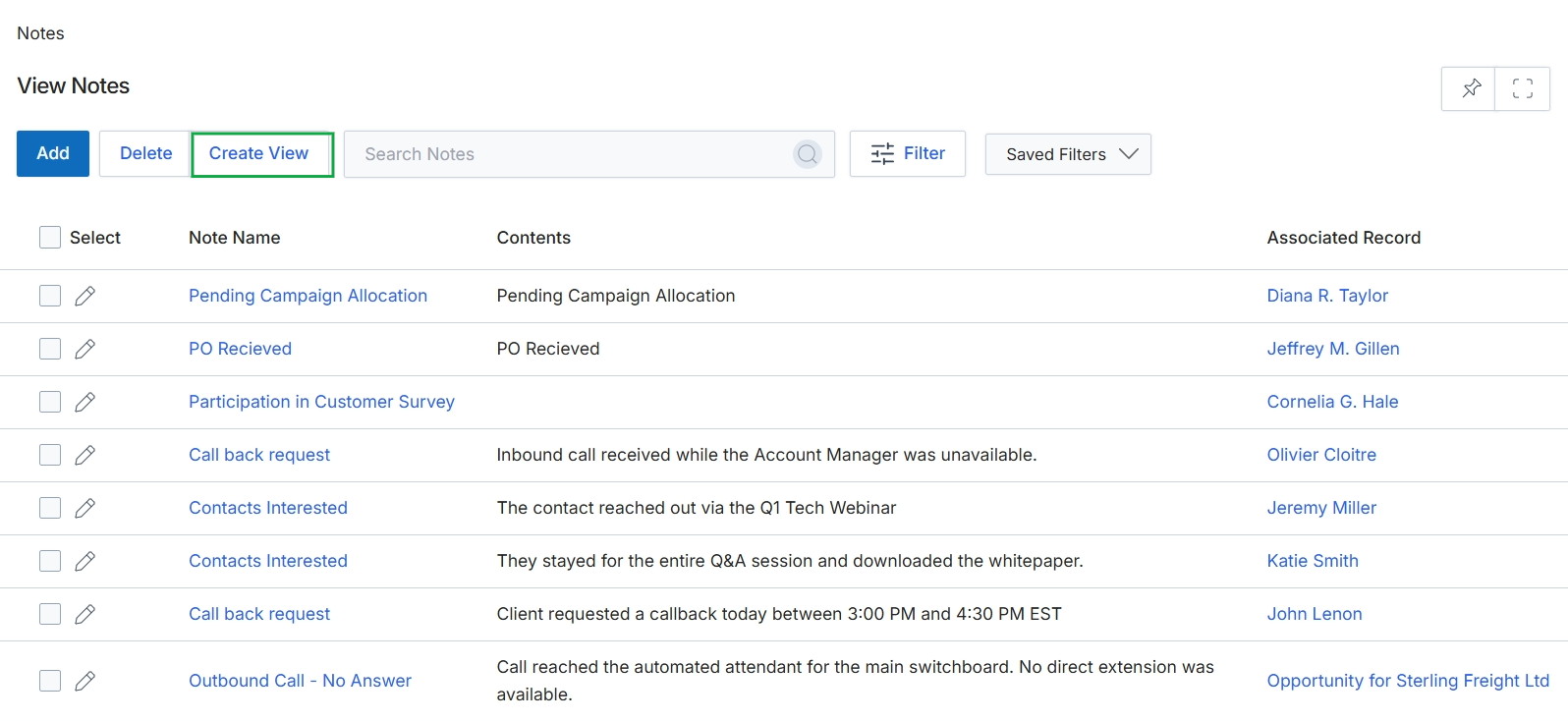
Click Notes in the left navigation menu.
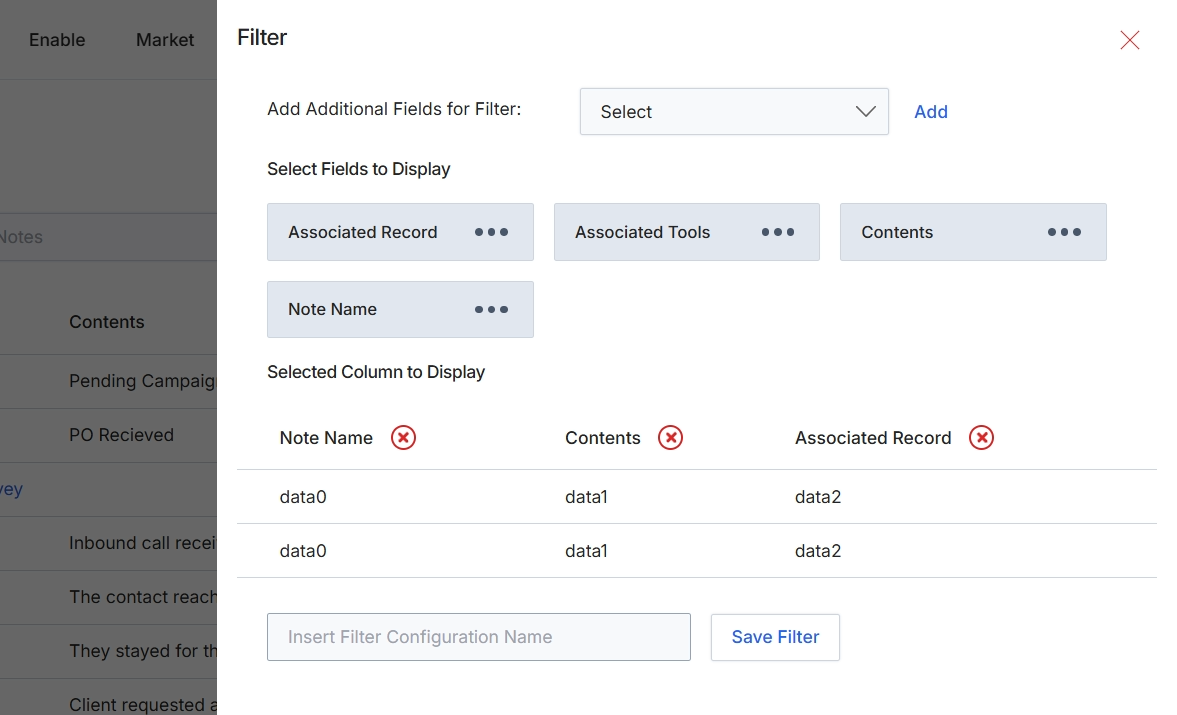
This filter configuration dialog allows users to customize the display and filtering of data within a list view. Users can select additional fields to use for filtering the data, as well as choose which columns are visible in the main data table. This functionality enables users to create personalized views of the data, focusing on the most relevant information and applying specific criteria to narrow down results. The ability to save filter configurations streamlines future data analysis and reporting tasks by allowing quick access to frequently used views.
Configure the filter settings by selecting fields to filter by and columns to display, then save the filter configuration.
Buttons
| Button | Description |
|---|---|
| Add | Adds the selected field from the 'Add Additional Fields for Filter' dropdown to the filter criteria. |
| Associated Record | A draggable button representing a column that can be displayed in the list view, showing the record to which a note is associated. |
| Save Filter | Saves the current filter and column display configuration under the specified name. |
Fields
| Field | Description |
|---|---|
| Select | A dropdown menu to add additional fields that can be used to filter the data in the associated list view. |
| Insert Filter Configuration Name | A text input field to enter a name for the current filter configuration, allowing it to be saved and reused. |