

Overview
Effective communication and detailed record-keeping are crucial for managing partner relationships and sales activities. The Notes feature within the platform serves as a vital tool for administrators to capture and organize important contextual information related to leads, deals, partners, or other relevant entities. These notes can include internal comments, follow-up reminders, customer interactions, or any other pertinent details that support ongoing operations and decision-making.
Viewing the Notes List
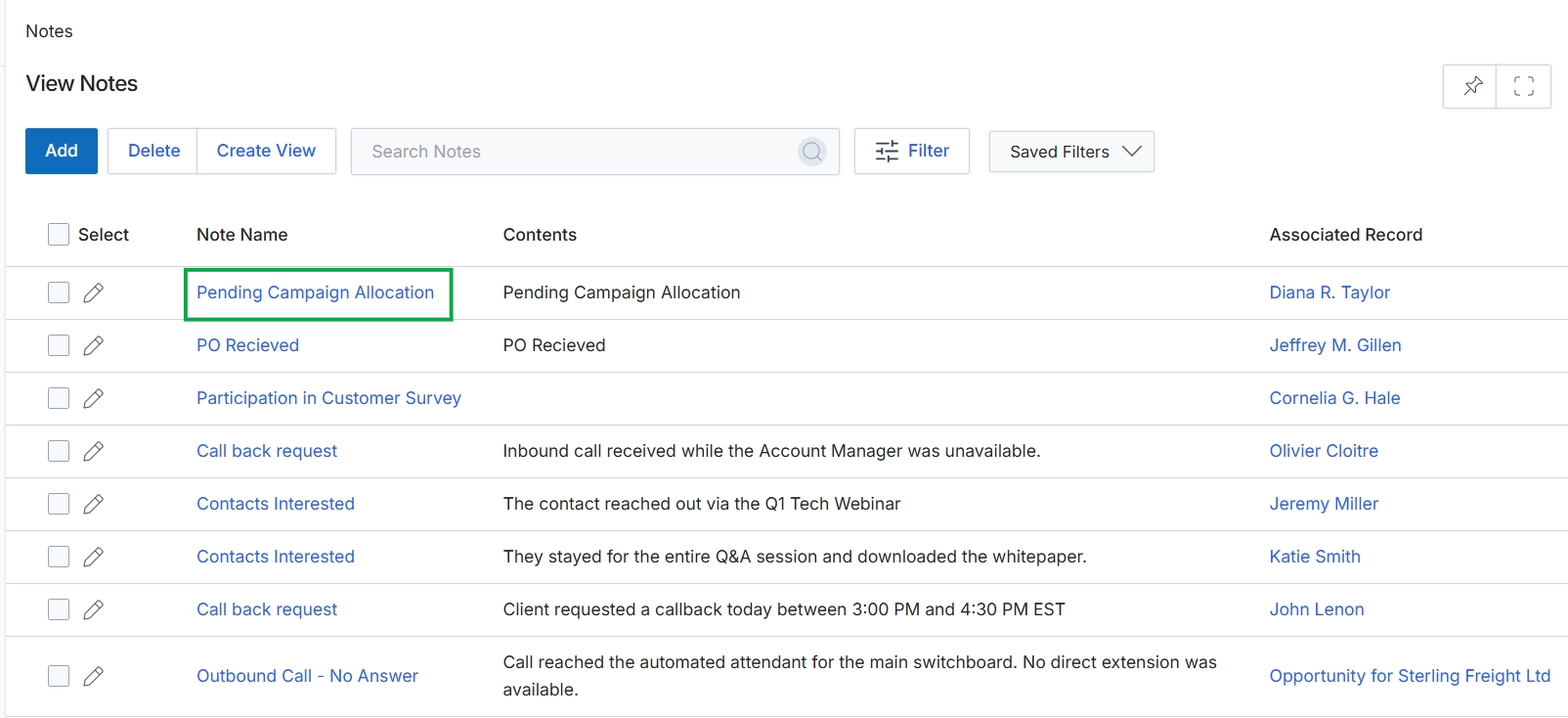
Click the Pending Campaign Allocation link.
Reviewing Note Details
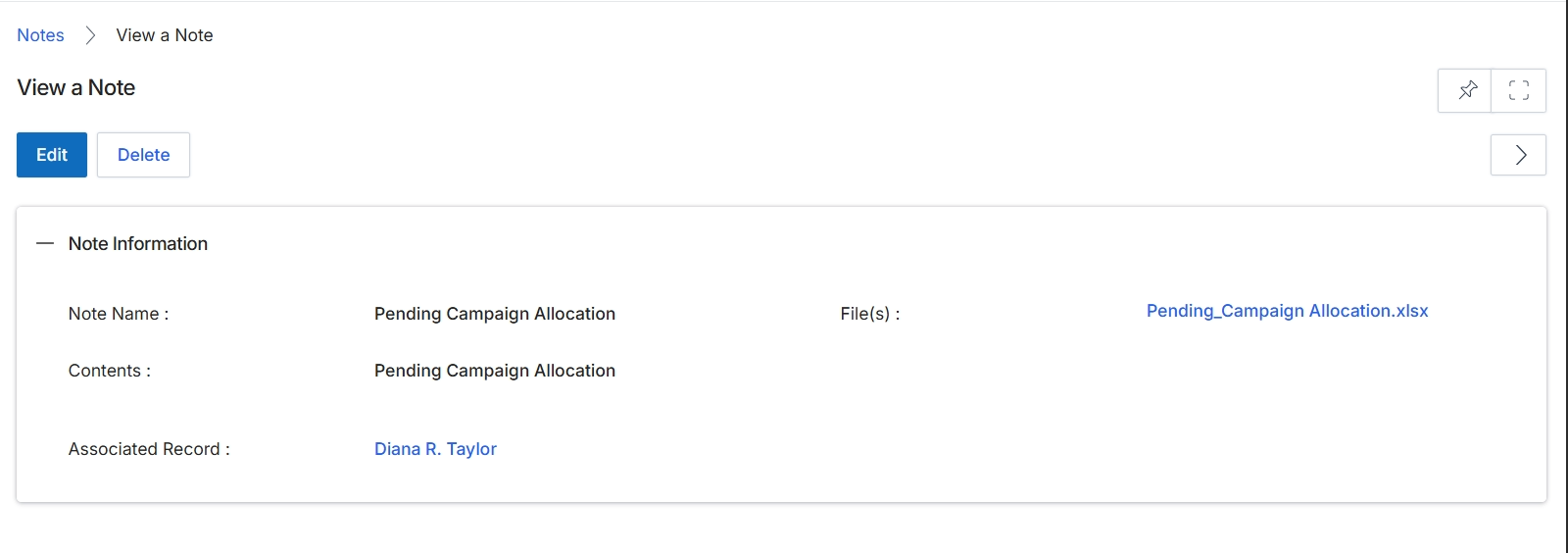
This screen displays the detailed information for a specific note within the UPM. Notes serve as a mechanism to attach contextual information, comments, or files to various records across the platform, such as leads, deals, or co-sell requests, providing a comprehensive audit trail and additional context for users. The view shows the note's descriptive name, its textual content, any files associated with it, and the specific record to which it is linked, allowing users to quickly understand the purpose and context of the note. Users with appropriate permissions can also edit or delete the note from this view.
Review the details of the selected note on the 'View a Note' screen.
Buttons
| Button | Description |
|---|---|
| Edit | Click to modify the details of this note. |
| Delete | Click to permanently remove this note from the system. |
Note Information
| Field | Description |
|---|---|
| Note Name | The title or subject of the note. |
| File(s) | Any files attached to this note, which can be downloaded by clicking the link. |
| Contents | The main textual content or body of the note. |
| Associated Record | The specific record (e.g., a lead, deal, or contact) to which this note is linked. |