

Overview
Webhooks are a crucial component for integrating the platform with other business systems, enabling real-time communication and automation. By configuring webhooks, administrators can ensure that data changes or events within the platform automatically trigger actions or updates in external applications like CRM, marketing automation, or analytics platforms. This eliminates the need for manual data entry or periodic batch synchronizations, leading to more efficient operations and a unified view of data across the organization.
Each webhook can be tailored to specific modules and CRM types, allowing for precise control over what data is sent and to which external system. The ability to define a webhook endpoint, associate it with a CRM mapper, and even include SQL scripts provides a powerful and flexible mechanism for advanced integration scenarios, supporting complex data transformations and conditional logic.
Viewing and Managing Webhooks
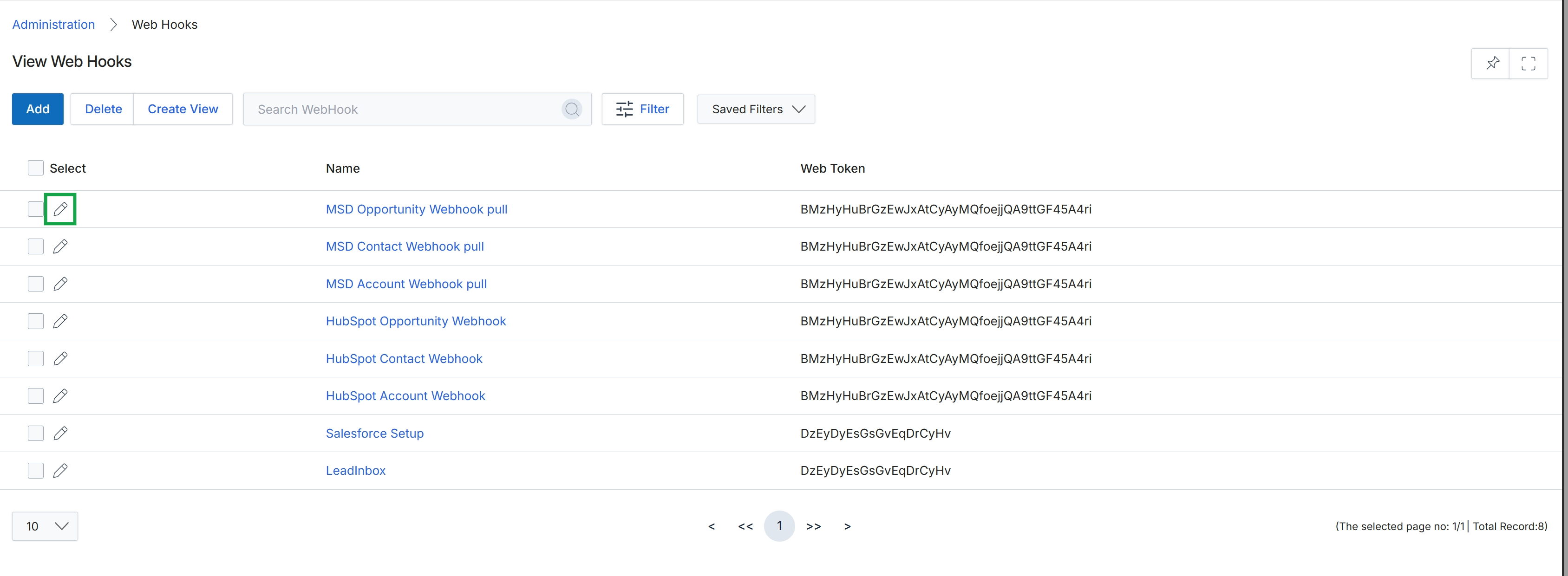
Click the pencil icon next to the webhook you want to edit.
Adding or Editing a Webhook
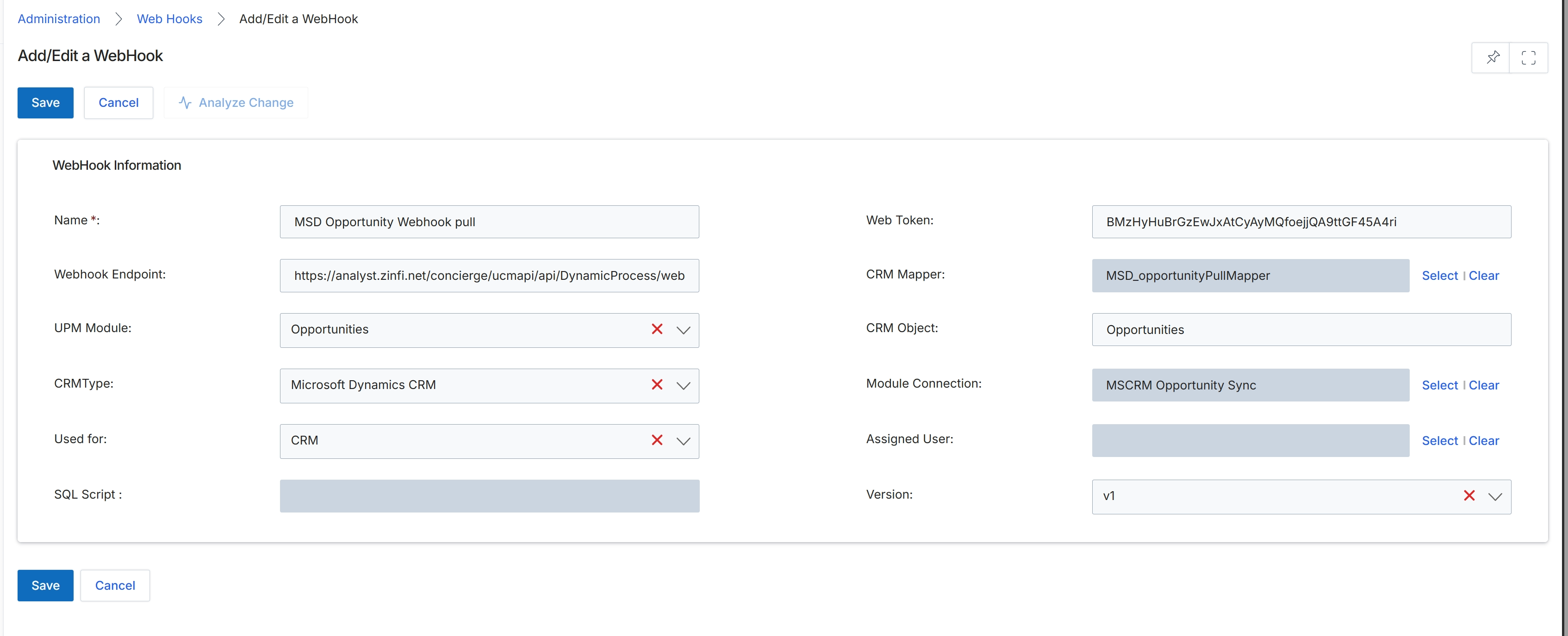
This screen, titled 'Add/Edit a WebHook', allows administrators to configure or modify webhook integrations within the platform. Webhooks are automated messages sent from the platform to a specified URL when a particular event occurs, enabling real-time data synchronization or triggering actions in external systems. This form displays various parameters for defining the webhook's behavior, including its name, the endpoint URL, the associated module and CRM type, and specific mapping details for data exchange. Administrators use this interface to ensure that the platform can communicate effectively with other applications, supporting workflows such as CRM updates or custom notifications based on platform events.
Review the pre-filled details for the webhook and click "Save" to confirm the changes.
Buttons
| Button | Description |
|---|---|
| Save | Saves the current webhook configuration. |
| Cancel | Discards any changes and returns to the previous screen. |
| Analyze Change | Analyzes the impact of the webhook configuration changes. |
WebHook Information
| Field | Description |
|---|---|
| Name | The name of the webhook, used for identification within the platform. |
| Webhook Endpoint | The URL where the webhook will send its payload when triggered. |
| UPM Module | The platform module to which this webhook is associated, such as Opportunities. |
| CRMType | The type of CRM system integrated with this webhook, such as Microsoft Dynamics CRM. |
| Used for | Indicates the primary purpose or context for which the webhook is used, such as CRM integration. |
| SQL Script | A field for entering an SQL script, if required for custom data processing before sending the webhook. |
| Web Token | A security token used to authenticate the webhook's requests. |
| CRM Mapper | Specifies the data mapper used to translate platform data into a format compatible with the integrated CRM. |
| CRM Object | The specific object within the CRM system that this webhook interacts with, such as Opportunities. |
| Module Connection | The specific connection configuration for the module, such as MSCRM Opportunity Sync. |
| Assigned User | The user assigned to this webhook configuration, potentially for ownership or notification purposes. |
| Version | The version identifier for the webhook configuration. |