

Overview
When integrating the UPM with various Customer Relationship Management (CRM) systems like HubSpot, Salesforce, or Microsoft Dynamics, discrepancies can arise in how certain fields and their values are represented. For instance, a 'Sales Stage' in one CRM might have values like 'Closed Lost' while the UPM uses '9 - Closed Lost'. CRM Exception Field Values management addresses this by allowing administrators to explicitly define these mappings.
This ensures that when data is synchronized between the UPM and external CRMs, all relevant field values are correctly interpreted and standardized. This standardization is crucial for accurate reporting, consistent workflow triggers, and reliable data analysis within the UPM, preventing data integrity issues that could otherwise impact partner program effectiveness and financial calculations.
Viewing CRM Exception Field Values
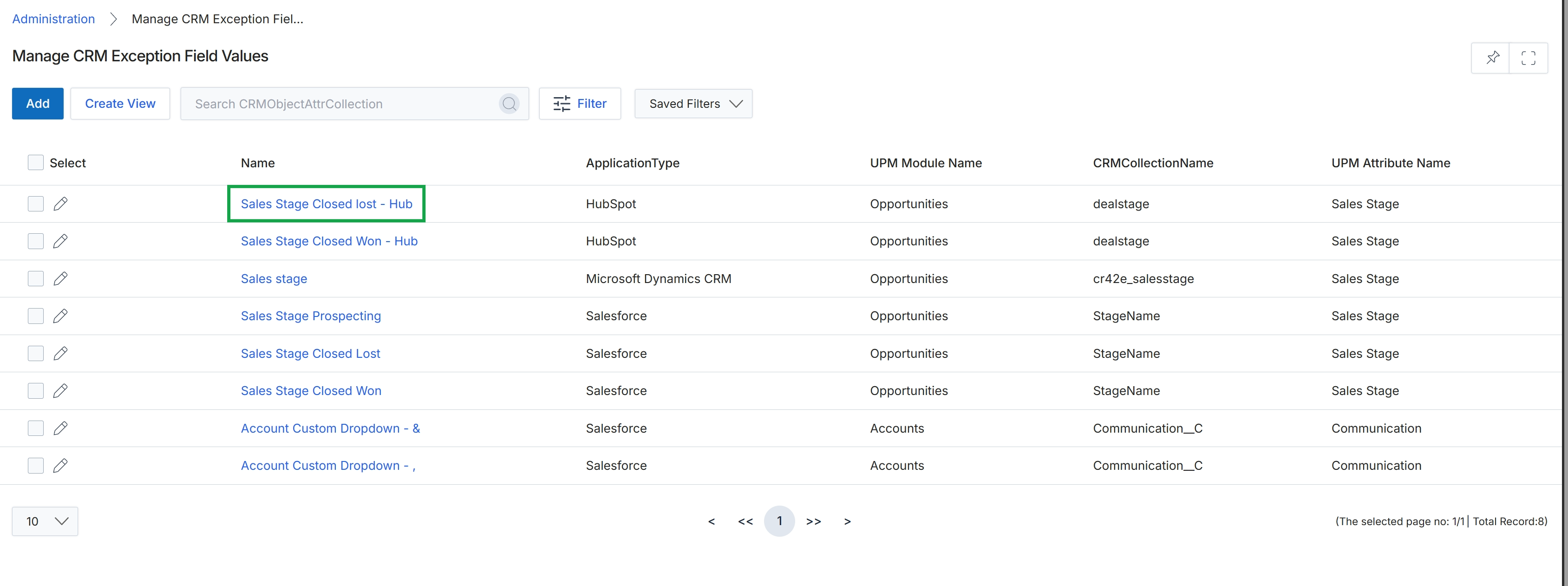
Click the Sales Stage Closed lost - Hub link.
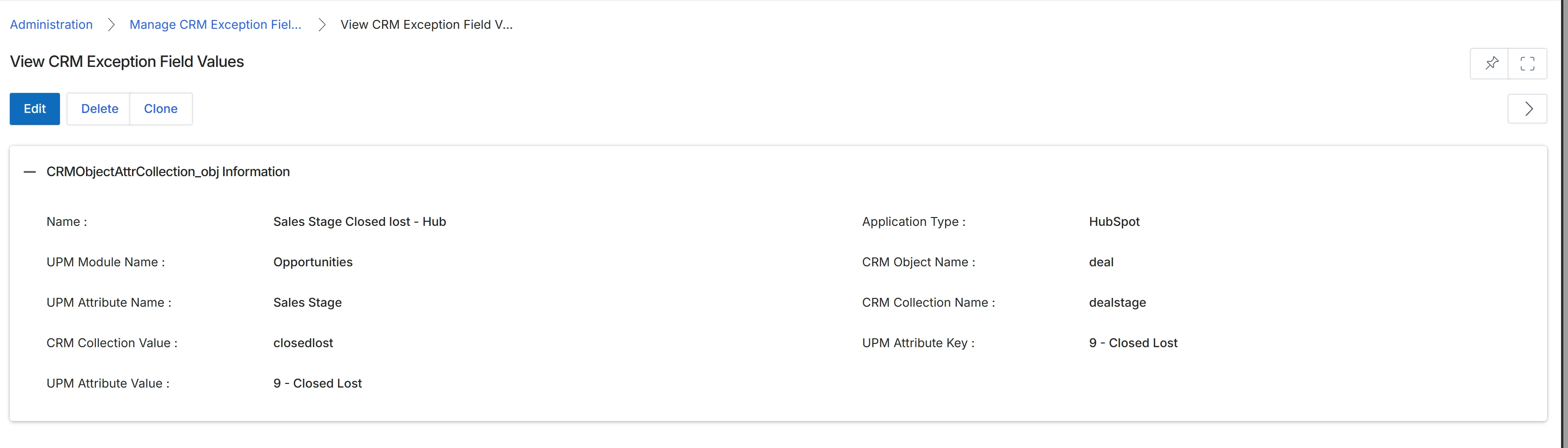
This screen displays the details of a specific CRM Exception Field Value record. These records are crucial for managing data synchronization between the platform and external CRM systems, particularly when there are discrepancies or specific mapping requirements for field values. Each record defines how a particular value from a CRM field (e.g., a sales stage in HubSpot) should be mapped or interpreted within a corresponding UPM module attribute (e.g., an opportunity status). This detailed view allows administrators to review the configured mapping, ensuring that data flows correctly and consistently across integrated systems, preventing data loss or misinterpretation during synchronization.
Review the details of the CRM Exception Field Value record.
Buttons
| Button | Description |
|---|---|
| Edit | Click to modify the details of this CRM Exception Field Value record. |
| Delete | Click to remove this CRM Exception Field Value record from the system. |
| Clone | Click to create a new CRM Exception Field Value record by duplicating the current record's information. |
CRMObjectAttrCollection_obj Information
| Field | Description |
|---|---|
| Name | The descriptive name assigned to this CRM Exception Field Value record. |
| Application Type | The type of CRM application this exception mapping applies to, such as HubSpot or Salesforce. |
| UPM Module Name | The name of the UPM module where this attribute is located, such as Opportunities. |
| CRM Object Name | The name of the object in the CRM system (e.g., 'deal' for HubSpot opportunities). |
| UPM Attribute Name | The name of the attribute within the UPM module that corresponds to the CRM field. |
| CRM Collection Name | The name of the collection or field in the CRM system that contains the value (e.g., 'dealstage' for HubSpot deal stages). |
| CRM Collection Value | The specific value from the CRM system's collection that is being mapped (e.g., 'closedlost'). |
| UPM Attribute Key | The internal key or identifier for the corresponding attribute value in the UPM module. |
| UPM Attribute Value | The display value for the corresponding attribute in the UPM module (e.g., '9 - Closed Lost'). |
Managing Existing Mappings
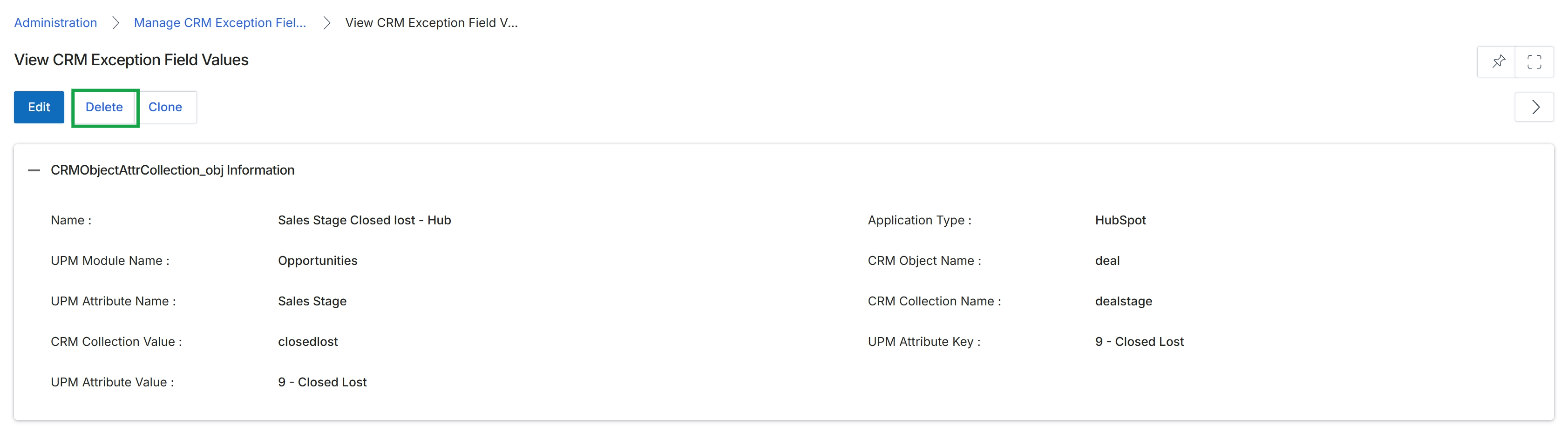
Click the Delete button.
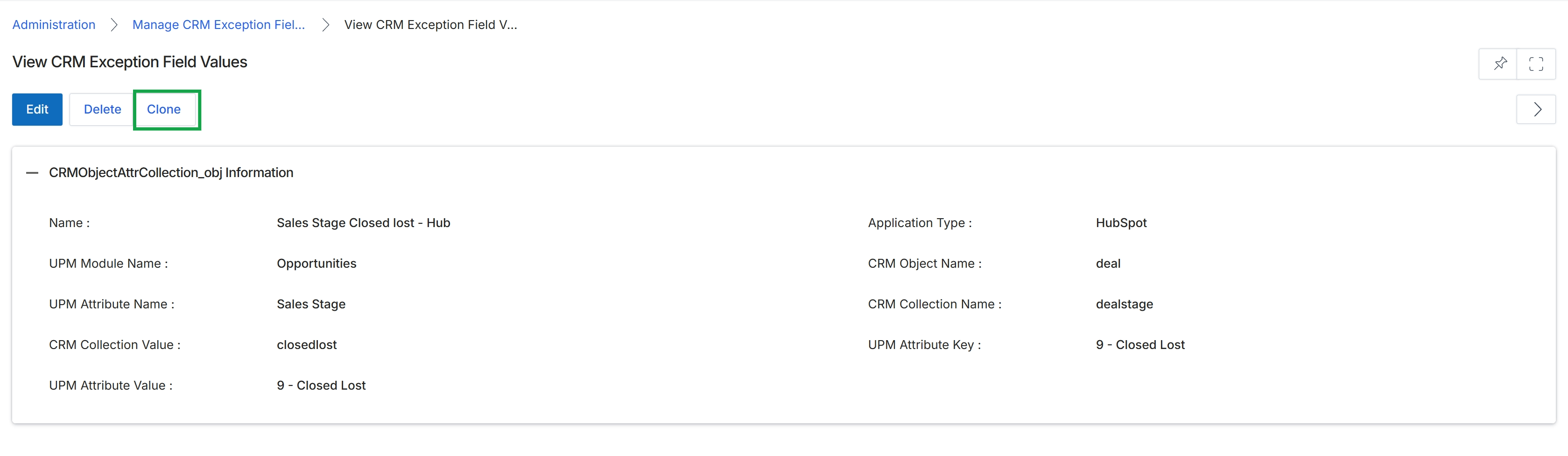
Click the Delete button.
Editing Mapped Values
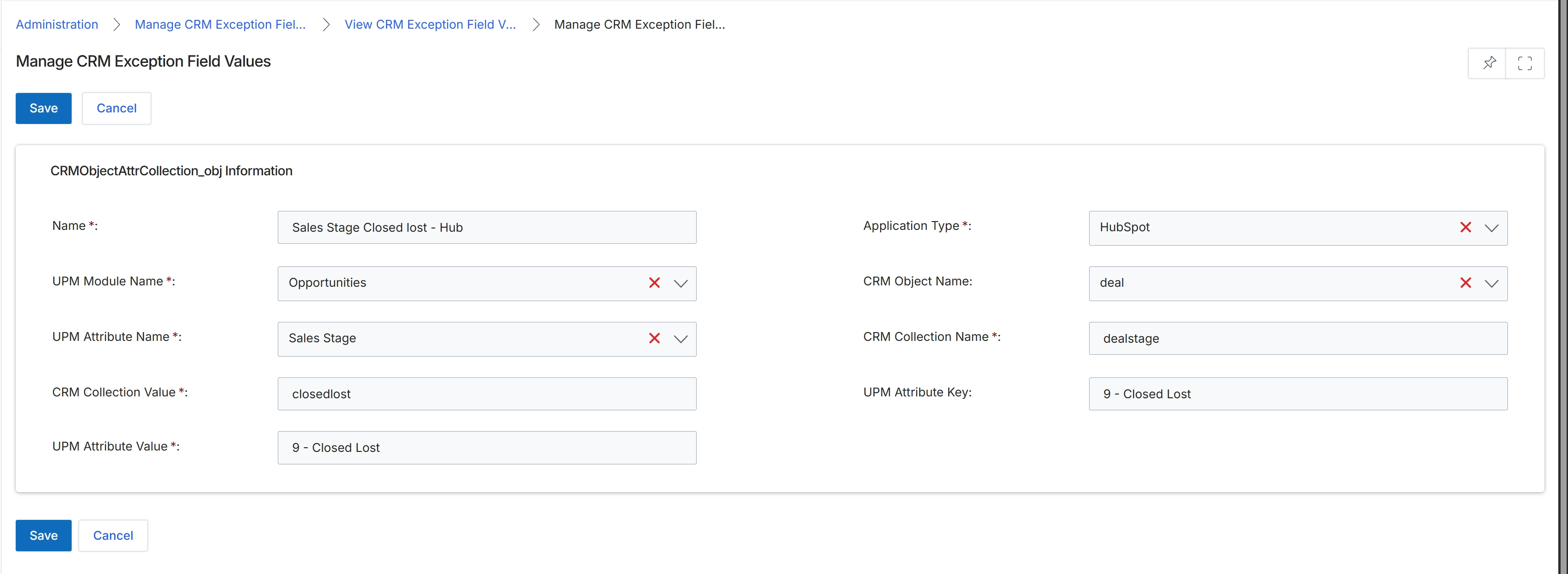
This screen displays the form for managing CRM exception field values, which are critical for ensuring data consistency and proper synchronization between the platform and integrated CRM systems. Exception field values allow administrators to define how specific CRM field values, which might not have a direct one-to-one mapping with platform attributes, are translated or handled during data exchange. This is particularly important for fields like sales stages or statuses, where the exact terminology or internal representation might differ between the CRM and the platform, preventing synchronization errors and maintaining data integrity. By defining these mappings, the system can correctly interpret and process data from various CRM applications, ensuring that partner activities and deal statuses are accurately reflected across both platforms.
After clicking 'Clone' from the previous screen, review the pre-filled details for the CRM exception field value mapping, which can be modified to create a new, similar mapping.
Buttons
| Button | Description |
|---|---|
| Save | Saves the current CRM exception field value mapping. |
| Cancel | Discards any changes and returns to the previous screen. |
CRMObjectAttrCollection_obj Information
| Field | Description |
|---|---|
| Name * | The name of the CRM exception field value mapping, pre-filled from the cloned record. |
| Application Type * | The type of CRM application this mapping applies to, pre-filled from the cloned record. |
| UPM Module Name * | The name of the platform module associated with this mapping, pre-filled from the cloned record. |
| CRM Object Name | The name of the CRM object (e.g., 'deal') to which this mapping applies, pre-filled from the cloned record. |
| UPM Attribute Name * | The name of the platform attribute (e.g., 'Sales Stage') that corresponds to the CRM field, pre-filled from the cloned record. |
| CRM Collection Name * | The name of the CRM collection (e.g., 'dealstage') that contains the value, pre-filled from the cloned record. |
| CRM Collection Value * | The specific value from the CRM collection (e.g., 'closedlost') that needs to be mapped, pre-filled from the cloned record. |
| UPM Attribute Key | The key of the platform attribute that corresponds to the CRM value, pre-filled from the cloned record. |
| UPM Attribute Value * | The corresponding platform attribute value (e.g., '9 - Closed Lost') for the CRM collection value, pre-filled from the cloned record. |