

Overview
In today's interconnected business environment, integrating the platform with existing enterprise systems is crucial for operational efficiency and data consistency. The Connectors Management module provides administrators with the tools to establish and manage these vital connections. By integrating with systems such as Salesforce, HubSpot, SugarCRM, NetSuite, Microsoft Dynamics, and others, the platform can automate data synchronization for leads, deals, partner information, and more, eliminating manual data entry and reducing errors.
This module allows for detailed configuration, including managing connections, defining field mappings between the platform and external systems, and scheduling or monitoring integration jobs. It supports various integration types, from CRM and marketing to payment and ERP systems, making the platform a flexible and powerful component of a vendor's overall technology stack. The ability to manage webhooks and CRM exception field values further enhances the platform's adaptability to specific business requirements and complex integration scenarios.
Accessing Connectors Management
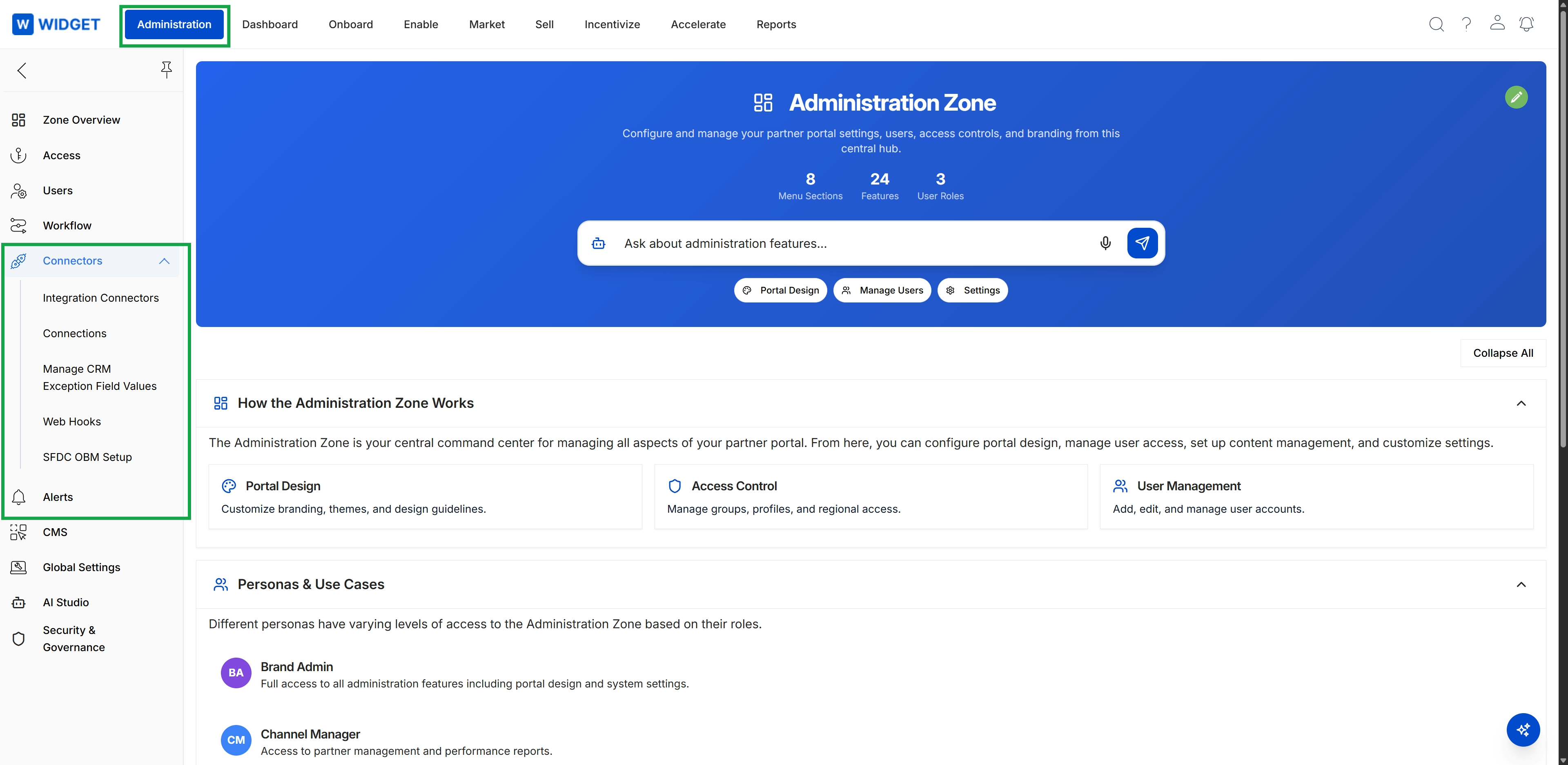
Click Administration in the top navigation bar, then click Connectors in the left navigation menu to expand it, and then click Integration Connectors.
Viewing Integration Connectors
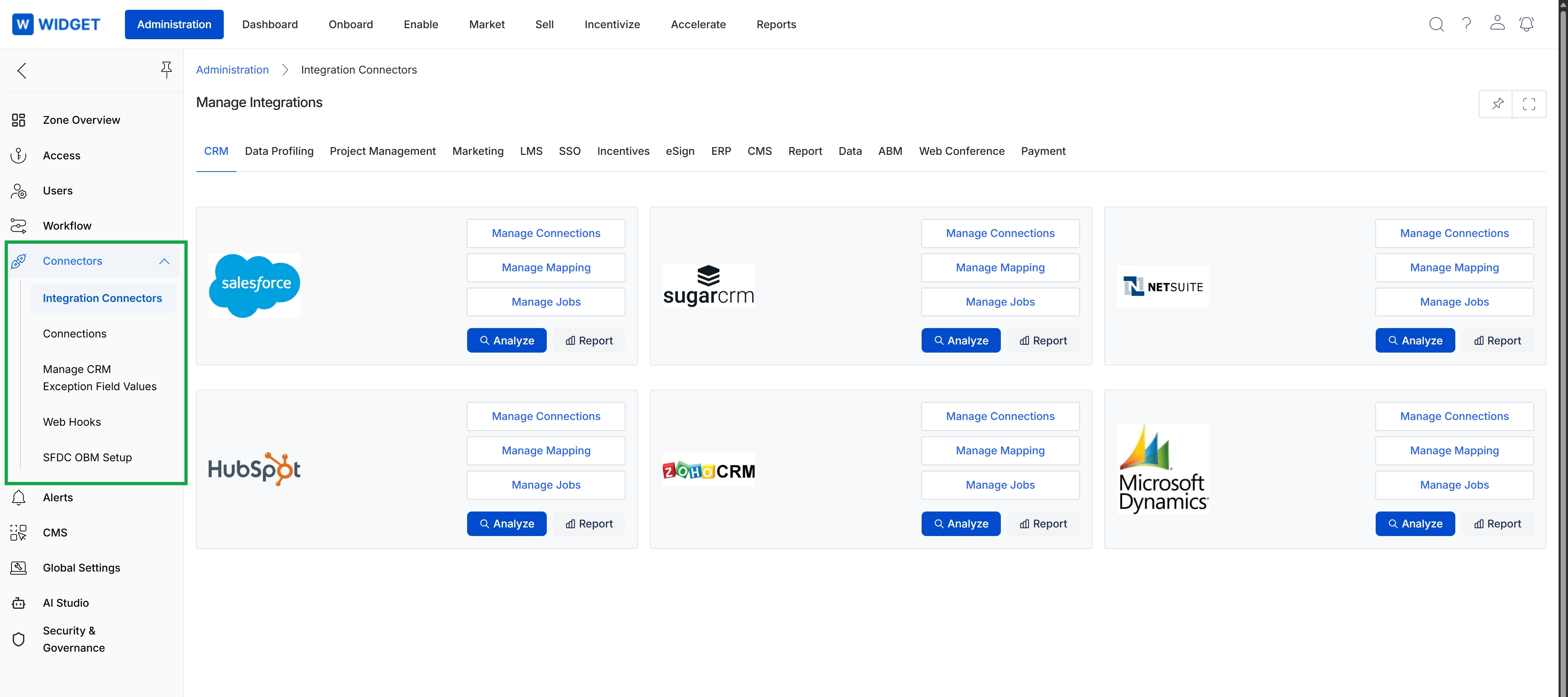
This screen displays the Integration Connectors section within the Administration module, providing a centralized view for managing various external system integrations. It presents a grid of available connectors, categorized by function, allowing administrators to configure connections with different CRMs, marketing platforms, and other systems. Each connector card offers options to manage connections, define data mappings, and analyze integration jobs, which is crucial for ensuring seamless data flow and operational efficiency across the platform and connected external applications.