

Overview
When integrating the platform with various CRM systems like Salesforce, HubSpot, or Microsoft Dynamics, it's common for certain fields to have different value representations. For instance, a 'Sales Stage' in one CRM might have values like 'Closed-Won' or 'Prospecting', while the UPM might use different terminology or a more granular breakdown. CRM exception field values provide a mechanism to explicitly define how these disparate values should be reconciled during data synchronization.
This ensures that data flows correctly between the platform and the CRM, preventing errors and maintaining data integrity. Administrators can create specific rules to map a CRM's unique field value to a corresponding platform value, or vice-versa, allowing for flexible and robust integration configurations that accommodate the nuances of different external systems.
Managing Existing CRM Exception Field Values
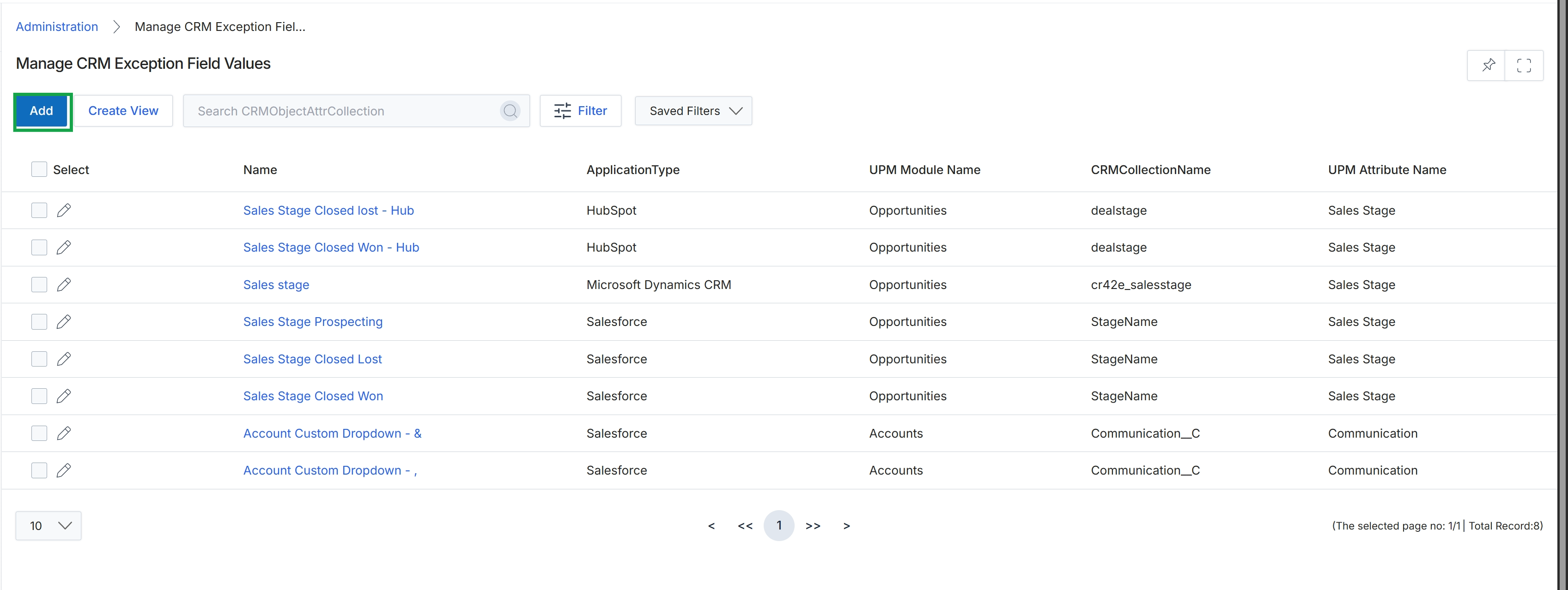
Click the Add button.
Adding a New CRM Exception Field Value
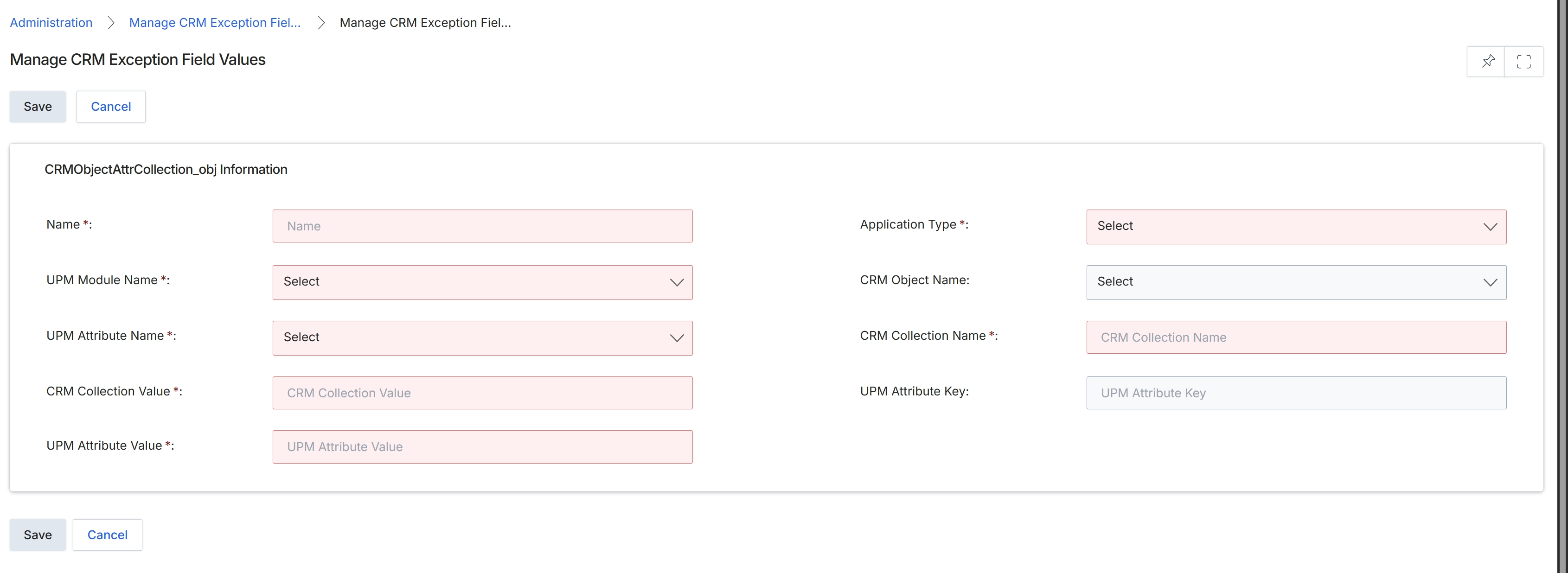
This screen, 'Manage CRM Exception Field Values,' is part of the Administration module's integration configuration, specifically for managing how data synchronization between the platform and external CRM systems handles exceptions. It allows administrators to define specific mappings or rules for CRM fields that might not have a direct, one-to-one correspondence with platform attributes, or require special handling during data transfer. This ensures data integrity and consistency across integrated systems by providing granular control over how particular CRM field values are interpreted or transformed when they are synchronized with the platform's data model. Administrators use this form to create or edit these exception rules, which are critical for maintaining accurate and reliable data flow, especially in complex integration scenarios involving custom fields or unique data structures in either system.
Fill in the required details to define a new CRM exception field value.
Buttons
| Button | Description |
|---|---|
| Save | Saves the configured CRM exception field values. |
| Cancel | Discards any changes and returns to the previous screen. |
CRMObjectAttrCollection_obj Information
| Field | Description |
|---|---|
| Name * | A unique name for this CRM exception field value rule. |
| Application Type * | The type of application this exception applies to, selected from a dropdown list. |
| UPM Module Name * | The name of the platform module to which this exception applies, selected from a dropdown list. |
| CRM Object Name | The name of the CRM object (e.g., Lead, Opportunity, Account) involved in this exception, selected from a dropdown list. |
| UPM Attribute Name * | The specific platform attribute name that corresponds to the CRM field, selected from a dropdown list. |
| CRM Collection Name * | The name of the CRM collection associated with the exception. |
| CRM Collection Value * | The specific value from the CRM collection that triggers this exception rule. |
| UPM Attribute Key | The key for the platform attribute that will be affected by this exception. |
| UPM Attribute Value * | The value that the platform attribute will take when this exception rule is applied. |