

Overview
The Event Marketing Management module within the platform provides tools for vendors to create, manage, and track marketing events. As the number of events grows, efficiently locating specific events becomes crucial for administrators. This filtering capability addresses that need by allowing administrators to quickly narrow down the list of events displayed, whether they are looking for events associated with a particular campaign, specific event names, or other custom criteria. This ensures that administrators can easily find and manage the events relevant to their current tasks.
Accessing Event Filters
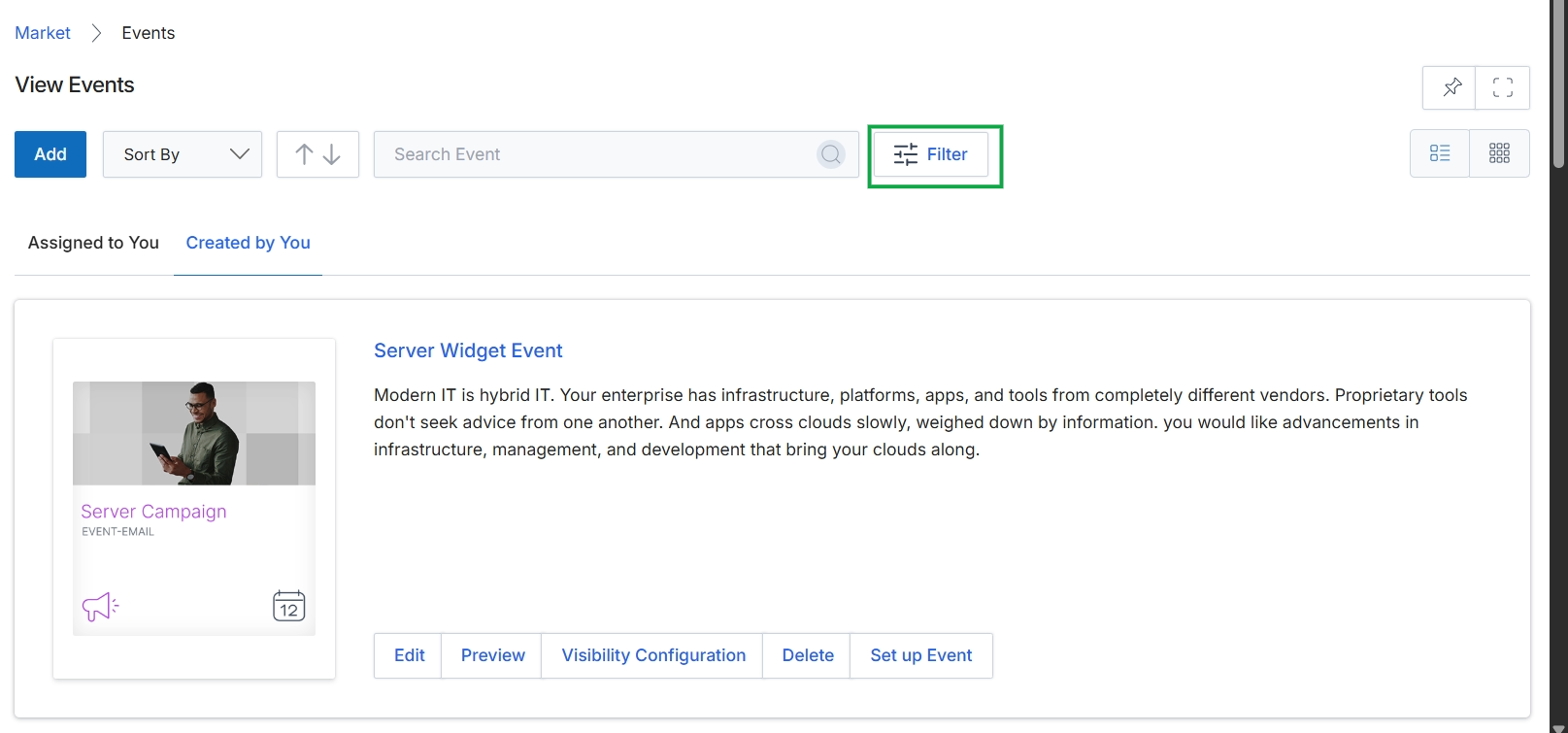
Click the Filter button to display filtering options for events.
Applying Basic Filters
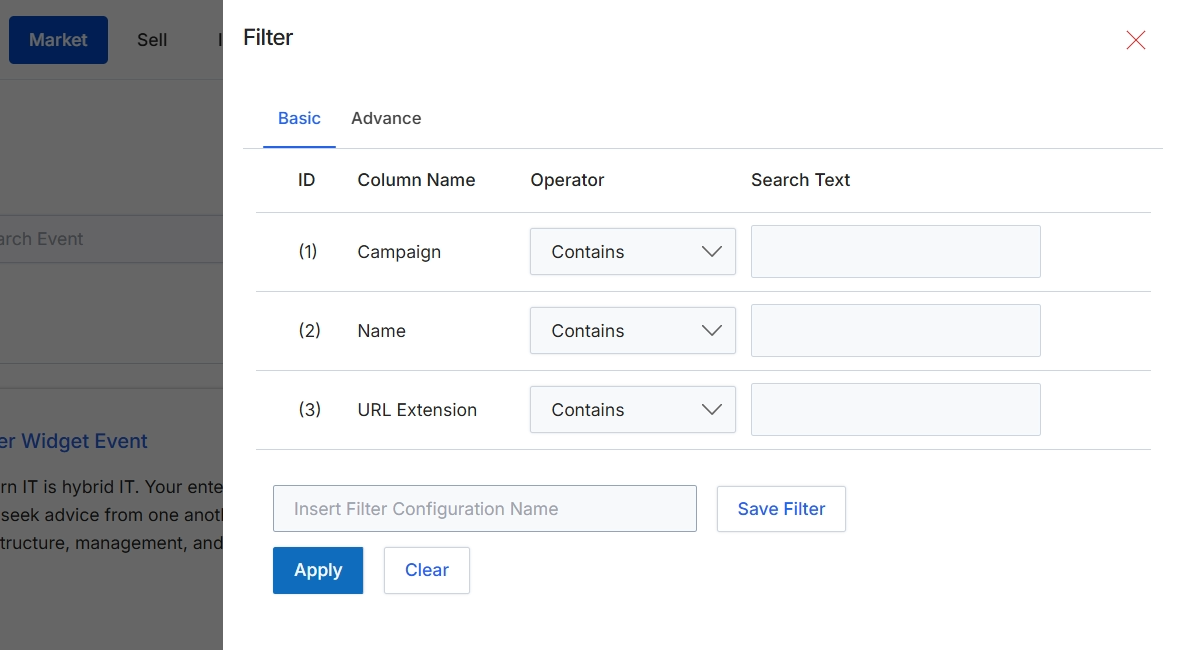
This filter dialog allows users to refine the list of displayed events by applying specific criteria. Users can define basic filters based on event attributes such as Campaign, Name, and URL Extension, specifying an operator (e.g., 'Contains') and a search text for each. This functionality helps users quickly locate specific events within a potentially large dataset, improving efficiency in managing event marketing activities. The dialog also provides an option to save frequently used filter configurations for future use, streamlining repetitive search tasks.
Define your filter criteria using the available fields and then click "Apply" to filter the event list.
Buttons
| Button | Description |
|---|---|
| Basic | Selects the basic filter options, allowing filtering by common event attributes. |
| Advance | Switches to advanced filter options, typically offering more complex or custom filter capabilities. |
| Save Filter | Saves the current filter configuration with the specified name. |
| Apply | Applies the defined filter criteria to the event list. |
| Clear | Clears all entered filter criteria. |
Fields
| Field | Description |
|---|---|
| Campaign | Allows filtering events by the campaign they are associated with. |
| Name | Allows filtering events by their name. |
| URL Extension | Allows filtering events by their URL extension. |
| Insert Filter Configuration Name | Enter a name to save the current filter configuration for future use. |
Column Headings
| Column | Description |
|---|---|
| ID | A numerical identifier for each filter row. |
| Column Name | The name of the event attribute to filter by, such as Campaign, Name, or URL Extension. |
| Operator | The comparison operator to use for the filter, such as 'Contains', 'Equals', 'Starts With', etc. |
| Search Text | The value to search for within the specified column. |
Utilizing Advanced Filters
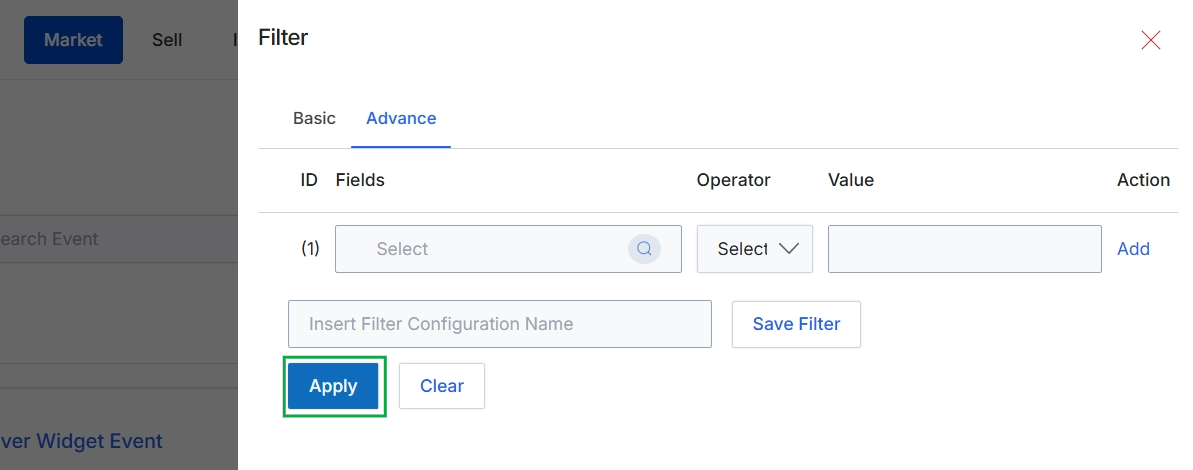
This screen displays the advanced filter options within the Market module, allowing users to define specific criteria for refining data views. It provides fields to construct complex queries by selecting a field, an operator, and a value, which can then be applied to filter the displayed events. Users can also save frequently used filter configurations for later reuse.