

Overview
Events are a crucial component of many co-marketing strategies, allowing vendors and partners to engage with prospects and customers through webinars, workshops, conferences, or other gatherings. The Event Marketing Management module provides the tools necessary to define, configure, and deploy these events. Administrators can set up event details, link them to broader marketing campaigns, and manage all associated content, such as landing pages and promotional materials.
This module ensures that partners have access to pre-approved event assets and information, facilitating consistent branding and messaging. It supports various event types and allows for detailed configuration of event pages, enabling a flexible approach to event marketing within the partner ecosystem.
Accessing and Viewing Events
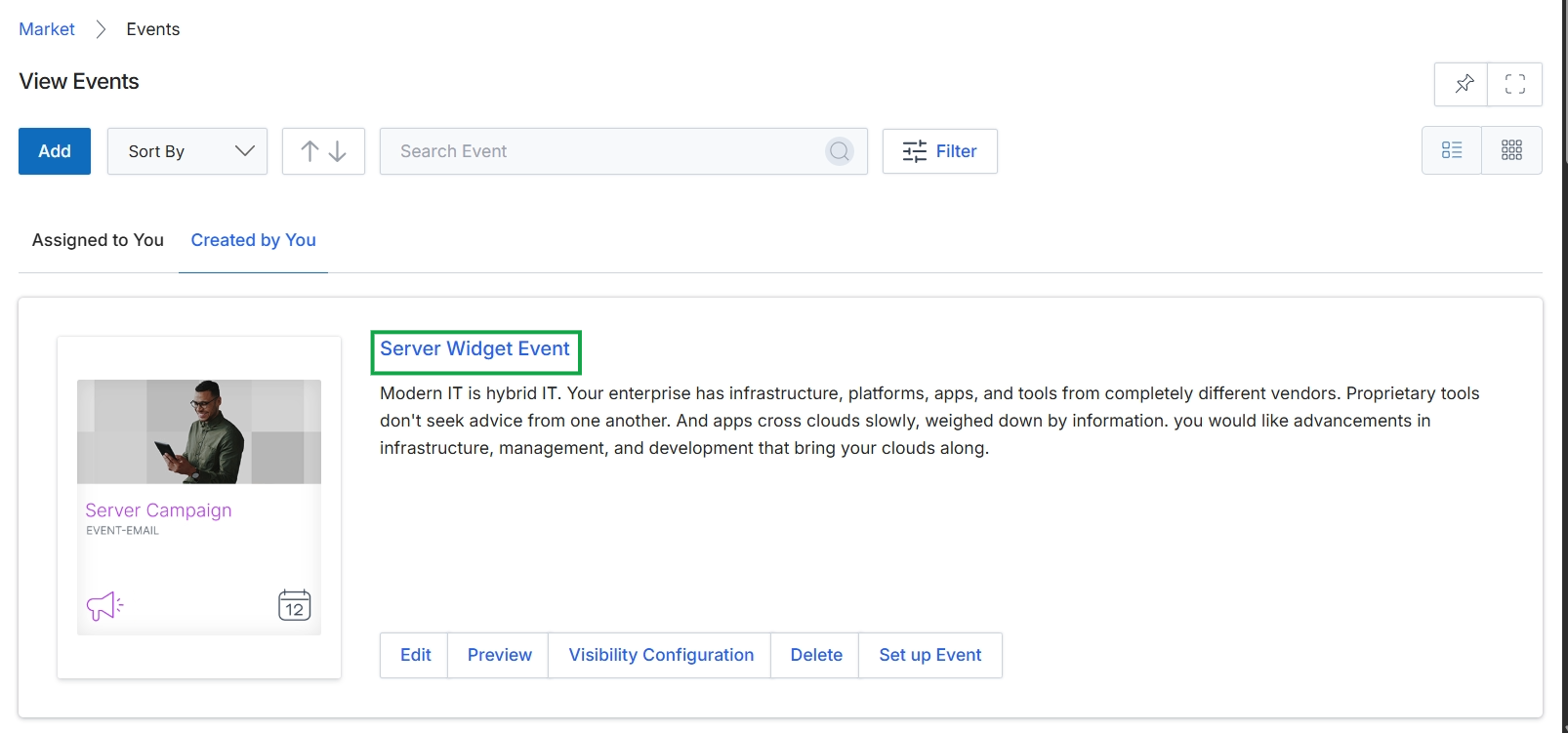
Click the Server Widget Event title to view the event details.
Reviewing Event Details
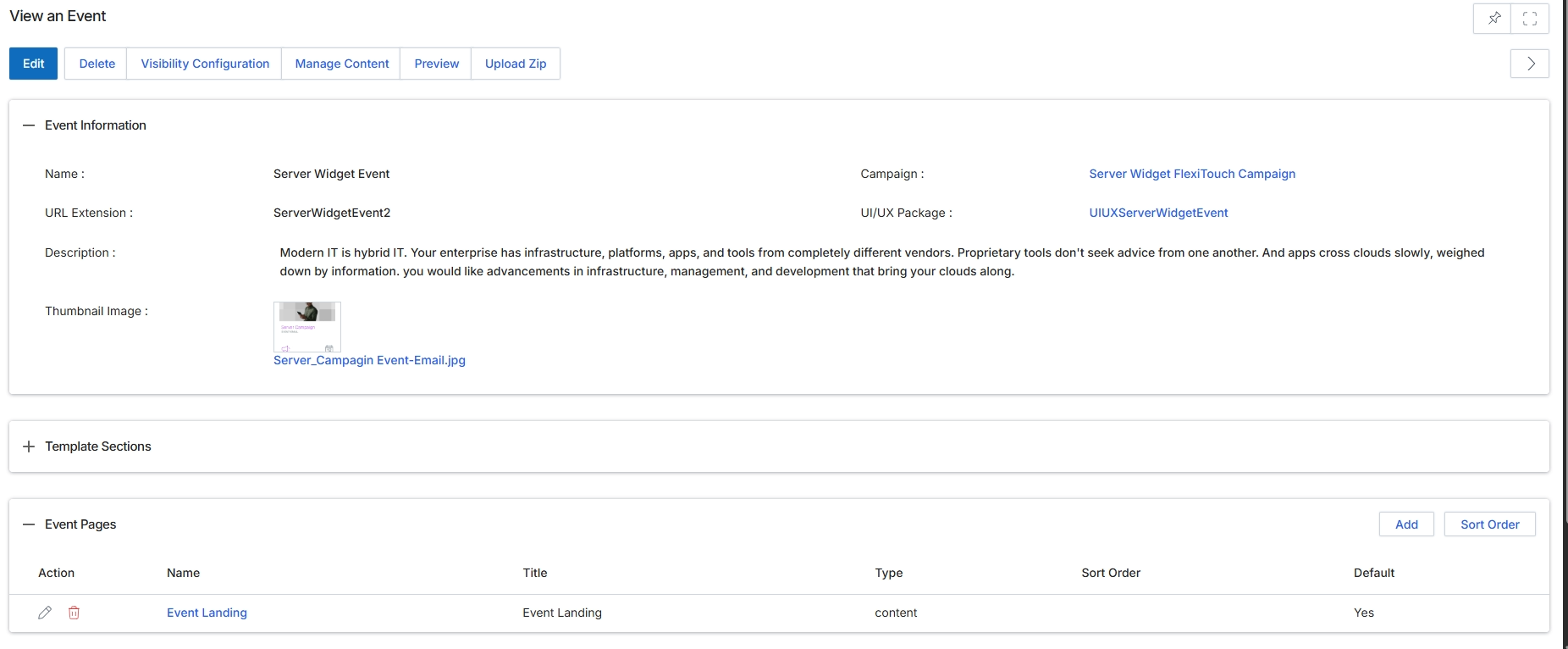
This screen displays the detailed information for a specific event within the Event Marketing Management module. It provides a comprehensive overview of the event's configuration, including its basic identification, associated campaign and UI/UX package, and a detailed description. Administrators use this view to review all aspects of an event after it has been created or to prepare for further management actions such as editing, configuring visibility, or managing its content. The screen also lists the individual pages that comprise the event, allowing for granular management of each page's properties and content.
After clicking the event name 'Server Widget Event' from the list view, the detailed view of the event is displayed here.
Buttons
| Button | Description |
|---|---|
| Edit | Allows administrators to modify the event's details. |
| Delete | Removes the event from the system. |
| Visibility Configuration | Configures who can see and access the event. |
| Manage Content | Navigates to the content management interface for the event. |
| Preview | Displays a preview of the event as it would appear to users. |
| Upload Zip | Uploads a ZIP file containing event assets or configurations. |
| Add | Adds a new page to the event. |
| Sort Order | Adjusts the display order of the event pages. |
Event Information
| Field | Description |
|---|---|
| Name | The name of the event. |
| URL Extension | The unique URL extension for the event. |
| Description | A detailed description of the event. |
| Thumbnail Image | A preview of the thumbnail image associated with the event, along with its filename. |
| Campaign | The marketing campaign to which this event is linked. |
| UI/UX Package | The user interface and user experience package used for the event. |
Event Pages
| Column | Description |
|---|---|
| Action | Column header for actions that can be performed on each event page. |
| Name | Column header for the name of each event page. |
| Title | Column header for the title of each event page. |
| Type | Column header for the type of each event page. |
| Sort Order | Column header for the sort order of each event page. |
| Default | Column header indicating if an event page is the default page. |