

Overview
Effective event marketing is crucial for engaging partners and driving lead generation. The platform provides tools for administrators to set up various types of events, from webinars to in-person conferences. Before an event goes live, it's essential to review how the event landing page will appear to potential attendees and partners. This preview functionality ensures that all event details, branding, and registration forms are correctly displayed and aligned with marketing objectives.
By offering a direct preview, administrators can catch and correct any discrepancies in real-time, preventing errors that could impact partner engagement or attendee registration. This step is vital for maintaining brand consistency and ensuring a professional presentation of all co-marketing activities.
Key Features
- Event Landing Page Preview
- Real-time Content Review
- Branding Consistency Check
- Registration Form Validation
- Pre-publication Verification
Accessing the Event Preview
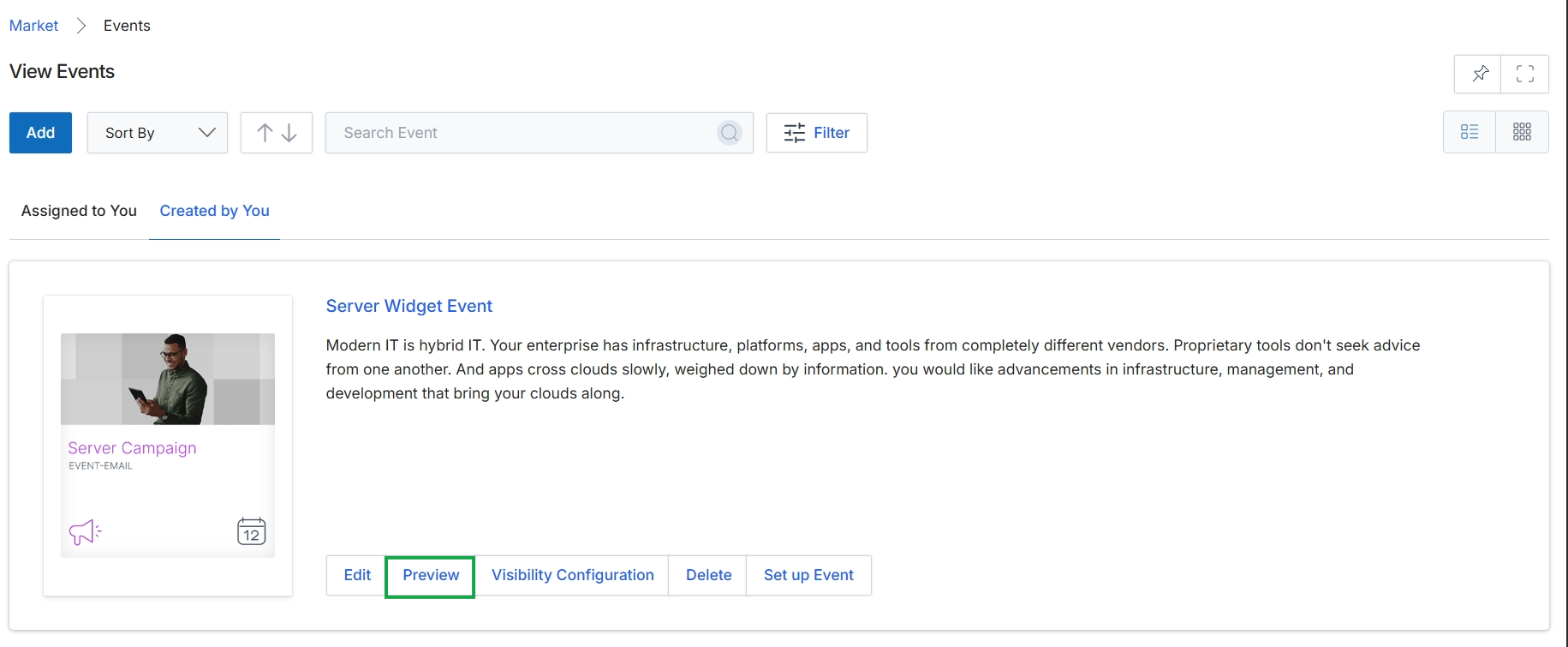
Click the Preview button for the "Server Widget Event" to view a preview of the selected event.
Reviewing the Event Landing Page
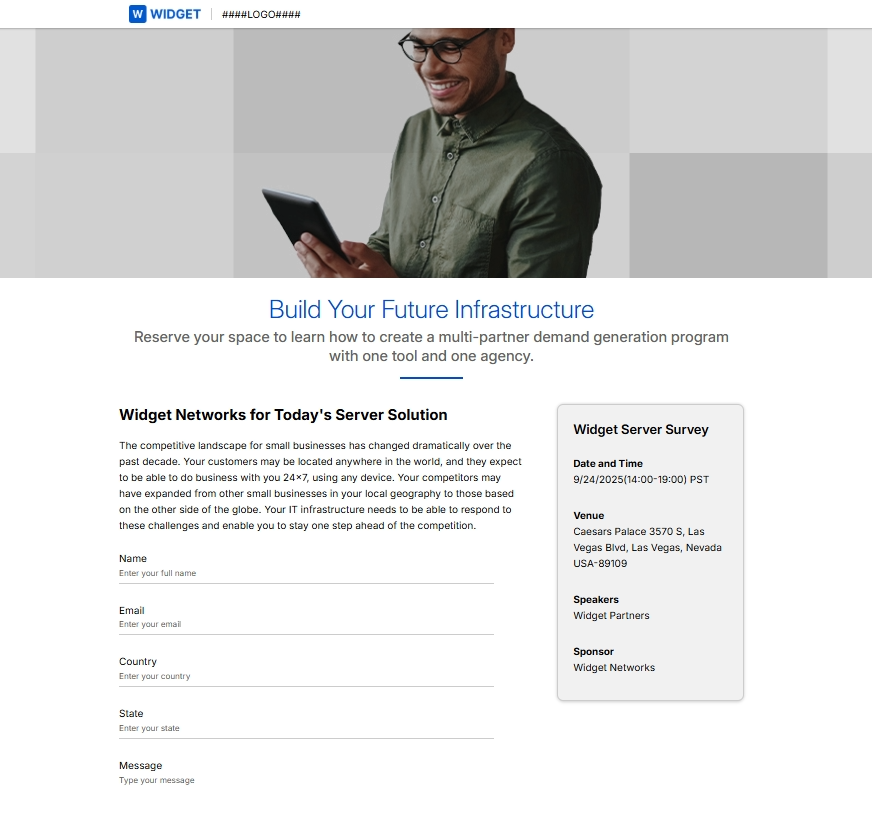
Click Preview.
Frequently asked questions
- What is the purpose of previewing an event landing page?
Previewing an event landing page allows administrators to verify that all event details, branding, and registration forms appear correctly before publishing the event. This helps ensure quality and aligns with marketing objectives.
- Who can preview event landing pages?
Both administrators and channel partners can preview event landing pages within the platform.
- Why is previewing an event important for partners?
Previewing is crucial for partners to ensure professional event presentation and brand consistency. It prevents errors that could affect engagement or registration for co-marketing activities.
- What key aspects can be checked during an event preview?
During an event preview, users can review content in real-time, check branding consistency, validate registration forms, and perform pre-publication verification.
- How does event preview contribute to partner engagement?
By enabling administrators and partners to catch and correct discrepancies in real-time, the preview prevents errors. This ensures a professional presentation, which positively impacts partner engagement and attendee registration.